
外掛說明
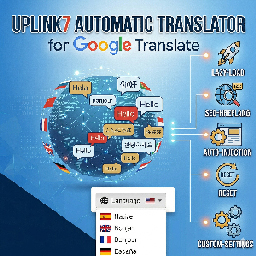
Uplink7 Automatic Translator for Google Translate is a lightweight and powerful solution to make your website global. It uses the official Google Translate engine to provide instant translations into over 100 languages.
Unlike other plugins, it focuses on performance and SEO. Features include:
* Lazy-Load Technology: The Google Translate script only loads when needed, keeping your site fast.
* Automatic Injection: Place the translator in the header, footer, or as a floating widget without touching code.
* SEO Optimized: Supports Hreflang tags to help search engines index your translated content (Premium).
* Privacy & Protection: Includes email protection to prevent bots from scraping your email addresses in translated versions.
* Full Customization: Adjust colors, borders, and font sizes to match your brand design.
External Services
This plugin relies on the third-party service Google Translate to provide the translation functionality.
* Service: Google Translate (Google LLC)
* Usage: It loads the Google Translate API script to enable the language switcher and content translation.
* Data sent: When a user interacts with the translator, technical data (such as the IP address and browser information) may be sent to Google to provide the service. No personal WordPress user data is transmitted.
* Links: Google Privacy Policy, Google Terms of Service.
螢幕擷圖

The Admin Dashboard with all customization options. 
The Language Selector integrated into a website header.
安裝方式
- Upload the plugin folder to the
/wp-content/plugins/directory. - Activate the plugin through the ‘Plugins’ menu in WordPress.
- Go to Settings > Uplink7 Automatic Translator to configure your options.
- Use the Shortcode
[u7at_translate]or the PHP function<?php echo u7at_get_widget_html(); ?>if you prefer manual placement.
常見問題集
-
Does this plugin slow down my site?
-
No. We use a lazy-load approach, meaning the external Google script is only called after the initial page load or upon user interaction.
-
Can I hide the Google branding?
-
Yes, the Premium version includes “Brand Protection” which hides the Google logo and “Powered by” text for a cleaner look.
使用者評論
這個外掛目前沒有任何使用者評論。
參與者及開發者

變更記錄
1.4
- Bugs fixed.
1.3
- FIX: Improved mobile responsiveness of the floating widget.
- FIX: Updated language list to include over 100 languages.
1.2
- Initial release on WordPress.org.