

外掛說明
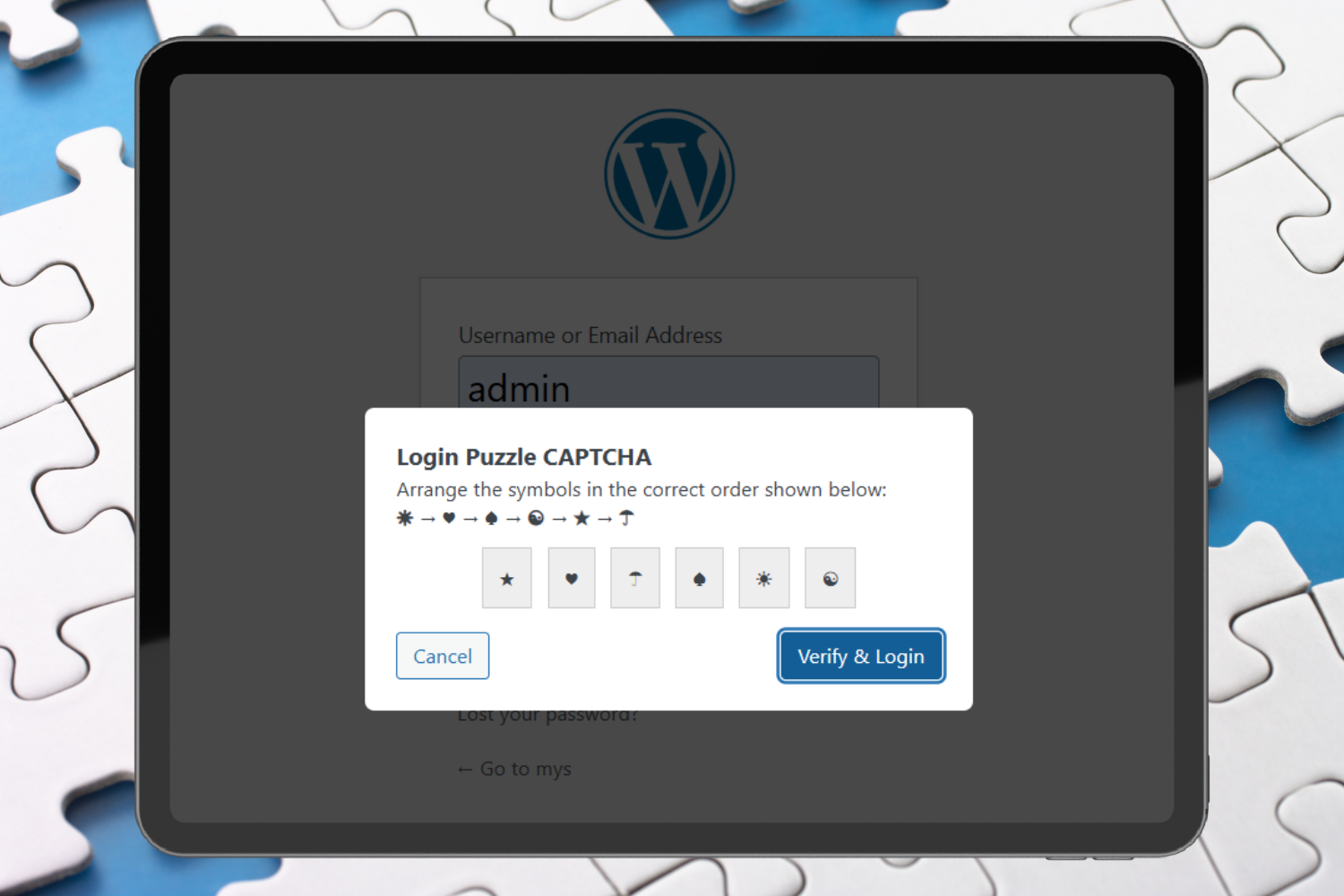
Puzzle Gate is a next-generation WordPress security plugin that replaces annoying traditional CAPTCHAs with an intelligent, interactive puzzle system. Unlike conventional image/text CAPTCHAs that rely on external services and frustrate users, Puzzle Gate offers a fast, self-hosted solution that’s both highly secure and surprisingly user-friendly.
Why Website Owners Choose Puzzle Gate:
Blocks Automated Login Attacks – Advanced puzzle logic stops bots before they can even attempt authentication
Zero External Dependencies – No Google services, no tracking, complete privacy compliance
Lightning Fast – Adds just 200ms to your login page load time
Mobile-First Design – Works perfectly on all devices without compromising security
GDPR/Privacy Compliant – No external API calls, no user data sharing
Accessibility Focused – Screen reader compatible with alternative input methods
How It Works (The Smart Way):
- Interactive Puzzle Challenge – Users arrange randomized symbols into logical order
- Server-Side Validation – Each puzzle is uniquely generated and hashed for maximum security
- Automatic Bot Blocking – Failed attempts trigger puzzle regeneration
- Seamless Login Experience – Humans solve it in seconds, bots can’t crack it
Puzzle data is generated server-side, hashed securely, and expires automatically to prevent replay attacks.
Features
Core Security
- Drag-and-drop puzzle CAPTCHA system
- Server-side validation with WordPress salts
- Automatic puzzle expiration (configurable)
- Brute-force attack protection
- Nonce-based replay attack prevention
Administration & Control
- Simple settings panel in WordPress admin
- Adjustable puzzle difficulty (4-12 symbols)
- IP whitelisting capabilities
- Failed attempt threshold configuration
User Experience
- Fully responsive design
- Mobile-optimized interface
- Keyboard navigation support
- Screen reader compatibility
- Visual feedback for interactions
Technical Excellence
- 100% self-hosted solution
- No external API dependencies
- Lightweight codebase
- Regular security updates
- Compatible with most security plugins
Admin Configuration
Puzzle Gate includes a settings page where administrators can:
- Enable or disable the puzzle CAPTCHA
- Set puzzle difficulty (number of symbols)
- Enable the puzzle only after X failed login attempts
- Whitelist trusted IP addresses
Documentation
Full documentation is available on our website:
Puzzle Gate Documentation
Troubleshooting
- Ensure the Puzzle Gate plugin is activated and your WordPress version is at least 5.2.
- Deactivate other plugins to check for conflicts.
螢幕擷圖
Puzzle Gate 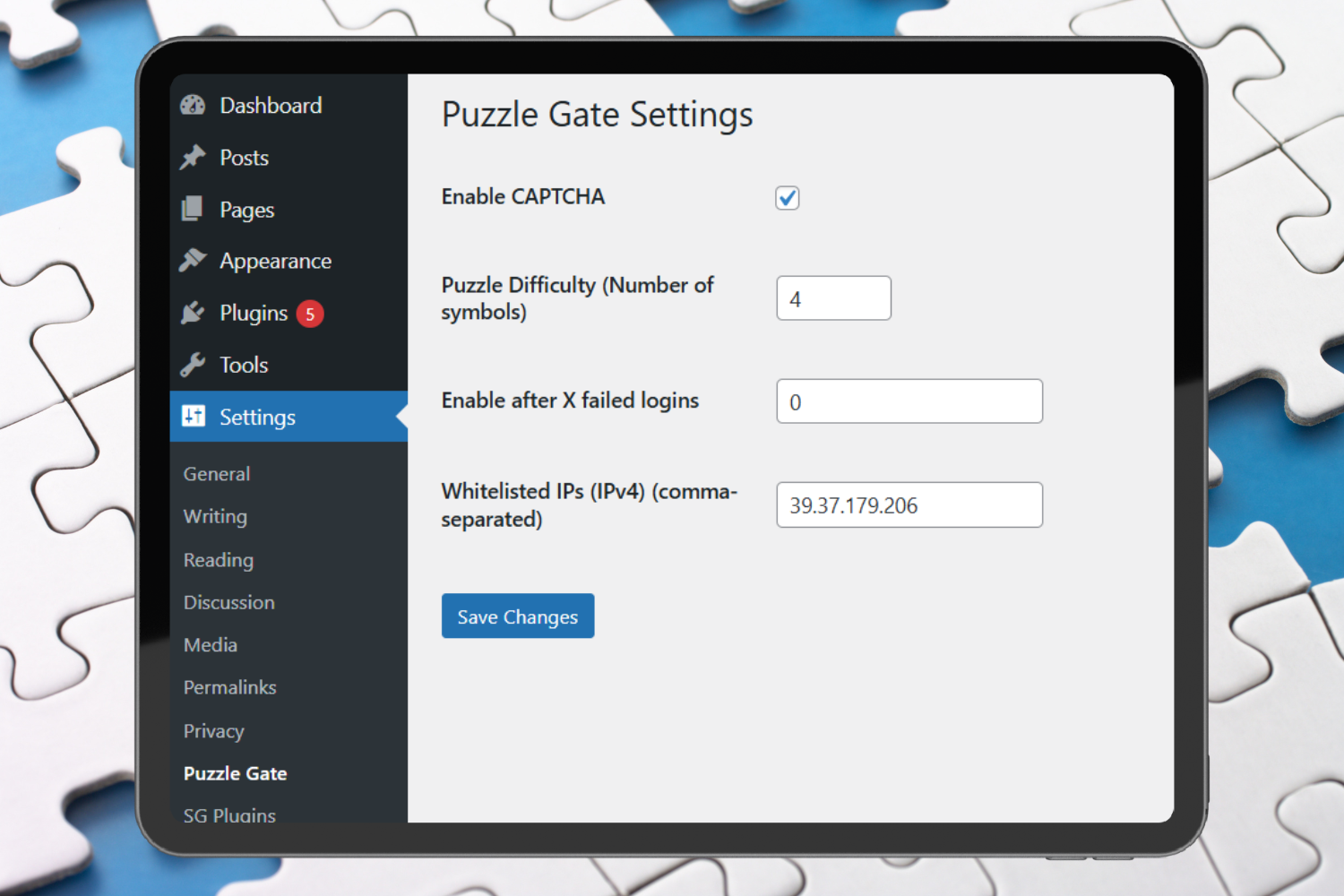
Settings
安裝方式
- Upload the
puzzle-gatefolder to the/wp-content/plugins/directory
OR install via the WordPress Plugins screen. - Activate the plugin through the Plugins menu.
- Go to Settings Puzzle Gate to configure options.
- Log out and visit the login page to see the puzzle in action.
常見問題集
-
Will this slow down my login page?
-
No. The puzzle is lightweight and optimized to load quickly.
-
Can bots solve this puzzle?
-
The puzzle logic, nonce binding, expiration, and hashing make automated solving extremely difficult.
-
What happens if a user fails the puzzle?
-
The puzzle is regenerated and must be solved again before login is allowed.
-
Does it work on mobile devices?
-
Yes. The puzzle is fully responsive and automatically switches to a dropdown-based interface on mobile devices.
使用者評論
這個外掛目前沒有任何使用者評論。
參與者及開發者

變更記錄
1.0.1
- Performance optimizations on the login page
- Minor UI and accessibility improvements
- Code cleanup and stability fixes
1.0.0
- Initial release
- Puzzle #1: Order the Symbols
- Admin settings panel
- Accessibility fallback
- Secure nonce-based validation