

外掛說明
PC User Address Manager for WooCommerce lets customers add and manage multiple billing and shipping addresses from both the Checkout and My Account pages.
Unlike other solutions that require users to first save an address through my account page to use at checkout, our plugin eliminates these extra steps. It ensures an uninterrupted checkout process by allowing customers to add and use a new shipping or billing address directly on the checkout page—with no need to navigate away and return to select it.
Free Version version allows users to save or select any saved address, automatically populating the billing and shipping form fields on the traditional WooCommerce checkout form, which uses the shortcode [woocommerce_checkout].
**Free Version**
-
Multiple Address Management:
Customers can easily add, edit, delete, and view multiple billing and shipping addresses using elegant, user-friendly modals through checkout page and from my account page’s addresses tab as well. -
Streamlined Checkout Experience:
Customers can add and use new addresses instantly during checkout — no redirection to my accounts page. This creates a frictionless process, reducing cart abandonment & improving conversion rates. -
Instant Auto-Fill for Default Addresses:
Customers can mark any address as their default. When they return for future purchases, these details are automatically filled in, speeding up checkout and enhancing user convenience. -
Custom Labels for Each Address:
Shoppers can assign short names like “Home”, “Work”, or “Parents” to make address selection faster and more intuitive. -
Three Beautiful Layouts:
Choose from three elegant, responsive address listing layouts to perfectly match your store’s branding. -
Works With WooCommerce Checkout Form:
Works with the regular checkout form, which is displayed by using shortcode [woocommerce_checkout].
**Pro Version**
The Pro Version brings the same functionality for the new WooCommerce Checkout Block, extending the same powerful address management to the modern checkout experience. Whether your store uses the traditional WooCommerce Checkout Form or the new Checkout Block, the Pro version delivers the same seamless functionality.
- Includes all features from the free version.
- Works With WooCommerce Checkout Block: The Pro version offers the same functionality on the new WooCommerce Checkout Block. So pro version works with both shortcode based checkout form and for the new block based form — providing users with a smooth, unified & consistent experience to save multiple addresses.
- Customizable Templates: Easily update template colors and styles using color pickers and design controls from backend to match your store’s branding.
- Four Beautiful Templates: Provide visually appealing layouts for address selection and management.
- Manageable Text Settings: Site admin can easily update all text based setings from backend.
- Customisation service: available for UI / UX / functionality enhancements.
Live Demos
Transform your WooCommerce store with faster, smarter address management. This plugin simplifies checkout, increases customer satisfaction, reduces cart abandonment, and encourages repeat purchases — all with minimal setup.
螢幕擷圖

Template Layout One 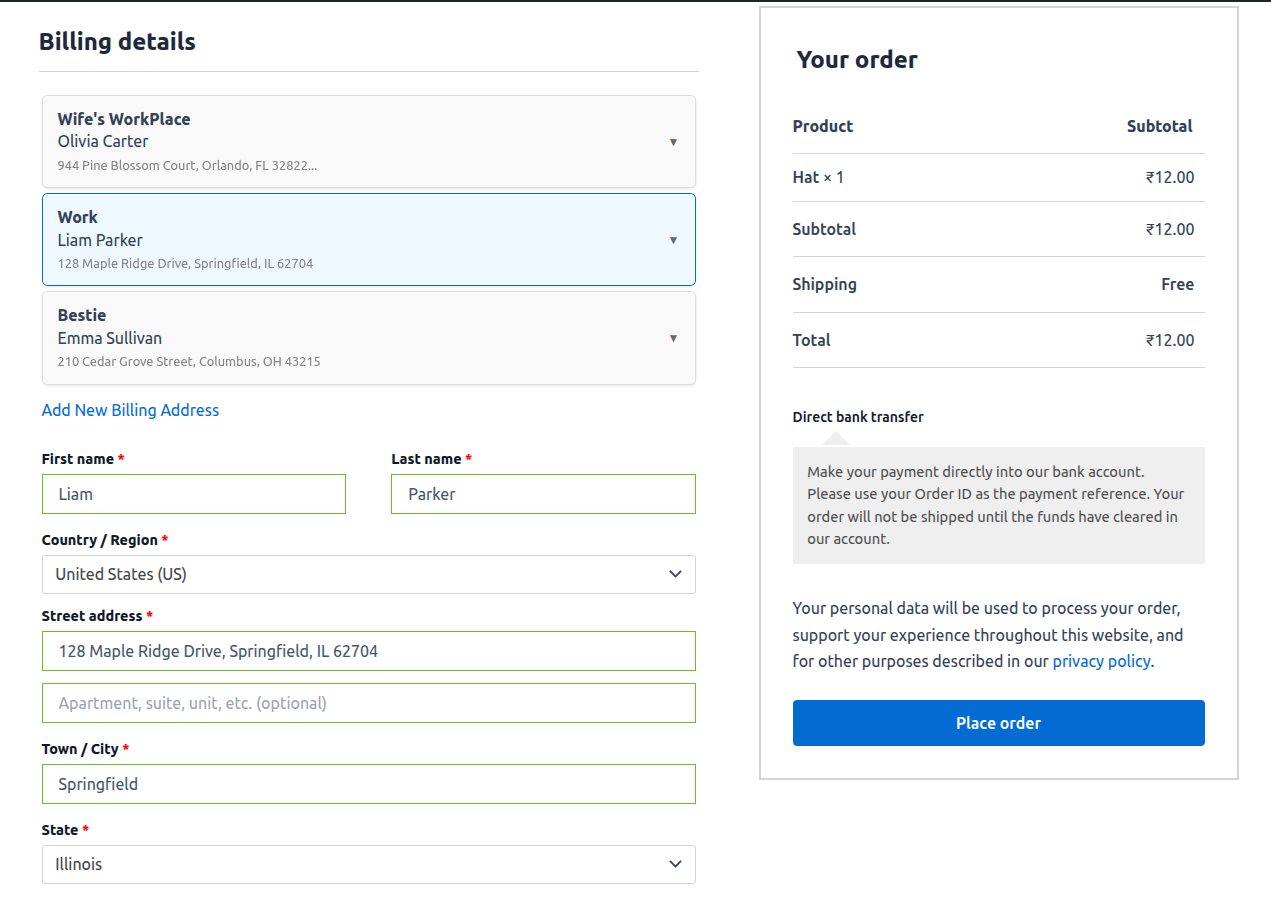
Template Layout Two 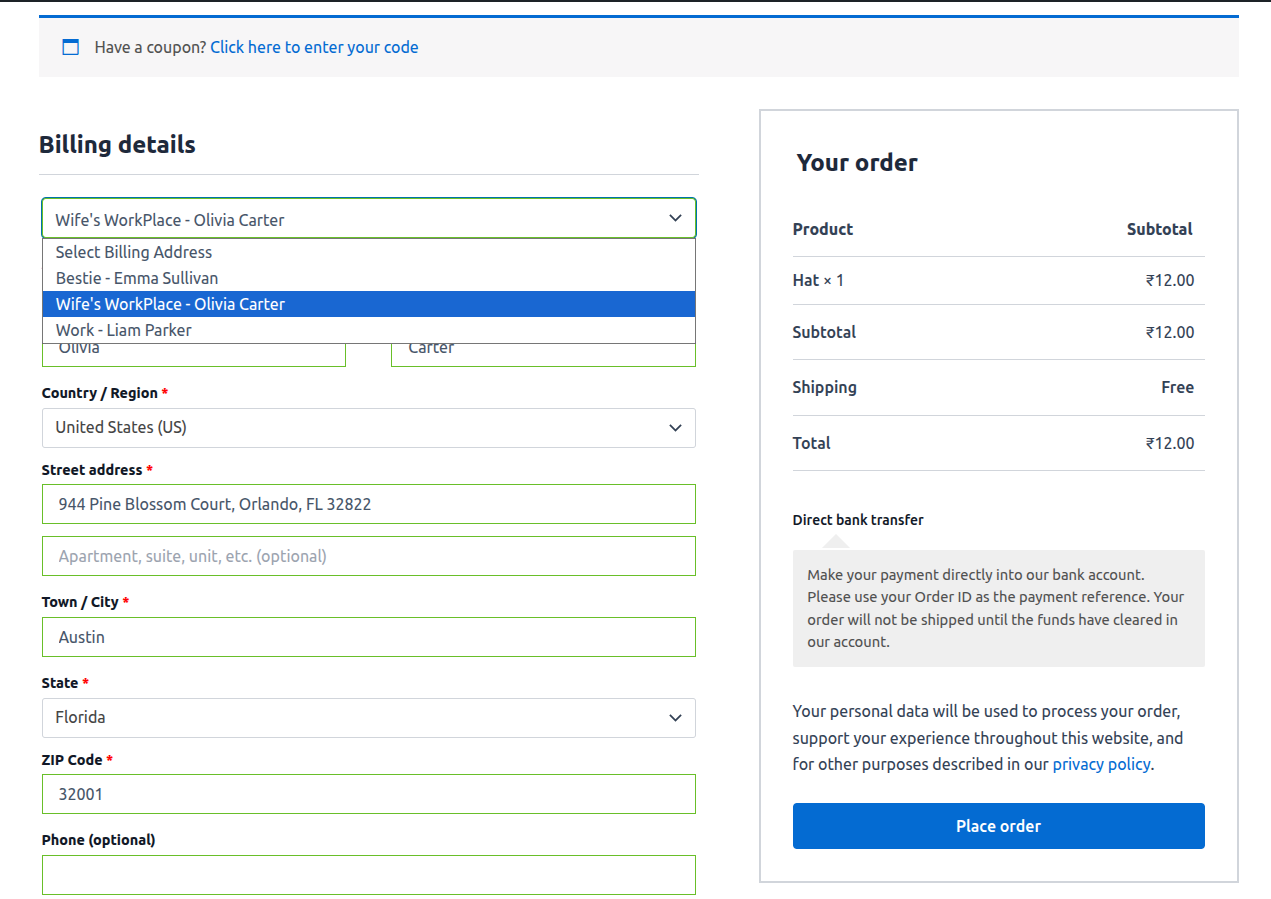
Template Layout Three 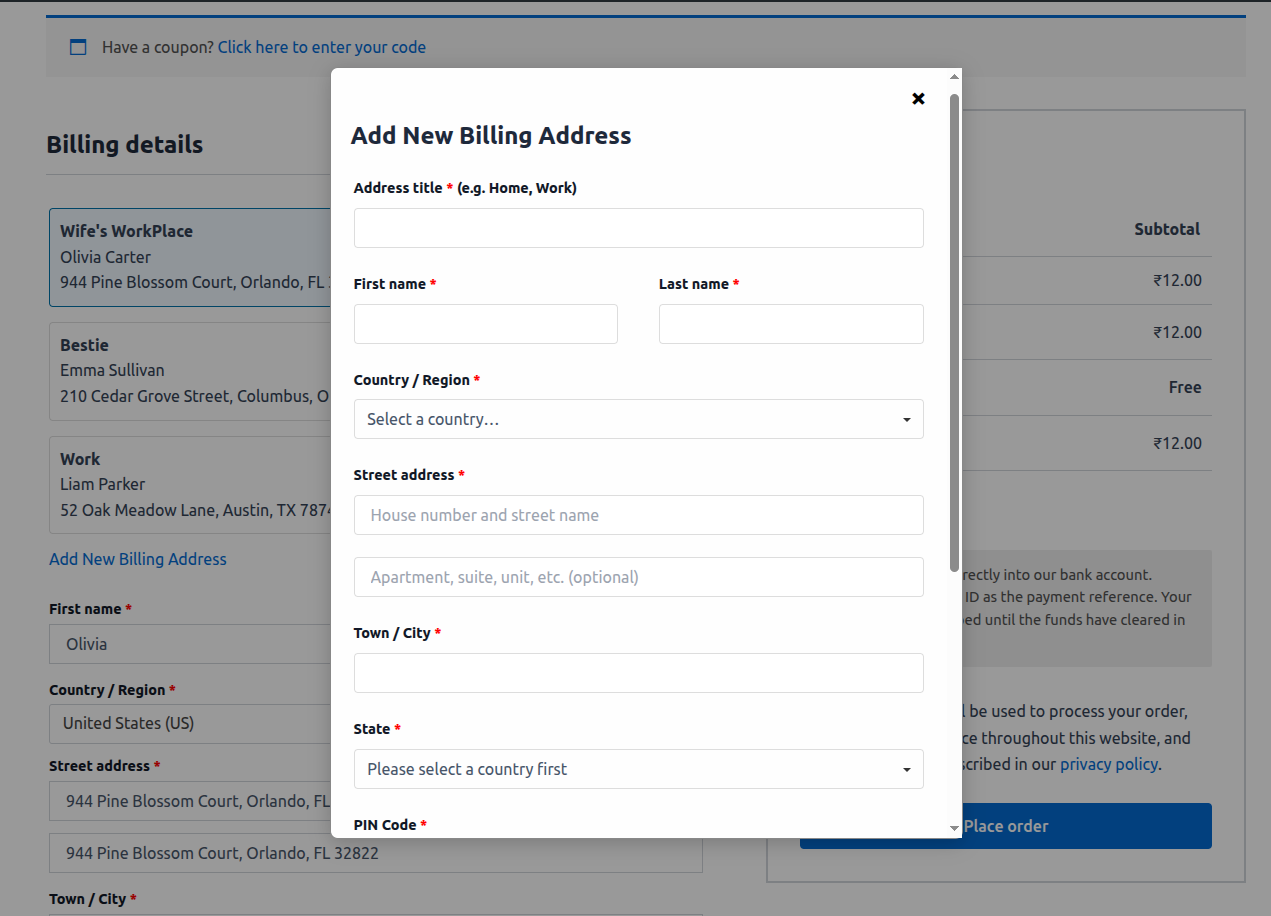
Add New Address Modal 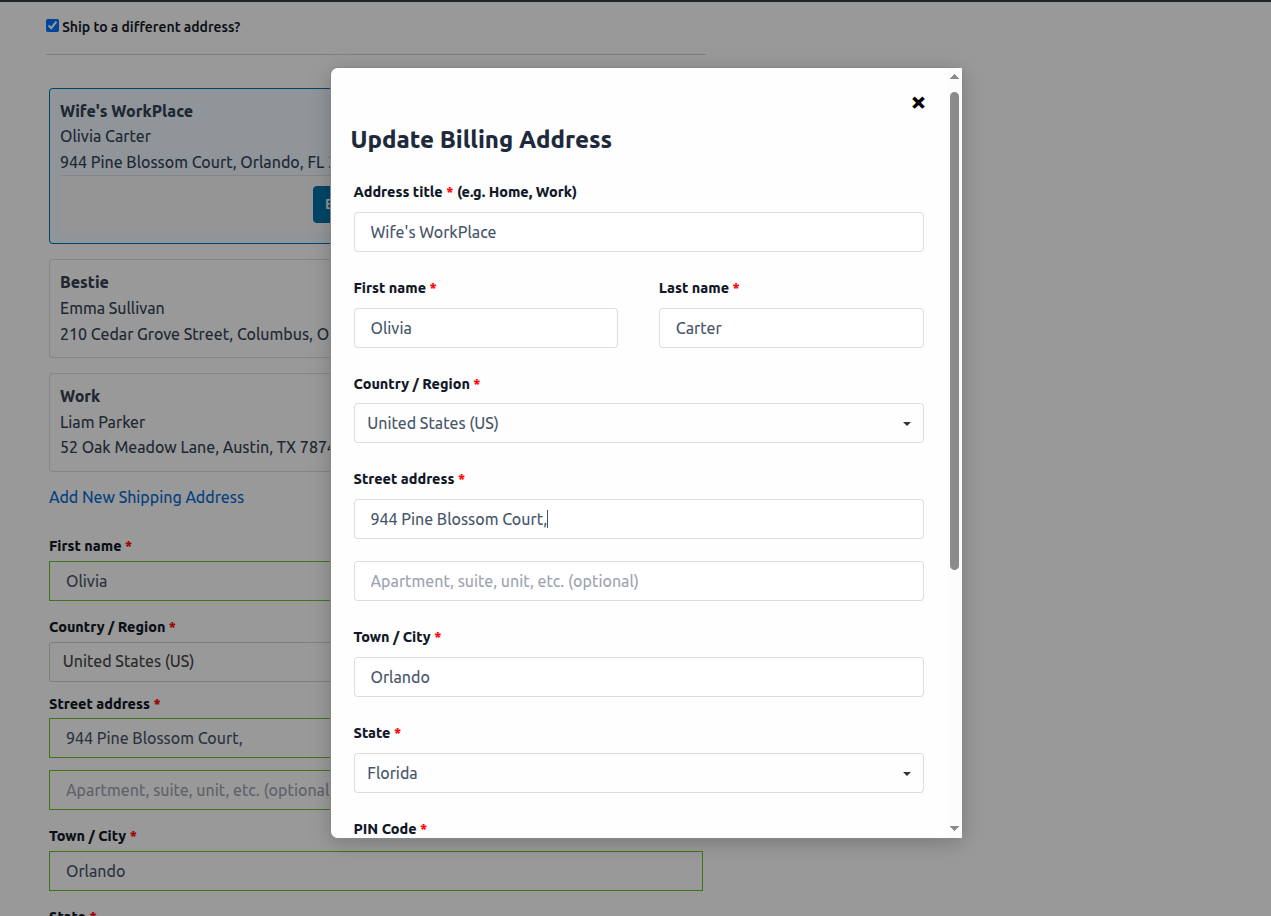
Update Address Modal 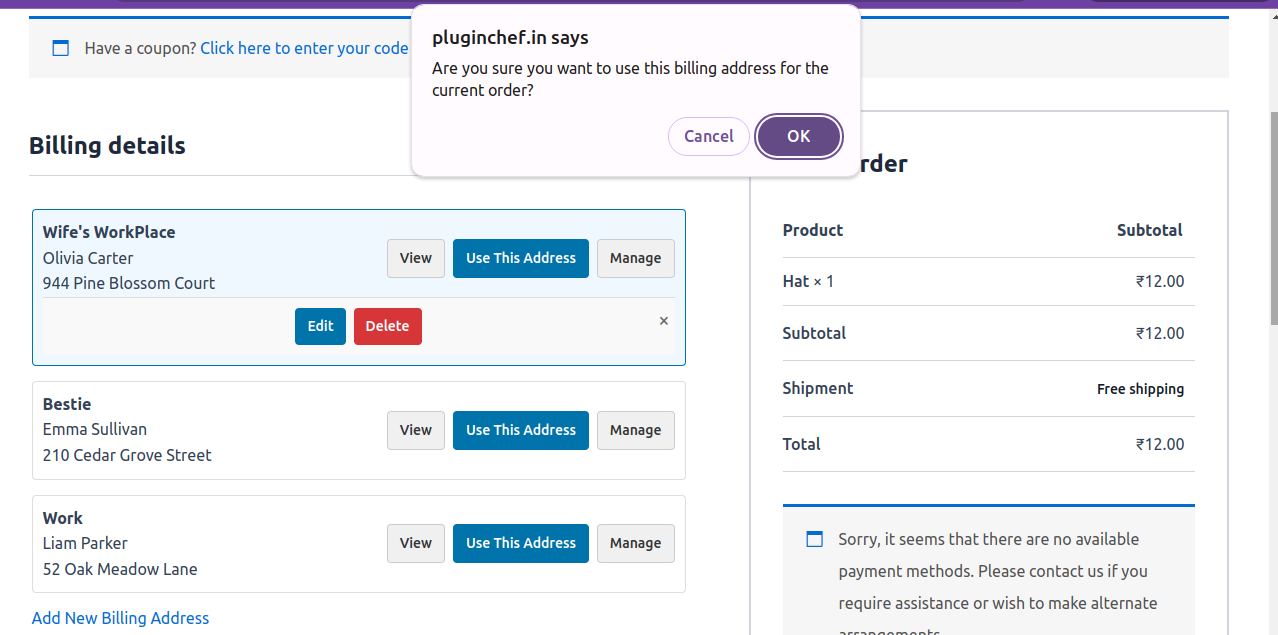
Address Deletion Confirmation Box 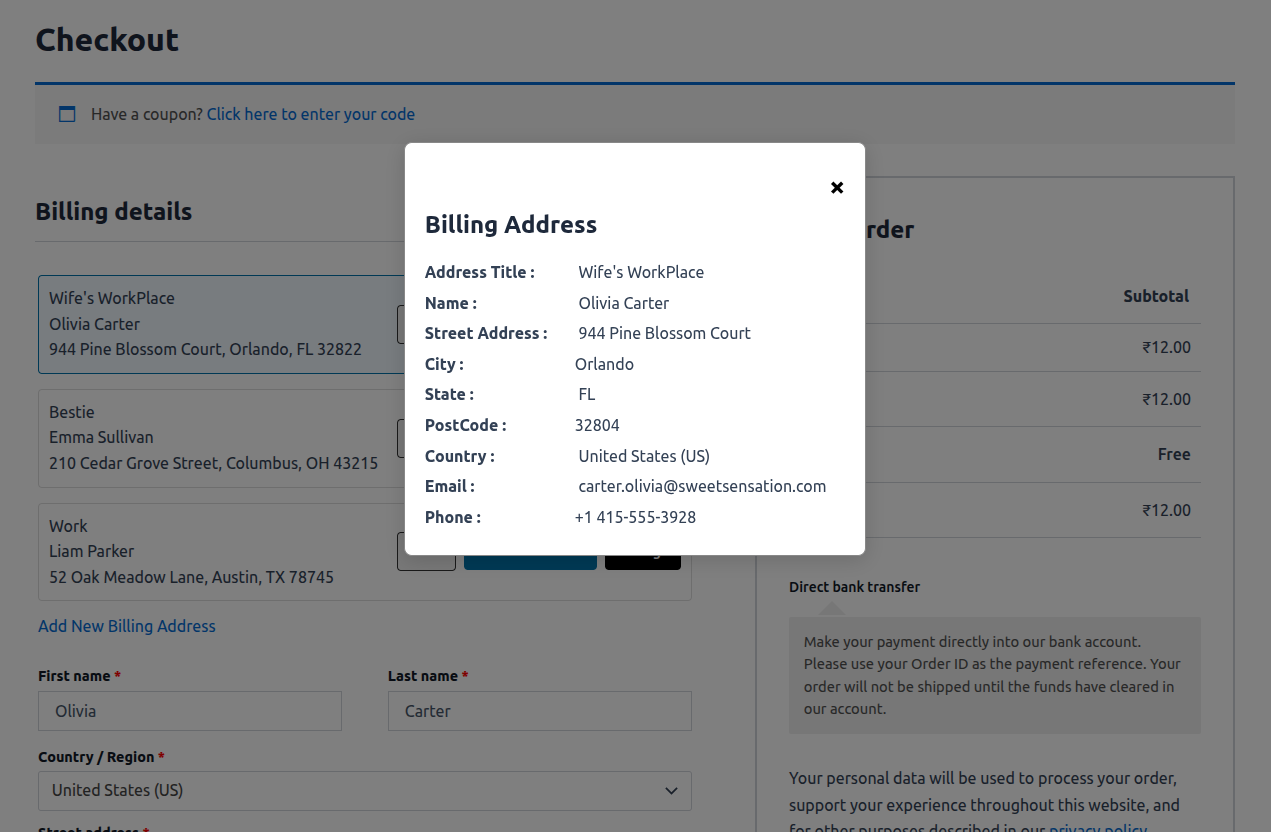
Full Address Details View 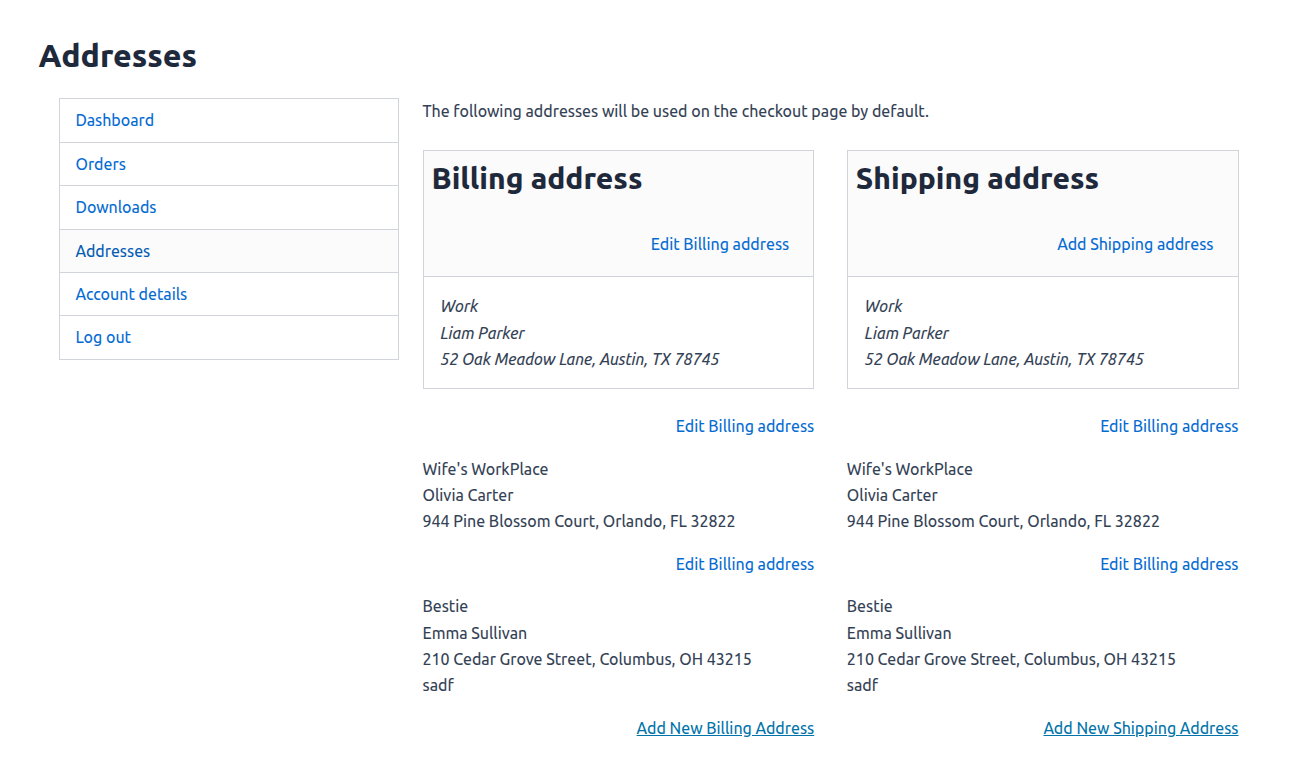
Manage Multiple Addresses in “My Account” Page 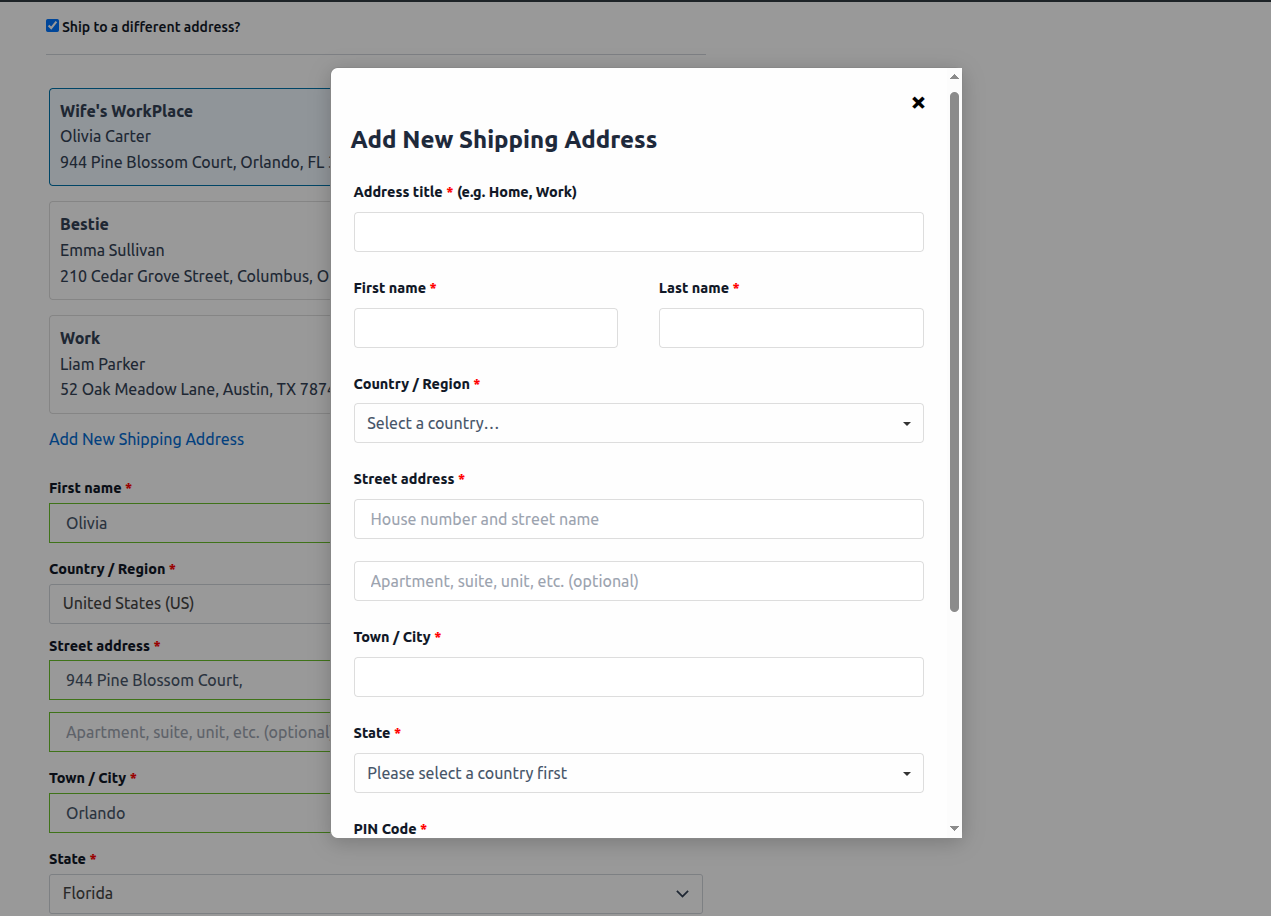
Set Default Billing/Shipping Address for Faster Checkout 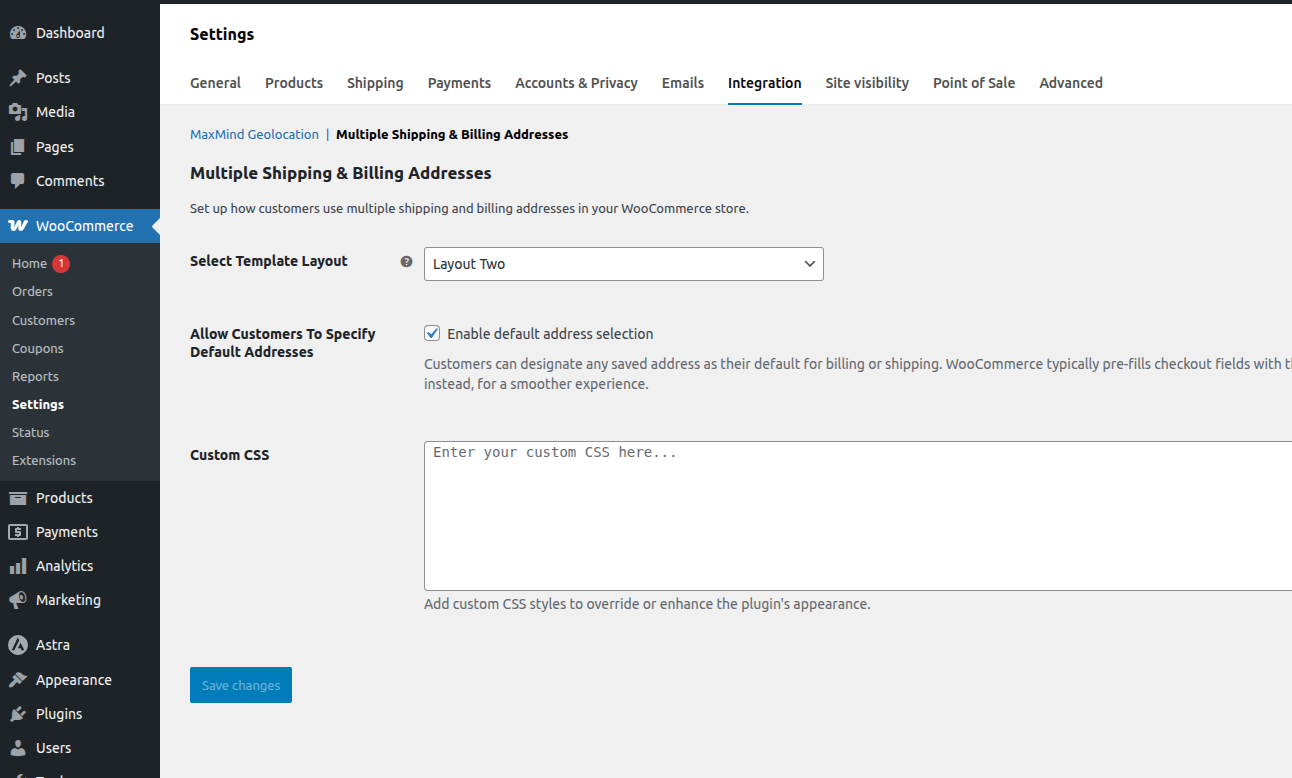
WooCommerce Integration Tab Plugin Settings Page
安裝方式
- Upload the plugin files to
/wp-content/plugins/pc-user-address-manager-for-woocommerce. - Activate the plugin via the Plugins menu in WordPress.
- Ensure latest WooCommerce is active.
- Go to WooCommerce -> Settings > Integration -> Multiple Shipping and Billing Addresses to configure plugin settings.
Once the setup is complete, users on the checkout page will see links to add and use billing or shipping addresses.
For assistance, please refer to the FAQ section or contact the contributor via the plugin’s official page.
常見問題集
-
Where can users add multiple billing and shipping addresses?
-
Customers can add multiple addresses directly from the Checkout page or from the My Account Addresses section. They can view, edit, delete, and manage all saved addresses conveniently from the same interface.
-
Does this plugin work with the new WooCommerce Checkout Block?
-
The free version is compatible with the classic WooCommerce checkout form (using shortcode [woocommerce_checkout]).
To enable the same seamless address management on the new WooCommerce Checkout Block, you will need the Pro version. -
What is a default address and how does it work?
-
Our plugin allows customers to mark one saved address as their default billing address and another as their default shipping address. Once these are set, the checkout form will be automatically pre-filled with these default addresses on their next visit. This greatly speeds up the process, as returning customers can complete their purchase with a single click. They can still easily select any other saved address if needed, but the automatic pre-filling streamlines the experience and helps boost conversions.
-
How do customers set a default address?
-
From the My Account Addresses section, customers can mark any address as default using the “Mark as Default” button.
-
Can I customize the address form fields?
-
No. The plugin uses WooCommerce’s standard address fields (such as country, state, and phone) to save user address.
-
Can the plugin be customized according to specific requirements?
-
Yes, the plugin can be fully customized to meet your specific needs. Plugin developer is available to assist with both UI (design) changes and functionality enhancements, ensuring the plugin works exactly as required for your use case.
使用者評論
這個外掛目前沒有任何使用者評論。
參與者及開發者

變更記錄
1.0
- Initial release.
- Enables customers to add and use new addresses during checkout without interruption.
- Compatible with traditional WooCommerce checkout form.
- Includes three beautiful templates for address selection and autofill.
- Secure AJAX handling with nonces and sanitized data.