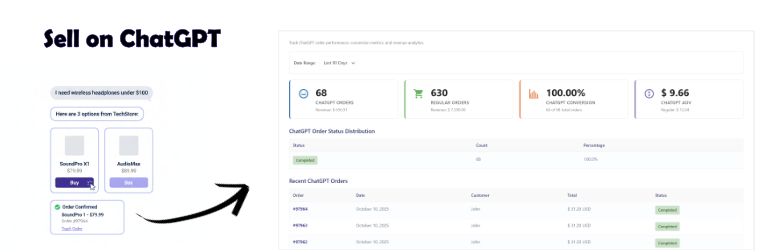

外掛說明
AI Checkout for WooCommerce enables ChatGPT Instant Checkout integration for your WooCommerce store. Customers can browse and purchase your products directly within ChatGPT without leaving the conversation.
Key Features:
- OpenAI Agentic Commerce Protocol (ACP) Integration – Full compliance with OpenAI’s commerce specification
- ChatGPT Instant Checkout – Seamless checkout experience within ChatGPT
- Stripe Payment Processing – Secure payment processing using SharedPaymentToken technology
- Product Feed Management – Control which products appear in ChatGPT
- Real-time Inventory Sync – Automatic stock level synchronization
- Order Management – Track and manage ChatGPT orders alongside regular orders
- Analytics Dashboard – Monitor ChatGPT order performance and conversion metrics
- Application Wizard – Step-by-step guide for OpenAI merchant application
- Test Mode – Comprehensive testing tools and sandbox environment
- Security First – Bearer token authentication, HMAC signatures, IP allowlisting
📖 Full Documentation & Setup Guide
Requirements:
- WooCommerce 7.6 or higher (tested up to 10.2)
- WooCommerce Stripe Gateway plugin (for payment processing)
- Valid Stripe account with API keys configured
- SSL certificate (HTTPS required)
- OpenAI merchant approval (apply at https://chatgpt.com/merchants)
How It Works:
- Install and activate the plugin
- Configure your Stripe payment gateway
- Select products to make available in ChatGPT
- Complete the OpenAI merchant application wizard
- Submit application to OpenAI for approval
- Once approved, your products appear in ChatGPT search results
- Customers can purchase directly through ChatGPT conversations
Payment Processing:
This plugin uses WooCommerce Stripe Gateway for payment processing. Payments are processed through YOUR Stripe account – we never touch your money. OpenAI does not charge payment fees, only a small transaction fee per completed purchase.
Privacy & Data:
- No customer payment data is stored by this plugin
- All payments processed through your Stripe account
- Complies with PCI-DSS requirements (SAQ A)
- GDPR compliant with data export/erasure tools
Third-Party Services
This plugin integrates with the following external services:
OpenAI (ChatGPT)
* Service: https://openai.com
* Used for: Product discovery and checkout in ChatGPT
* Privacy Policy: https://openai.com/policies/privacy-policy
* Terms of Service: https://openai.com/policies/terms-of-use
Stripe
* Service: https://stripe.com
* Used for: Payment processing via SharedPaymentToken
* Privacy Policy: https://stripe.com/privacy
* Terms of Service: https://stripe.com/legal
Your use of this plugin constitutes agreement to these third-party terms and policies.
螢幕擷圖
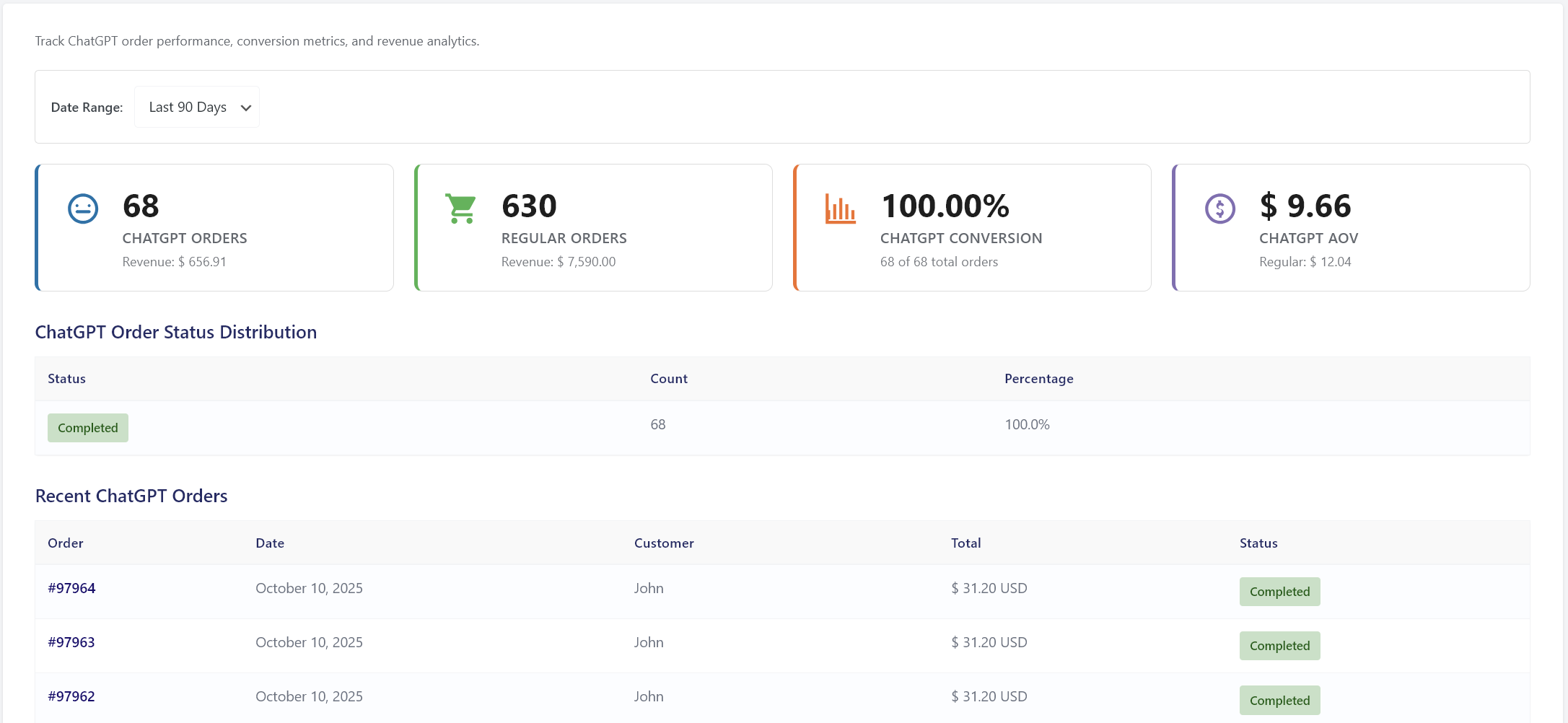
Analytics Dashboard with ChatGPT order metrics and conversion tracking 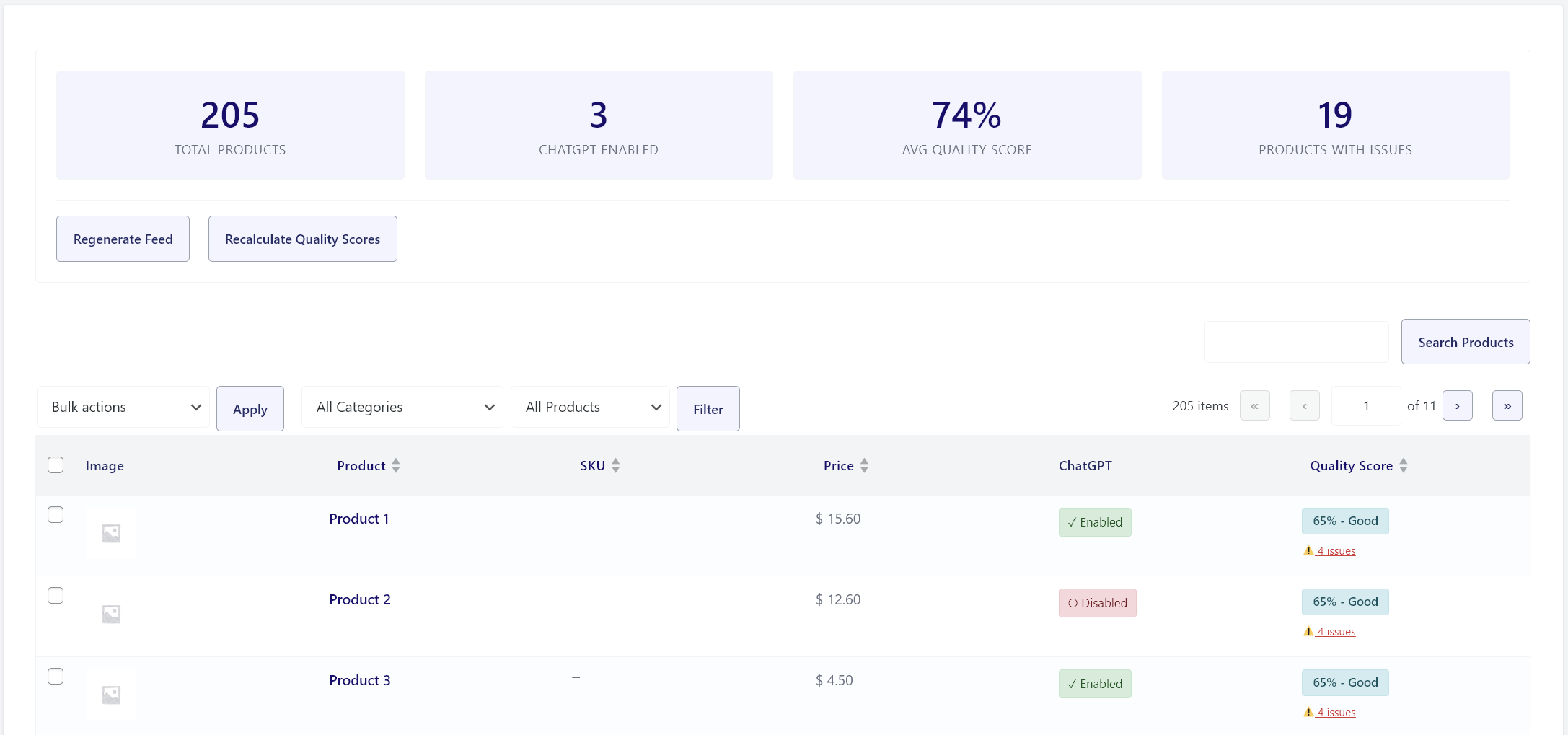
Product Feed Manager with quality checks and category filtering 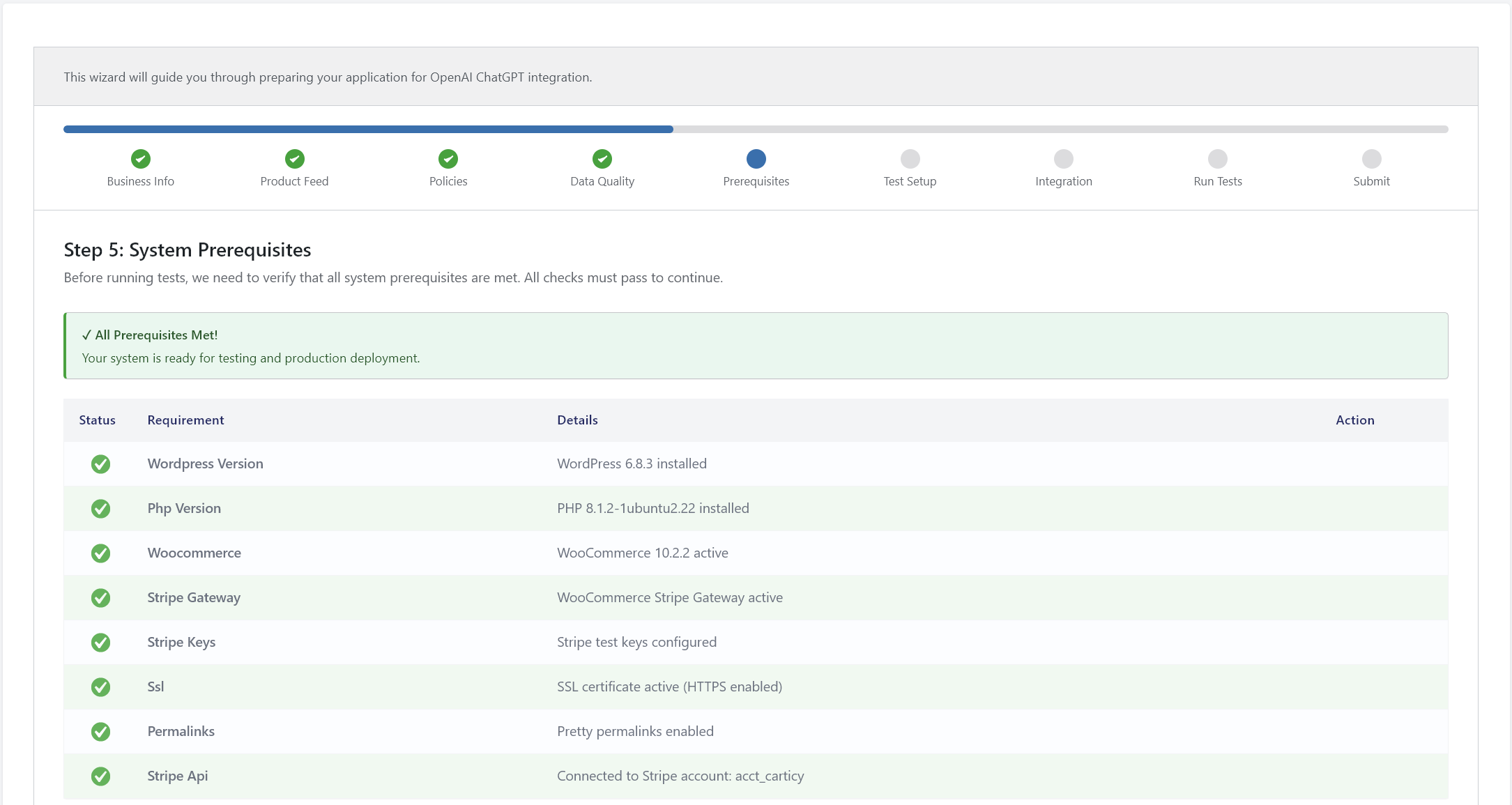
System Requirements checker showing plugin prerequisites 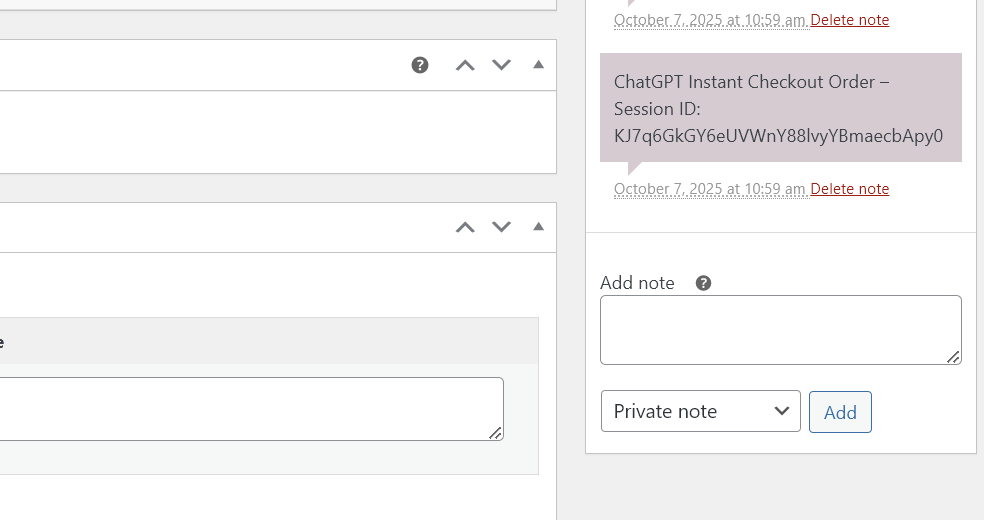
Example ChatGPT order in WooCommerce admin
安裝方式
- Download the plugin ZIP from GitHub releases
- Go to WordPress Admin Plugins Add New Upload Plugin
- Choose the ZIP file and click “Install Now”
- Activate the plugin
- Install and configure WooCommerce Stripe Gateway plugin
- Navigate to AI Checkout Settings
- Generate your API key
- Configure your product feed
- Complete the application wizard
- Submit to OpenAI for merchant approval
Source Code:
The full source code including unminified JavaScript is available at:
https://github.com/carticy-dev/carticy-ai-checkout-for-woocommerce
Build instructions: Run npm install && npm run build to compile assets from source.
常見問題集
-
Is this plugin free?
-
Yes, this plugin is completely free and open source. OpenAI charges a small transaction fee per completed purchase, but there are no fees from the plugin itself.
-
Do I need a Stripe account?
-
Yes, you must have a Stripe account and the WooCommerce Stripe Gateway plugin configured. ChatGPT Instant Checkout currently only supports Stripe for payment processing.
-
How do customers pay?
-
Customers enter their payment information in ChatGPT. OpenAI creates a SharedPaymentToken which is sent to your server to process the payment through YOUR Stripe account.
-
Do I need OpenAI approval?
-
Yes, you must apply for OpenAI merchant approval at https://chatgpt.com/merchants. The plugin includes an application wizard to help you prepare.
-
Can I use other payment gateways?
-
For ChatGPT orders, Stripe is required. However, your regular WooCommerce checkout can still use any payment gateway you want.
-
What happens to my existing orders?
-
Nothing changes. Regular WooCommerce orders continue to work exactly as before. ChatGPT orders appear alongside them with special metadata for tracking.
-
Is this secure?
-
Yes. The plugin implements OpenAI’s security requirements including Bearer token authentication, HMAC webhook signatures, and TLS 1.2+. No payment data is stored by the plugin.
-
Can I test before going live?
-
Yes, the plugin includes a comprehensive test mode with mock simulators, API debugger, and ACP conformance tests.
-
Which products appear in ChatGPT?
-
You control this through the Product Feed Manager. Select individual products or entire categories to enable for ChatGPT.
-
How are refunds handled?
-
Refunds initiated in WooCommerce admin are automatically processed through Stripe and OpenAI is notified via webhook. WooCommerce Stripe Gateway handles all refund logic.
使用者評論
這個外掛目前沒有任何使用者評論。
參與者及開發者


變更記錄
1.0.0
- Initial release
- OpenAI Agentic Commerce Protocol (ACP) v1.0 compliance
- Product feed generation with REST API endpoint
- Complete checkout session management
- Stripe SharedPaymentToken payment processing
- Webhook system for order lifecycle events
- Security features (Bearer auth, HMAC, idempotency, IP allowlisting)
- Admin interface with settings, product manager, analytics
- Application preparation wizard
- Testing infrastructure with conformance tests
- Comprehensive logging and monitoring