

外掛說明
ACS Agenda Manager provides an easy way to create and manage an event agenda on your WordPress site. Display upcoming events with dates, locations, images, and descriptions in a clean, responsive layout.
Features
- Multi-date support: Events can span multiple days with visual multi-date calendar picker
- Media integration: Upload and display event images via WordPress Media Library
- Image lightbox: Click images to view full-size in a popup overlay
- Location display: Show event locations prominently
- Linked pages: Connect events to detailed WordPress pages
- Automatic expiration: Past events are automatically hidden
- Modern responsive design: CSS Grid layout with glass-morphism effects
- Easy administration: Intuitive admin interface with card-based form sections
- Real-time validation: In-dialog error messages and success notifications
- Native contact form: Built-in organizer contact form available via the dedicated Contact action
Supported Languages
- English (en_US) – Default
- French (fr_FR)
- German (de_DE, de_CH)
- Italian (it_IT)
- Japanese (ja)
Usage
Display the agenda on any page or post using the shortcode:
[acsagma_agenda]
The plugin automatically creates an “Agenda” page upon activation with the shortcode included.
External Services
This plugin uses external services as follows:
Google Maps API
When a Google Maps API key is configured in the plugin settings, the plugin loads the Google Maps JavaScript API to display location maps for events.
- What data is sent: Event location addresses (only when viewing events with locations)
- When: The API is loaded when viewing pages that display the agenda with events containing location information
- Service provider: Google LLC
- Terms of Service: https://developers.google.com/maps/terms
- Privacy Policy: https://policies.google.com/privacy
Note: Google Maps integration is optional. The plugin works without an API key, but maps will not be displayed.
Credits
- jQuery UI Datepicker: bundled with WordPress core
- Icons: WordPress Dashicons
螢幕擷圖
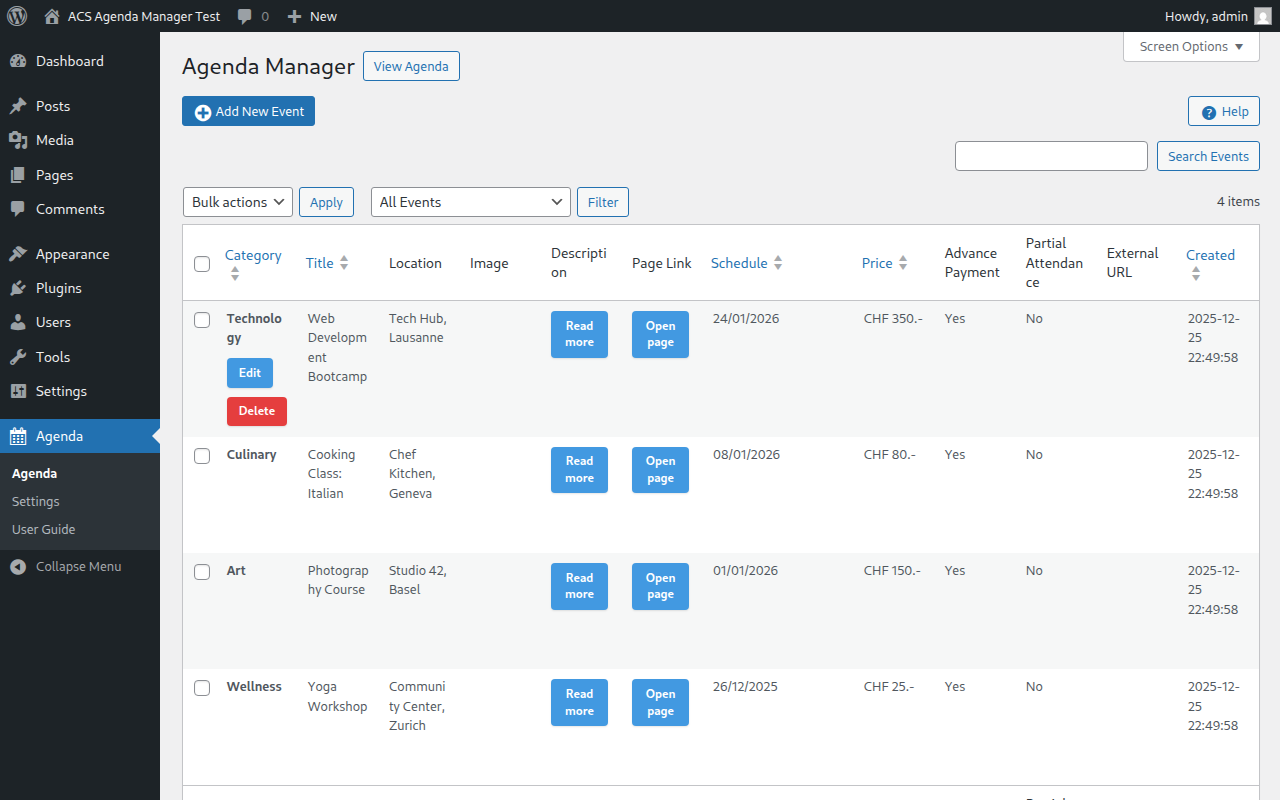
Main admin dashboard showing the event list with search and bulk actions 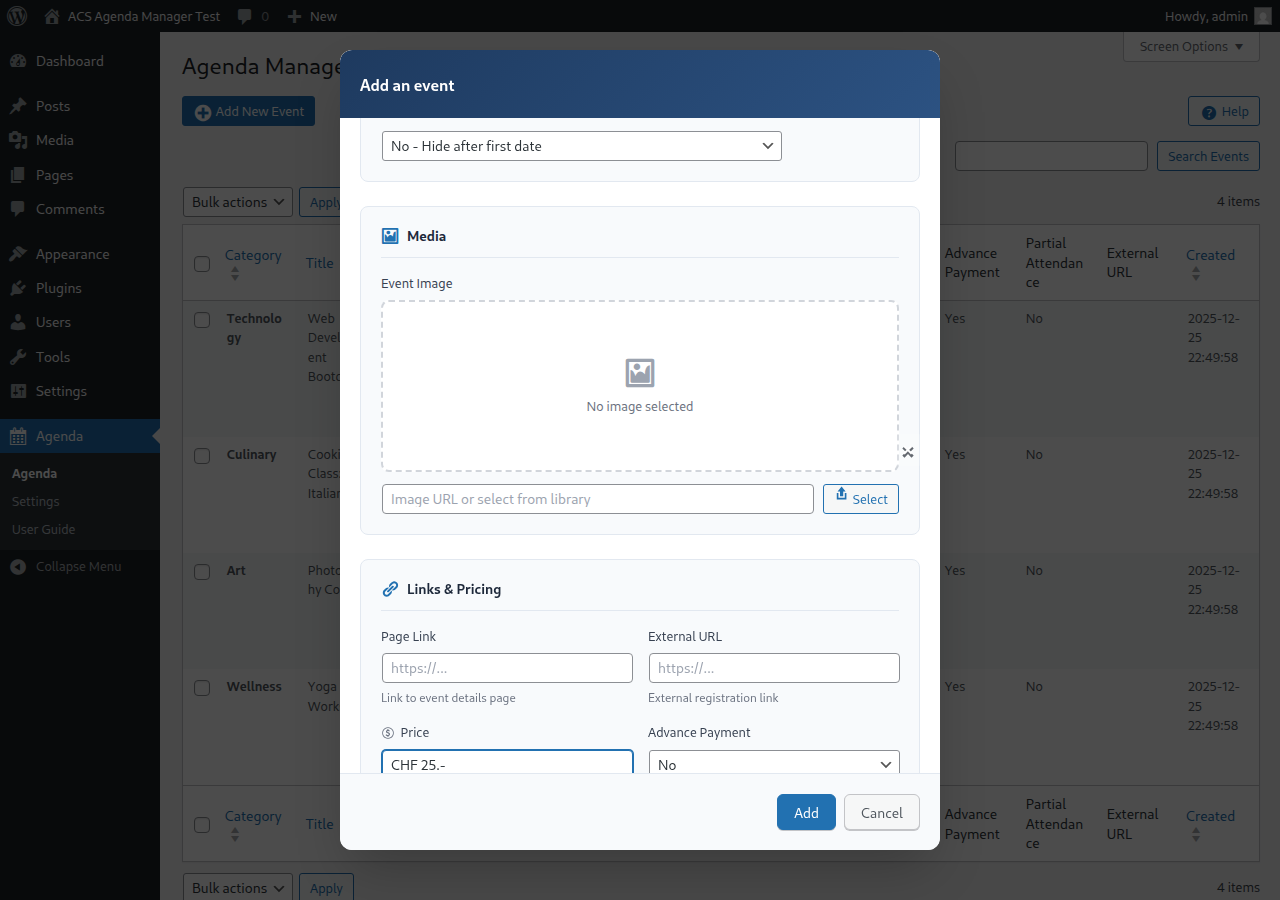
Event editor dialog with form fields for title, location, and description 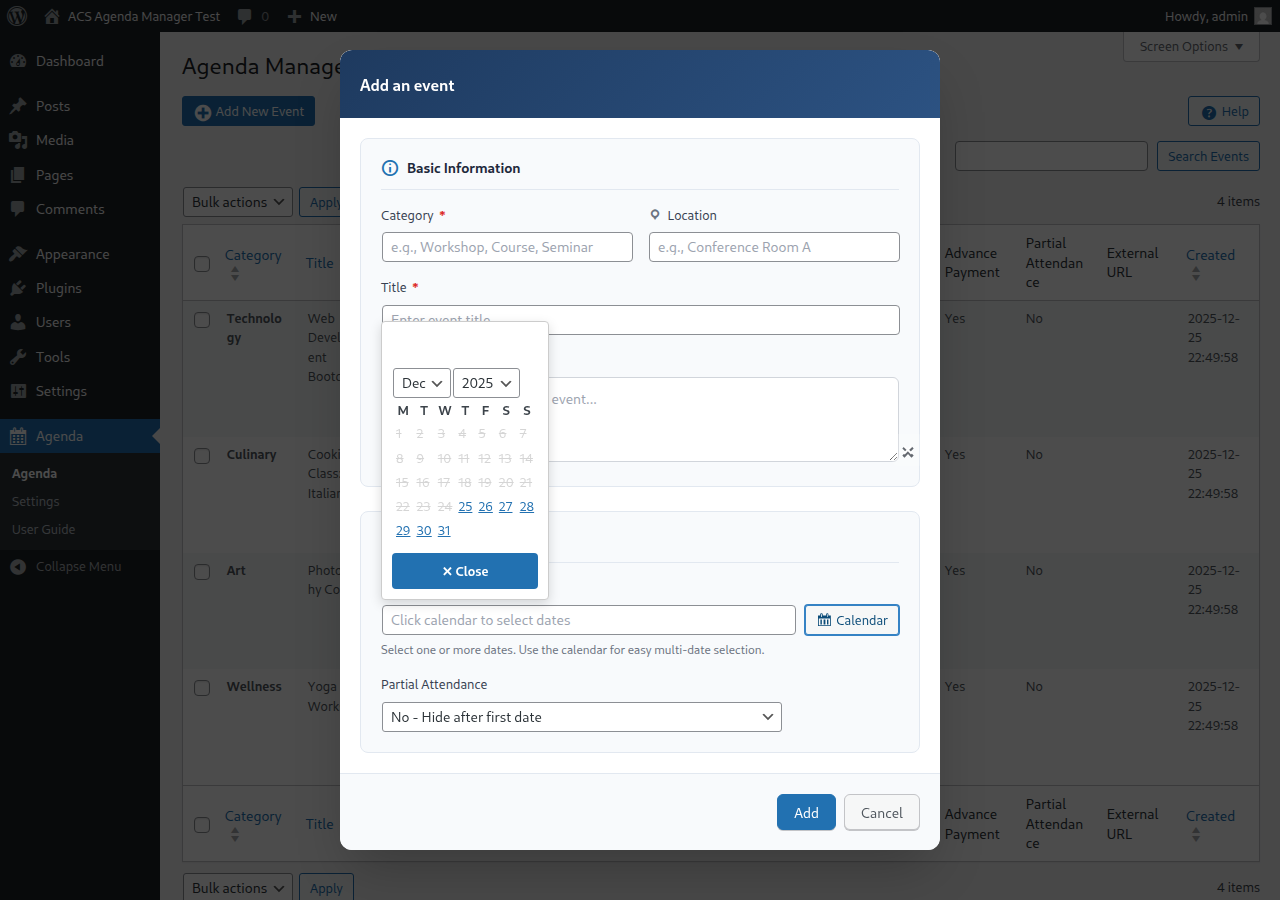
Multi-date calendar picker for selecting event dates 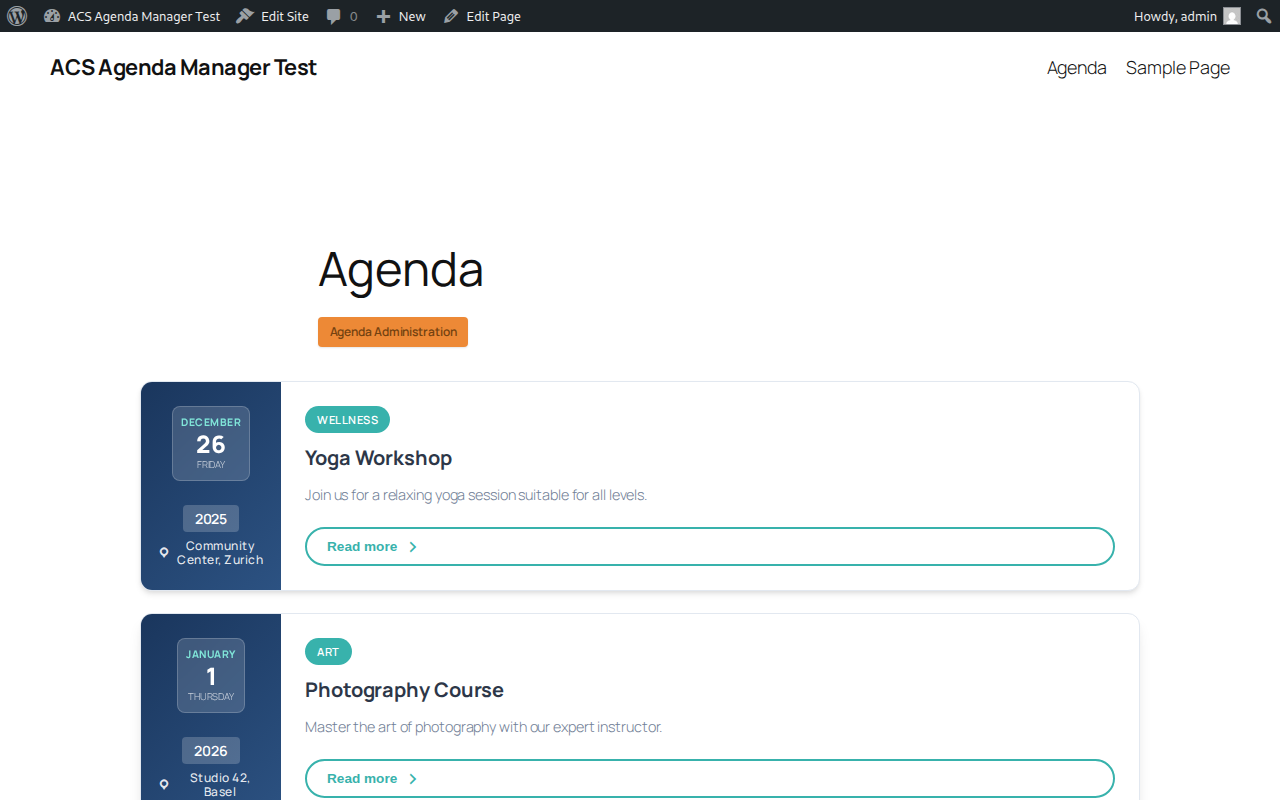
Frontend agenda display with modern responsive layout 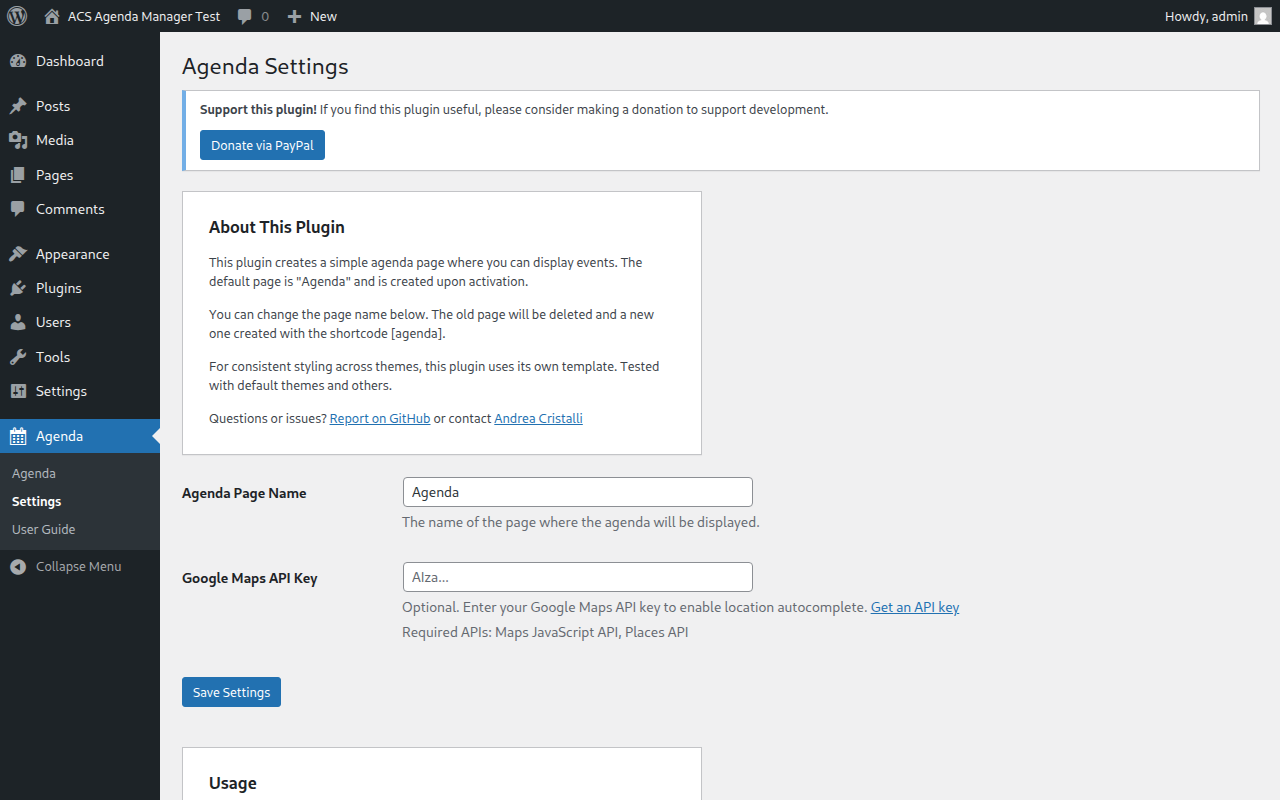
Plugin settings and configuration options
安裝方式
- Upload the
acs-agenda-managerfolder to the/wp-content/plugins/directory - Activate the plugin through the ‘Plugins’ menu in WordPress
- Navigate to Agenda in the admin menu to start adding events
常見問題集
-
How do I display the agenda?
-
Use the
[acsagma_agenda]shortcode on any page or post. -
Can events have multiple dates?
-
Yes, events can have multiple dates. Use the calendar in the event editor to select multiple dates.
-
What happens when an event expires?
-
By default, events are hidden after their last date passes. You can control this behavior with the “Partial Attendance” setting under “Advanced settings” in the event editor.
-
Can I customize the appearance?
-
Yes, you can override the CSS in your theme or copy the template file to your theme for full customization.
使用者評論
這個外掛目前沒有任何使用者評論。
參與者及開發者

變更記錄
3.6.0
- Added dedicated Contact button and split dialog modes so Read More shows linked page preview content while Contact shows event intro plus the contact form (without linked page preview)
- Improved contact-form UX and styling, including clearer field states for validation feedback
- Strengthened contact email validation in frontend and backend (rejects invalid one-letter TLD addresses)
- Added and updated E2E coverage for contact mode behavior, validation messages, and settings persistence
- Updated translations and regenerated locale assets for new and adjusted contact/validation strings
3.5.2
- Removed obsolete ACScontactform integration references from the plugin codebase, documentation, and tests
3.5.1
- Fixed intermittent E2E/global-setup login reliability in CI after fresh environment restarts
- Improved admin image preview hardening by validating URLs and rendering preview nodes via safe DOM APIs
- Improved date-chip accessibility with visible keyboard focus styling in the admin calendar UI
- Updated help/README wording for Advanced settings and Partial Attendance to keep instructions aligned
- Refined translation entries and rebuilt locale assets for updated help/instruction strings
3.5.0
- Added frontend toolbar with search, category filter, date-range filter (today/week/month), sort toggle, and compact/full layout toggle
- Added windowed client-side pagination (current ± 1 with ellipses)
- Added Read More button to expand additional event content per card
- Added
acsagma_max_eventsfilter hook to make DB fetch limit configurable (default 500) - Performance: new
last_date_tsDB column pre-filters expired events in SQL on every shortcode render; backfilled automatically on upgrade - Fixed event filter: encoding changed from hyphen-string to JSON — fixes breakage when titles/categories contain hyphens and fixes category filter being silently ignored
- Fixed week/month date-range filters incorrectly excluding today’s events mid-day
- Fixed event sort/group order for partial-attendance mode 2 events with leading expired dates
- Fixed Settings rename deleting the Agenda page
- Fixed capabilities check for admin delete actions
- Fixed event list count not matching the filtered query
- Fixed
type="button"missing on Read More button - Prevented HTML injection in month heading rendering
- Accessibility:
role="navigation"on pagination,aria-current="page"on active page button,aria-hiddenon decorative dashicon - Translated all new strings into French, German (DE/CH), Italian, and Japanese
3.4.0
- Added “Delete Data on Uninstall” option in Settings to optionally remove all plugin data when uninstalling
- Added proper uninstall cleanup with uninstall.php
- Translations are now automatically installed to WordPress languages directory on activation
- Removed Swiss French (fr_CH) and Swiss Italian (it_CH) translations (not supported by WordPress core)
- Fixed SQL injection prevention in uninstall script
3.3.4
- Fixed shortcode naming for WordPress.org compliance
- Improved admin menu branding: renamed “Agenda” to “ACS Agenda” for better identification
- Complete Japanese translation now available
- Updated all translation files with correct shortcode references
- Added comprehensive E2E test coverage for advanced fields, help page, image management, settings, and form validation
3.3.3
- Fixed global variable naming in help-page.php template to use proper acsagma prefix
- Updated test environment to exclude development files for Plugin Check compliance
- Added Plugin Check integration to Docker test setup
3.3.2
- Fixed all WordPress.org plugin review compliance issues
- Updated all prefixes from ‘acs’ (3 chars) to ‘acsagma’ (7 chars) for uniqueness
- Fixed AJAX action names to use proper acsagma_ prefix
- Fixed menu slugs after prefix rename
- Fixed E2E tests: calendar navigation, frontend event display, and filter functionality
- Updated calendar tests to read dropdown values correctly
- Fixed event creation date to use future dates for frontend visibility
3.3.1
- Added automated screenshot generation for WordPress.org
- Added GitHub Actions workflow for WordPress.org deployment
- Fixed Docker test environment SELinux compatibility
- Fixed MySQL 8.4 authentication compatibility with WP-CLI
3.3.0
- Added Japanese language support
- Added success notifications for event operations
- Added in-dialog validation error messages
- Improved form with card-based sections (Basic Info, Schedule, Media, Links & Pricing)
- Fixed date field validation and dialog button styling
- Split CSS into modular files for better organization
3.2.0
- Added image lightbox for full-size image viewing
- Added close button for calendar date picker
- Modern frontend redesign with CSS Grid and glass-morphism effects
- Improved mobile responsive design
- Fixed calendar to properly disable past dates
3.1.0
- Added E2E test suite using Playwright
- Fixed “Headers already sent” error when deleting events
3.0.0
- Complete rewrite with modern PHP 7.4+ code
- New class-based architecture
- Improved security and performance
- Better admin UI with template files
- User guide integrated in admin
- Added German translations (de_DE, de_CH)
2.1.1
- Added French and Italian translations
- Various bug fixes
2.0.0
- Initial public release