

外掛說明
Authyo Passwordless Login is a WordPress login security plugin that protects your site with brute-force protection, IP blacklisting, security activity logs, XML-RPC blocking, REST API protection, and a custom login URL. All security features work immediately after activation — no API keys or account registration needed.
Optionally, add Authyo API credentials to enable passwordless OTP login where users log in with a one-time password sent to their email instead of a traditional password.
Security features that work without API keys:
- Brute-force protection — Limit login attempts per IP and username with progressive lockout durations. Repeat offenders are automatically blacklisted.
- IP Manager — Whitelist trusted IPs and blacklist attackers. Includes search, filter, pagination, and per-page selector for large lists.
- Security activity logs — Track every login, logout, failed attempt, lockout, and blocked access. Includes request URL tracking, date filters, search, and CSV export.
- Disable XML-RPC — Block xmlrpc.php requests at the server level using .htaccess rules. Removes X-Pingback headers and XML-RPC discovery links. Falls back to PHP blocking on Nginx.
- REST API Protection — Restrict access to WordPress REST API endpoints for unauthenticated users. Prevents data enumeration and unauthorized access while keeping essential endpoints functional.
- Custom login URL — Hide wp-login.php behind a custom URL slug to prevent automated attacks.
- Blocked IP logging — Every access attempt from blacklisted or locked-out IPs is logged with IP address, user agent, and request URL.
Passwordless login features (requires free Authyo API keys):
- Email OTP login — Users receive a one-time password via email and log in without a traditional password.
- Google Authenticator fallback — Server-side verified 2FA as a backup method after multiple OTP attempts.
- Secure login tokens — Cryptographically generated, single-use, browser-bound tokens that expire after 5 minutes.
- AJAX-powered login — Smooth login experience with no page reloads.
How It Works
Security (works immediately after activation):
- Activate the plugin — brute-force protection and security logs start automatically
- Go to Settings > Authyo Passwordless Login > Security tab
- Enable XML-RPC Protection, REST API Protection, and Custom Login URL as needed
- Visit Authyo Logs to monitor activity and manage IPs
Passwordless login (requires API keys):
- User enters their email on the WordPress login page
- A one-time password (OTP) is sent to their email
- User enters the OTP code
- WordPress logs the user in automatically — no password required
External Services
This plugin connects to Authyo’s external API only for passwordless login and Google Authenticator features. All security features (brute-force protection, IP manager, security logs, XML-RPC protection, REST API protection, custom login URL) work locally without any external service.
OTP Authentication:
- User email address is sent to Authyo API when requesting an OTP
- OTP code and Mask ID are sent to Authyo API for verification
Google Authenticator Verification:
- Verification token is sent to Authyo API for server-side validation
- The Authyo 2FA SDK script is loaded from https://app.authyo.io/js/v1/auth-2fasdk.js
Usage Tracking (Opt-In Only):
If the user explicitly opts in, plugin version, WordPress version, and site URL are sent when settings are saved. Deactivation feedback is sent when the plugin is deactivated. No tracking data is sent without user consent.
Authentication Flow:
- After OTP verification, the plugin generates a secure single-use token using WordPress core functions
- Token is browser-bound using a hashed User-Agent signature to prevent session hijacking
- Token is stored temporarily in WordPress transients (5-minute expiry) and deleted immediately after use
Data Storage:
- OTP session data stored temporarily in WordPress transients (10-minute expiry)
- Login tokens stored temporarily in WordPress transients (5-minute expiry, single-use)
- Security logs stored in a custom database table with configurable retention
- IP whitelist and blacklist stored in a custom database table
- No user data is permanently stored beyond security logs
Service URLs:
Terms of Service: https://authyo.io/terms-service
Privacy Policy: https://authyo.io/privacy-policy
螢幕擷圖
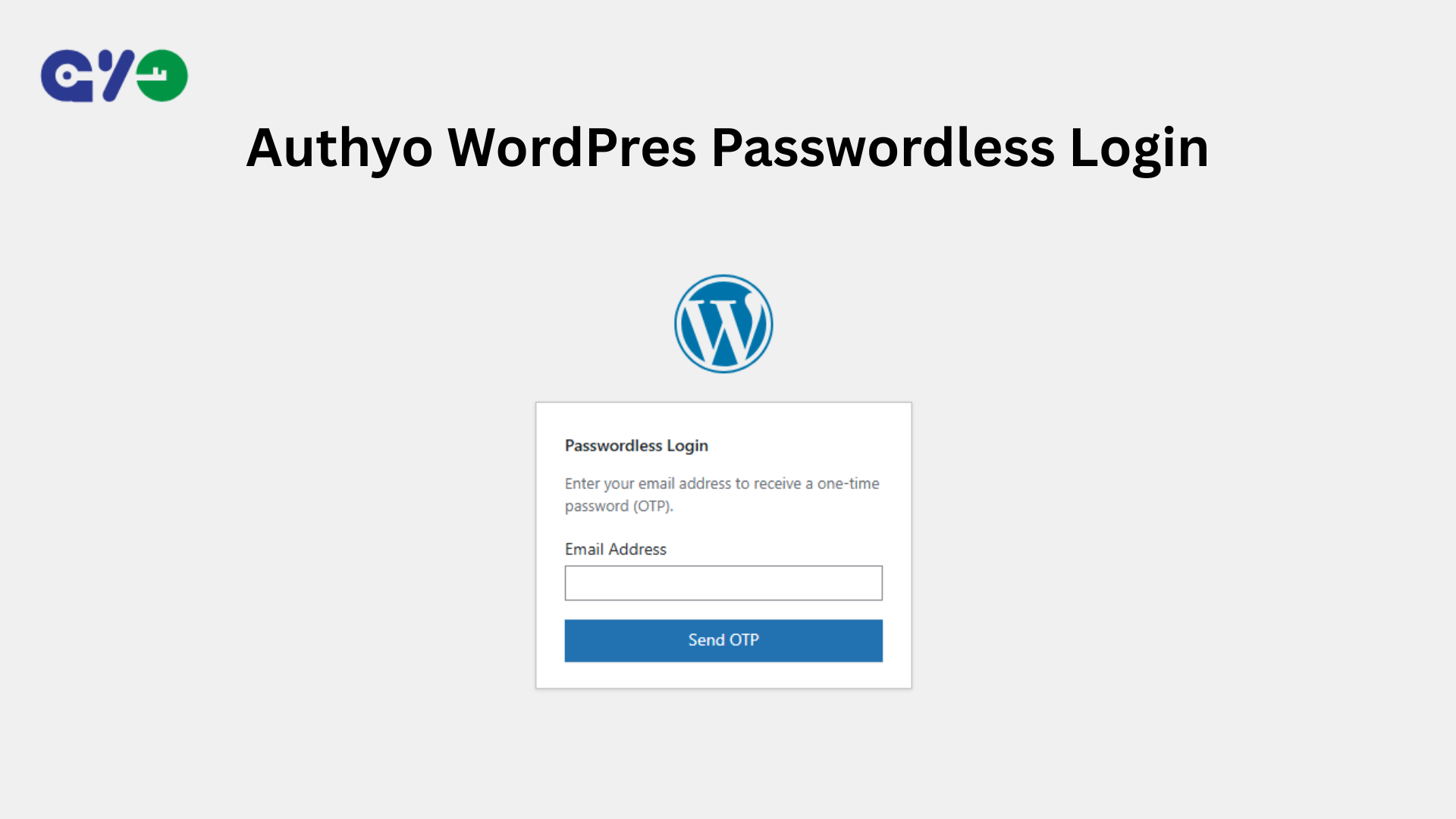
Authyo WordPress Passwordless Login 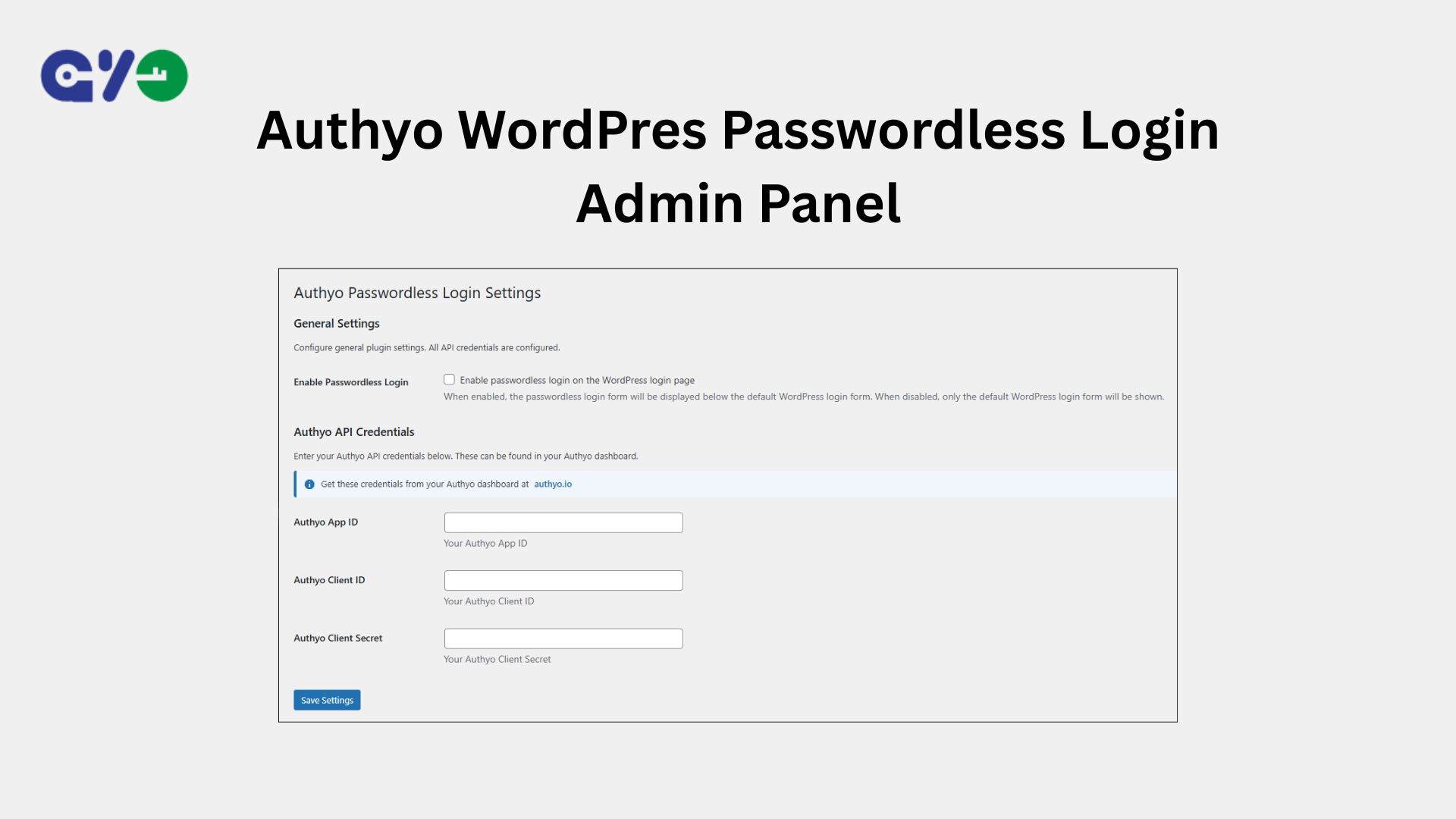
Authyo WordPress Passwordless Login Admin Panel
安裝方式
- Upload the
authyo-passwordless-loginfolder to/wp-content/plugins/ - Activate the plugin from the Plugins menu
- Security features start working immediately
- For passwordless login: go to Settings > Authyo Passwordless Login and enter your Authyo API credentials from authyo.io
常見問題集
-
Do I need API keys to use the security features?
-
No. Brute-force protection, IP manager, security logs, XML-RPC protection, REST API protection, and custom login URL all work without any API keys. You only need Authyo API keys for the passwordless OTP login feature.
-
How does brute-force protection work?
-
The plugin tracks failed login attempts per IP address and per username. After exceeding the configured threshold, the IP or username is temporarily locked out. Each subsequent lockout lasts longer (progressive durations). Repeat offenders can be automatically blacklisted permanently.
-
What does REST API Protection do?
-
It restricts access to WordPress REST API endpoints for unauthenticated users. By default, WordPress exposes REST API endpoints like /wp-json/wp/v2/users that can reveal usernames and other site data. When enabled, only logged-in users can access the REST API while essential public endpoints continue to work normally.
-
What does XML-RPC protection do?
-
It blocks all requests to xmlrpc.php at the server level using .htaccess rules on Apache and LiteSpeed servers. On Nginx servers, a PHP-level fallback handles the blocking. It also removes the X-Pingback header and XML-RPC discovery links. Whitelisted IPs are exempt.
-
How does passwordless login work?
-
Users enter their email address on the login page, receive a one-time password via email, enter the OTP code, and are logged in automatically. No password is needed. Requires Authyo API keys.
-
How do I manage blocked IPs?
-
Go to Authyo Logs > IP Manager. You can search by IP or label, filter, and paginate through whitelisted and blacklisted IPs. The page also shows active lockouts with options to unlock or permanently blacklist IPs.
-
Can I use this with custom login pages?
-
Yes. Use the shortcode
[authyo_login]on any page, or callauthyo_passwordless_login_form()in your theme templates. -
Is this plugin secure?
-
Yes. The plugin implements multiple security layers including XML-RPC blocking at server level, REST API protection, brute-force protection with progressive lockouts, nonce verification for all AJAX requests, cryptographically secure token generation, browser-bound single-use tokens, server-side Google Authenticator verification, open redirect prevention, and blocked IP logging.
使用者評論
這個外掛目前沒有任何使用者評論。
參與者及開發者

變更記錄
1.0.7
- Performance improvements and stability enhancements
1.0.6
- Added REST API Protection to restrict unauthorized access to WordPress REST API endpoints
1.0.5
- Added XML-RPC protection with server-level .htaccess blocking and PHP fallback
- Added request URL tracking in security logs
- Added blocked IP logging for blacklisted and locked-out access attempts
- Added search and pagination to IP Manager with per-page selector (20, 50, 100)
- Added whitelist and blacklist count summary in IP Manager
- Added server-side verification for Google Authenticator
- Migrated IP whitelist/blacklist data from wp_options to a dedicated database table
- Improved login token security and validation
- Improved redirect security across login flows
- Fixed “page not found” issue with custom login URL after OTP verification
- Fixed database compatibility with MySQL strict mode
- Fixed database upgrade reliability on various server environments
- Multiple security hardening improvements
- General bug fixes and performance improvements
1.0.4
- Added new security logs feature
1.0.3
- Added video tutorial to readme
- Improved Google Authenticator fallback logic to hide on non-existent users
- Minor bug fixes
1.0.2
- Added two factor authenticator as backup method
- Performance improvements
1.0.1
- Performance improvements
- Screenshot addon
1.0.0
- Initial release
- Passwordless login with OTP verification
- Secure token-based authentication
- WordPress login page integration
- Custom login shortcode
- Admin settings page
- AJAX-powered login flow