

外掛說明
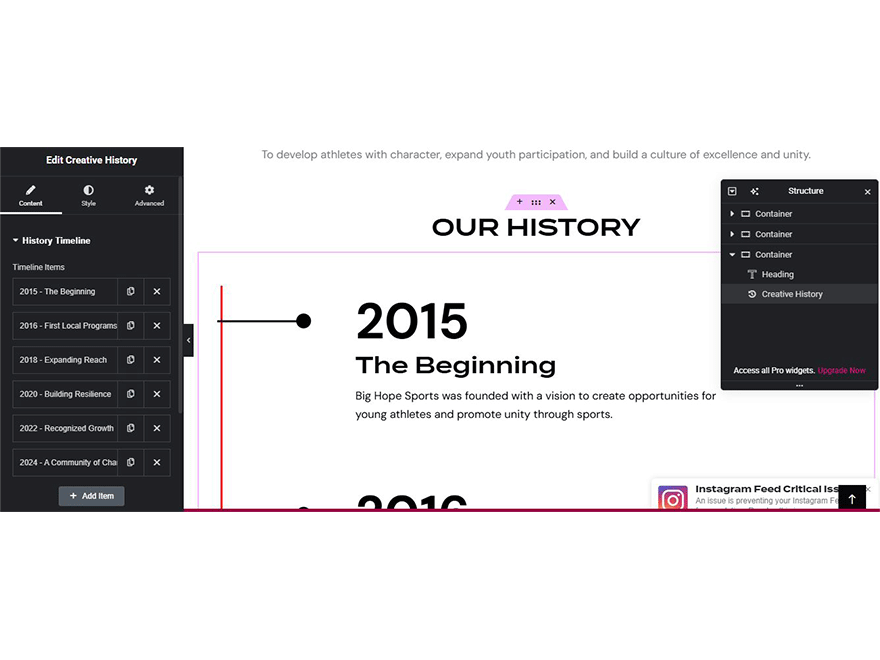
Creativehone History adds a custom Elementor widget to easily search and display creative history content without any coding.
Key Features:
* Custom Elementor widget named Creativehone History
* Search and display history content dynamically
* Works with Elementor Free and Elementor Pro
* Optimized for performance and easy to configure
* Compatible with the latest WordPress version (6.8)
螢幕擷圖

安裝方式
- Upload the
creativehone-history.zipfile via the WordPress admin dashboard (Plugins > Add New > Upload Plugin). - Activate the plugin through the “Plugins” menu in WordPress.
- Make sure Elementor (Free or Pro) is installed and active.
- Open Elementor editor.
- Drag and drop the Creativehone History widget onto your page.
- Configure its settings and display creative history content.
常見問題集
-
Do I need Elementor Pro?
-
No. Creativehone History works with both Elementor Free and Elementor Pro.
-
What is the minimum WordPress version required?
-
WordPress 5.2 or higher.
-
What PHP version is required?
-
This plugin requires PHP 7.2 or higher.
-
Will this plugin slow down my site?
-
No. Creativehone History is lightweight and optimized for performance.
-
Where can I get support?
-
For documentation, updates, and support, please visit the official plugin page:
https://github.com/tosisoft/Creativehone-History
or the Tosisoft website:
https://tosisoft.com/creativehone-history/
使用者評論
這個外掛目前沒有任何使用者評論。
參與者及開發者

變更記錄
1.0.1
- Fixed minor bugs.
- Improved Elementor widget performance.
- Updated compatibility with the latest WordPress version.
1.0.0
- Initial release of Creativehone History.
- Added Elementor widget for searching and displaying history content.