
外掛說明
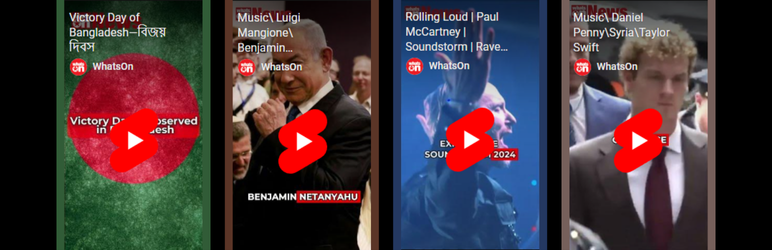
A versatile WordPress plugin by WhatsOn that enables you to fetch and display YouTube Shorts from a specified channel, with customizable video settings for both desktop and mobile devices.
Features
- Embed YouTube Shorts from any channel using a shortcode.
- Configure video dimensions and display settings independently for desktop and mobile.
- Limit the number of videos shown for both desktop and mobile devices.
- Customize the layout with items per row, video width, and height settings.
- Fully responsive and mobile-friendly.
Usage: Place the [youtube_shorts] shortcode on any page or post to display the YouTube Shorts gallery.
External Services
This plugin uses the YouTube Data API v3 to fetch and display YouTube Shorts videos from a specified channel.
What data is sent and when:
– When a user enables the plugin and configures their API Key and Channel ID, the plugin sends the following data to the YouTube API:
– API Key: Required to authenticate requests.
– Channel ID: Used to identify which channel’s videos to fetch.
– Max Results: Specifies the number of videos to retrieve.
– Request Type: Specifies that only videos are being fetched.
Why this data is sent:
– The data is sent to fetch public video data (title, description, thumbnail, and video URL) from the YouTube channel specified by the user.
Terms and Privacy Policy:
– By using this plugin, users must comply with YouTube’s Terms of Service and Privacy Policy:
– YouTube Terms of Service
– Google Privacy Policy
The plugin does not store or share this data with any other third-party services.
License
This plugin is licensed under the GPLv2 or later. See the LICENSE.txt file for details.
Copyright (C) 2024 WhatsOn
Website: https://whatson.agency/ | https://whatson.guide/
Support
For support, please contact WhatsOn support at support@whatson.agency.
安裝方式
- Download the plugin as a ZIP file.
- In your WordPress dashboard, go to Plugins > Add New and select Upload Plugin.
- Upload the ZIP file, activate the plugin, and go to Settings > YouTube Shorts to configure the options.
常見問題集
-
How do I get a YouTube API Key and Channel ID?
-
To use the plugin, you’ll need a YouTube API Key and your YouTube Channel ID.
Step 1: Get a YouTube API Key
- Visit the Google Cloud Console.
- Log in with your Google account or create one if needed.
- Create a new project or select an existing one.
- Go to APIs & Services > Library in the sidebar.
- Search for YouTube Data API v3 and enable it.
- Go to APIs & Services > Credentials and select Create Credentials.
- Choose API key and copy it into the Settings > YouTube API Key field.
Step 2: Find Your YouTube Channel ID
- Visit YouTube and sign in.
- Click your profile icon and select Your Channel.
- Your Channel ID is in the URL as the part following
/channel/.
Paste the Channel ID in the Channel ID field in the plugin settings.
-
Can I customize the layout for different devices?
-
Yes, you can adjust the Max Results, Items per Row, and Video Width and Height for desktop and mobile separately. Use the plugin settings page to configure these options.
使用者評論


參與者及開發者

變更記錄
1.8
- Added Video Layout Style, Grid, List, Masonry View
- Added Custom CSS Option
- Added Shorts Video Filter, Title, Random, Date, View
- Added Filter Keyword By
1.7
- Added support for setting different Max Results, Items per Row, Width, and Height for mobile.
1.6
- Fixed CSS rendering issues for mobile displays.
1.5
- Updated API request handling.
- Improved error handling for API requests.
1.4
- Initial release with YouTube Shorts embed functionality.