

外掛說明
Add Flodesk to the ‘Actions After Submit’ in the Elementor Pro form widget with this easy new plugin from Bristolian web design company Studio Cotton.
No more workarounds and embeds with awkward CSS, with this plugin you’ll be able to use the standard built-in Elementor Forms to collect your email marketing sign-ups, assign segments, and send that data to your Flodesk account.
Want to know more about this plugin? Check out our article on the Studio Cotton blog.
In order to use this plugin you need a Flodesk account. By signing up for an account you agree to Flodesk’s Terms of Service.
螢幕擷圖
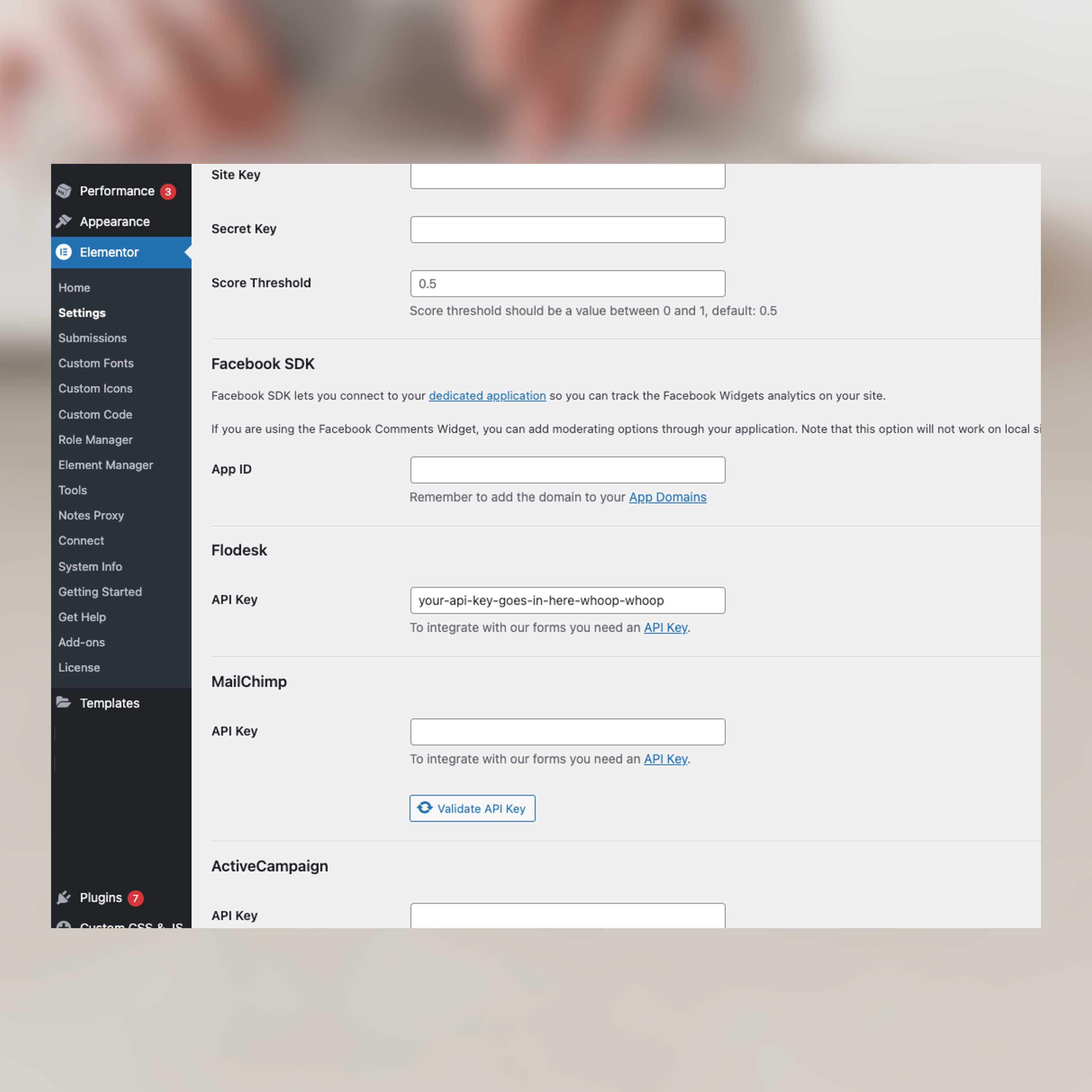
Elementor -> Settings and configure the plugin with your API key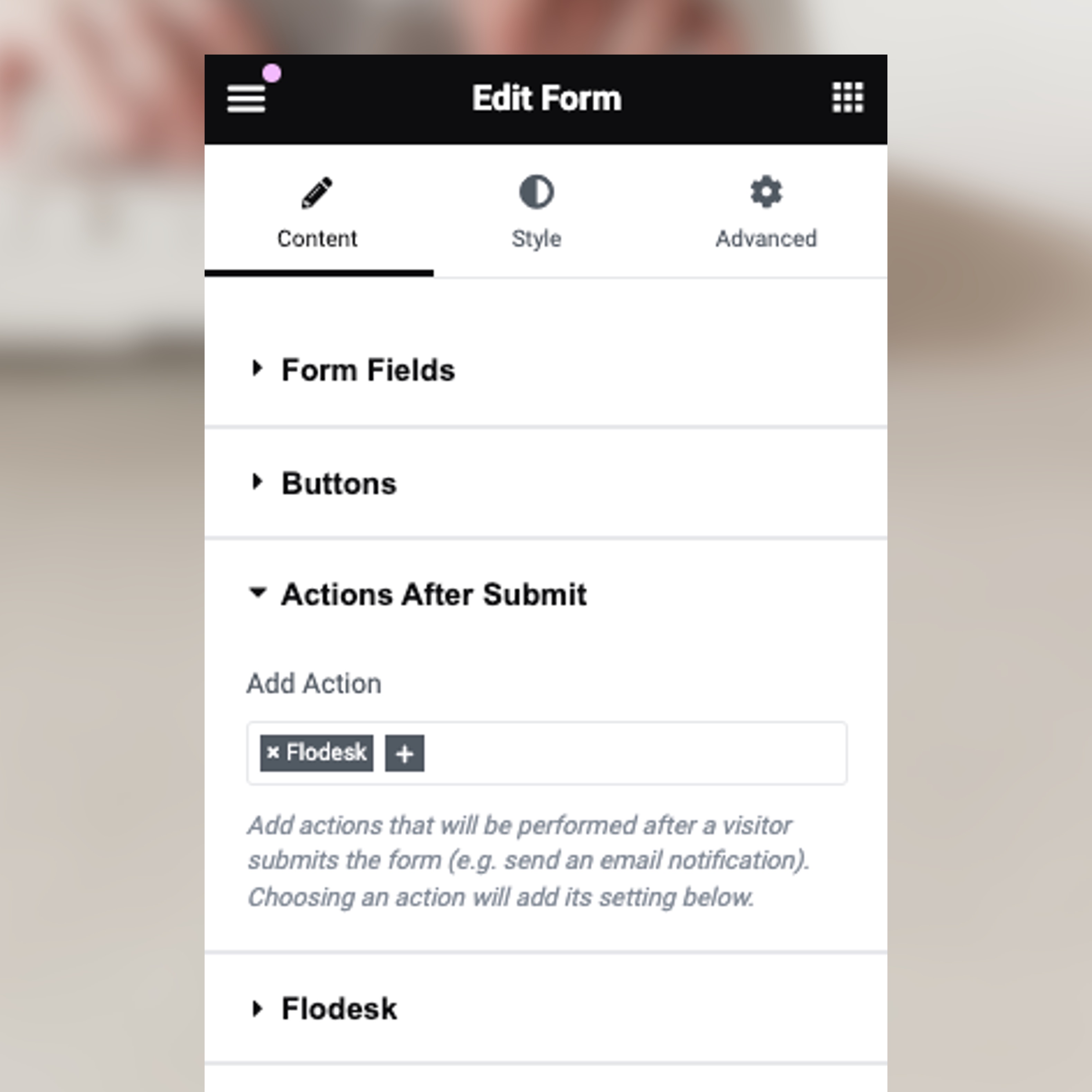
安裝方式
- Upload the
flodesk-for-elementor-profolder to the/wp-content/plugins/directory or install directly through the plugin installer - Activate the plugin through the ‘Plugins’ menu in WordPress or by using the link provided by the plugin installer
- Generate a Flodesk API key from your Flodesk account
- Go your WordPress dashboard and head to
Elementor -> Settings -> Integrations - Paste your API key into the Flodesk API key field and click “Save Changes”
- Head to the form widget you wish to connect
- Add Flodesk to “Actions After Submit”
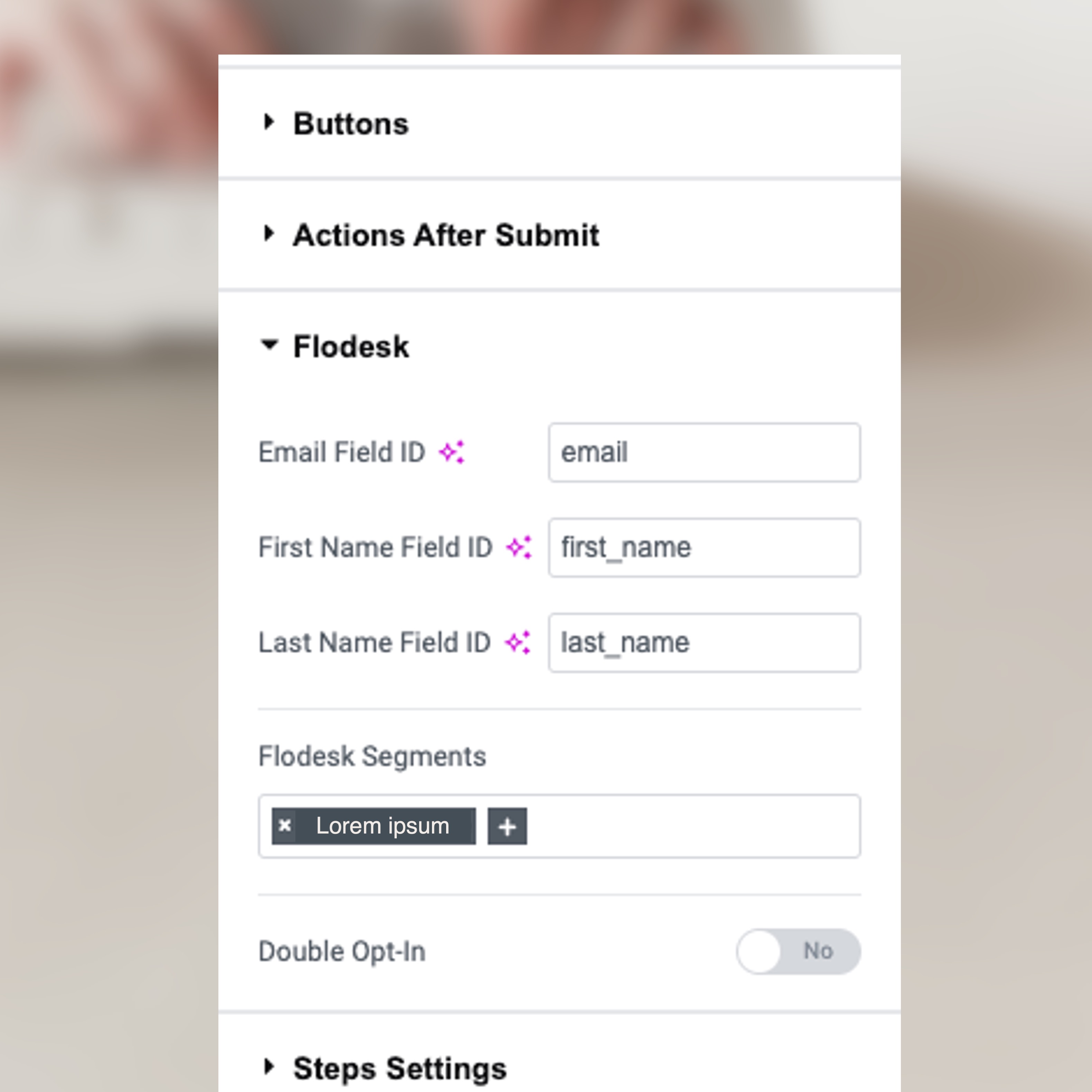
- Go to the new “Flodesk” settings section and check the field IDs match those of your “Form Fields”
- Choose your Segments and Double Opt-in settings
- Update
- Repeat for all Elementor Pro form widgets that you wish to connect
使用者評論

2025 年 3 月 19 日
Does exactly what I need it to do and it was really easy to follow the guide to get it set up. Thank you!
參與者及開發者

變更記錄
1.0.4
- Segment is no longer required.
1.0.3
- Improved error handling and error messages.
1.0.2
- Retrieve up to 100 segments by default instead of 20.
1.0.1
- Updated README to include a link to Flodesk’s Terms of Service.
- Ensure all strings are translateable.
1.0.0
- First version.