

外掛說明
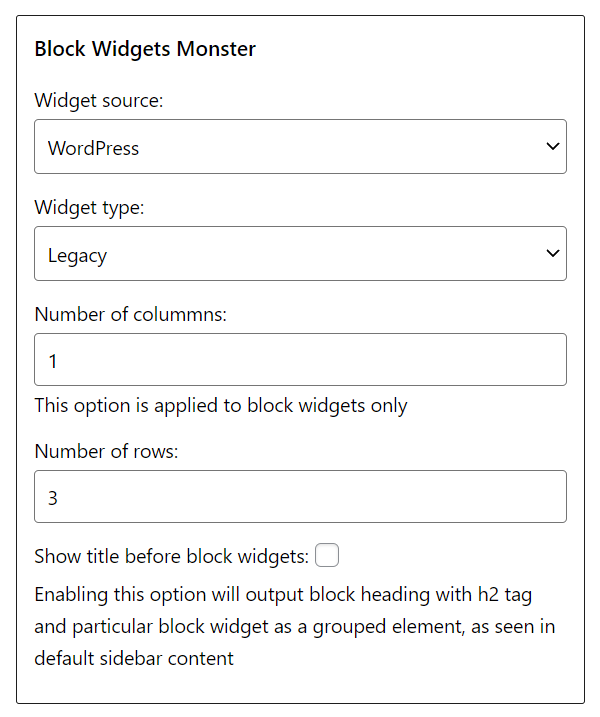
Block Widgets Monster is a free WordPress plugin that will allow you to test multiple WordPress and/or WooCommerce block/legacy widgets with ease.
Here is a list of supported widgets.
WordPress legacy widgets:
- Archives (2 instances – list and dropdown)
- Calendar
- Categories (2 instances – list and dropdown)
- Pages
- Meta
- Nav menu
- Recent comments
- Recent posts
- RSS
- Search
- Text (with content for theme unit test)
- Tag cloud
WordPress block widgets:
- Archives (2 instances – list and dropdown)
- Calendar
- Categories (2 instances – list and dropdown)
- Latest comments (2 instances – list with/without avatar)
- Latest posts (2 instances – list with/without image)
- Login/out (2 instances – link and form)
- Page list
- RSS
- Social icons
- Search (5 instances – button inside/outside, button with icon/text and only text field)
- Tag cloud
WooCommerce legacy widgets:
- Cart
- Product search
- Layered nav filter
- Layered nav (2 instances – list and multiselect dropdown)
- Price filter
- Product categories (2 instances – list and dropdown)
- Product tag cloud
- All products (3 instances – all, featured and on sale)
- Recent reviews
- Recently viewed products
- Top rated products
WooCommerce block widgets:
- All reviews
- Featured category
- Featured product
- Hand picked products
- Best selling products
- Product categories (3 instances – list with/without image and dropdown)
- Products by category
- Newest products
- On sale products
- Products by attribute
- Top rated products
- Product search (5 instances – button inside/outside, button with icon/text and only text field)
- Products by tag
- Filter products by price (2 instances – editable and regular price values)
- Filter products by stock
- Mini cart
You can check out Block Widgets Monster plugin in action here.
Need help? Have feature request? Visit support thread.
Please consider donating even a small sum via PayPal.
螢幕擷圖
安裝方式
Install the Block Widgets Monster plugin as any other WordPress plugin. More info can be found in official WordPress step by step guide here.
常見問題集
-
I need demo content
-
You can use official theme unit test data XML file for WordPress, and sample data XML file for WooCommerce (shipped with the WooCommerce plugin in sample-data folder).
使用者評論


參與者及開發者

變更記錄
1.0.4 (6. April 2023)
- Improved plugins interface
1.0.3 (9. February 2023)
- Improved WooCommerce product search and price filter block widgets
1.0.2 (13. July 2022)
- Added filter products by price, filter products by stock and mini cart widges in WooCommerce blocks list
1.0.1 (16. October 2021)
- Added all reviews widget in WooCommerce blocks list
1.0.0 (13. October 2021)
- Initial release