

外掛說明
bBlocks – Advanced Gutenberg Blocks Plugin to Extend the WordPress Block Editor with Page Builder Features, 80+ Customizable Blocks, Layout Controls, Animations, Sliders, Countdowns, and More
bBlocks | Documentation | Pricing | Support | Demo
bBlocks is a lightweight and flexible Gutenberg plugin that transforms the native block editor into a powerful page builder for WordPress. Designed with performance and usability in mind, bBlocks extends the capabilities of core blocks by adding 80+ custom elements, pre-built Gutenberg templates, and flexible layout options—all without the need for bulky third-party tools.
Whether you’re building a landing page, blog layout, portfolio, or full website, bBlocks helps you design faster using customizable blocks, reusable patterns, and layout-ready components. It’s an ideal page builder for Gutenberg users who want more control while keeping their sites fast and efficient.
Key Features – Free Version
-
80+ Custom Blocks: Enhance your content with blocks for Posts, Sliders, Buttons, Countdowns, Cards, Charts, and more.
-
Advanced Block Customization: Adjust typography, spacing, color, and visibility. Fine-tune every block to match your brand identity.
-
Pre-Designed Layouts & Themes: Many blocks include layout presets and Gutenberg templates for faster page creation.
-
Custom Icon Library: Access a wide range of icons, including Font Awesome and Bootstrap, to personalize your designs.
-
Google Fonts Support: Use any Google Font directly within the block typography settings.
-
Performance-Optimized: Minimal CSS and JS ensures faster loading and better compatibility with default blocks and themes.
-
Reusable Patterns: Combine blocks into reusable patterns for consistent, site-wide layouts.
-
Media & Text Section: Pair an image or video with a composable InnerBlocks content panel — flexible layout, styling, and full responsiveness for services, about, and feature sections.
-
Event Card: Announce a single upcoming event inline — title, date/time, location, description, organizer, and ticket CTA — with optional schema.org JSON-LD for rich search results.
-
Stat Cards: Show a responsive grid of impact stat cards — big number, label, trend badge, and optional link — with full style controls and zero JavaScript.
-
Key Takeaways Block: Drop a titled summary card into an article listing 3–8 key points as checkmarks, numbers, or bullets — the “TL;DR” pattern that boosts dwell time and helps skim readers.
-
Search Bar Block: Drop a styled search form onto any page or header with optional live, keyboard-accessible search suggestions — works with JavaScript disabled, no database calls.
-
Expand Content Block: Wrap any content in a collapsible “Show More” reveal with a soft fade preview — accessible, keyboard-safe, and auto-hides when content already fits.
-
Divider Block: Drop a polished horizontal rule between sections — plain line, or with a centered icon or text label — fully styleable and distinct from the core Separator.
Pro Features – Unlock Advanced Block Controls
Upgrade to bBlocks Pro to supercharge specific blocks with advanced layout settings, styling controls, device visibility options, and interactive enhancements. These premium features are perfect for building more dynamic, flexible, and professional-looking pages using the Gutenberg editor.
Posts Block
Enhance your content display with rich layout options and advanced filtering:
- Layouts & Sub-Layouts: Unlock more grid, list, and ticker layouts.
- Pages as Posts: Easily display pages alongside posts.
- Tag & Custom Taxonomy Filters: Filter by tags or any custom taxonomy.
- Post Offset: Skip the first N posts—great for creating featured sections.
- Include/Exclude by ID: Show or hide specific posts using their IDs.
- Exclude Current Post: Useful for post templates—avoid duplication.
- Custom Pagination: Add numbered pagination below your post grid.
- Element Sorting: Reorder title, meta, excerpt, and other elements.
- Meta Icons & Author Link Toggle: Use custom icons and control author link visibility.
- Taxonomies in Meta: Display tags or categories inside post meta.
- Reading Time: Auto-display estimated reading time.
- Excerpt from Content: Show an excerpt pulled directly from the content body.
- Feature Image Size: Choose from predefined or custom image sizes.
- Ticker Layout Options: Get more control over ticker animations and styles.
- Read More Positioning: Control the position of the read more link/button.
- Shortcode Support: Use the Posts block anywhere via shortcode.
- Query Filter Hook: Use b_blocks_posts_query for custom query modifications.
Countdown Block
Create urgency and time-sensitive offers with deeper control:
- Post-Expiration Display: Show a custom message or layout after the countdown ends.
- Hide at Zero: Automatically hide the block when the timer ends.
- Device Visibility: Show or hide the countdown on mobile or tablet.
- Prefix & Suffix Options: Add text or a button before/after the timer with custom styling.
- Prefix/Suffix Direction: Define the layout flow (horizontal/vertical).
- Individual Box Styling: Style each countdown unit separately (digit, label, background).
- Dismiss Button: Let users hide the countdown manually.
- Extra Patterns: Access a library of unique countdown layouts.
- Shortcode Integration: Use the countdown anywhere via shortcode.
Slider Block
Build dynamic carousels with interaction settings and layout enhancements:
- Slide Border: Add custom borders around individual slides.
- Autoplay Tweaks: Set delay time, reverse direction, stop on last slide, and more.
- Interaction Control: Pause on mouse enter, disable autoplay on interaction.
- Free Mode: Drag freely between slides with optional sticky behavior.
- Slide Effects: Choose from Cube, Coverflow, Flip, and Card transitions.
- Device-Specific Controls: Show/hide navigation or pagination by device (mobile/tablet).
- Keyboard & Mousewheel Navigation: Control the slider using keyboard arrows or scroll.
- Wrapper Styling: Customize slider background and padding for perfect alignment.
- Shortcode Support: Use sliders anywhere via shortcode.
Image Comparison Block
Compare before/after visuals with added styling and automation:
- Label Position: Position labels above, below, or within the images.
- Custom Line Shape & Size: Make your slider line visually unique and fit your design.
- Auto-Slide & Speed: Enable automatic transitions with speed control.
- Hover/Click Move: Slide on hover or click for interactive experiences.
- Stop on Hover: Pause animation when hovered.
- Line & Handler Styling: Customize color, thickness, and handler appearance.
- Icon Color: Match icons with your site’s theme colors.
Button Block
Turn simple buttons into multifunctional actions and popups:
- Link or Popup Actions: Choose between standard link or popup trigger.
- Rel & Referrer Attributes: Set advanced HTML attributes for privacy and SEO.
- Download Custom File Name (experimental): Define a name when triggering file downloads.
- Icon Positioning: Display icons to the left or right of button text.
- Tooltip Placement: Show tooltips in various positions.
- Device Visibility: Hide buttons on specific devices (desktop, tablet, mobile).
- Popup Content Types: Display image, video, audio, iframe, block content, or documents (.pdf, .doc, .xlsx).
- Popup Security: Add password protection or login requirement to popups.
Lottie Player Block
Bring engaging animations to your site with interactive Lottie files:
- Upload JSON Files: Upload and manage Lottie animations from the media library.
- Hover Animation: Trigger animations on mouseover.
- Animation Modes: Choose between bounce or normal play.
- Direction & Loop Count: Control play direction and repeat count.
- Speed & Interval: Fine-tune playback speed and autoplay interval.
- Open in New Tab: Add links that open in a new browser tab.
- Interactivity Rules: Define when and where the animation should play.
- Caption & Styling: Add and style a caption with full typography, spacing, and color controls.
Try the Pro Version – Unlock all premium features today!
Available Blocks
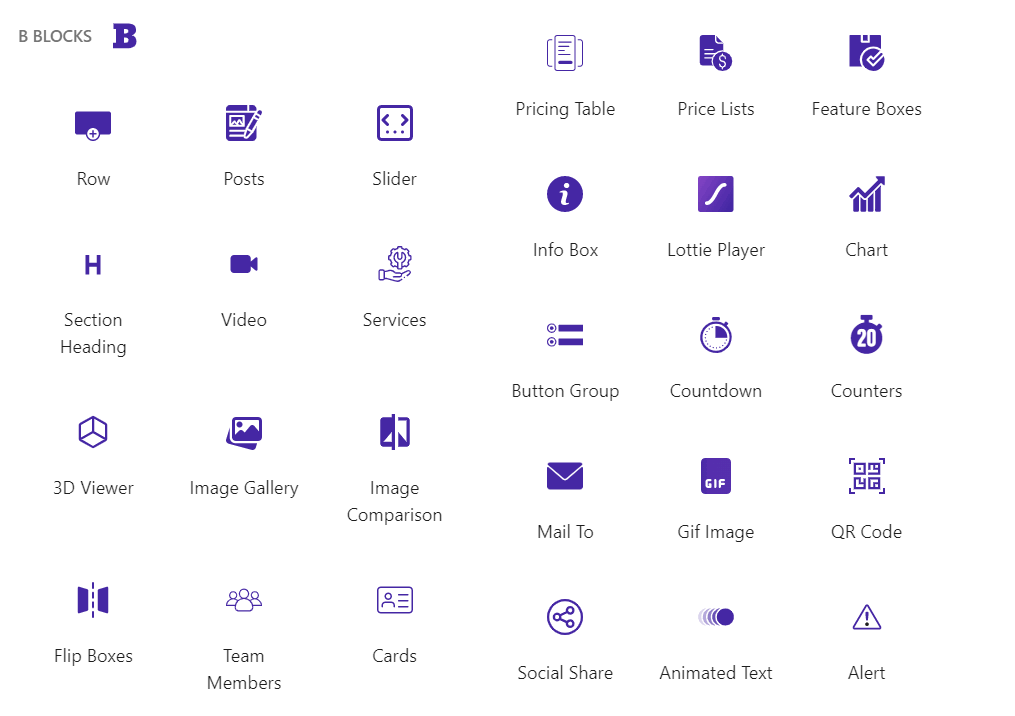
bBlocks adds over 80+ custom blocks to your Gutenberg block editor, designed to extend the functionality of core blocks and help you build engaging layouts with ease. Below is a list of all available blocks, each offering intuitive controls and flexible design options:
-
Row Columns: Create responsive multi-column layouts with flexible width, spacing, and alignment options. Ideal for building custom grid structures.
-
Container: Group multiple blocks into a single styled section. Add background color, borders, padding, and other visual adjustments.
-
Section Heading: Add a styled section title with optional separator and description. Easily toggle the visibility of each element.
-
Shape Divider: Add decorative shape dividers between sections for smooth visual transitions.
-
Advanced Image: Display a custom image or dynamic post featured image with advanced styling options like hover effects, borders, and overlays.
-
Accordion Block: Create collapsible sections with custom titles and content. Perfect for FAQs, accordions, or collapsible content.
-
Advanced Tabs: Add multiple tabs with custom titles and content. Perfect for creating tabbed content sections.
-
Breadcrumb: Add a breadcrumb navigation to your site to help users navigate back to previous pages.
-
Video: Embed self-hosted or external video content in a beautifully designed video player with optional poster image and controls.
-
GIF Image: Upload and showcase animated GIFs to add dynamic visuals to your content.
-
Image Gallery: Display a collection of images in a stylish, responsive gallery layout. Great for portfolios or product showcases.
-
Image Comparison: Visually compare two images with a draggable slider. Perfect for before/after effects.
-
Image Slider: A media-library image carousel with thumbnail-strip navigation, per-image captions, autoplay, a native
<dialog>lightbox, touch swipe, and slide/fade effects. Distinct from the contentcarouseland heroslider— purpose-built for image-only slideshows. -
Lottie Player: Embed lightweight, interactive animations using Lottie JSON files. Supports autoplay, hover triggers, and speed control.
-
List: Display a list of items with custom markers, icons, and styles.
-
3D Viewer: Display 3D model files directly on your page with rotation, zoom, and full interaction support.
-
Slider: Create responsive image or content sliders with pagination, navigation, and animation effects.
-
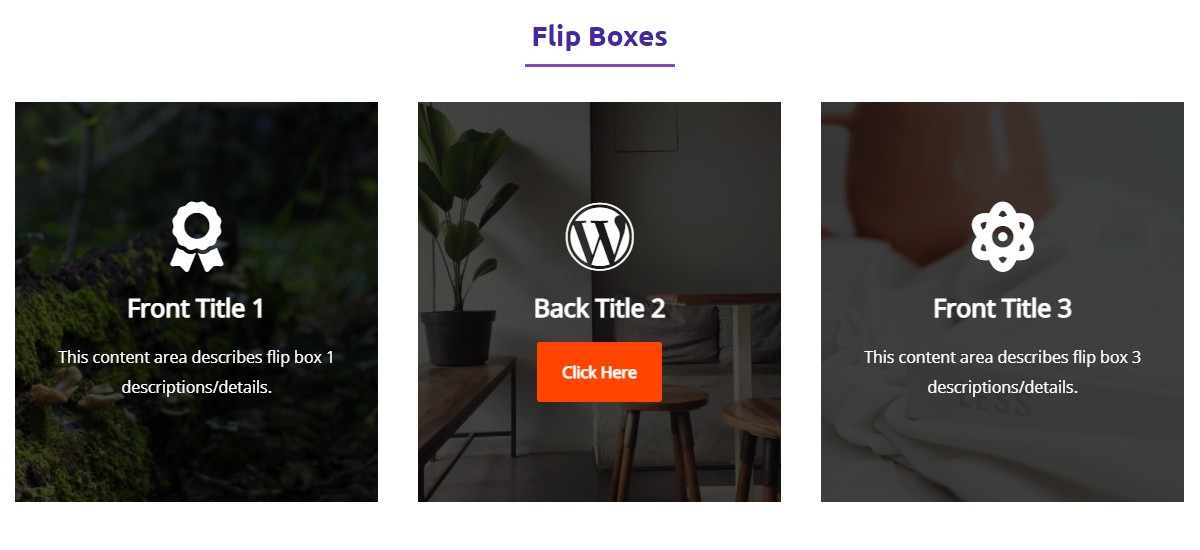
Flip Boxes: Add interactive flip cards with front and back content, ideal for showcasing features or team members with engaging motion.
-
Carousel: Modern carousel for showcasing content. Supports unlimited slides with complete block flexibility inside.
-
Form:Create Beautiful and Professional Login and Register Forms.
-
Countdown: Display a live countdown timer for events, sales, or launches with custom styling and behavior options.
-
Counters: Show animated numeric counters to highlight statistics, milestones, or achievements.
-
Alert: Display styled notification boxes to inform, warn, or alert users. Supports different message types and icons.
-
Blockquote: Pull-quote with a left accent bar or large decorative quotation mark, optional author photo, name, and role — the designer alternative to the core Quote block.
-
Button: Add multi-functional buttons like go to a link, open a popup with various content types, etc.
-
Button Group: Place two or more action buttons side by side. Useful for calls-to-action like “Learn More” and “Buy Now”.
-
Animated Text: Make text stand out with typing effects, text shuffles, and other animated styles.
-
Icon Box: Combine icons with titles and descriptions in customizable layouts. Choose from Font Awesome, Bootstrap, or custom icons.
-
Feature Boxes: Highlight features or services using an icon/image, title, separator, and supporting text.
-
Info Box: Share additional information or tips inside a clean, styled content block.
-
Pricing Table: Build pricing plans with features, pricing, and call-to-action buttons, perfect for product or service pages.
-
Price Lists: Display menu items or pricing options with images, titles, descriptions, and prices.
-
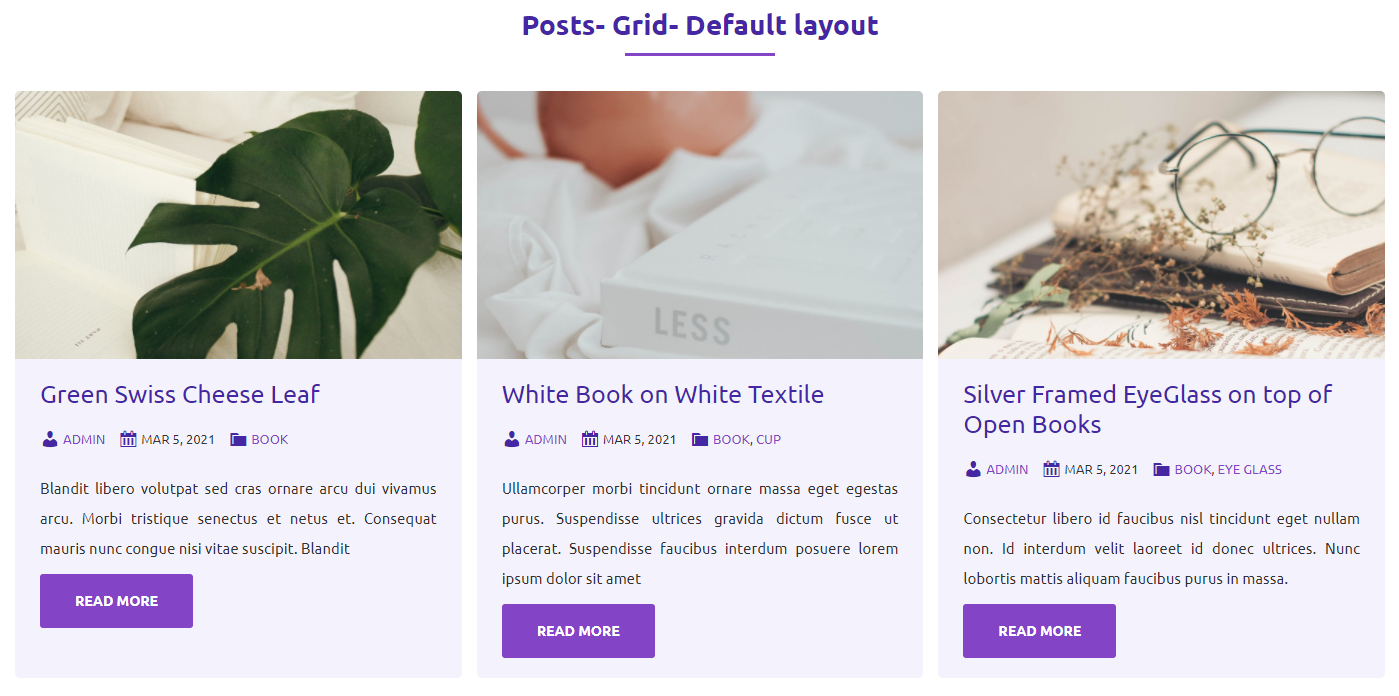
Posts: Display your latest posts or custom post types in grid or masonry layouts with filtering, pagination, and excerpt controls.
-
Chart: Visualize data using bar, line, or pie charts. Fully responsive and customizable for infographics or analytics.
-
QR Code: Generate a QR code from any URL or text input. Useful for offline promotions and instant access links.
-
Mail To: Add a one-click email action that opens the user’s mail app (Gmail, Outlook, Yahoo, etc.) prefilled with your address.
-
Social Share: Enable sharing of your content across social media platforms and messaging apps with styled buttons.
-
Star Rating: Display customer reviews or feedback with an interactive star rating block.
-
Services: Present your service offerings in a structured layout with icon, title, and description.
-
Team Members: Introduce your team with member profiles including photo, name, title, bio, and social links.
-
Cards: Create content cards that combine an image, heading, description, and footer, perfect for features or blog highlights.
-
bBlocks Navigation: Add a custom navigation menu inside your page layout for a better user experience and in-page linking.
-
Facebook Page: Display your Facebook page feed in a styled block.
-
Facebook Embed: Embed any Facebook post or video in your content.
-
Logo Slider: Create a responsive logo slider for your brand or partner logos.
-
Stat Cards: A responsive grid of impact stat cards — big number, label, trend badge, and optional link — with full style controls and zero JavaScript.
-
Article Card: A single, manually authored article preview card for “Read Also” or “Featured Resource” callouts — image, badge, heading, excerpt, and CTA in horizontal or vertical layout.
-
Image Hotspot: Add interactive hotspots to your images with custom tooltips and links.
-
Content Ticker: Display a scrolling list of content items with custom styling and behavior options.
-
Dual Color Heading: Add a styled heading with a dual-color gradient effect.
-
Emoji Stack Separator: Add a styled separator with a stack of emojis.
-
HTML: Add custom HTML code to your page or post.
-
Image Scroller: Create a responsive image scroller with custom styling and behavior options.
-
News Ticker: Display a scrolling list of news items with custom styling and behavior options.
-
SVG Draw: Add a styled SVG draw animation to your page or post.
-
Stacked Cards: Create interactive stacked card layouts that stay sticky while scrolling. The Stacked Cards block helps you present content in a layered, engaging format that enhances the user experience as visitors navigate your page.
-
Skill Bar: Add a styled skill bar with custom styling and behavior options.
-
Table Of Content: Add a styled table of contents with custom styling and behavior options.
-
Testimonials: Display a scrolling list of testimonials with custom styling and behavior options.
-
Scroll To Top: Enhance user experience with a fully customizable Scroll To Top button for smooth navigation.
-
Text Path: Craft eye-catching text paths with interactive visual effects.
-
Toggle Content: A clean toggle switch lets users click to switch between two content sections below the heading.
-
Process Steps: A numbered “How It Works” section with 3–12 steps in a grid or stack layout — connector lines, badge/icon styling, and accessible list markup.
How to Use bBlocks- Quick Start Guide
Getting started is easy!
1. Install and activate the bBlocks – Page Builder for Gutenberg plugin.
2. In the Gutenberg editor, find your blocks under the “bBlocks” category.
3. Add blocks to your page or post and configure settings from the right-hand panel.
4. Save and publish your design.
Compatibility
bBlocks works seamlessly with:
- All modern WordPress themes that support Gutenberg
- Full Site Editing (FSE) themes
- Reusable blocks and block-based patterns
- Existing default blocks and core blocks
Ideal For
- Bloggers and content creators
- Agencies and freelancers
- Developers looking for a lightweight …
螢幕擷圖




適用於區塊編輯器
這個外掛提供 80 個可供 Gutenberg/區塊編輯器使用的區塊。
- Icon Box Display awesome icon in a box.
- SVG Draw Add animated SVG drawings to your content with customizable paths, timing, and effects.
- Section Heading Display heading before section.
- Breadcrumb Show a breadcrumb navigation trail for better navigation
- Gif Image Embed gif image.
- Button Group Display Dual Button.
- Image Scroller A dynamic image scroller that smoothly scrolls images on hover, featuring customizable speed, easing, and options for vertical or horizontal scrolling.
- Toggle Content A clean toggle switch lets users click to switch between two content sections below the heading.
- Dual Color Heading Highlight content heading with different colors.
- Event Card A single event announcement card with title, date/time, location, description, and a ticket CTA. Optionally outputs schema.org Event JSON-LD for Google rich results.
- Key Takeaways A titled summary card listing the most important points of an article as a checkmark, numbered, or bullet list. Built for the blog "Key Takeaways" / "TL;DR" pattern with heading, accent color, icon, and full typography controls.
- Timeline A vertical timeline block for events, history, and roadmaps with auto-alternating left/right layout.
- Team Members Display Team members section.
- Divider Add a customizable inline divider between paragraphs and sections. Choose a plain line, centered icon, or text label, with options for line style, color, thickness, width, alignment, and spacing.
- Logo Slider Logo sliders are often used on websites and blogs to showcase a company's clients, partners, or sponsors.
- Table of Contents The Table of Contents block automatically generates a table of contents for your WordPress post or page.
- Feature Boxes Display Feature boxes section.
- Pricing Table Display product prices as a table.
- Container A versatile block for grouping and styling multiple blocks.
- Facebook Embed Facebook Embed allows you to facebook posts, videos on your website or blog.
- Stat Cards Display a static, responsive grid of impact stat cards — a big number with prefix/suffix, label, optional trend badge, description, and per-card link. No JavaScript.
- Posts Display blog posts.
- Cards Provide cards to display anything.
- Process Steps Build a numbered "How it works" section. Drop in 3–6 steps with title, description, icon or number badge, and a connector line. Horizontal or vertical layout, fully responsive, accessible <ol> semantics.
- QR Code Show QR Code in posts and pages.
- Media & Text Section A two-panel image/video beside rich content section with sticky media, image effects, per-panel styling, and responsive stacking.
- Button Implement multi-functional button.
- Interactive Checklist A titled checklist of tickable items that visitors can check off, with their progress remembered in the browser via localStorage, an optional live completion indicator, and a reset button. Works without JavaScript using native checkbox inputs.
- WhatsApp Chat Add a fully customizable WhatsApp Chat button to turn visitor hesitation into customer confidence.
- Info Box Display information in box style.
- Table Make responsive and feature-rich tables on the go with B Blocks Table, offering styling, typography, and layout options tailored for modern web design.
- Counters Display Number as animated counter.
- Scroll To Top Enhance user experience with a fully customizable Scroll To Top button for smooth navigation.
- bBlocks Navigation Display navigation in your website with stunning & organized appearance.
- Alert Provide contextual feedback messages.
- Stacked Cards Create interactive stacked card layouts that stay sticky while scrolling. The Stacked Cards block helps you present content in a layered, engaging format that enhances the user experience as visitors navigate your page.
- Lottie Player Lottie player for display lottie files.
- Price Lists Display Price lists section.
- Facebook Page The Facebook Page Block allows you to embed your Social Media on your WordPress website.
- Skill Bar Display skills with customizable progress bars, multiple themes and templates.
- Accordion Block A customizable accordion block with multiple themes and templates
- Advanced Tabs Display content in responsive, customizable tabs with support for nested blocks and flexible layouts.
- Services Services section for web page.
- Video A Simple, accessible, Easy to Use & fully Customizable video player.
- Blockquote Styled blockquote with an accent bar or large decorative quote-mark, optional author photo, name, and role — the designer alternative to the core Quote block.
- Flip Boxes Display Flip boxes section.
- Testimonials Boost your website's credibility with b testimonials block, effortlessly showcasing customer ratings and reviews.
- Carousel Modern carousel for showcasing content. Supports unlimited slides with complete block flexibility inside.
- Countdown Display events date into a timer.
- Text Path Craft eye-catching text paths with interactive visual effects.
- News Ticker Display a scrolling news ticker with posts from any post type
- Animated Text Apply animation on any text.
- Article Card A single static article, resource, or featured-page preview card — image, category badge, heading, excerpt, optional meta line, and CTA link — in horizontal or vertical layout. No JavaScript required.
- Star Rating Gutenberg editing with easy-to-use, responsive star-rating more.
- Image Hotspot Image Hotspot allows you to add interactive hotspots to your images.
- Advanced Image A block that allows for advanced image handling with custom features.
- HTML Use the HTML block to add and preview HTML code in your posts or pages, enhancing your website's content and functionality.
- Form Create Beautiful and Professional Login, Register or any other custom Forms easily with a few clicks.
- Content Ticker Content Ticker will let you showcase your trending news.
- Expand Content Wrap any inner blocks in a collapsible reveal. The first portion is visible behind a fade overlay and a Show More / Show Less button toggles the rest. Accessible and reduced-motion aware.
- 3D Viewer Display interactive 3D models on the web
- Image Comparison Compare between two images.
- Image Gallery Display Multiple Images as Gallery.
- Row Implement row and column layout.
- Shape Divider Create unique and visually appealing dividers.
- Social Share Share your website/website-page link.
- Chart Graphical representation for data visualization.
- List A customizable list block with support for icons, custom markers, and flexible layouts.
- Slider Display image and content slider.
- Input Field Form Input Field
- Mail To Mail with a single click.
- Emoji Stack Separator A full-width emoji stack separator with customizable emoji and height
- Table Head Make responsive and feature-rich tables on the go with B Blocks Table, offering styling, typography, and layout options tailored for modern web design.
- Carousel Slide Individual slide for a carousel. Add images, text, buttons, videos — anything you need.
- Table Row Make responsive and feature-rich tables on the go with B Blocks Table, offering styling, typography, and layout options tailored for modern web design.
- Table Body Make responsive and feature-rich tables on the go with B Blocks Table, offering styling, typography, and layout options tailored for modern web design.
- Table Footer Make responsive and feature-rich tables on the go with B Blocks Table, offering styling, typography, and layout options tailored for modern web design.
- Table Cell Make responsive and feature-rich tables on the go with B Blocks Table, offering styling, typography, and layout options tailored for modern web design.
- Column Column of the row.
- Service Service item for services section.
安裝方式
Automatic installation
- Go to the Plugin menu and click on the Add New Button
- Search for bBlocks
- Install and activate the bBlocks plugin from there
Download & Upload:
- Download the bBlocks plugin (.zip file)
- In your admin area, go to the Plugins menu and click on Add New
- Click on Upload Plugin and choose the
b-blocks.zipfile and click on Install Now - Activate the plugin and Enjoy!
Manually:
- Download and upload the bBlocks plugin to the
/wp-content/plugins/directory - Activate the plugin through the Plugins menu in WordPress
Use Block:
- Go to the WordPress Block/Gutenberg Editor
- Add one or more blocks from the block category called bBlocks in the Gutenberg editor
- Enjoy!
常見問題集
-
How do I install this plugin?
-
You can install it as other regular WordPress plugins. No different way. Please see on installation tab.
-
Is bBlocks free?
-
Yes, bBlocks is a free Gutenberg block plugin.
-
Can I change block settings?
-
Yes, you can change block settings from the Gutenberg block editor’s right sidebar.
-
How many times can I reuse a block?
-
You can use unlimited times as you want.
-
Where can I get support?
-
You can post your questions on the support forum here
-
Where do I report security bugs found in this plugin?
-
Please report security bugs found in the source code of the bBlocks plugin through the Patchstack Vulnerability Disclosure Program. The Patchstack team will assist you with verification, CVE assignment, and notify the developers of this plugin.
使用者評論


參與者及開發者
以下人員參與了開源軟體〈bBlocks – Essential Gutenberg Blocks & Patterns Collection〉的開發相關工作。
參與者


變更記錄
2.1.0 – 26 July 2026
- Added: 10 new blocks
- Media & Text Section
- Expand Content
- Process Steps
- Blockquote
- Divider
- Key Takeaways
- Stat Cards
- Interactive Checklist
- Article Card
- Event Card
2.0.44 – 18 June 2026
- Compatible apiVersion 3 Carousel Block.
2.0.43 – 14 June 2026
- Compatible apiVersion 3 Table of Content, Video Block & Chart Block.
- Added Icon Size, Gap, and Unmarked Color settings to the Star Rating block.
- Added Icon Box Alignment option.
- Added Button Group layout option.
- Fixed Table Block issues.
- Added Flip Box direction option.
- Fixed column width drag & drop issue.
2.0.42 – 08 June 2026
- Added Table Block.
- Fix minor bug.
2.0.41 – 16 May 2026
- Minor bug fixed.
- Added Template Library pattern counts & template page counts.
- Fixed Template Library filter style issues.
2.0.40 – 29 Apr 2026
- Added New WhatsApp Chat Block.
2.0.39 – 27 Apr 2026
- Added Nested option for Table of Content Block.
2.0.38 – 21 Apr 2026
- Fixed Text Path Block issues.
- Fixed Accordion Block border width.
- Fixed Breadcrumb Block typography issues.
- Fixed Facebook Page Block SDK.
- Fixed Facebook Embed Block SDK.
2.0.37 – 15 Apr 2026
- Fixed Advanced Styles issue for Table of content block.
2.0.36 – 01 Apr 2026
- Advanced Tabs Block Migrate frontend dynamic content.
2.0.35 – 29 Mar 2026
- Added New Dashboard.
2.0.34 – 6 Mar 2026
- Added Stacked Cards Block.
2.0.33 – 3 Mar 2026
- Fixed Carousel Block issues.
2.0.32 – 2 Mar 2026
- Added Full Flexbox controls for Row block.
2.0.31 – 28 Feb 2026
- Added Carousel Block.
2.0.30 – 19 Feb 2026
- Added Advanced Tabs Block.
- Added Breadcrumb Block.
- Fixed Cards frontend issues.
2.0.29 – 30 Jan 2026
- Added Toggle Content Block.
2.0.28 – 24 Jan 2026
- Fixed Button Block player autoplay issue.
2.0.27 – 23 Jan 2026
- Added Text Path Block.
2.0.26 – 17 Jan 2026
- Added Scroll To Top Block.
- Fixed Accordion Block issues.
- Fixed Container issues.
- Added Dual Color Heading alignment option.
2.0.25 – 25 Dec 2025
- Added List Block.
- Fixed Template Library issues.
2.0.24 – 19 Dec 2025
- Added Form Block.
2.0.23 – 10 Dec 2025
- Added Facebook Page Block.
- Added Facebook Embed Block.
2.0.22 – 4 Dec 2025
- Added Testimonials Block.
- Fixed Slider fade effect autoplay issue.
2.0.21 – 2 Dec 2025
- Added Accordion Block.
- Added Skill Bar Block.
2.0.20 – 23 Nov 2025
- Added News Ticker Block.
- Added Emoji Stack Separator Block.
2.0.19 – 30 Oct 2025
- Added Ai Content Generator tool.
- Added color option for star rating.
2.0.18 – 21 Oct 2025
- Added Image Scroller Block.
2.0.17 – 16 Oct 2025
- Added option pause on hover for logo slider.
- Added Image Hotspot block.
- Fixed slider width issue.
- Fixed logo slider radius.
2.0.16 – 7 Oct 2025
- Added Content ticker block.
- Fixed logo slider issues.
- Add easing option for the logo slider block.
2.0.15 – 29 Sep 2025
- Added Logo Slider block.
- Fixed icon box extra space issue.
2.0.14 – 21 Sep 2025
- Add Animation options for the Advanced Image block.
2.0.13 – 21 Sep 2025
- Added SVG Draw block.
2.0.12 – 13 Sep 2025
- Added Dual color heading block.
- Fixed Advanced Image width issue.
- Fixed Container Innerblock width issue.
- Fixed Row last column width issue.
2.0.11 – 7 Sep 2025
- Added HTML Block.
- Added Pricing page in the Dashboard.
- More icon added on icon library
2.0.10 – 1 Sep 2025
- Add hover shadow and border-color options for the Button block.
- Fixed icon box hover color.
- Fixed Cursor canvas pointer-event
- Fixed advanced gradient color
2.0.9 – 30 Aug 2025
- Added Table of Content block.
- Added icon hover option in Team Members.
- Added margin for star rating.
2.0.8 – 25 Aug 2025
- Added cursor shape and click effects.
- Fixed Flipbox title margin and added ItemsPanel.
- Fixed typography controls in Section Heading.
- Added image remove/replace option in Image Gallery.
- Added autoplay option to Button block.
2.0.6 – 6 Aug 2025
- Fixed issues in the Button Block.
- Added advanced width and height controls.
- Fixed animation duration and delay settings.
2.0.5 – 23 Jul 2025
- added advanced styles to the row and column block.
2.0.4 – 21 Jul 2025
- Fix Button Block popup issue.
2.0.3 – 19 Jul 2025
- Fix Typography issue.
- Update SDK.
2.0.2 – 17 Jul 2025
- Fix Column Issue.
- Change the default colors.
2.0.1 – 14 Apr 2025
- Sanitize input field.
- Fix RichText issue.
2.0.0 – 23 Mar 2025
- Add Advanced Image and Navigation Block.
- New Dashboard.
1.9.9 – 27 Jan 2025
- Update SDK.
1.9.8 – 23 Nov 2024
- Fix Templates issue.
- Fix 3D Viewer zoom issue.
1.9.7 – 20 Nov 2024
- Improve templates library
- Update Container Block
1.9.6 – 22 Oct 2024
- Add Container and Icon Box block
1.9.5 – 10 Oct 2024
- Update SDK.
1.9.4 – 27 Aug 2024
- Add new features to the Cards block.
1.9.3 – 06 Jul 2024
- Fix the Row block issue.
1.9.2 – 22 May 2024
- Update Posts and Alert Blocks
1.9.1 – 20 May 2024
- Update Lottie Player Block
1.9.0 – 9 May 2024
- Update Image Compare Block
1.8.9 – 7 May 2024
- Update Posts and Counter’s blocks
1.8.8 – 24 Apr 2024
- Update Posts ( remove password filter ) and Slider blocks
1.8.7 – 23 Mar 2024
- Update Posts block (password filter)
1.8.6 – 12 Mar 2024
- Add Button Block
1.8.5 – 20 Feb 2024
- Update Chart Block
- Add Upload Icon option in Flip Boxes block.
1.8.4 – 17 Feb 2024
- Fix Admin Menu
1.8.3 – 3 Feb 2024
- Update Slider Block
1.8.2 – 25 Jan 2024
- Update Posts and Countdown Block
1.8.1 – 1 Jan 2024
- Update Countdown Block
1.8.0 – 20 Dec 2023
- Add Star Rating Block
- Add Template Library
1.7.9 – 12 Dec 2023
- Update Font Awesome Library
- Update Posts Block
1.7.8
- Add Shape Divider block
- Separate Block assets
1.7.7
- Update Blocks
1.7.6
- Fixed issue
1.7.5
- Fixed for FSE
1.7.4
- Update Posts
1.7.3
- Fix issue
1.7.2
- Assets load where block present
1.7.1
- Update Posts, Alert, Cards, Feature Boxes, Flip Boxes, Image Gallery, Info Box, Mail To, Row, Section Heading
1.7.0
- Reduce dependencies
1.6.9
- Add row-column block
1.6.8
- Add translate feature
- Update Countdown block
1.6.7
- Update Posts, Image Comparison, Team Members and Social Share blocks
1.6.6
- Fix issue
1.6.5
- Add Services, Video blocks
- Update Countdown, Lottie Player, Chart, Animated Text, Pricing Table, Social Share and Counters blocks
1.6.4
- Update Image Comparison blocks
1.6.3
- Update Slider and Flip Boxes blocks
1.6.2
- Update Posts blocks
1.6.1
- Update Slider and Team Members blocks
1.6.0
- Update Posts and Slider blocks
1.5.9
- Gradient Picker fixing
- Update Chart, Posts, and Slider blocks
1.5.8
- Update Posts block
1.5.7
- Add Pricing Table block
1.5.6
- Add 3D Viewer, Animated Text, and Social Share blocks
1.5.5
- Performance Upgrade
- Add Counters Block
1.5.4
- Update Posts, Slider, Section Heading, Image Gallery, Image Comparison, Team Members, Price Lists, Info Box, Lottie Player, Mail-To, Gif, QR Code blocks
1.5.3
- Add Chart Block
- Update Cards, Feature Boxes, Flip Boxes blocks
1.5.2
- Add Alert Block
- Update Button Group and Countdown
1.5.1
- Fix content & css issues
1.5
- Add Lottie Player Block
- Update Posts, Slider, Section Heading, Image Gallery, Image Comparison, Flip Boxes, Team Members, Price Lists, Feature Boxes, Info Box, Button Group, Countdown, Cards, Mail To, GIF, and QR Code blocks
1.4
- Add Image Comparison, Team Members and Flip Boxes blocks
- Update Posts Block
1.3
- Add Button Group and Countdown blocks
1.2
- Add Image Gallery and Info Box blocks
- Responsive for the Price Lists and Feature Boxes
1.1
- Add Price Lists and Feature Boxes blocks
- Compatible with PHP 5.4
1.0
- Initial Release.