

外掛說明
AUTOMATED PLUGIN FOR ALL OF YOUR SECURITY SCANNING NEEDS
The CloneGuard Security Scanning plugin helps increase the Trust level of your website visitors.
Easily add a certified CloneGuard Security Seal widget anywhere on your website or cart, by using your existing WP theme.
View, start, create, modify, enable/disable your PCI ASV Scans, Vulnerability Scans, GDPR Scans, or Pentests.
Start your website’s easy certification process today:
- Place your order (use our discount code below for WordPress users)
- Install the CloneGuard WP plugin
- Login with your credentials that you’ve created in step 1 above
- Schedule your scan(s) and let the automated AI platform perform them
- Place the Security Seal widget anywhere on your website
YOUR DISCOUNT
WordPress users can get a discount by using a first-time order code: WORDPRESSNEW
Support
Our clients enjoy our 24×7 support services. We’ve created a stable security solution so that you can focus on your website. Contact us for additional information and technical support.
螢幕擷圖

Review the overall security posture of your website 
When your site is secure add a website seal so your client’s have access to your security report 
Create Scans to identify your websites’ weaknesses 
Review the Reports that contain all the information on the identified vulnerabilities 
Manage all your scan components from this page 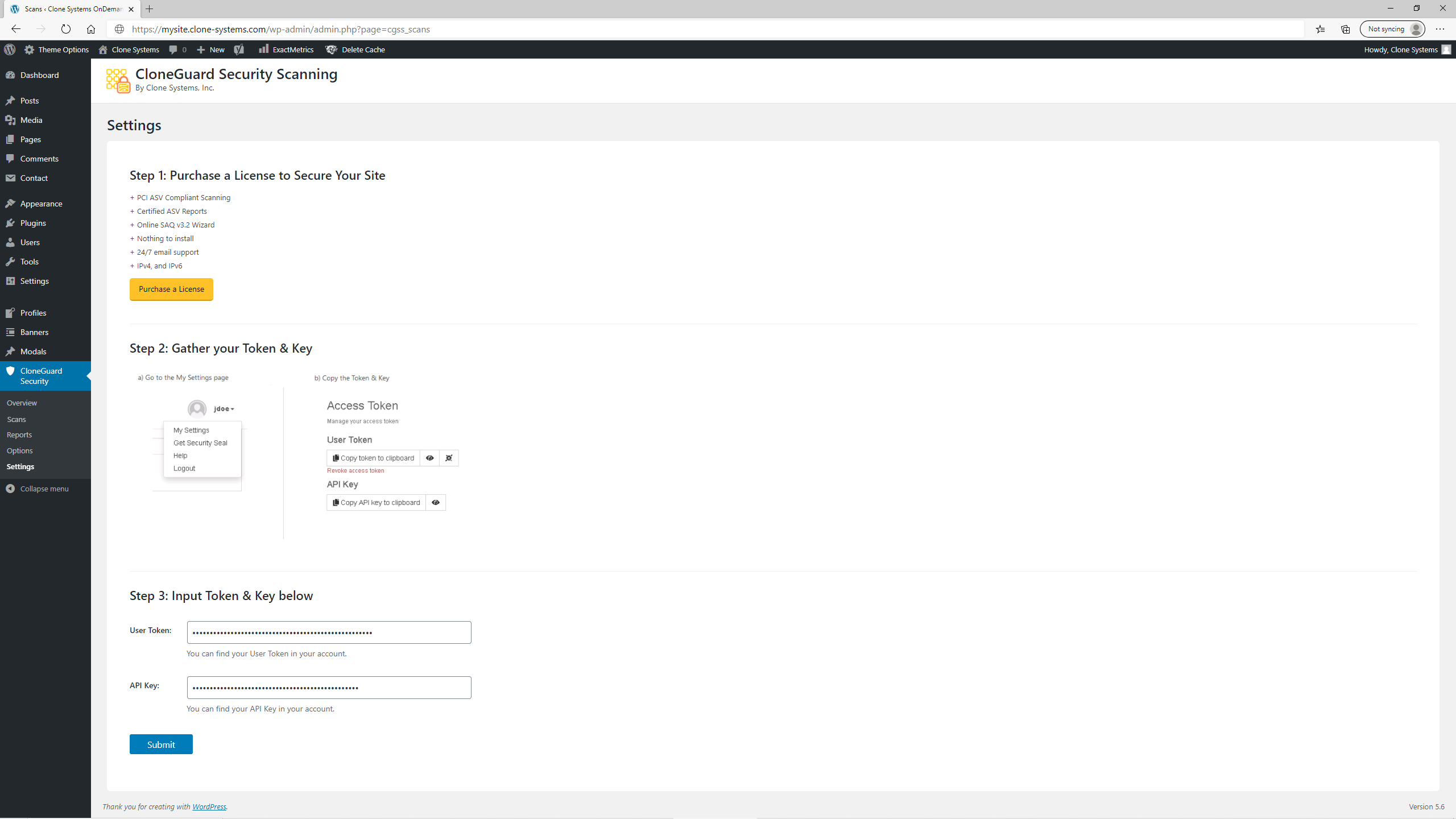
Use the Settings page to setup access between the plugin and the security scanning portal
安裝方式
- Upload clone-guard-security-scanning to the
/wp-content/pluginsdirectory. - Login to the WordPress admin panel and go to the the plugins page. On the plugins page, activate the CloneGuard Security Scanning plugin.
- Navigate to the CloneGuard > Settings page.
- Enter your CloneGuard User Token and API Key (if you do not have these, you will need to access them on the Clone Systems website).
- The CloneGuard Security Scanning plugin is now fully active.
- Navigate to the CloneGuard > Scans page to view your scans.
使用者評論

2022 年 9 月 21 日
2 則留言
If you have a woocommerce site this plugin will cover the asv and saq compliance portion. It works and the reports were accepted by my merchant bank.

2022 年 9 月 19 日
Easy to use and reliable service, tech support was responsive too.

2022 年 1 月 17 日
Great pricing and plugin works as expected.

2021 年 12 月 2 日
I have been using their service for years, but had to login to their portal to manage the scans. Now I can manage scans and reports through my wpadmin console which makes it easier on my end.

2021 年 9 月 8 日
The GDPR scan identified some data, old employee info that should have been taken down. I can attest that the scans do work.

2021 年 9 月 2 日
I have been using this service for some time now, I love that they added this plugin since I can manage all my scans from the wp admin dash.
參與者及開發者

變更記錄
2.5
- Uploaded new Validation Report screenshot
- Tested plugin up to 6.5.2 WordPress version
2.4
- Made minor Overview page styling enhancements.
- Added new product screenshots to the Overview page.
2.3.3
- Changed the Banner with a new one.
2.3.2
- Changed Plugin description texts
- Fixed icons position text in Scans Page
- Added Banner on the WordPress Plugin Directory.
2.3.1
- Added multi-select capability to the exception submission process
2.3
- Added capability to submit vulnerability exceptions
2.2.2
- Visualization updates on vulnerabilities and overview pages
2.2.1
- My Settings fixes
- Updated images
2.2.0
- Added vulnerabilities page
- Added vulnerability details page
- Responsive functionality fixes
2.1.0
- Added overview page
- Implemented scan profiles for vulnerability management
- Implemented scan profiles for pentesting
- Added portal URL customization for partner portals
2.0.0
- Added vulnerability scanning module
- Added penetration testing module
- Implemented tabs functionality
- Implement bulk actions functionality on Options page
1.8.0
- Added Options page
- User can now manage schedules, targets, and notifications
1.5.2
- Added image folder
1.5.1
- Added screenshots
- Fixed New Notification button alignment
1.5.0
- Design Improvements
1.0.0
- Initial release