

外掛說明
This is the official WooCommerce plugin of the E-Billing payment gateway.
This E-Billing plugin for WooCommerce allows you to accept payments from mobile wallets of operators and banks on your WooCommerce store.
E-Billing is a payment gateway that aggregates mobile wallets of operators and banks in Gabon and Africa.
E-Billing currently integrates the following mobile wallets:
– Airtel Money (Gabon)
– MobiCach (Gabon)
Only WooCommerce stores in Gabon can therefore use this plugin at the moment.
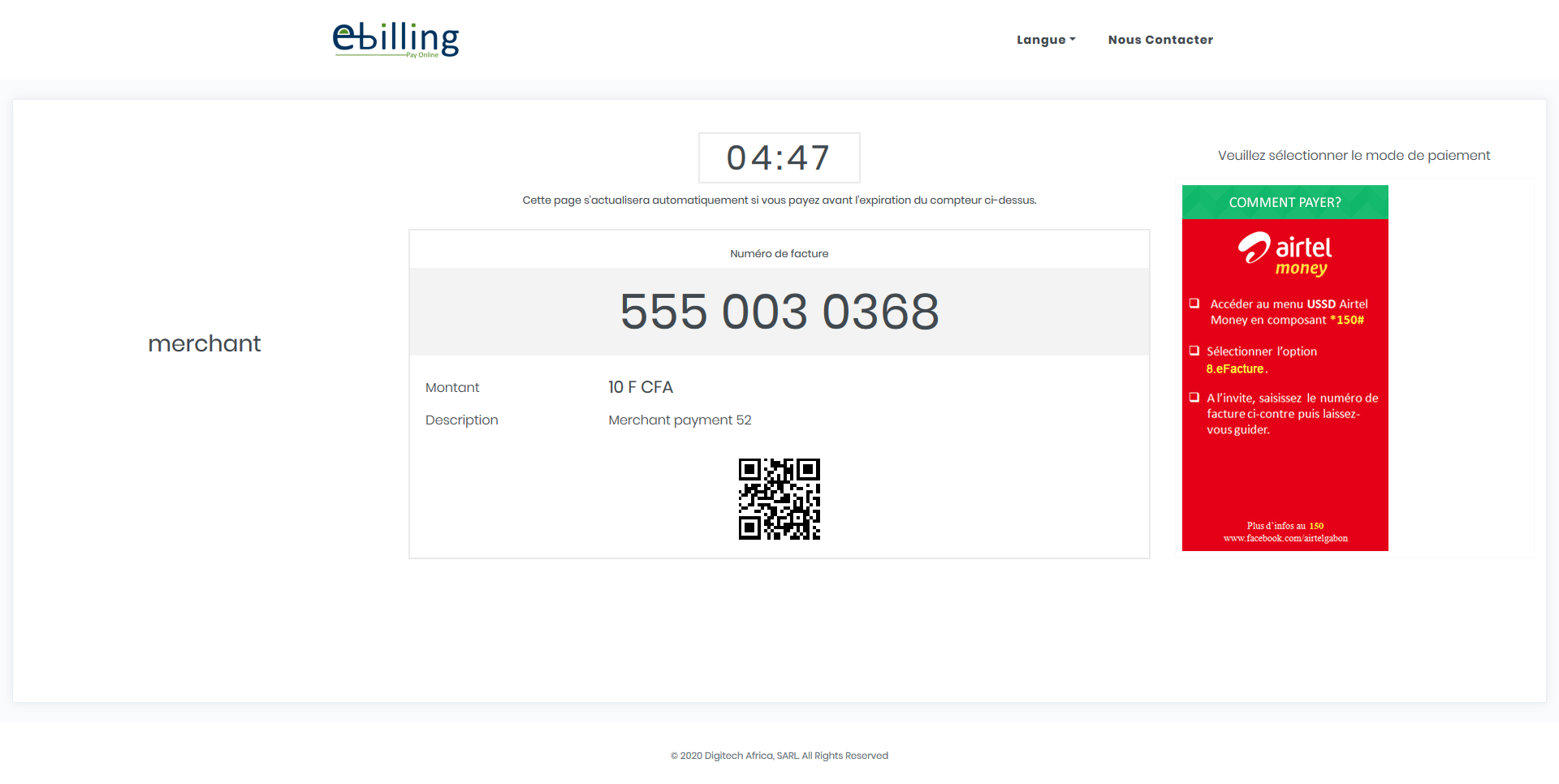
E-Billing does not manage any financial flows, all payments are validated by the mobile wallet. Customer is redirected to E-Billing portal which displays instructions for paying per wallet provider. Once the payment is validated by the operator or the bank, E-Billing is automatically notified and in return notifies the merchant of the validation of the payment. This plugin automates all this notification process.
This plugin comes with 3 deployment modes: LAB, STAGING, and PROD. By default, LAB Mode is active. It is highly recommended to test your integration in E-Billing LAB environment before you move to STAGING or PROD.
螢幕擷圖



安裝方式
Automatic installation
- Log in to your WordPress administration area.
- Go to “Plugins> Add new” in the left menu.
- In the search box, type “E-Billing Payment Gateway”.
- From the search result, you will see “E-Billing Payment Gateway” click “Install now” to install the plugin.
- A popup window will ask you to confirm your wish to install the plugin.
Manual installation
- Download the .zip file.
- Unpack and upload the
ebillingfolder to the/wp-content/pluginsdirectory. - Activate the plugin through the
Pluginsmenu in WordPress. - Open the settings page for WooCommerce and click on the
Payment gatewaystab. - Enable
E-Billingplugin. - Configure your
E-Bbillingparameters. See below for more details.
Configuration Parameters
- Enable / Disable – This controls to enable E-Billing Payment Gateway.
- Deployment Mode – This controls which E-Billing environment between LAB, Staging, and Production that this e-commerce platform is connected to. By default, LAB environment is set. Depending on the option chosen, you must provide Username & SharedKey that correspond to the environment.
- Title – This controls the title that user sees at checkout.
- Description – This controls the description that user sees at checkout.
- E-Billing Username – This is the merchant username in E-Billing platform. It is the same username used to login to E-Billing portal.
- E-Billing SharedKey – This is the merchant shared key in E-Billing platform. This information is obtained at merchant profile in E-Billing portal. This is used to authenticate merchant requests.
- Payment Timeout – This controls Payment timeout.
- Transaction Description – This controls the description of the transaction that user sees at time he validates payment with the operator or bank.
Setup on E-Billing Payment Gateway
- Login to E-Billing:
https://lab.billing-easy.net(LAB), orhttps://stg.billing-easy.com(Staging), orhttps://www.billing-easy.com(Production). - Access your profile.
- Click on Edit on top right.
- Edit notification URL (
https://your-store-domain/wc-api/digitech-epg-notify-payment). - Select following params:
billingid,reference,transactionid,amount.
常見問題集
-
What are the system requirements for using E-Billing?
-
E-Billing has been successfully tested with WordPress 5.0 to 5.7 on PHP 5.3 and PHP 8.2. If you have problems on these (or other) configurations, feel free to contact via the Digitech Africa Contact Forum.
-
What do I need to use the plugin?
-
You must register E-Billing:
https://lab.billing-easy.net(LAB), orhttps://stg.billing-easy.com(Staging), orhttps://www.billing-easy.com(Production) to obtain the username and shared key.
使用者評論

參與者及開發者

變更記錄
–Version 1.0.0–
This is the initial release of the plugin.
–Version 1.0.1–
Added debug logic.
–Version 1.0.2–
Fixed debug.
Updated Webhook.
–Version 1.0.3–
Debug Webhook.
–Version 1.0.4–
Updated Webhook.
–Version 1.0.5–
Updated error handler.
–Version 1.0.6–
Updated log level.
–Version 1.0.7–
Updated Webhook response.
–Version 1.0.8–
Tested on the latest WordPress release.
–Version 1.0.9–
Add new payment mode for sandbox test.
–Version 1.1.0–
Tested on the latest WordPress 6.0 version release.
–Version 1.1.1–
Tested on the latest WordPress 6.4 version release.