
外掛說明
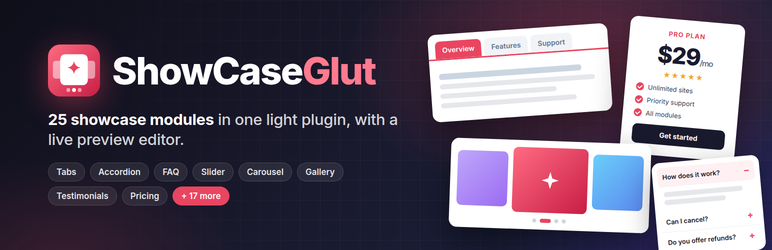
ShowcaseGlut puts every common “show it off” element in one plugin with one editor. Build a showcase, see it in the live preview, then add it to any page with its shortcode or the ShowcaseGlut block.
25 free modules
- Content & layout: Tabs, Accordion, FAQ (with FAQ schema), Timeline, Process / Steps, Content Toggle, Icon List, Info Boxes
- Sliders & media: Slider, Carousel, Logo Carousel, Image Gallery (lightbox), Before / After
- People & social proof: Testimonials, Team Members, Pricing Tables, Counters, Progress Bars
- Engagement & marketing: Call to Action, Countdown Timer, Marquee / Ticker, Notice Bar, Business Hours
- Dynamic content: Post Grid, Post Carousel
Built to be light
- No jQuery and no icon font on the front end. One small CSS and one small JS file, loaded only on pages that show a showcase.
- Keyboard support and ARIA roles for tabs, accordions, carousels and the lightbox.
- Respects “reduce motion”.
ShowcaseGlut Pro adds 15 modules (flip boxes, filterable portfolio, video gallery, image hotspots, image accordion, coverflow slider, comparison table, trust badges, modal / popup, off-canvas panel, animated heading, taxonomy tabs, WooCommerce product carousel and product categories, map) and Pro options for every free module.
Source code
The admin screens are built with React and Vite. The readable source is in assets/src, and the build output is in resources. To rebuild: run npm install, then npm run build.
適用於區塊編輯器
這個外掛提供 1 個可供區塊編輯器使用的區塊。
- ShowcaseGlut
安裝方式
- Install and activate ShowcaseGlut.
- Go to ShowcaseGlut Add New and pick a module.
- Edit the content, check the live preview and click Create.
- Copy the shortcode (for example
[showcaseglut_tabs id="12"]) into a page, or add the ShowcaseGlut block and choose the showcase. Each module also has its own list under the ShowcaseGlut menu.
常見問題集
-
Can I turn modules off?
-
Yes. ShowcaseGlut Modules has an on/off switch for each module.
-
Does it work with my theme?
-
Showcases inherit your theme’s fonts and text colour. Colours, corner radius and width can be set per showcase, and the accent colour for all of them in Global Settings.
-
Does it load files on every page?
-
No. CSS and JS load only on pages that show a showcase. You can change this in Global Settings Performance.
使用者評論
這個外掛目前沒有任何使用者評論。
參與者及開發者
以下人員參與了開源軟體〈ShowCaseGlut – Tabs, Accordion, FAQ, Slider, Carousel, Gallery, Testimonials, Pricing & More〉的開發相關工作。
參與者
變更記錄
2.0.0
- Rebuilt from the ground up: 25 modules, live preview editor, a shortcode per module and a block.
- Tabs and accordions from version 1 keep working:
[showcaseglut type="tab" ids="…"]now shows them with the new Tabs and Accordion modules, and they stay editable under ShowcaseGlut Tabs (version 1) / Accordions (version 1).
1.0.0
- First release: tabs and accordions.