

外掛說明
Let visitors flag broken links without crawling your site. Review reports in your WordPress dashboard and receive optional email alerts.
Features
- Report a page in one click, with an optional setting to include the exact broken URL.
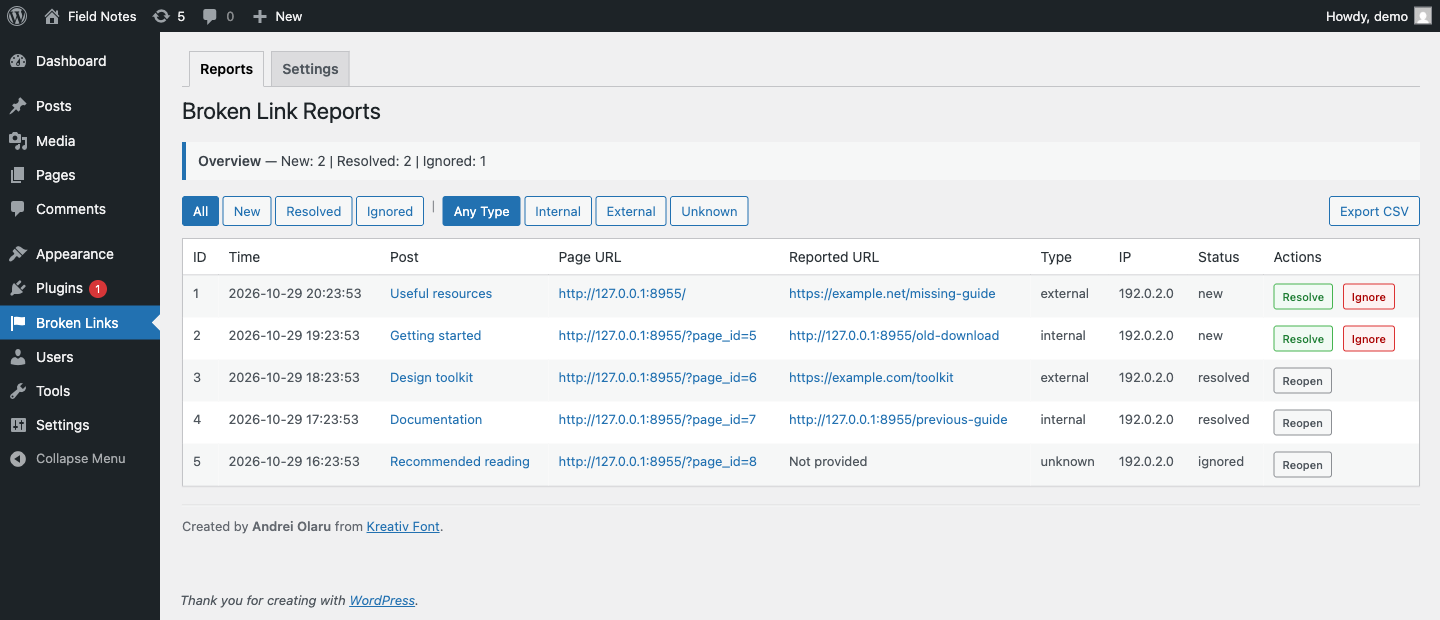
- Filter internal and external link reports.
- Resolve, ignore, or reopen reports.
- Export reports to CSV.
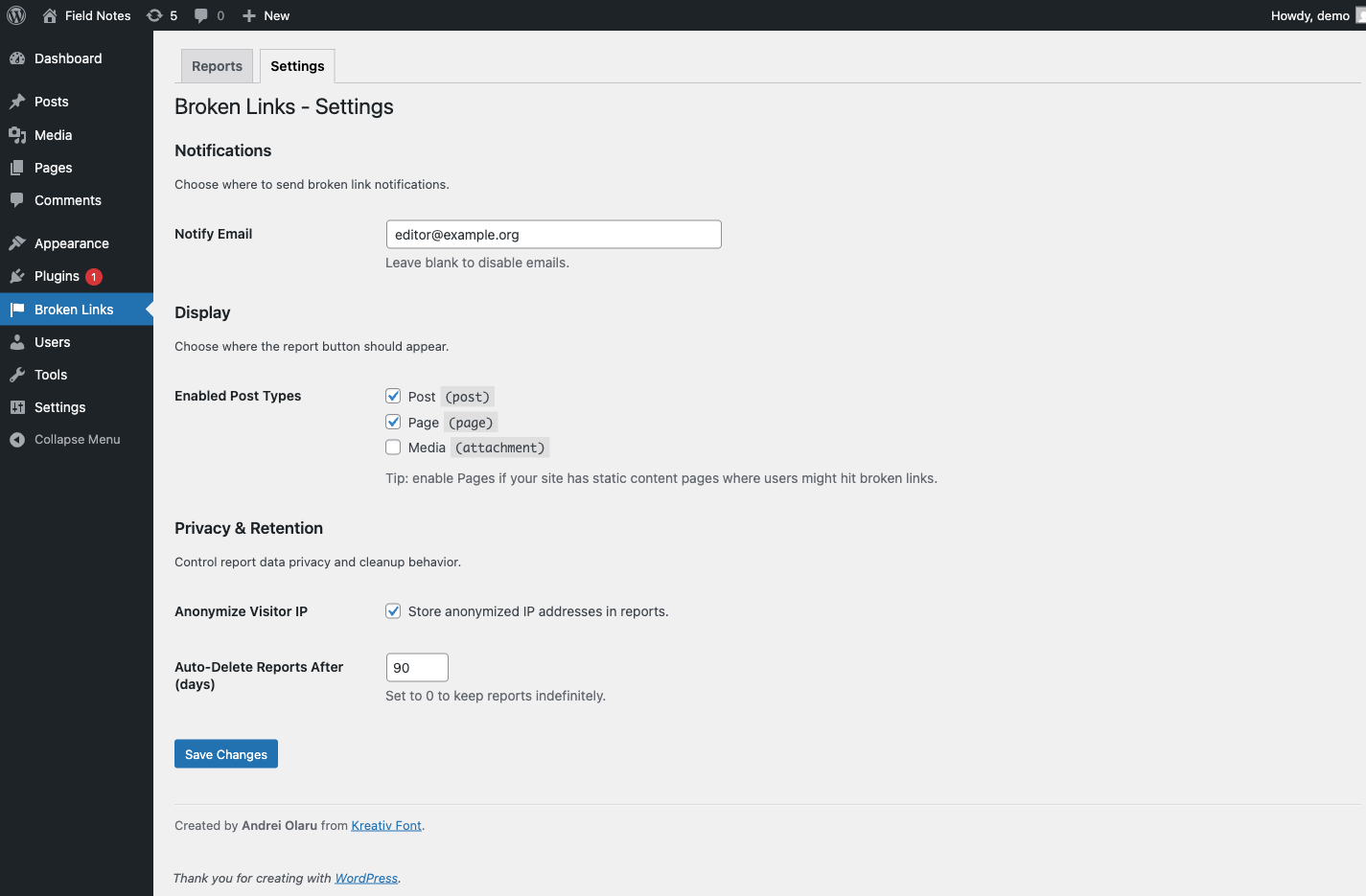
- Choose supported post types and email notifications.
- Control IP masking and automatic report retention.
螢幕擷圖

安裝方式
- Install and activate the plugin.
- Open Broken Links > Settings to choose post types and notifications.
- Optionally enable the broken link URL field to let visitors expand it when reporting.
常見問題集
-
Does it automatically scan my site?
-
No. Visitors submit reports; the plugin does not crawl or automatically check links.
-
At the end of content on enabled posts, pages, and public custom post types. Choose these in the Settings tab.
-
Can visitors specify the broken URL?
-
Yes. Enable the broken link URL field in Settings to show an expandable optional field. The setting is disabled by default, including on existing installations.
-
What visitor data is stored?
-
Each report stores the page URL, optional broken URL, submission time, visitor IP, and a site-salted IP hash for duplicate protection. Optional IP masking applies to new reports.
-
Can I automatically delete old reports?
-
Yes. Set a retention period in days; 0 keeps reports indefinitely. Daily cleanup uses WP-Cron and may be delayed on sites without regular traffic or scheduled cron execution.
-
How are repeated submissions limited?
-
Each visitor IP can report the same target on a page once per 24 hours, with up to five reports per ten minutes and twenty per day across all pages.
使用者評論
這個外掛目前沒有任何使用者評論。
參與者及開發者


變更記錄
1.5.1
- Added a setting to enable the optional broken URL field, disabled by default for new and existing installations.
- Moved the optional URL field behind an expandable toggle when enabled.
1.5.0
- Added an optional broken URL field to frontend reports.
- Added internal, external, and unknown link classification.
- Added link type filters to the reports dashboard and CSV export.
- Added schema migration support for the new report fields.
- Verified schema upgrades before marking them complete and preserved notification settings during upgrades.
- Added per-IP submission limits and kept duplicate blocking within its original 24-hour window.
- Scheduled daily retention cleanup and removed the scheduled job on deactivation or uninstall.
- Validated complete HTTP/HTTPS target URLs and allowed visitors to report additional links without reloading.
- Fixed moderation error notices, preserved link type filters, and made CSV downloads work with empty results.
1.4.0
- Renamed the WordPress admin menu label to Broken Links.
- Updated admin page titles to match the new naming.
- Moved settings into a tab on the same admin screen as reports.
1.3.9
- Enforced enabled post types in the AJAX submission handler.
- Fixed false-success responses when saving a report fails.
1.3.8
- Fixed frontend error handling so visitors can retry after temporary submission failures.
1.3.7
- Fixed fatal error in the admin reports page footer.
- Fixed CSV export query bug for filtered exports.
- Improved frontend report button behavior and compatibility.
- Improved admin UI spacing and accessibility styles.
1.3.2
- Fixed fatal error caused by invalid esc_js__() usage
- Fixed AJAX CSV export not triggering on some admin pages
1.3.1
- Added AJAX CSV export (no page reload)
- Improved pagination UI (Page X of Y + cleaner styling)
- Added overview summary text (New / Resolved / Ignored)
- General admin UI polish
1.3.0
- Added duplicate report protection (per post/IP, 24h)
- Added enabled post types setting
- Added frontend CSS styling and separate JS file
- Added CSV export
1.2.0
- Added admin dashboard page to view reported broken links
- Added status handling for reports (new / resolved / ignored)
- Added email notification option for new reports
- Improved security with nonces and input sanitization
- General stability and code cleanup
1.1.0
- Initial public release
- Added frontend “Report Broken Link” button
- Added AJAX submission for reports
- Stored reports in a custom database table