
外掛說明
Requires WordPress 3.5 and PHP 5.5 or later.
This plugin was built for my own Korean language learning site (keytokorean.com) to enable me to better organize the grammar points I’m studying. It includes the following taxonomies:
- Level (Beginner, etc)
- Book (Seoul University, Korean Grammar in Use, etc)
- Part of Speech (Verb, Noun, etc)
- Expression (frustation, excitement, etc)
- Usage (formal, written, spoken, etc)
Tested With
- TwentySixteen Theme
- TwentySeventeen Theme
Supported Plugins
- WP Subtitle – changes metabox title from “Subtitle” to “Translation”
Planned Upcoming Features
I’m looking into adding “subtitle” support that would let me put the Title in Korean and the subtitle in English. But we’ll use this for a while and see how I’m actually putting it to use and what kinds of things I feel are still needed before laying out a roadmap for future development.
Translations
- English (EN) – default
- Korean (KO) – upcoming
If you want to help translate the plugin into your language, please have a look at the .pot file which contains all definitions and may be used with a [gettext] editor.
If you have created your own language pack, or have an update of an existing one, you can send your [gettext .po or .mo file] to me so that I can bundle it in the plugin.
Contact Me
If you have questions about, problems with, or suggestions for improving this plugin, please let me know at the GitHub repository
Want updates about my other WordPress plugins, themes, or tutorials? Follow me @jekkilekki
Support
Click here to visit the Issues for this plugin
Acknowledgements
License
JKL Grammar is free software; you can redistribute it and/or modify it under the terms of the GNU General Public License as published by the Free Software Foundation; either version 2 of the License, or (at your option) any later version.
JKL Grammar is distributed in the hope that it will be useful, but WITHOUT ANY WARRANTY; without even the implied warranty of MERCHANTABILITY or FITNESS FOR A PARTICULAR PURPOSE. See the GNU General Public License for more details.
You should have received a copy of the GNU General Public License along with this program; if not, write to the Free Software Foundation, Inc., 51 Franklin St, Fifth Floor, Boston, MA 02110-1301 USA
螢幕擷圖
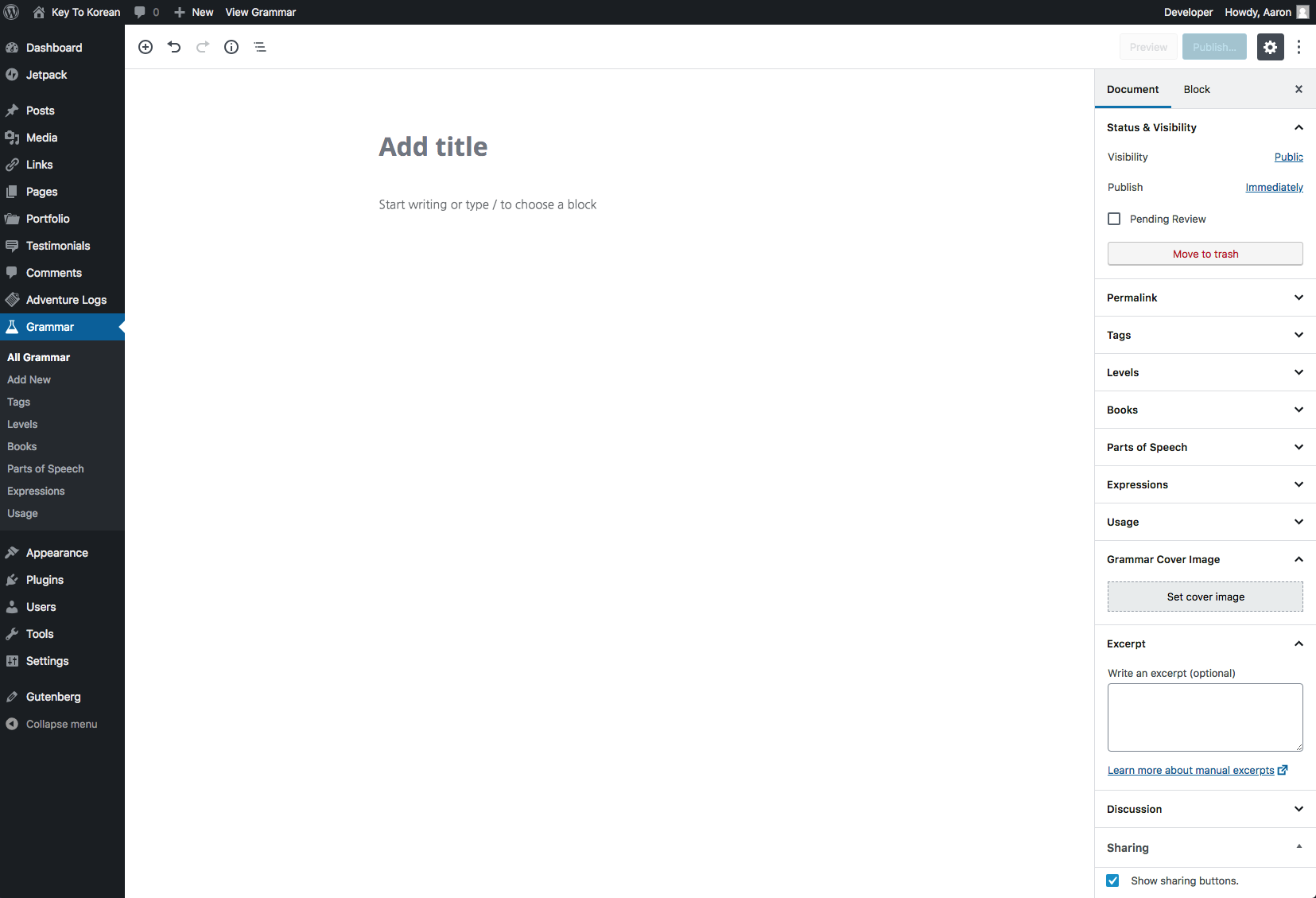
Gutenberg editor screen 
Classic editor screen
安裝方式
Automatic installation
- Log into your WordPress admin
- Go to
Plugins -> Add New - Search for
JKL Grammar - Click
Install Now - Activate the Plugin
Manual installation
- Download the Plugin
- Extract the contents of the .ZIP file
- Upload the contents of the
jkl-grammardirectory to your/wp-content/plugins
folder of your WordPress installation - Activate the Plugin from the
Pluginspage
Documentation
Full documentation of the Plugin and its uses can (currently) be found at its GitHub page
常見問題集
- Tips
-
As a general rule, it is always best to keep your WordPress installation and all Themes and Plugins fully updated in order to avoid problems with this or any other Themees or Plugins. I regularly update my site and test my Plugins and Themes with the latest version of WordPress.
- When I select something from the dropdown menus on the archive page, I get a 404 error.
-
Please navigate to your WordPress Dashboard, go to
Settings -> Permalinksand click the “Save” button. You just need to “flush” the permalink rewrite rules in this way. - Can you ADD / REMOVE / CHANGE features of the plugin?
-
Sure, I’m always open to suggestions. Let me know what you’re looking for. Feel free to open a GitHub Issue on the plugin repository to let me know the specific features or problems you’re having.
使用者評論
這個外掛目前沒有任何使用者評論。
參與者及開發者

變更記錄
1.1.0 (Nov 28, 2018)
- Added custom single template
- Added custom archive template
- On archive template, added select dropdowns to view Grammar Posts contained in any taxonomy
1.0.0 (Nov 24, 2018)
- Initial release