

外掛說明
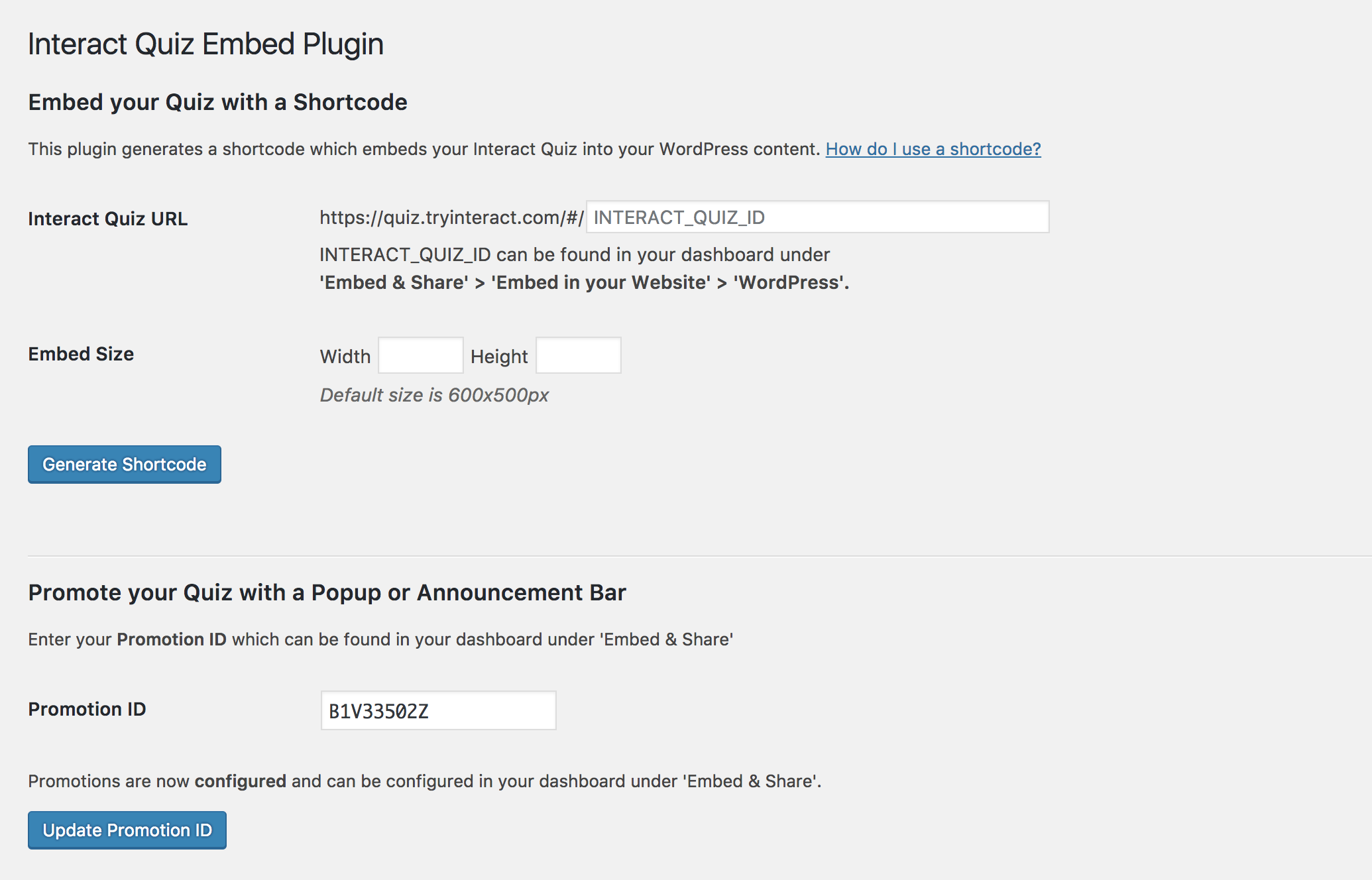
Use this plugin to generate a shortcode to embed your Interact quiz or form into your WordPress site. Promote your quiz within a Popup or an Announcement Bar.
Check out some examples of how over 30,000 companies have utilized quizzes on their websites here
IMPORTANT: An Interact account is required for this plugin to work as intended.
Visit Interact, sign up, and create an Interact quiz or form before you embed it into your site.
Installing this plugin without signing up on Interact will result in a broken embed on your site.
Questions? Email help@tryinteract.com
螢幕擷圖


安裝方式
- Create a quiz or form for free at https://www.tryinteract.com.
- Log in to your site’s Dashboard (e.g. http://www.example.com/wp-admin)
- In the left panel, click ‘Plugins’, then click ‘Add New’.
- Search for ‘Interact Quiz & Form Embed’ — the latest version will appear at the top of the list of results.
- Click the ‘Install Now’ button.
- Wait for the installation to finish, then click the ‘Activate’ button.
- Generate a shortcode for the quiz or form you wish to embed
- Add the shortcode to any post or page in your WordPress site to embed a quiz or form
常見問題集
-
Where can I find my ‘Interact App ID’?
-
This can be found in your Interact Dashboard by viewing your quiz or form and clicking ‘Share & Embed’.
A quiz link looks like: https://www.tryinteract.com/share/quiz/6ab538ac73d646369e3959b0
A form share link looks like: https://form.tryinteract.com/f/pRWnbCjJ
使用者評論


參與者及開發者

變更記錄
3.3
- Embed a form with type=”form”. The iframe loads from form.tryinteract.com.
- Plugin name is now Interact Quiz & Form Embed.
- Separate shortcode generators for quizzes and forms, with Auto-Resize on by default.
- Shortcode IDs must be letters and digits; an [interact] shortcode with any other ID renders nothing.
3.1
- Added input validation and sanitization for shortcode attributes.
3.0.7
- Bug fixes. Skipped 3.0.6 – please update to 3.0.7 if you have installed 3.0.6.
3.0.5
- Added shortcode attribute redirect=”host” to enable top-level browser redirection outside iframe.
3.0.4
- Added shortcode attribute align=”left|center|right”.
3.0.3
- Skipped 3.0.2 due to svn publishing issues, disregard skipped version number
- Added shortcode attribute mobile which allows quiz to remain embedded on the page and not redirect mobile devices.
3.0.1
- Added shortcode option to disable quiz cover page and start from first question.
3.0.0
- Added Promotions Feature (Announcement Bar & Popup)
- Auto-Resize Quiz by Default
- Supports Polls and Giveaways in addition to Quizzes
2.0.1
- Bug fixes. Removes link tag for shortcodes.
2.0
- Support for new quiz URLs using the quiz ID.
1.0
- Initial upload of plugin.