
外掛說明
我們認為 WooCommerce 是 WordPress 上最優秀的電子商務外掛,但它缺乏一些非常基礎的功能,例如透過易於使用的介面管理並自訂結帳欄位。雖然您可以透過 hook 和 filter 來達成,但如果能直接使用 Flexible Checkout Fields for WooCommerce – WooCommerce 結帳欄位管理工具,又何必大費周章?透過這款一頁結帳外掛,您可以編輯預設欄位 (變更標籤、隱藏、刪除) 或新增專屬的結帳欄位,也可以自訂欄位順序。外掛提供了非常多的欄位類型,例如核取方塊、日期或顏色選擇器欄位 (部分功能為 PRO 版專屬)。繼續閱讀以了解使用此外掛編輯 WooCommerce 結帳欄位有多麼輕鬆強大。
正在使用 WooCommerce 結帳區塊?
如果您正在使用區塊型結帳 (結帳區塊),請查看我們的專用外掛 Flexible Checkout Fields For Blocks,它讓您可以在 WooCommerce 全新的區塊型結帳中編輯與新增欄位。
👉 Flexible Checkout Fields (本外掛) 適用於基於短代碼的傳統結帳表單。
👉 Flexible Checkout Fields For Blocks 專為區塊型結帳 (結帳區塊) 設計。
更快速的結帳流程,帶來更高的轉換率 🛒
Flexible Checkout Fields 外掛是一款用於編輯 WooCommerce 結帳頁面的免費擴充套件。
使用合適的工具調整結帳流程。這比自訂 WooCommerce 結帳短代碼容易得多。
您可以下載此外掛,或在免費展示環境中試用。
WooCommerce 結帳欄位自訂工具 ⭐
使用這款免費外掛自訂 WooCommerce 結帳頁面,無需編寫程式碼或額外的程式碼片段。
自訂結帳設計,提供更出色的使用者體驗。
主要功能 ℹ️
這款免費外掛隨附以下選項:
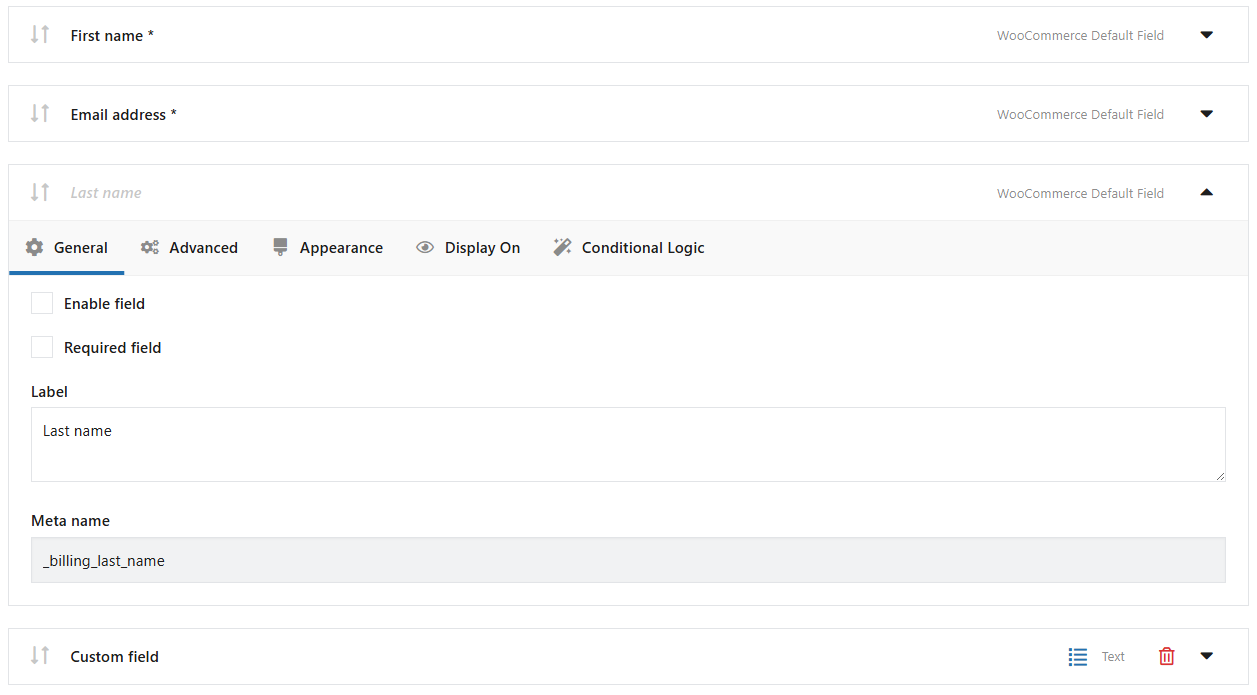
- 編輯結帳表單 (帳單與運送欄位)
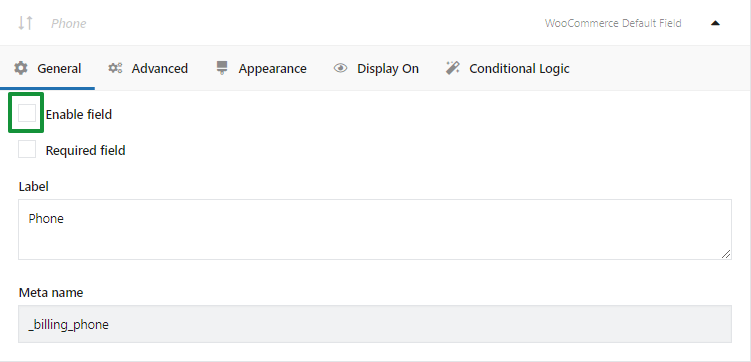
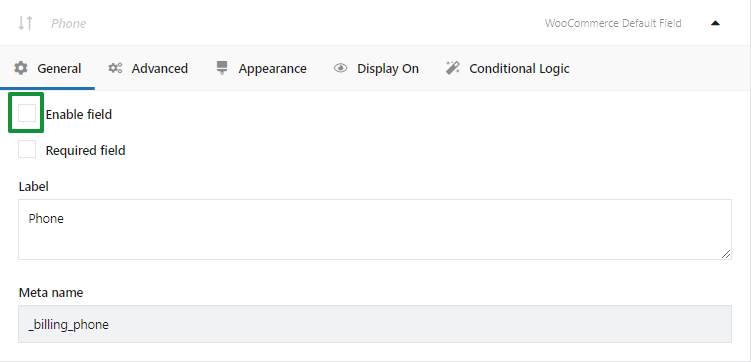
- 移除 (隱藏) 欄位
- 移動或重新排列欄位
- 將欄位設為必填或選填
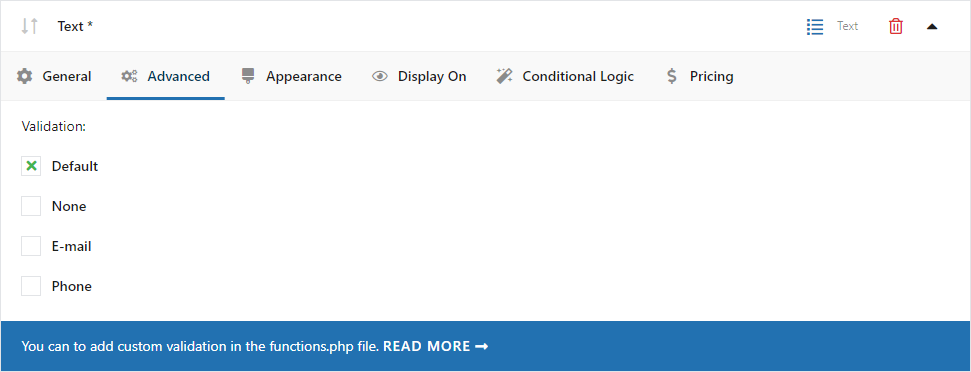
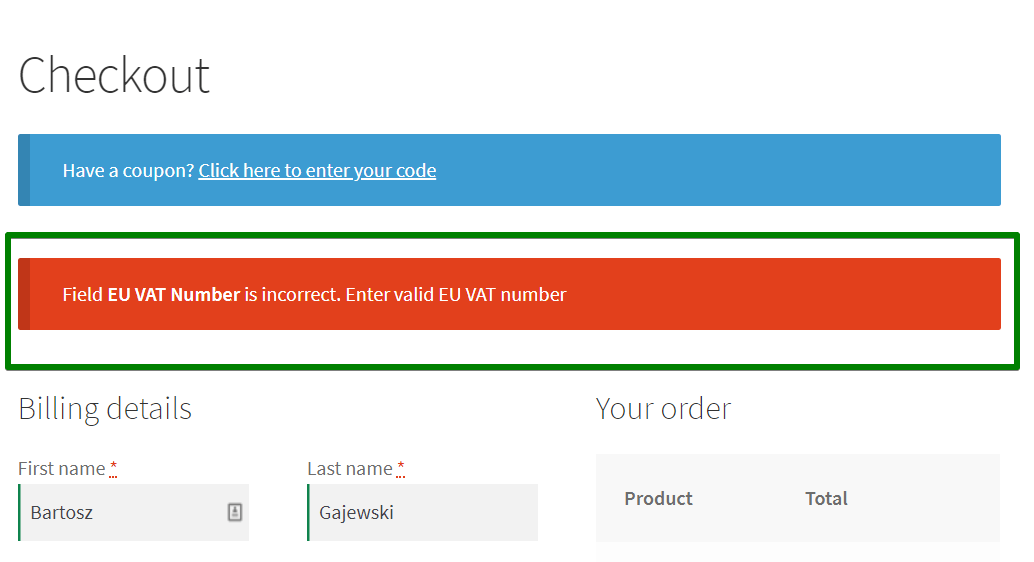
- 啟用欄位驗證
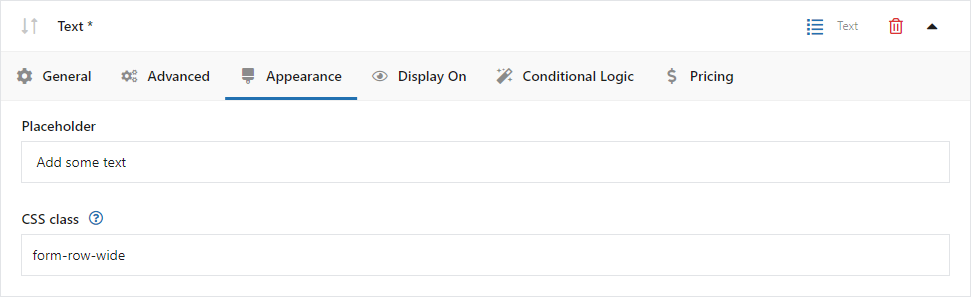
- 設定標籤與預留位置
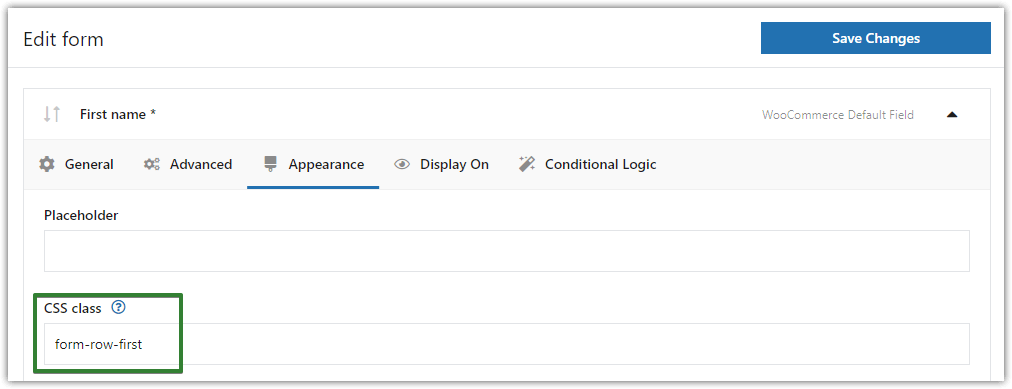
- 設定 CSS 類別
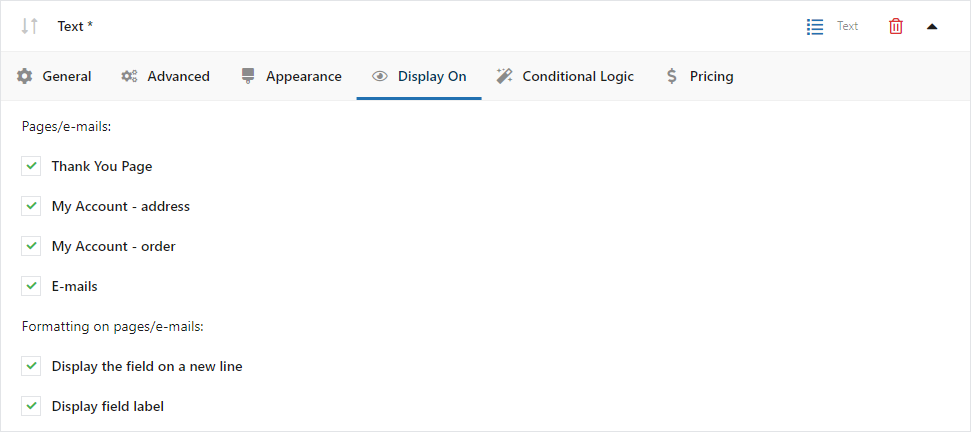
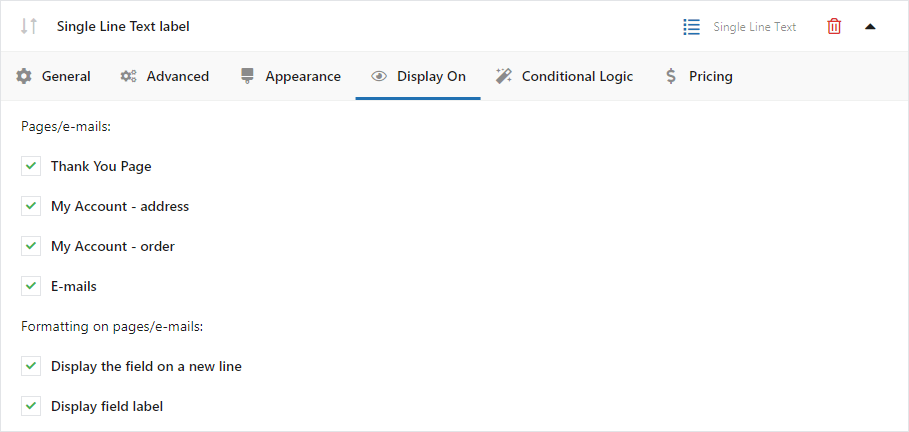
- 在特定頁面與電子郵件中顯示欄位
✅ 編輯與新增結帳欄位
此外掛允許為現有欄位進行欄位自訂,並新增結帳欄位。
✅ 移除 (隱藏) 欄位
您可以停用某些欄位,讓結帳表單更輕量、更快速。
✅ 排列欄位
也可以以自訂順序顯示欄位,無需自訂程式碼。
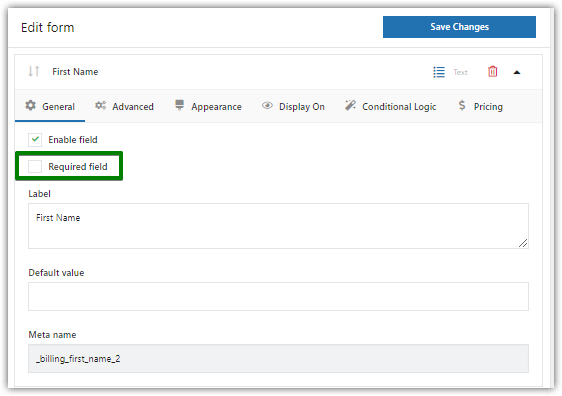
✅ 將欄位設為必填或選填
此外掛提供了一種簡單的方法來設定哪些欄位應為必填。
✅ 欄位驗證
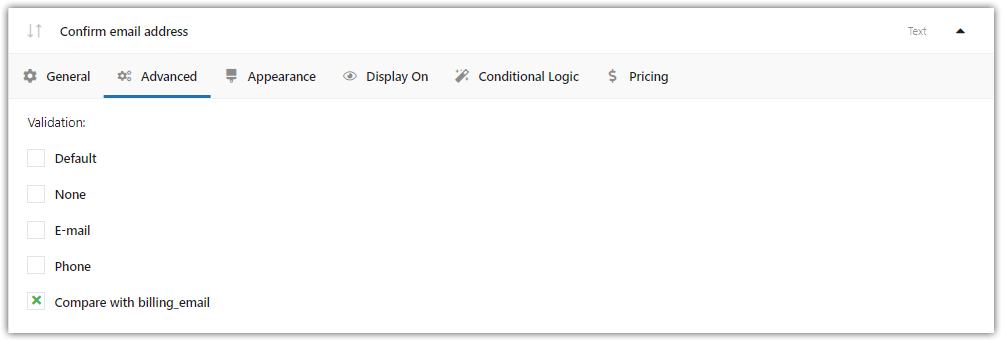
此外,您還可以為每個欄位啟用驗證。
✅ 在頁面與電子郵件中顯示欄位
每個欄位也都有顯示選項。
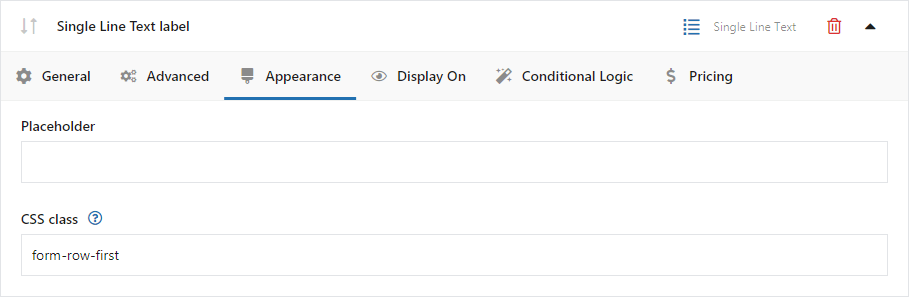
✅ 設定標籤、預留位置與 CSS 類別
此外,透過使用標籤與預留位置,您可以個人化結帳表單,並使其對 SEO 更友善。
您還可以使用樣式自訂結帳版面配置與設計。
Flexible Checkout Fields 概觀
您也可以觀看介紹此外掛功能的短片。
免費的 WooCommerce 結帳頁面編輯器 🚀
★★★★★
Flexible Checkout Fields 與 WordPress 控制台完美整合。它可能是市面上外觀最美觀的 WooCommerce 結帳欄位編輯器,而且功能強大。查看外掛螢幕擷圖
>>> 前往 FCF 管理後台展示 <<< – 您可以在此測試包含 Flexible Checkout Fields 在內的所有 WP Desk 外掛的管理面板
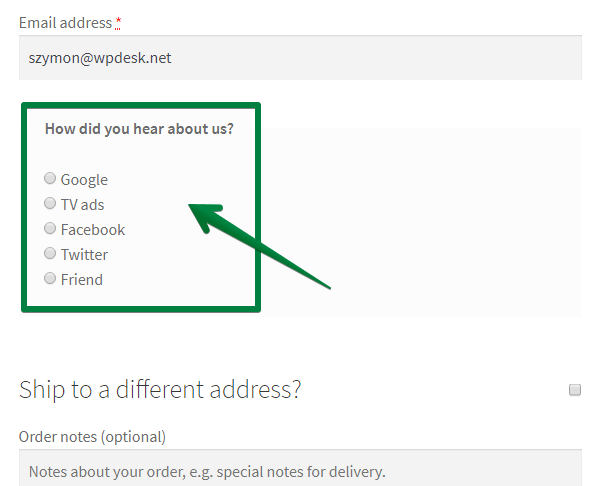
顯示或隱藏欄位
不需要顧客的電話號碼或第二行地址嗎?只要在結帳頁面隱藏這些欄位即可,一鍵就能搞定。以後決定要重新顯示?再按一下就能再次顯示欄位。您也可以驗證電子郵件並隱藏 WooCommerce 價格。
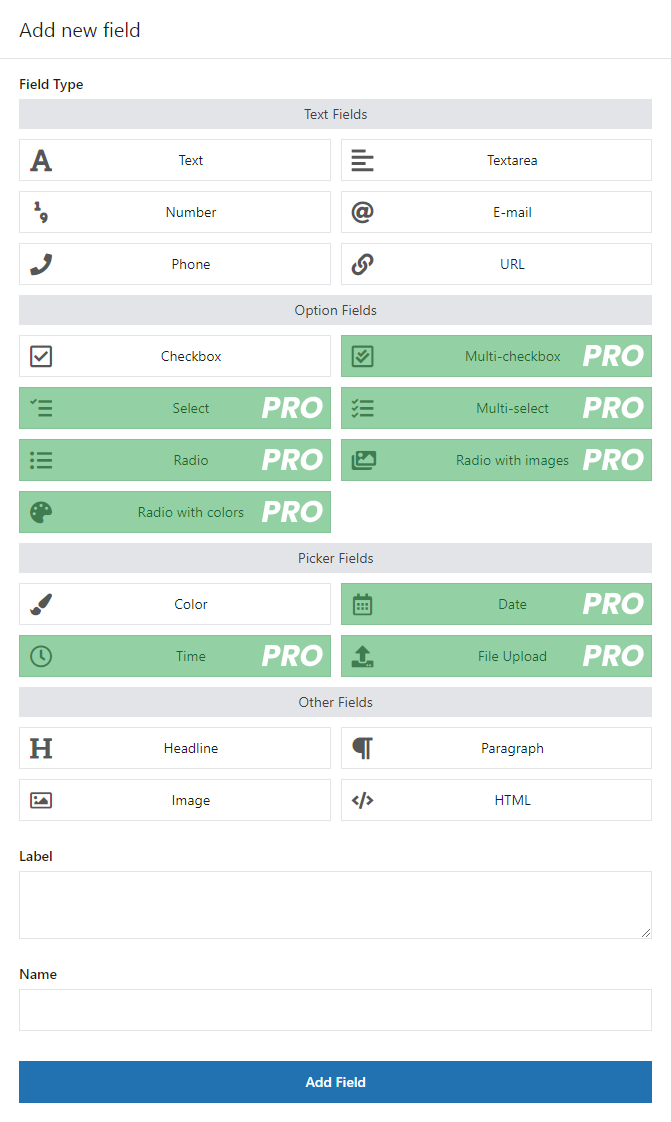
新增 WooCommerce 自訂結帳欄位
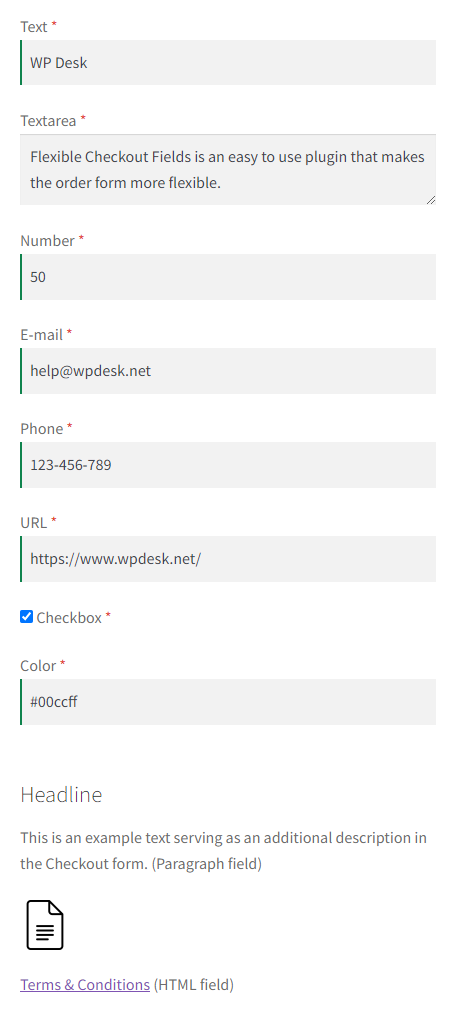
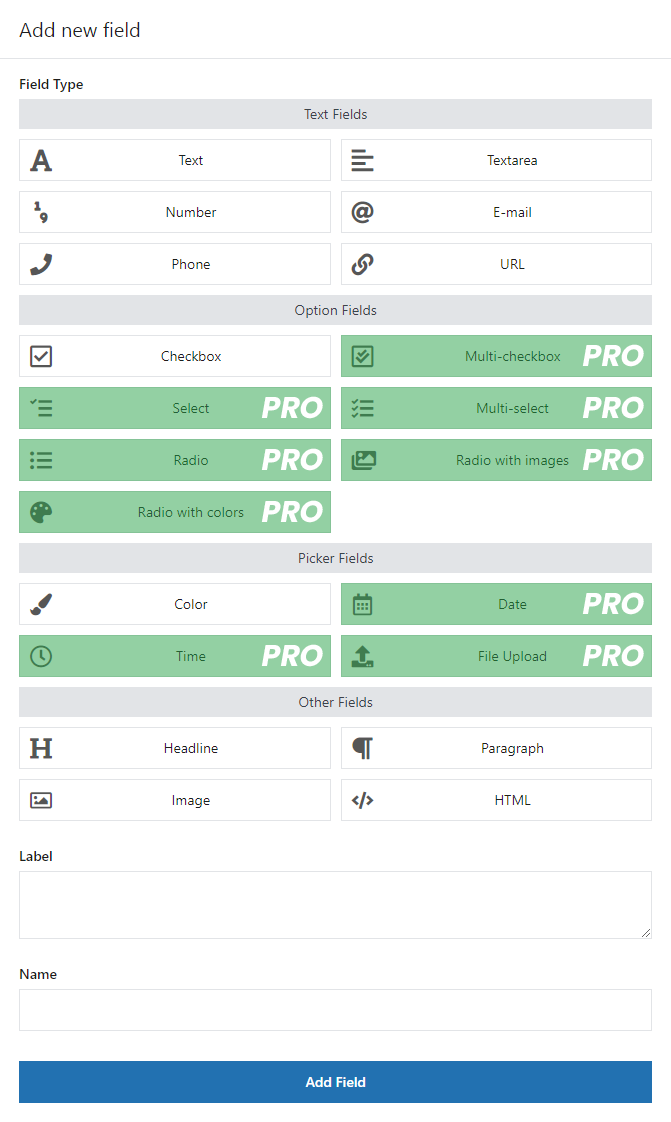
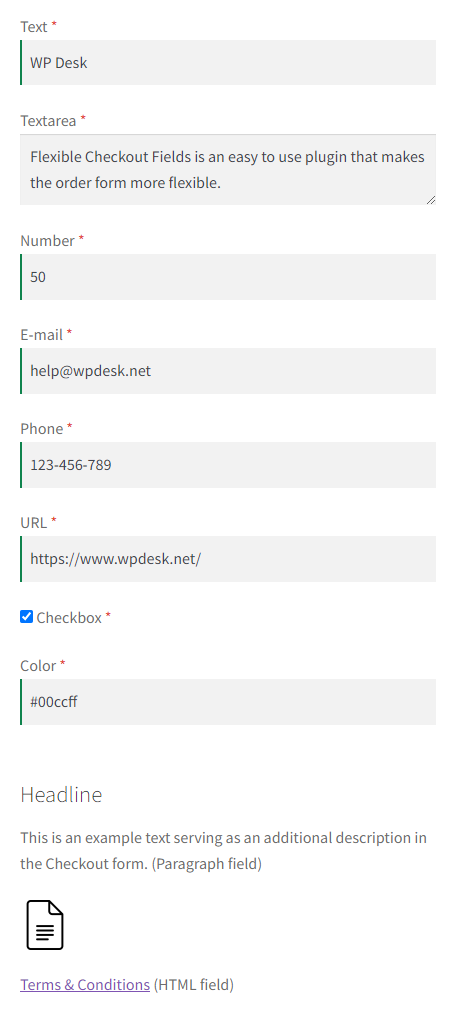
使用全新的 WooCommerce 結帳自訂工具,為您的結帳頁面新增 WooCommerce 額外欄位:
Free
PRO
取得所有 PRO 功能與優先電子郵件支援。升級至 PRO
完善的說明文件
我們為我們的說明文件感到自豪。我們投入了大量時間來完善這些文件,使其盡可能完整詳實。閱讀 Flexible Checkout Fields 說明文件
支援政策
我們在外掛支援論壇中為免費版本提供有限支援。請購買 PRO 版本以獲得優先電子郵件支援以及所有電子商務功能。⭐升級至 PRO
Get more WooCommerce plugins from WP Desk
We provide premium plugins for customizing checkout, shipping, invoicing and more. Check out our premium WooCommerce plugins here
Free WooCommerce plugins
🤔 如何自訂 WooCommerce 結帳頁面?
- 步驟 1:安裝並啟用 Flexible Checkout Fields for WooCommerce。
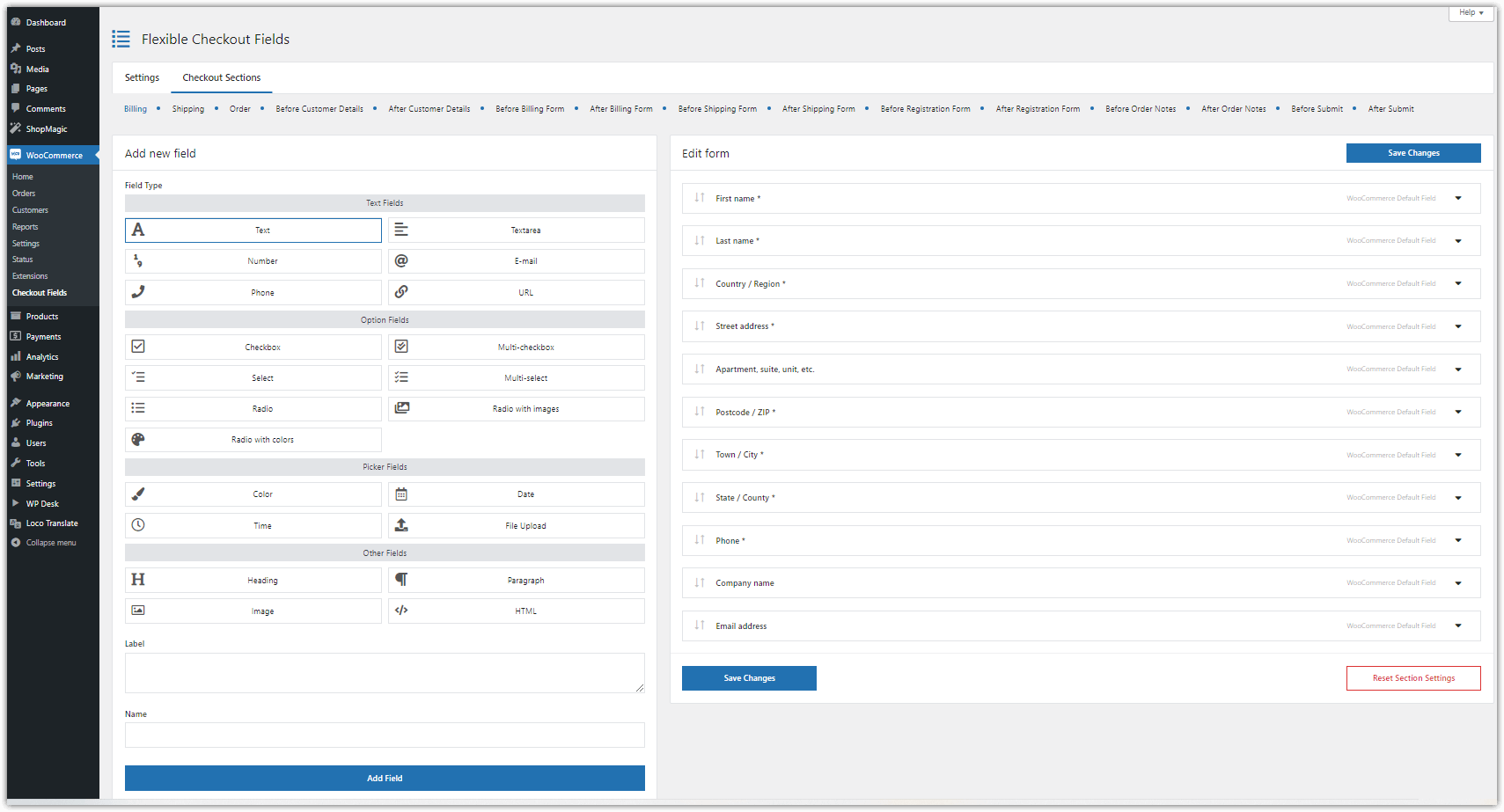
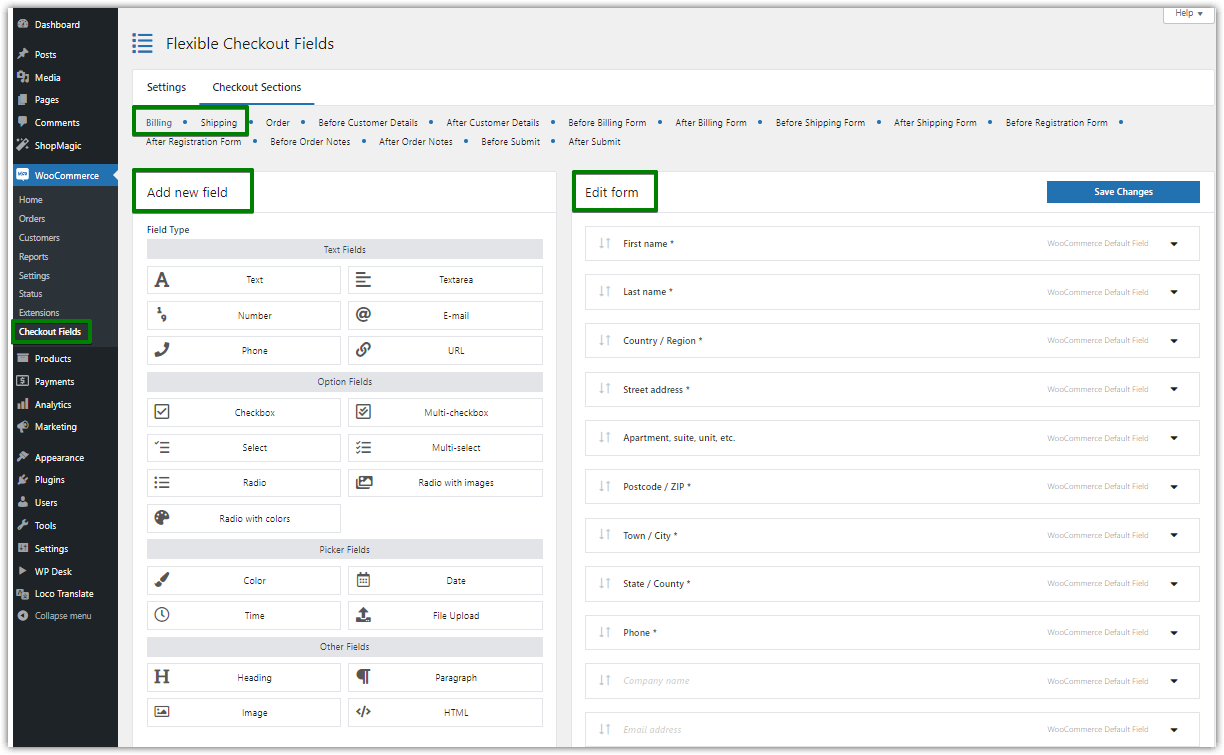
- 步驟 2:前往您的 WordPress 後台,開啟 [WooCommerce] 選單,然後點選 [結帳欄位]。
- 步驟 3:選擇要自訂的 WooCommerce 結帳區段。
- 步驟 4:在 WooCommerce 結帳頁面上管理、重新排列、隱藏、顯示或新增自訂欄位。
- 步驟 5:在 PRO 中使用 WooCommerce 結帳頁面的自訂區段、更多結帳欄位、條件邏輯、各欄位定價以及額外選項。
您可以在短時間內使用自訂結帳欄位與這款免費自訂工具來調整 WooCommerce 結帳頁面 🚀!
閱讀常見問題以取得外掛選項的詳細資訊。
🔀 欄位順序
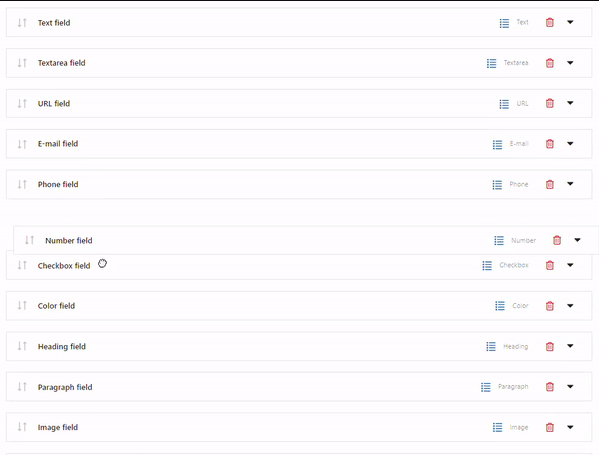
只要透過拖放操作,即可在結帳頁面上重新排列結帳欄位的順序。您可以重新排列 WooCommerce 內建欄位以及您自行新增的自訂欄位。隨心所欲依您所需任意搭配,自己就能輕鬆自訂結帳頁面。如果其他外掛也新增了自訂欄位,在許多情況下您也能重新排列這些欄位 (前提是該外掛作者以標準方式新增)。
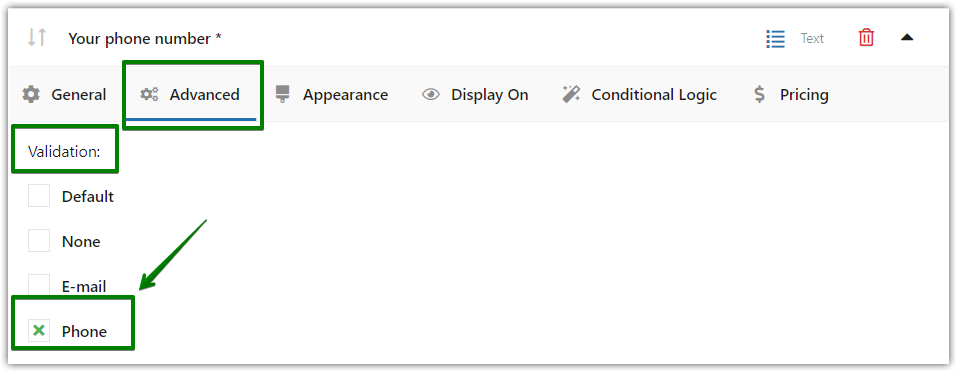
✅ 欄位驗證
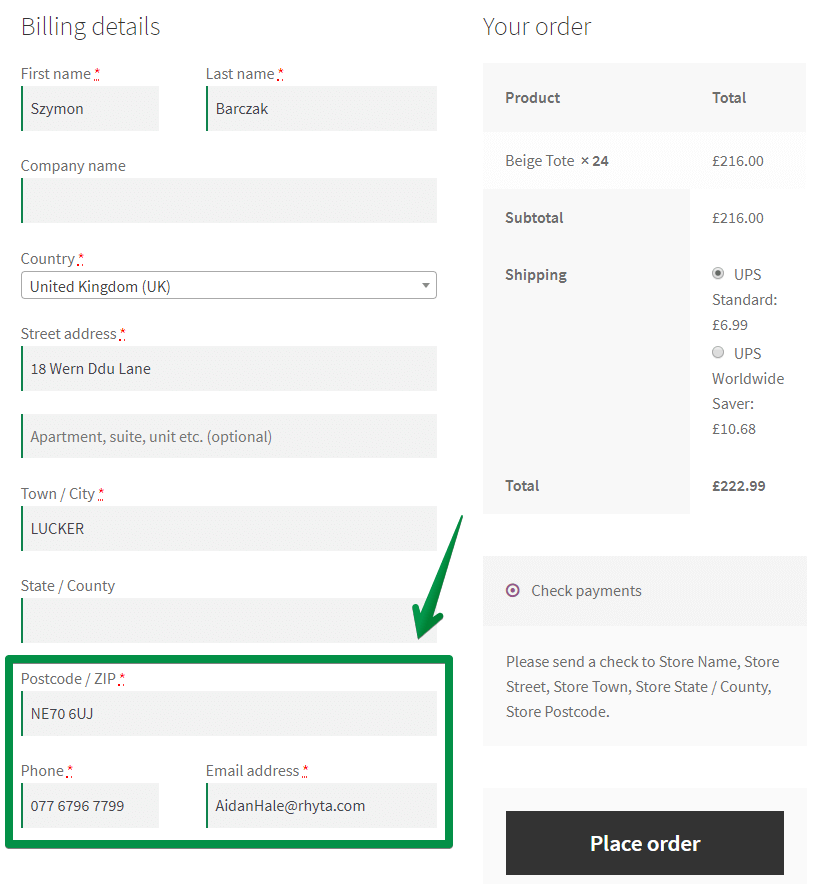
WooCommerce 內建了電話號碼、電子郵件地址 (驗證電子郵件) 與郵遞區號的驗證功能。我們讓您能在透過此外掛新增至商店的新欄位中直接使用這些驗證規則。
標準的 WooCommerce 驗證不夠用嗎?您可以為在此外掛中建立的任何欄位新增您自訂的驗證。您可以在 Flexible Checkout Fields 說明文件 中找到程式碼範例
❌ 必填或選填欄位
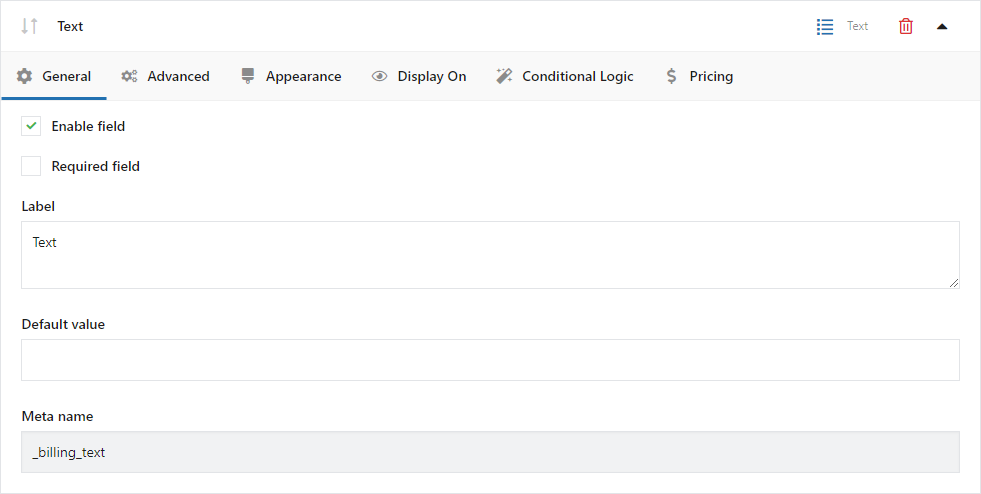
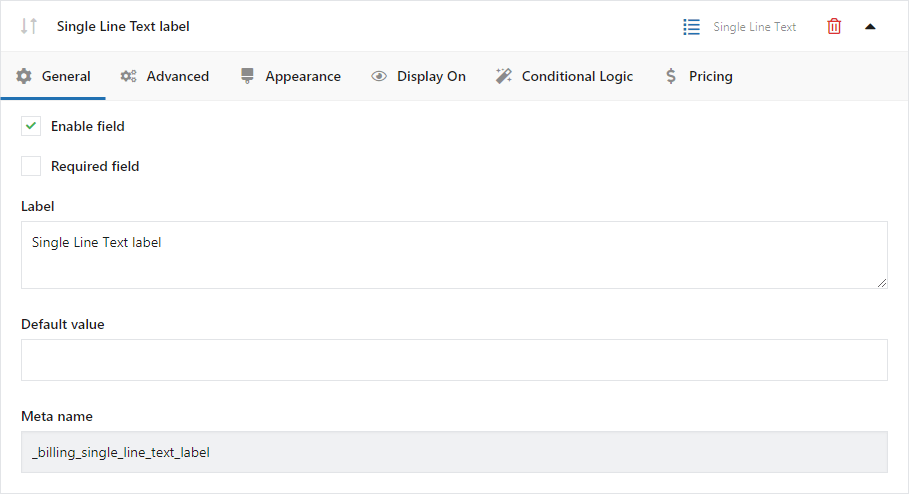
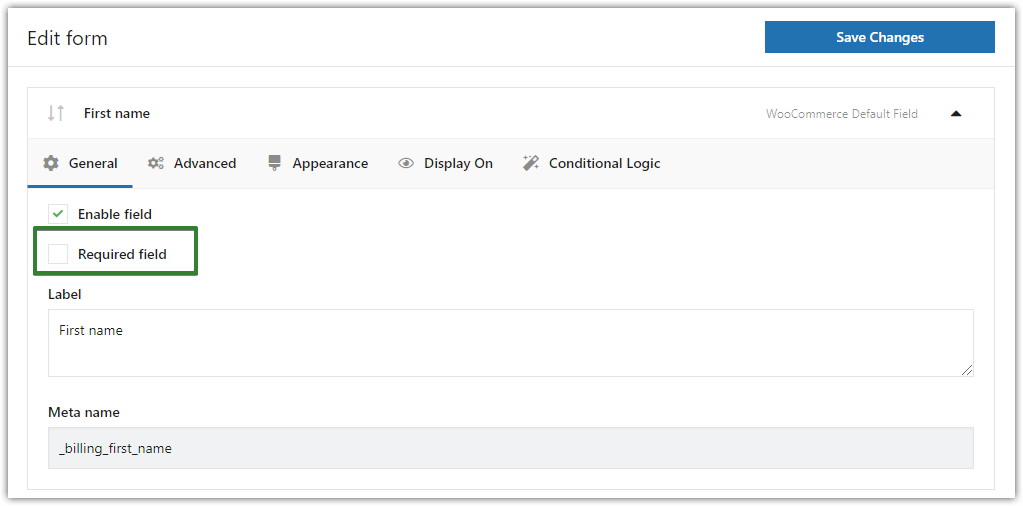
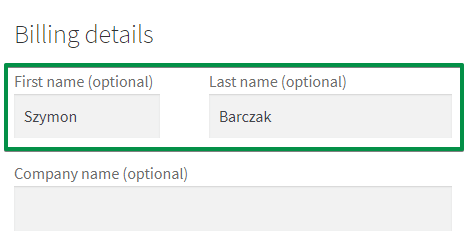
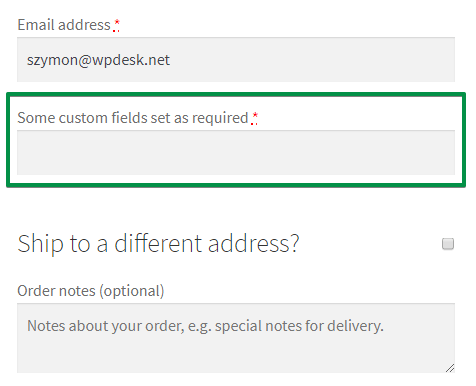
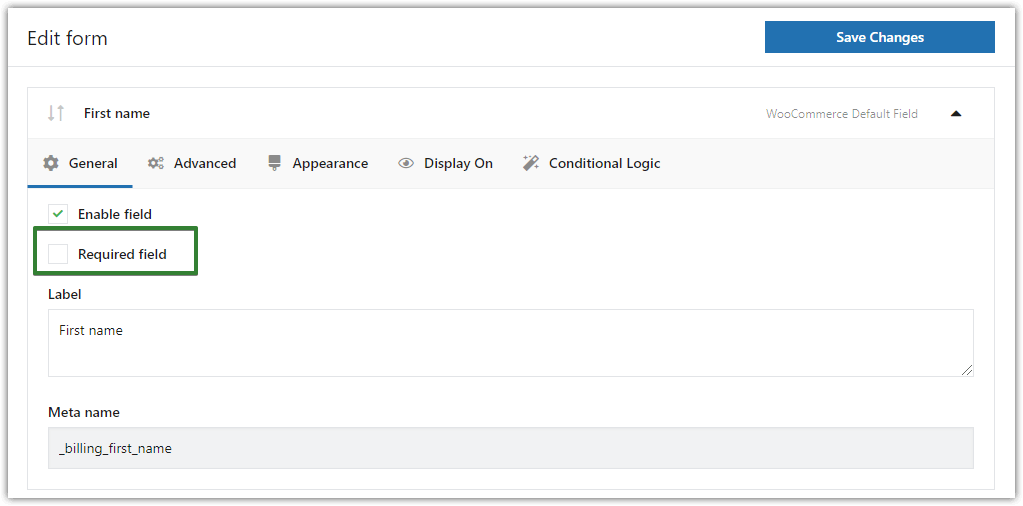
這款 WooCommerce 結帳編輯器讓您可以輕鬆管理哪些欄位為必填、哪些為選填。只需在欄位設定中勾選或取消勾選必填核取方塊,即可自由設定為必填或選填。雙向操作皆行得通。
🏷️ 標籤與預留位置
想將公司名稱簡化為公司,或改成您超讚的公司嗎?只需編輯標籤,就會立即顯示在結帳頁面上。專業提示:您還可以在標籤中使用 HTML!
想為您的顧客提供如何填寫結帳欄位的提示嗎?您可以透過解釋性的預留位置 (會顯示在欄位內部) 來達成,例如請輸入完整的公司名稱。
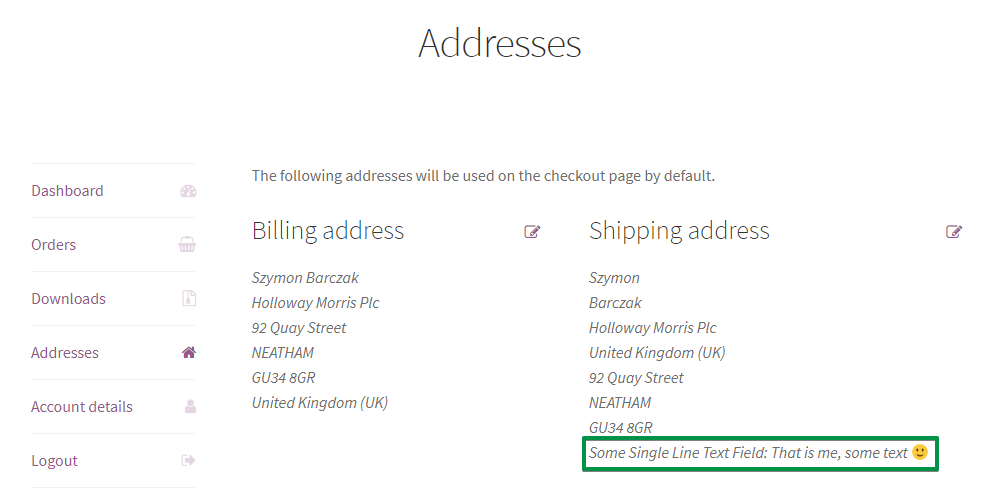
📃 在其他頁面顯示結帳欄位
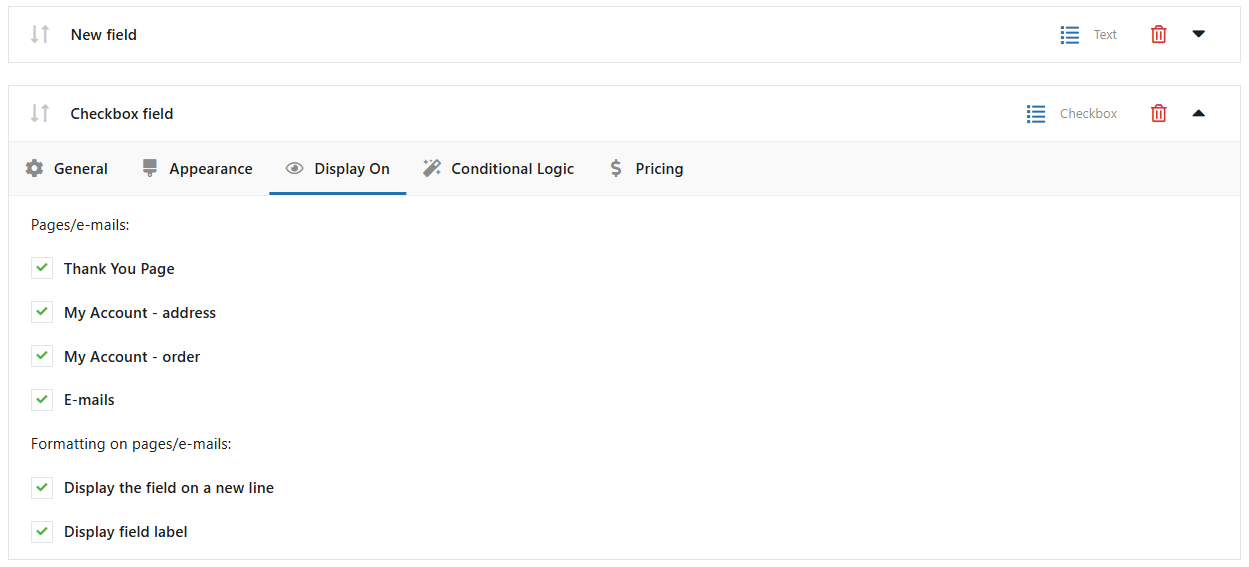
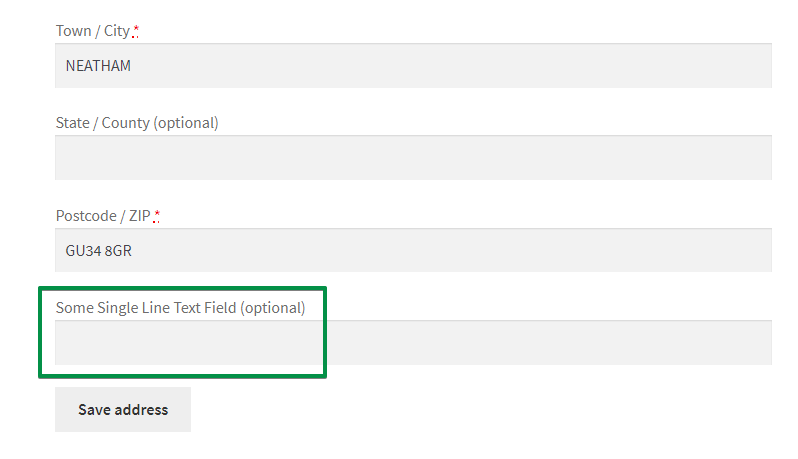
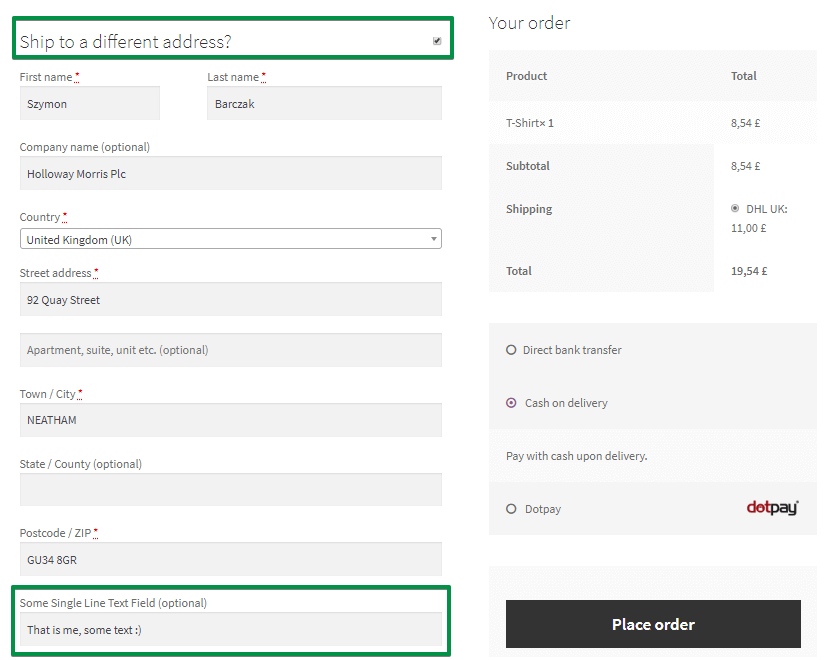
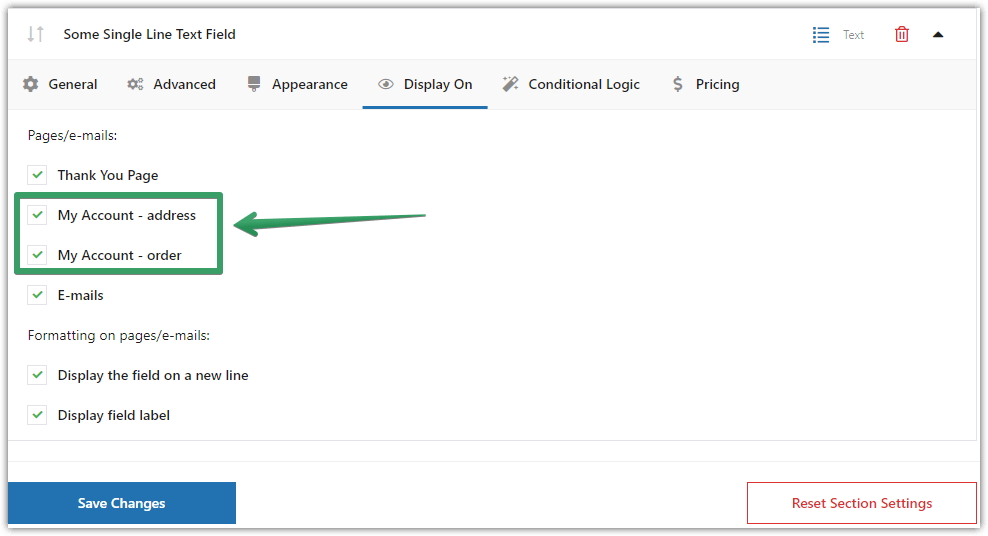
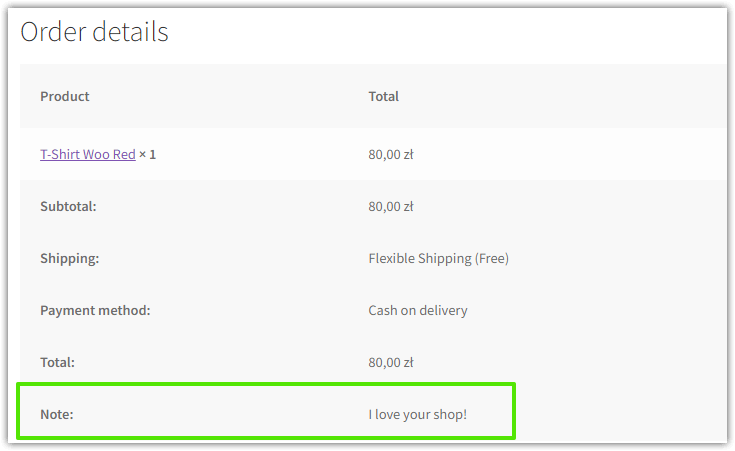
您不僅可以在結帳頁面中顯示欄位。只要勾選 [顯示位置] 分頁下的特定核取方塊即可。您有 4 個不同的位置可以使用:
- 感謝頁面
- 我的帳號 – 地址
- 我的帳號 – 訂單
- 電子郵件
對於自訂欄位,您還可以決定頁面/電子郵件上的欄位格式。
➿ 自訂 CSS 類別
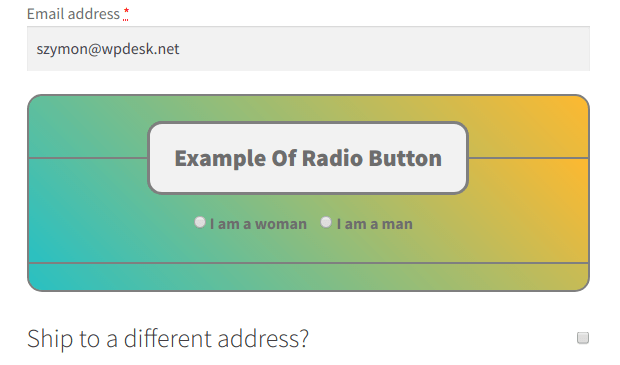
為您的欄位增添風格。透過為每個欄位新增自訂類別,您可以在佈景主題的樣式表中為其套用專屬的獨特樣式。
🖥️ 使用您專屬的 Meta 名稱
您是開發人員嗎?您可以設定任何您想要的 Meta 名稱。這是欄位在資料庫中的名稱。透過此功能,您可以輕鬆地將這款一頁結帳 WooCommerce 外掛與您的自訂程式碼進行整合。
🌎 支援多國語言
Flexible Checkout Fields (結帳管理工具) 相容於 WPML 和 Polylang,讓您可以將欄位資料翻譯成其他語言。
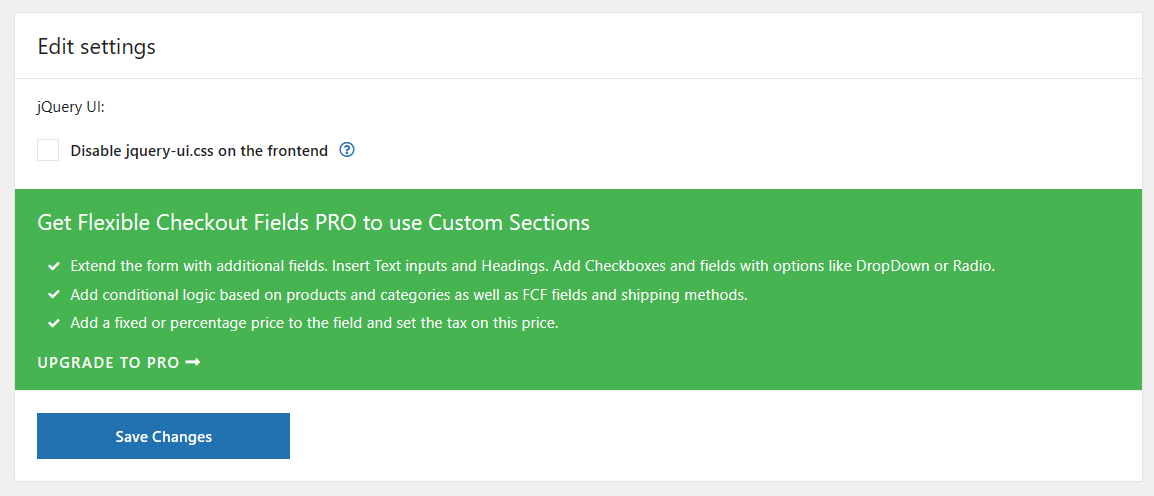
⭐ 自訂欄位區段 (PRO)
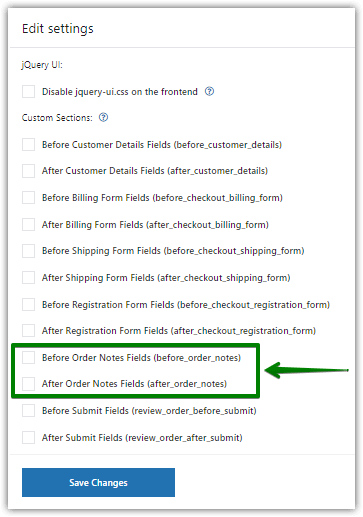
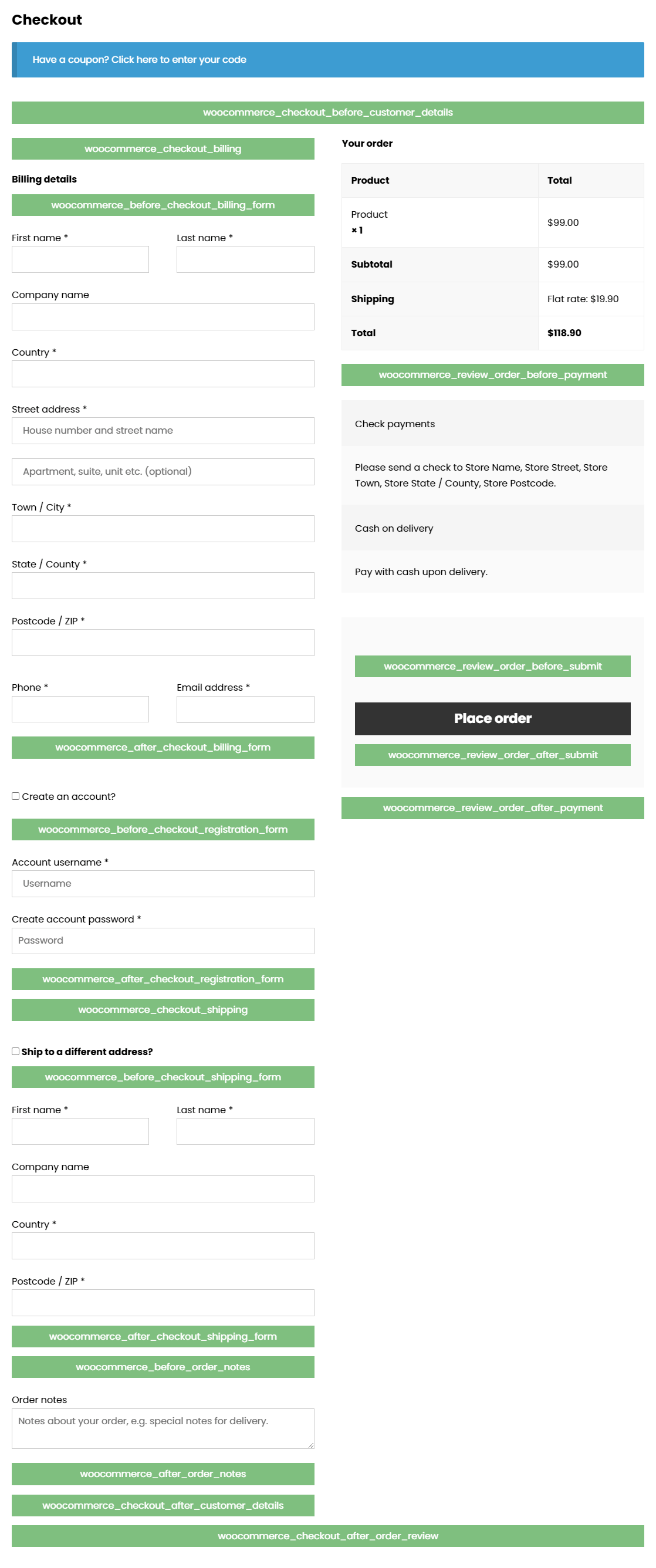
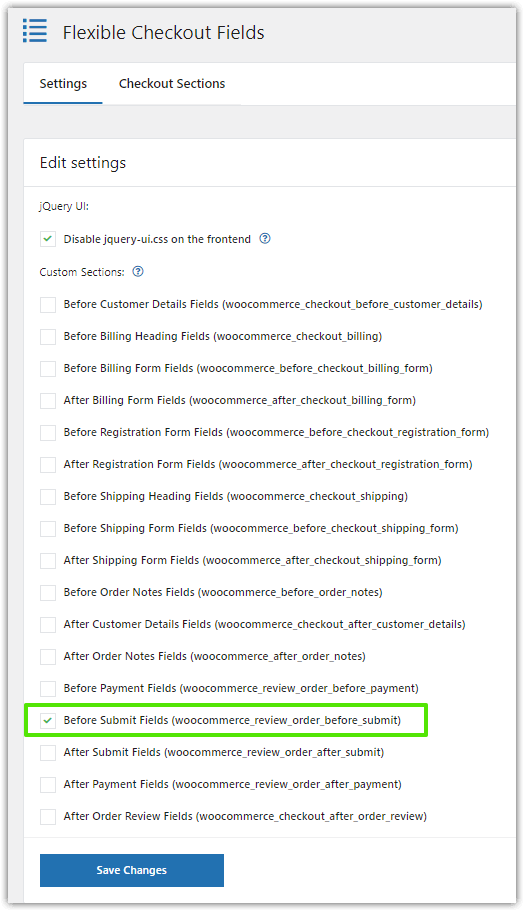
只有 [帳單]、[運送] 或 [訂單] 區段不夠用嗎?現在您可以將欄位新增至其他 12 個結帳區段。下方列出了所有區段及其對應的 hook (hook 僅供開發人員參考 – 如果您不知道什麼是 hook,直接略過也完全沒問題,功能依然正常運作)。
- 顧客詳細資訊前
- 顧客詳細資訊後
- 帳單標題前
- 帳單表單前
- 帳單表單後
- 運送標題前
- 運送表單前
- 運送表單後
- 註冊表單前
- 註冊表單後
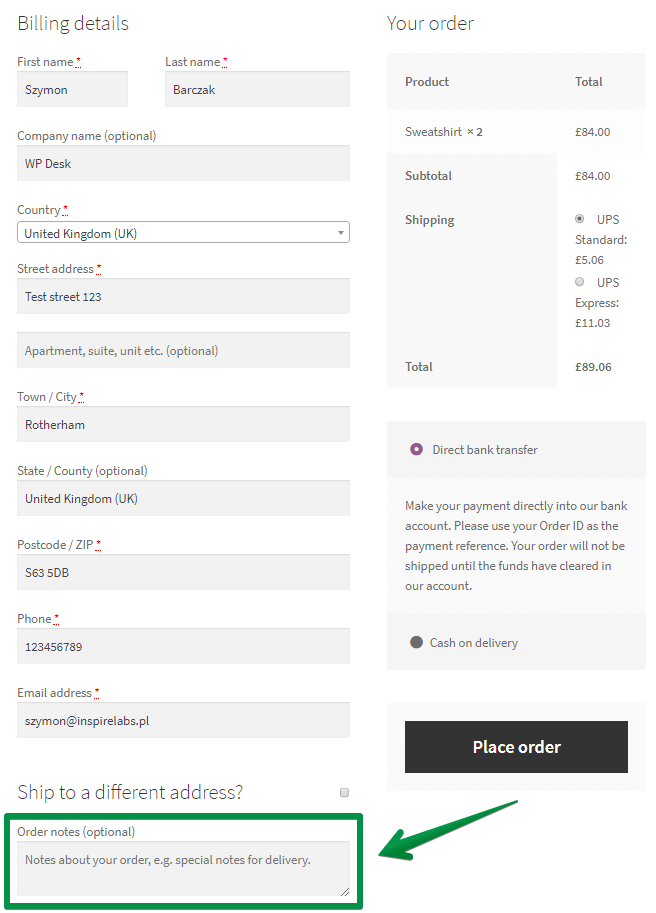
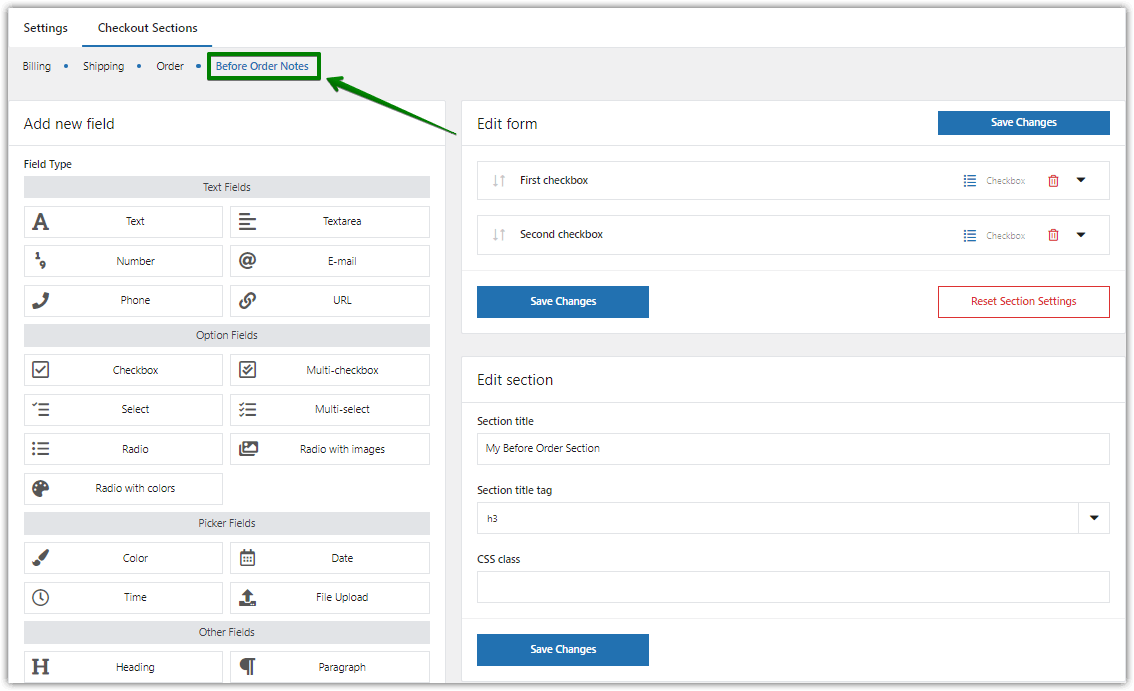
- 訂單備註前
- 訂單備註後
- 付款前
- 付款後
- 訂單檢視後
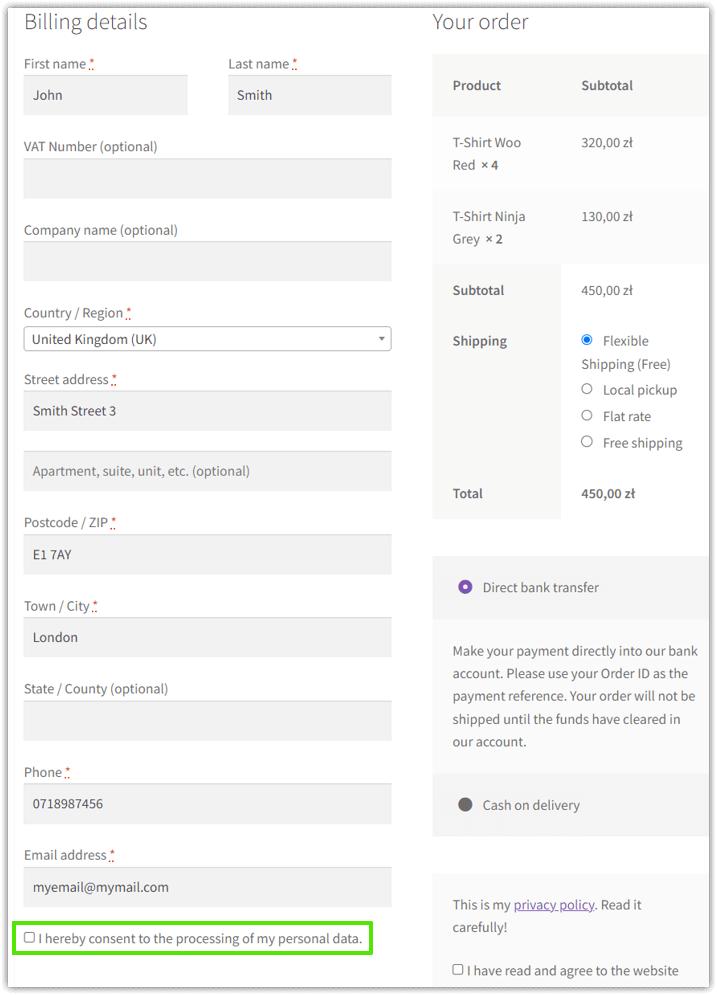
- 送出按鈕前
- 送出按鈕後
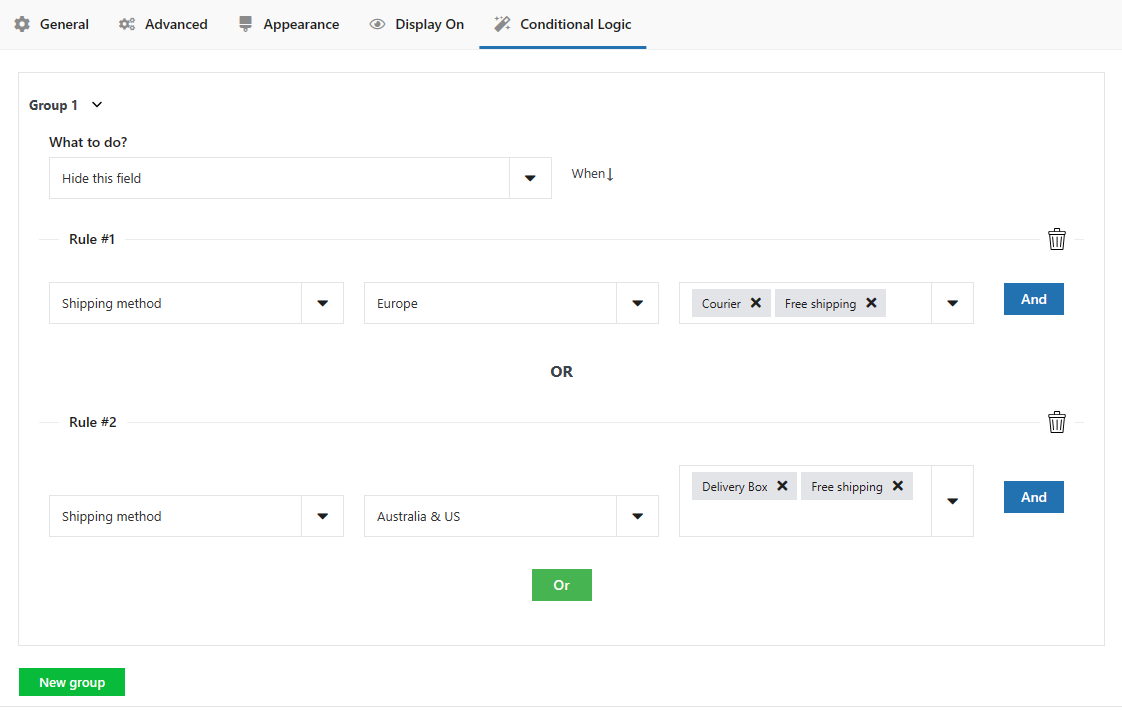
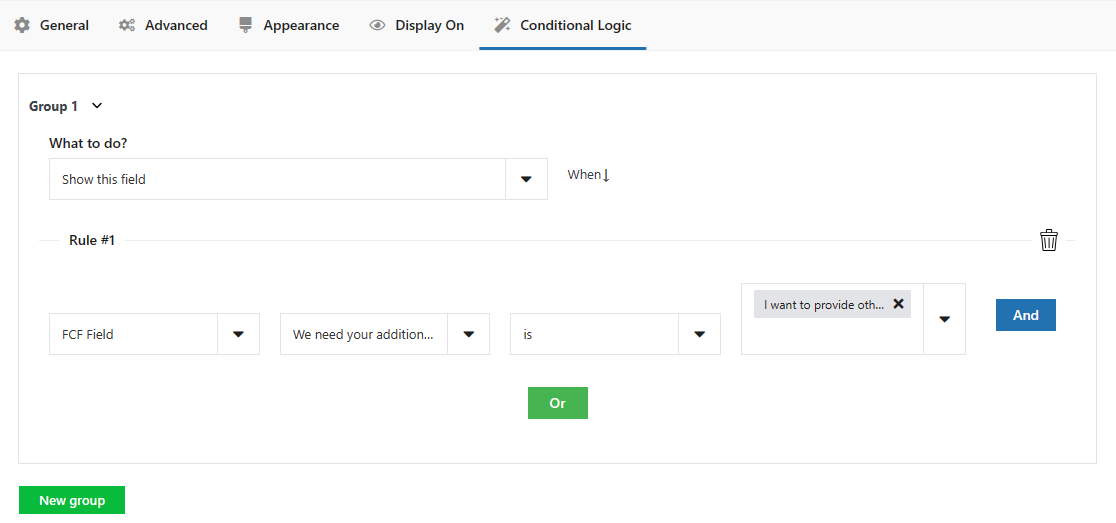
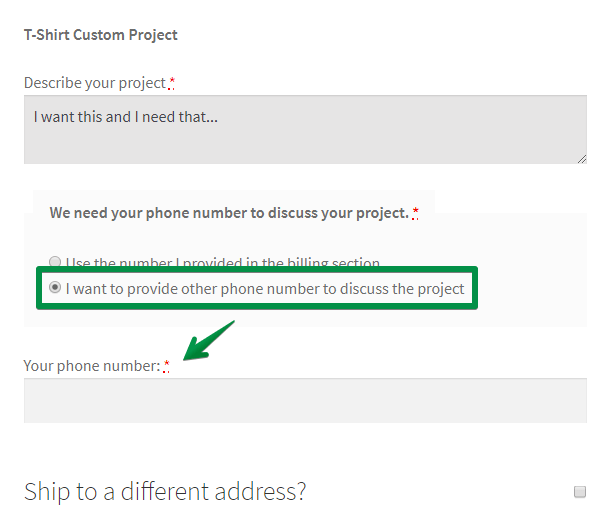
⭐ 欄位條件邏輯 (PRO)
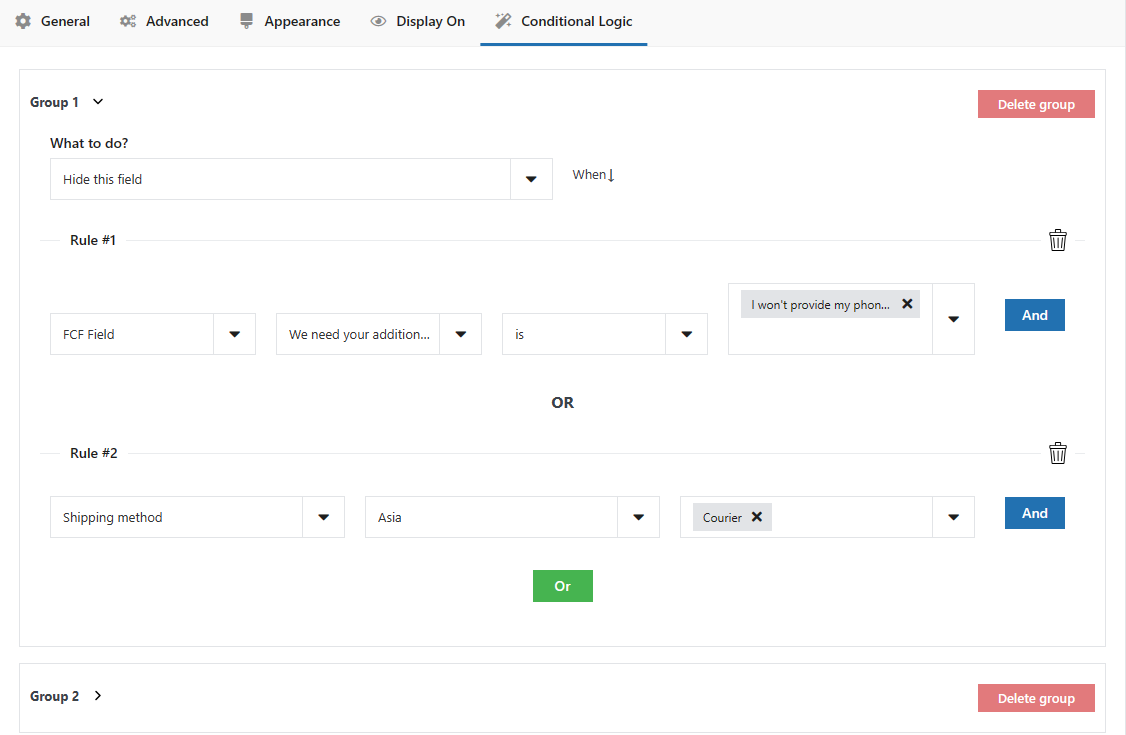
全新推出:您還可以使用此外掛的 PRO 版本,根據多個條件來顯示、隱藏或將欄位設為必填 🚀。我們還為您提供了在設定的一或多個條件未達成時完全不執行任何動作的選項。
例如,如果顧客勾選了公司核取方塊或來自指定國家/地區,則將統一編號/增值稅欄位設為必填。您還可以:
根據以下項目為欄位啟用條件邏輯 (顯示、隱藏、設為必填或不執行動作):
🧩 運送方式
根據所選運送方式為欄位啟用條件邏輯 (顯示、隱藏、設為必填或不執行動作)。
🧩 付款方式
根據所選付款方式為欄位啟用條件邏輯 (顯示、隱藏、設為必填或不執行動作)。
🧩 購物車中的商品與分類
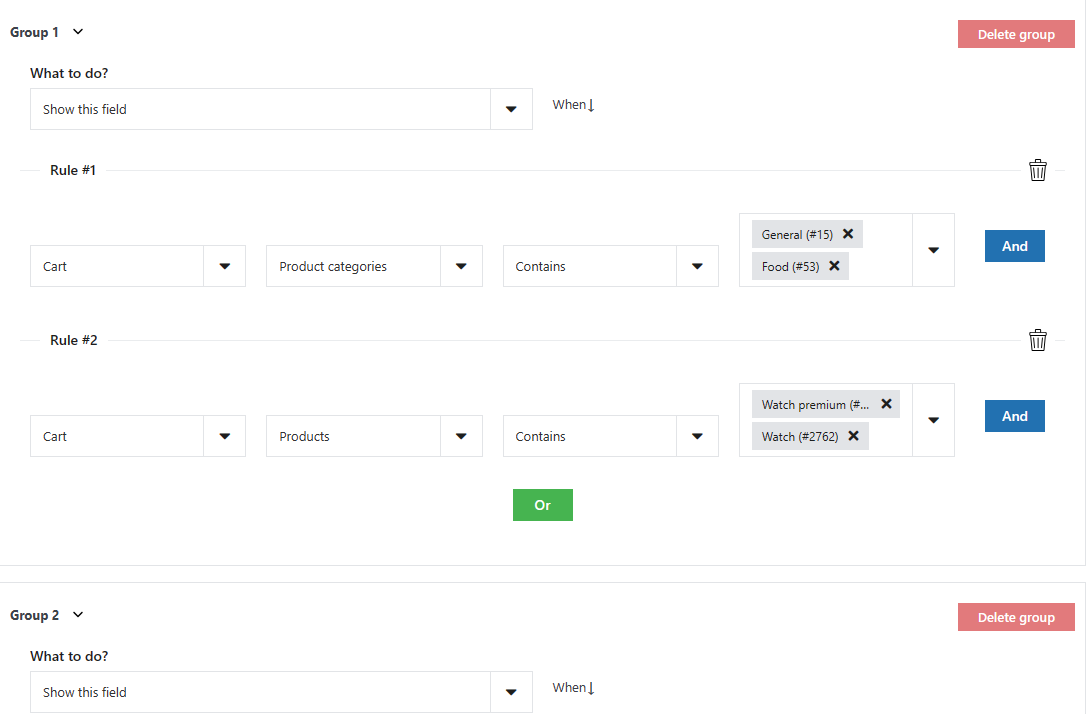
根據購物車中的商品及/或分類為欄位啟用條件邏輯 (顯示、隱藏、設為必填或不執行動作),例如:
- 為珠寶分類顯示雕刻欄位
- 僅為實體商品顯示送達日期選項
- 為數位商品顯示統一編號/增值稅號
- 為數位商品隱藏地址欄位
🧩 購物車金額
根據購物車中的商品金額為欄位啟用條件邏輯 (顯示、隱藏、設為必填或不執行動作)。
🧩 Flexible Checkout Fields 外掛欄位
根據使用 Flexible Checkout Fields 新增的其他欄位為欄位啟用條件邏輯 (顯示、隱藏、設為必填或不執行動作)。
🧩 Flexible Product Fields 外掛欄位
根據使用 Flexible Product Fields 新增的其他欄位為欄位啟用條件邏輯 (顯示、隱藏、設為必填或不執行動作)。
🧩 預設 WooCommerce 外掛欄位
根據預設 Woo 欄位為欄位啟用條件邏輯 (顯示、隱藏、設為必填或不執行動作)。
🧩 使用者角色
根據使用者角色為欄位啟用條件邏輯 (顯示、隱藏、設為必填或不執行動作)。
🧩 日期
根據您選取的日期為欄位啟用條件邏輯 (顯示、隱藏、設為必填或不執行動作)。
此外掛相容於可變商品。
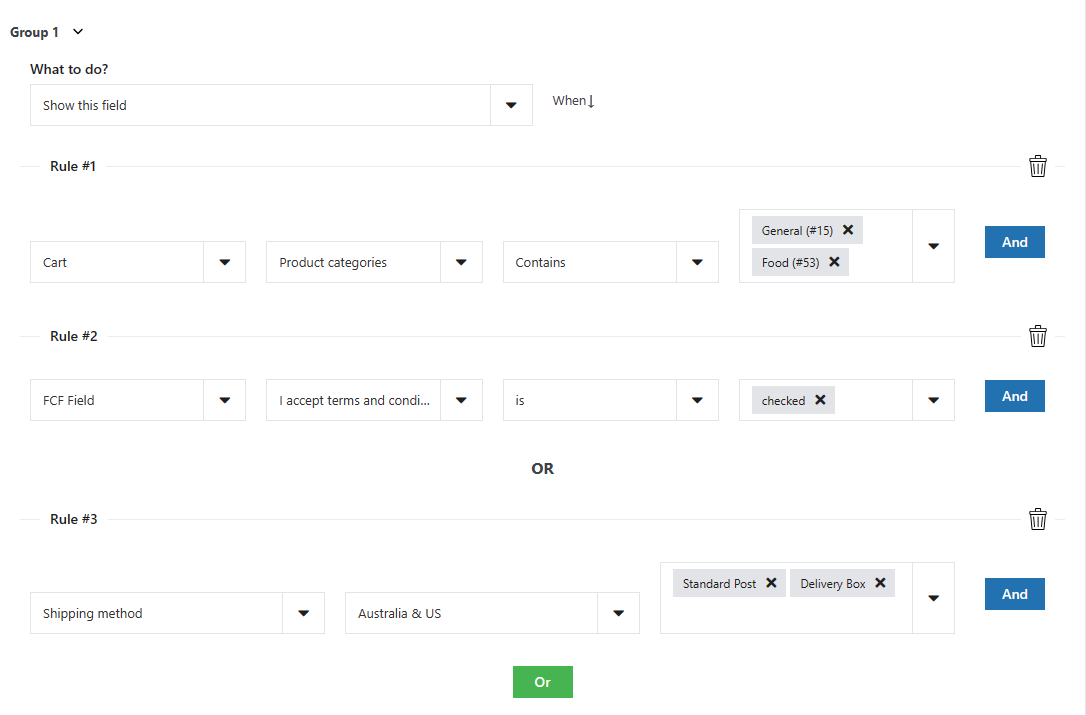
您可以為每個欄位在一個或多個條件群組 (AND) 下設定多個條件 (OR)。條件邏輯功能將協助您進行進階的 WooCommerce 結帳頁面自訂 🎉!
⭐ Upgrade to Flexible Checkout Fields PRO
Get all PRO features and priority e-mail support. ⭐ Upgrade to PRO
Flexible Checkout Fields 簡介
主要功能:
- 為您的使用者打造盡可能完美無瑕的購物體驗。只要按一下,一頁結帳隨手可得、
- 消除結帳流程中的痛點、
- 提供個人化的運送設定、
- 在 WooCommerce 中管理欄位、
- WooCommerce 結帳頁面中的文字欄位、
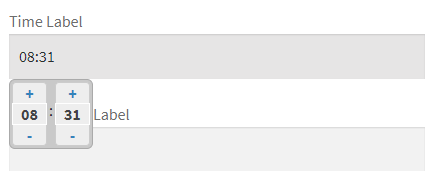
- WooCommerce 結帳頁面中的時間選擇器、
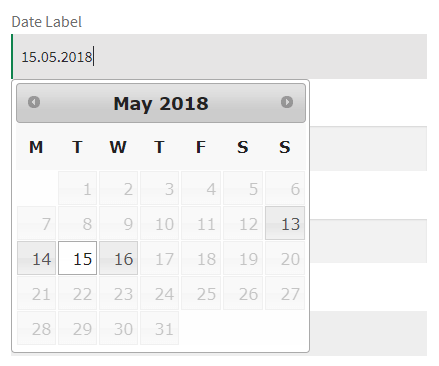
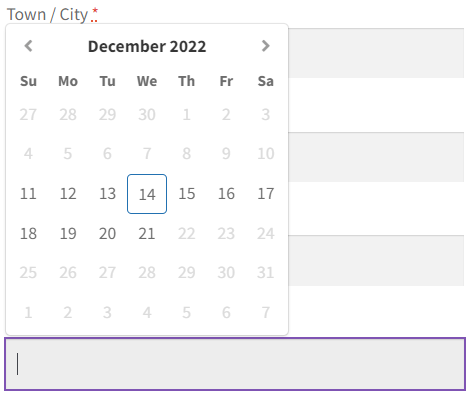
- WooCommerce 結帳頁面中的日期選擇器、
- WooCommerce 結帳頁面中的核取方塊、
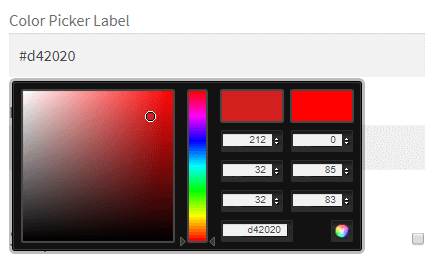
- WooCommerce 結帳頁面中的顏色選擇器、
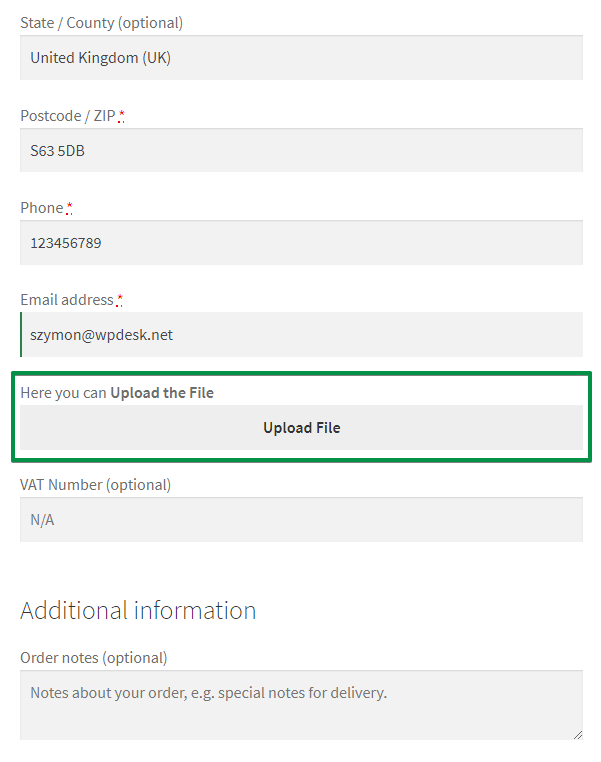
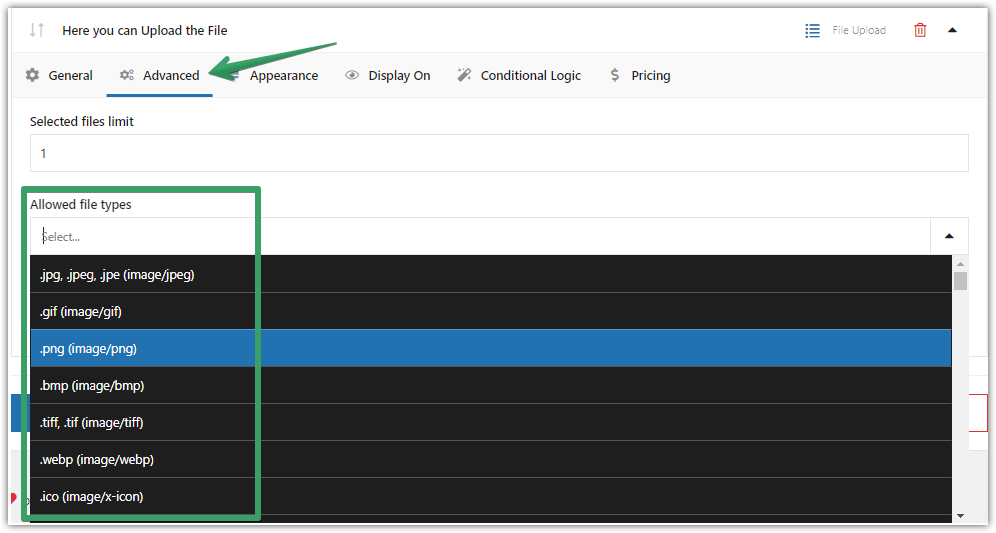
- WooCommerce 結帳頁面中的檔案上傳、
- 在 WooCommerce 中管理欄位、
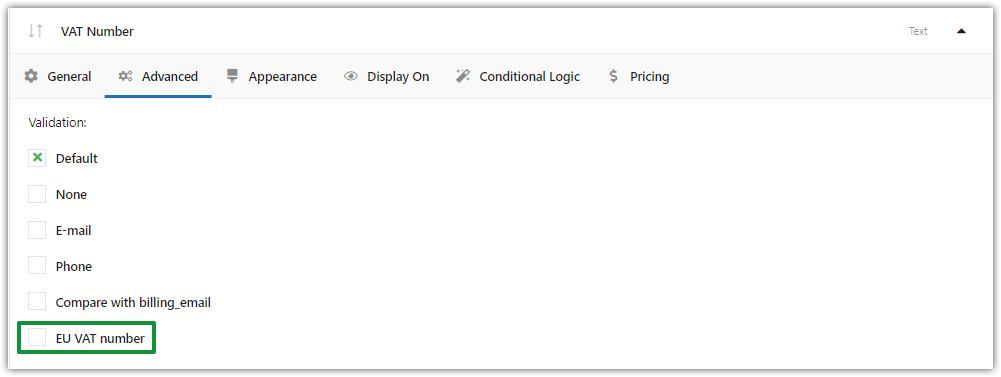
- 新增 WooCommerce 統一編號/增值稅號、
- 新增 WooCommerce 結帳欄位、
- 依日期定價、
- 結帳電話號碼驗證工具、
- 固定價格、
- 新增 WooCommerce 自訂結帳欄位。
資料使用政策
螢幕擷圖
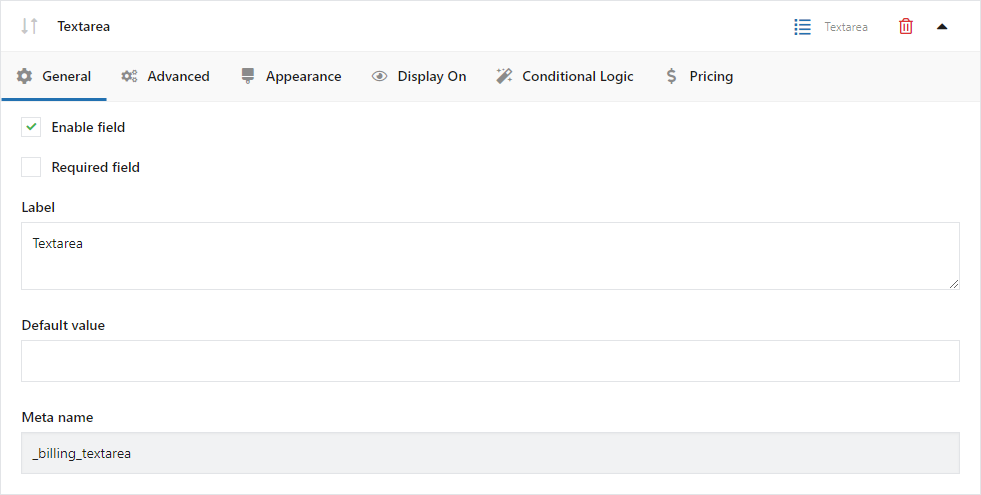
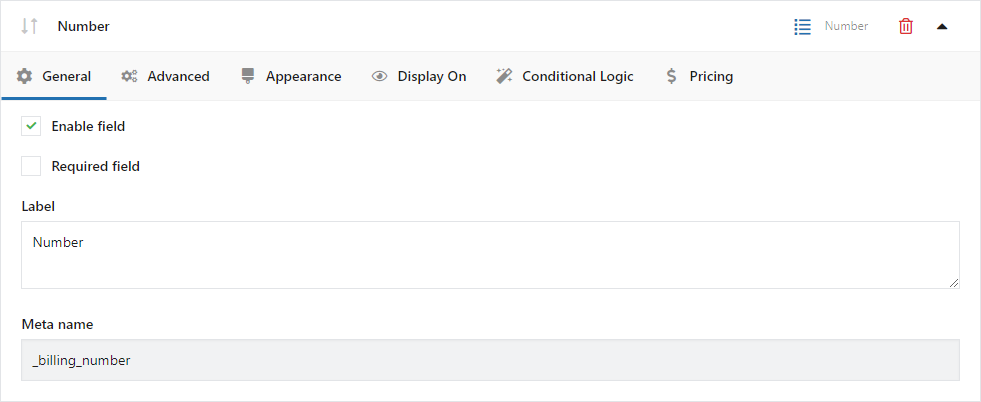
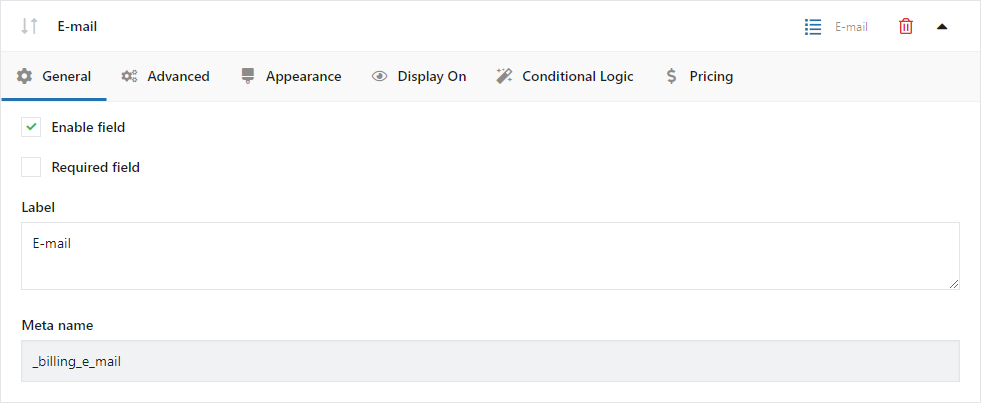
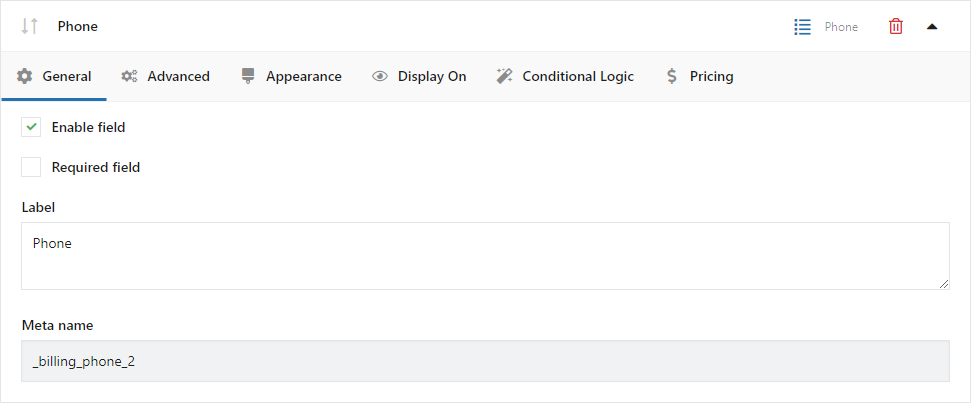
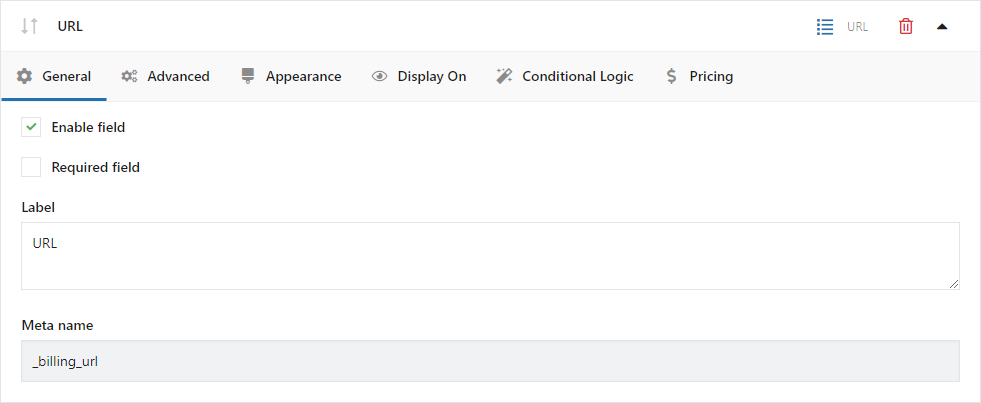
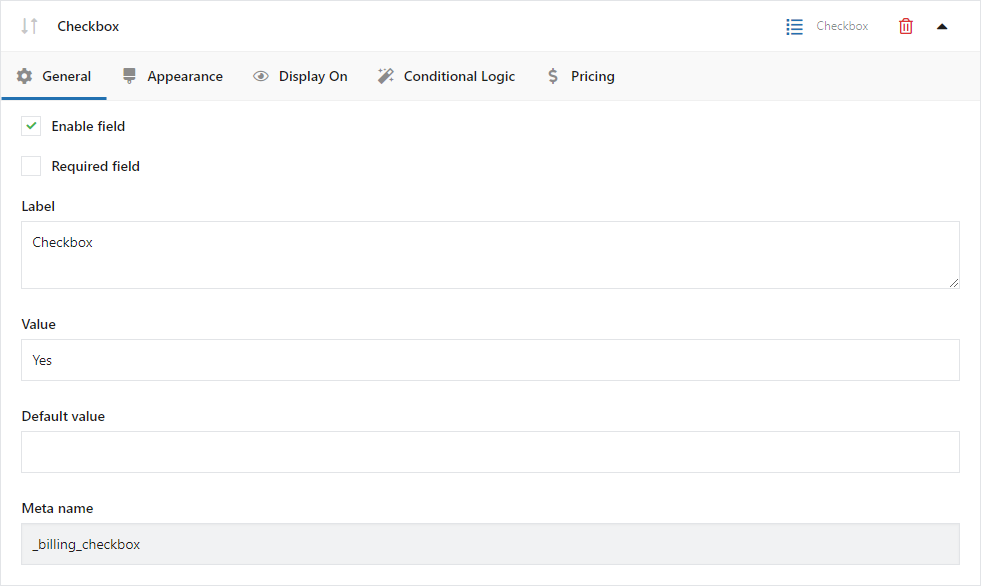
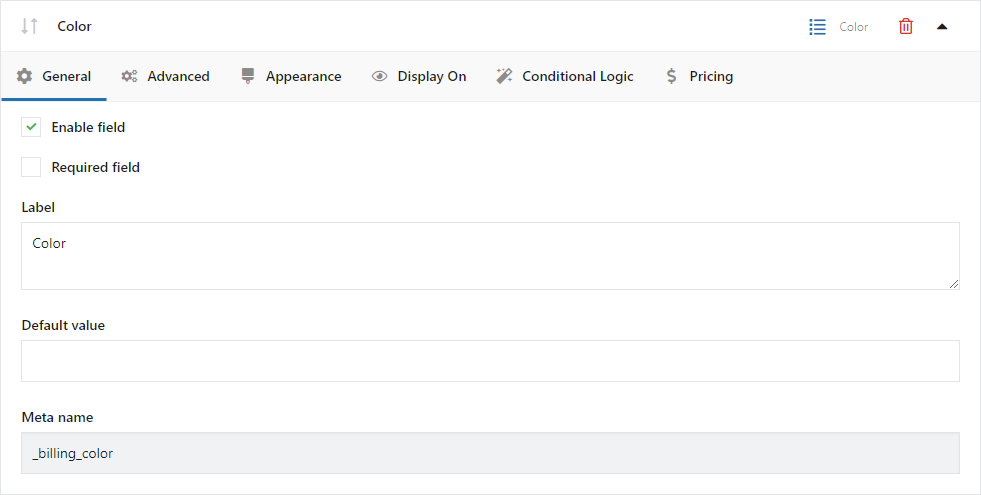





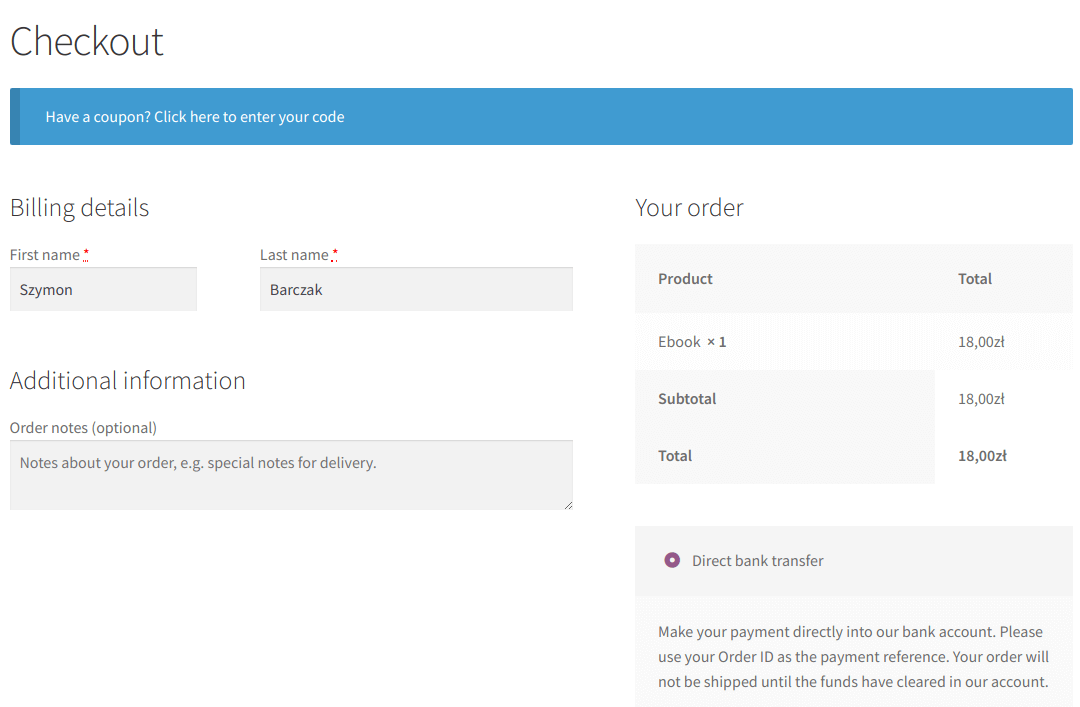
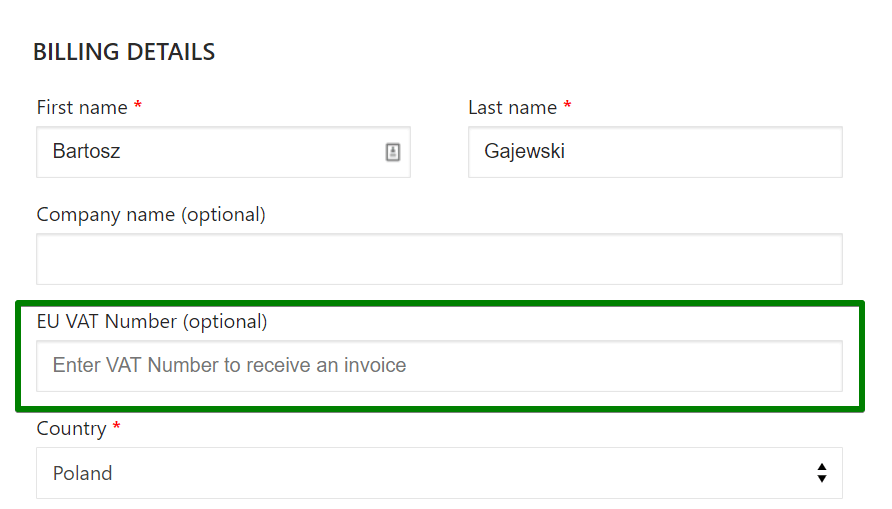
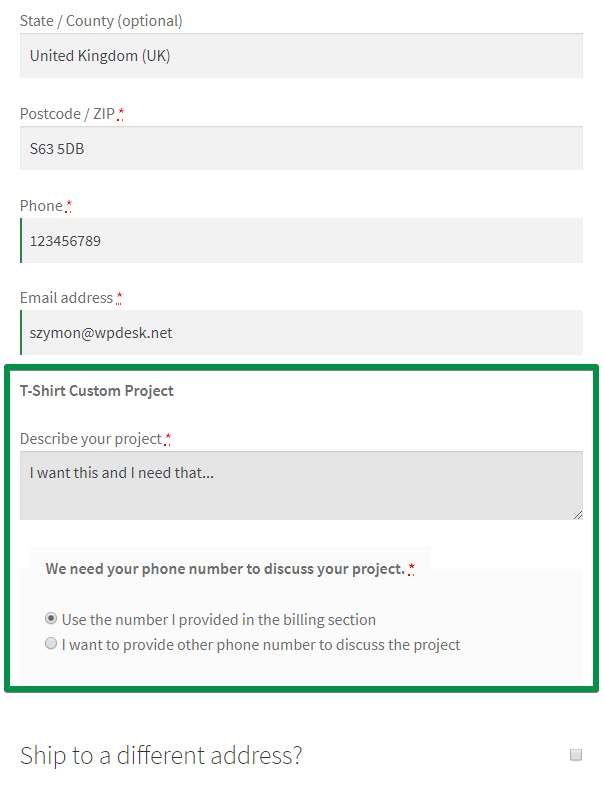
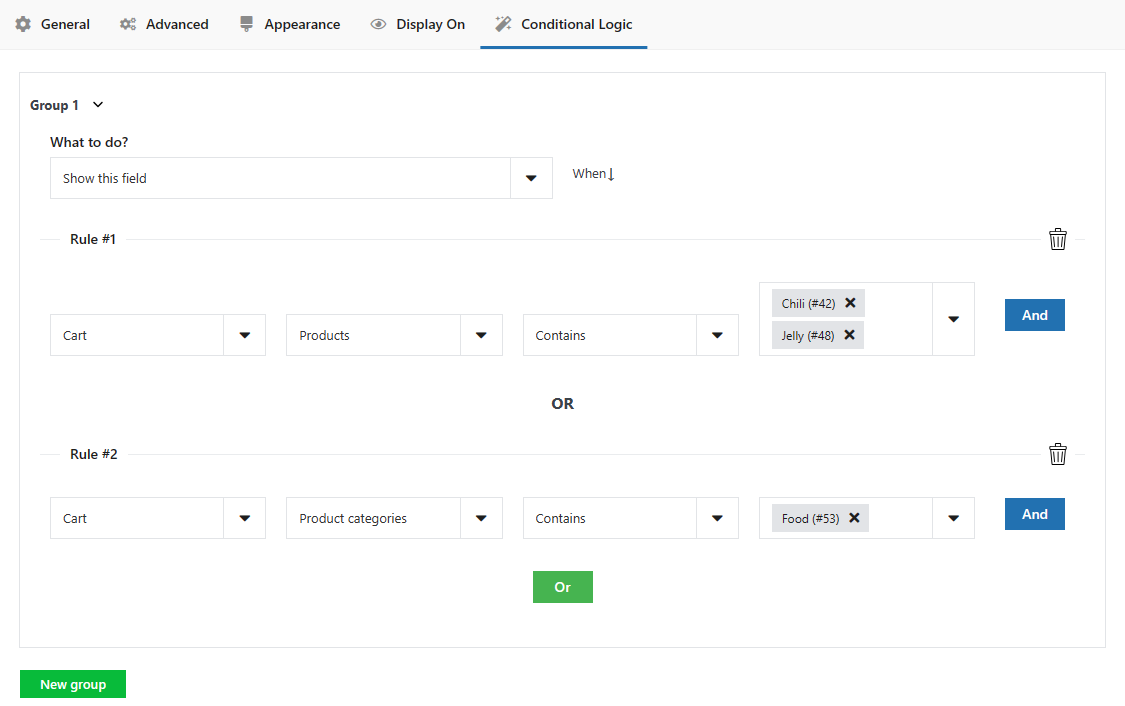


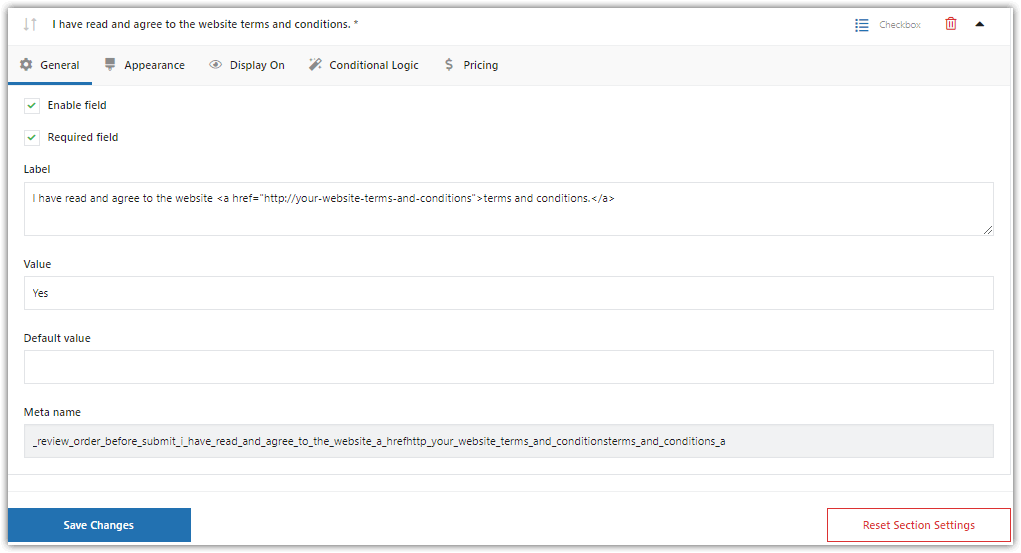
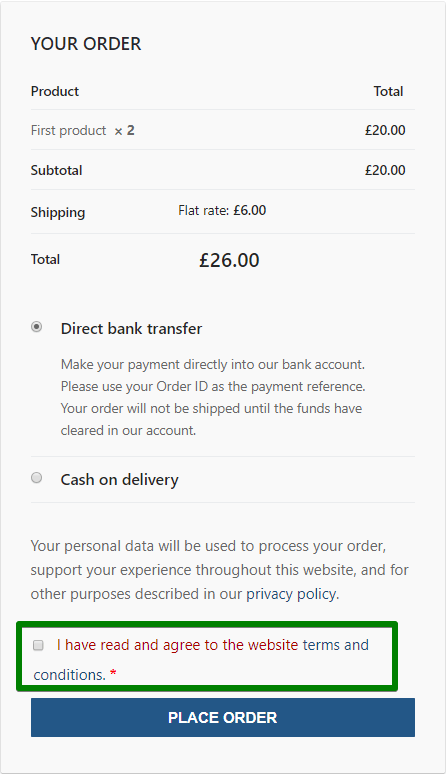
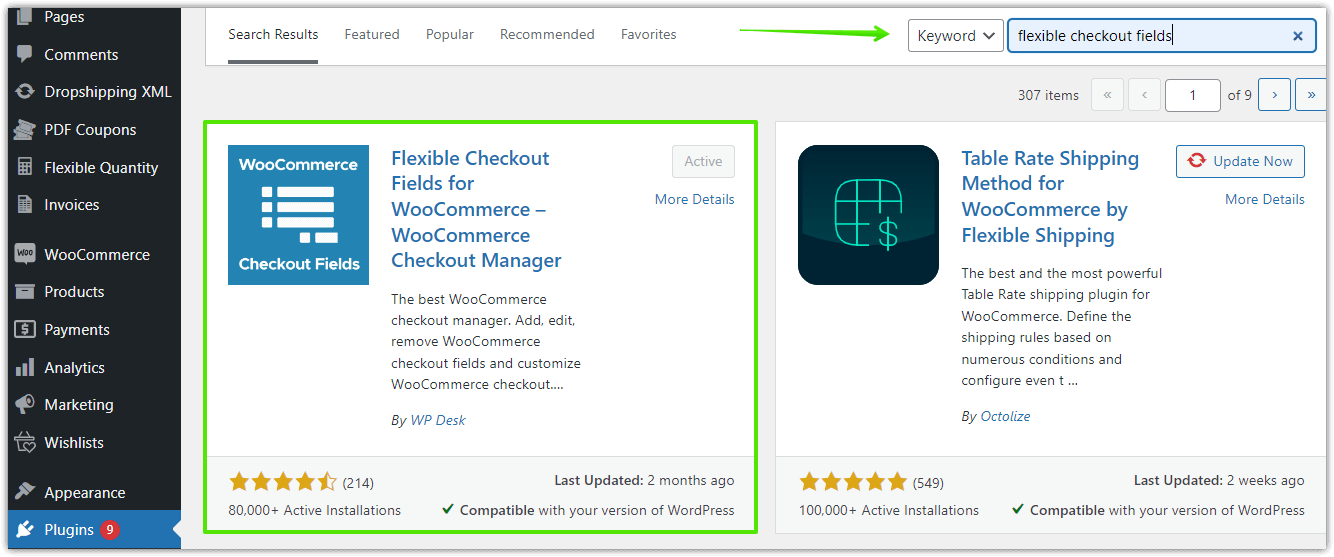
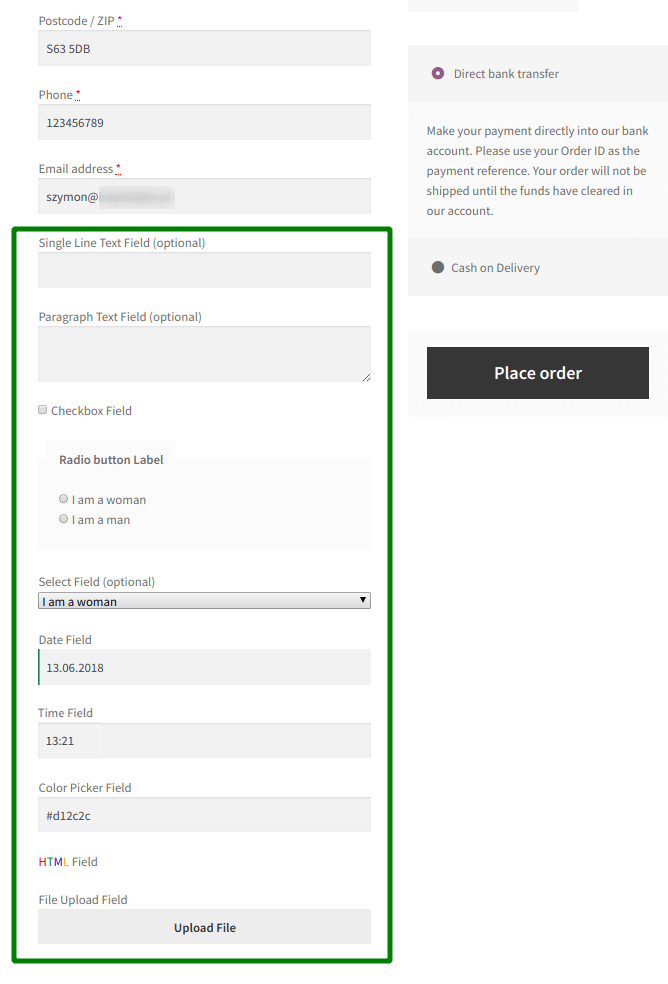
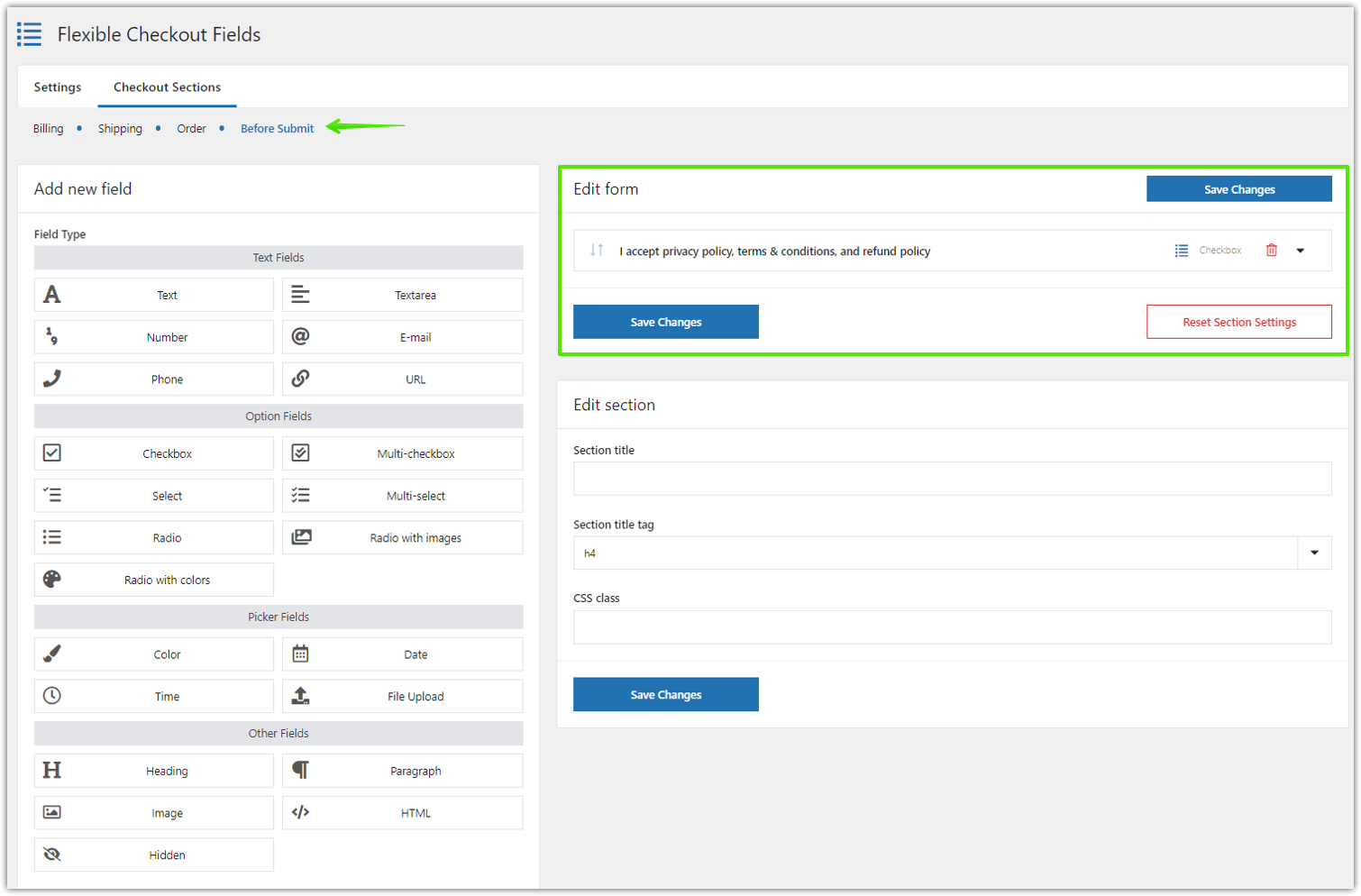
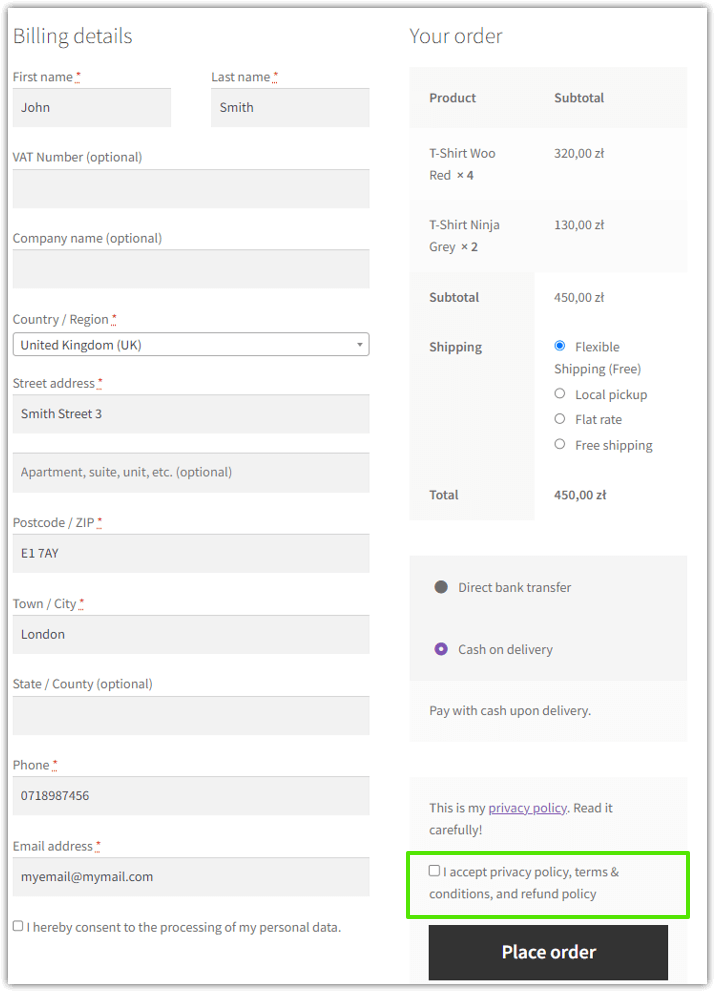
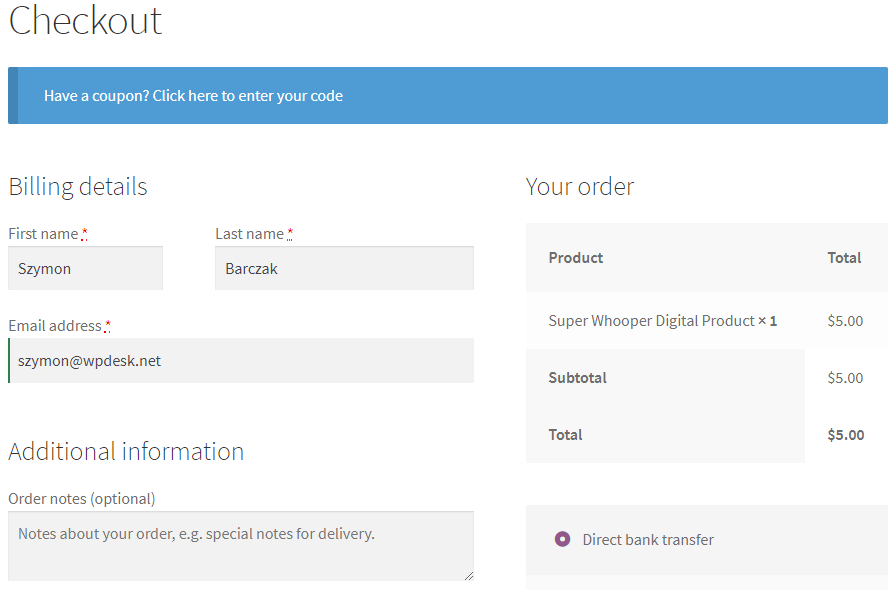
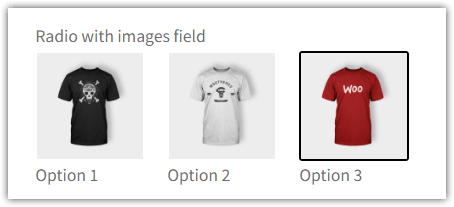
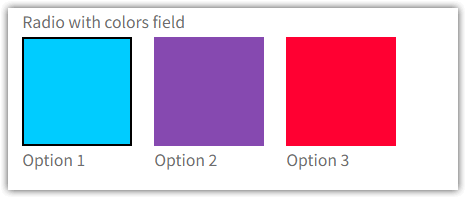

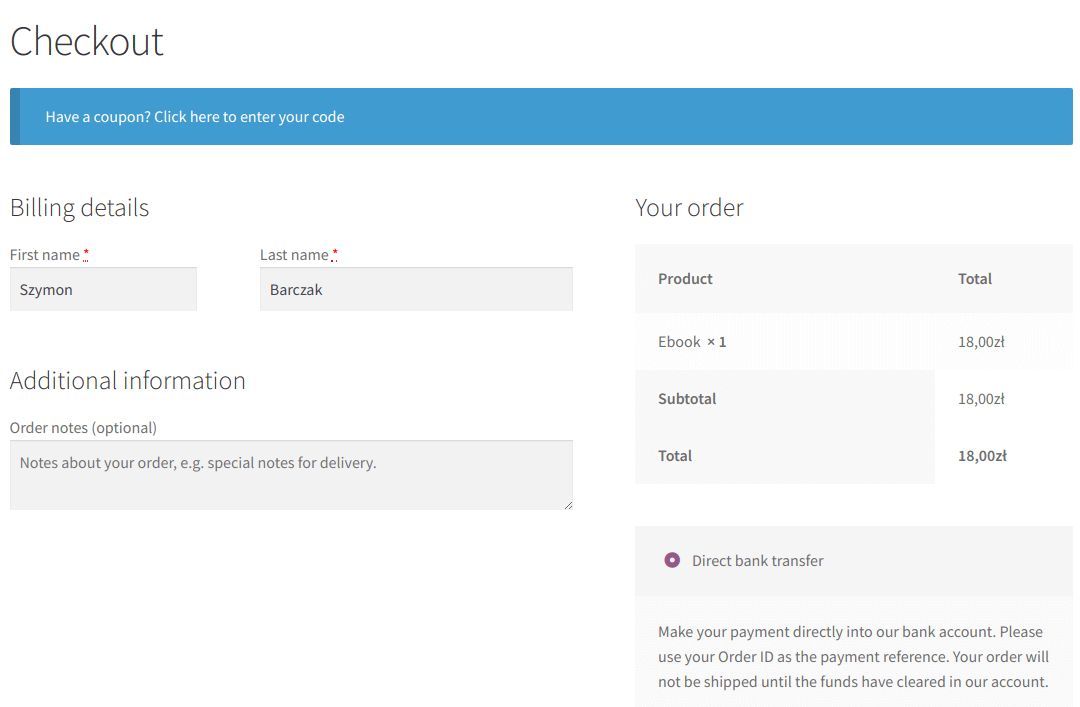
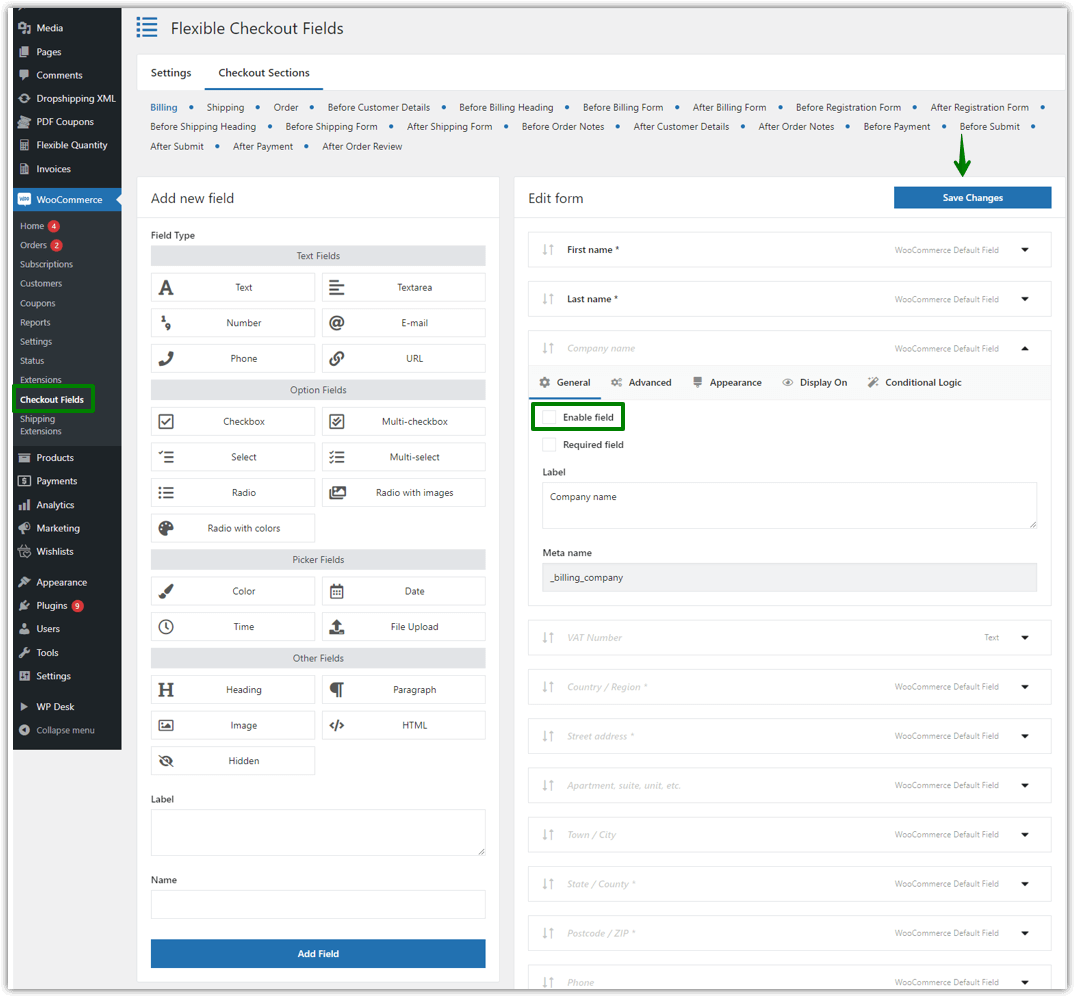
安裝方式
您可以像安裝其他 WordPress 外掛一樣安裝此外掛。
- 下載並解壓縮最新發布的 zip 檔案。
- 將整個外掛目錄上傳至您的 /wp-content/plugins/ 目錄。
- 透過 WordPress 管理後台的 [外掛] 選單啟用此外掛。
您也可以使用 WordPress 上傳工具,前往選單 [外掛] -> [新增外掛] -> [上傳外掛] 上傳外掛 zip 檔案,然後直接跳至步驟 3。
常見問題集
-
在哪裡可以找到此外掛的說明文件?
-
說明文件位於此處:Flexible Checkout Fields 文件
-
如何安裝這款免費的 WooCommerce 結帳頁面自訂工具?
-
1️⃣ 首先,下載此外掛。
2️⃣ 接著,登入您的 WordPress 後台並前往 [外掛] 選單。
3️⃣ 最後,透過上傳檔案來安裝外掛。您也可以使用外掛搜尋列尋找 Flexible Checkout Fields for WooCommerce 😊。
-
我已安裝此外掛,但不知道外掛設定在哪裡
-
此外掛可在 WordPress 選單中的 [WooCommerce] > [結帳欄位] 分頁找到。
外掛選單位於左上角,包含兩個項目。第一個是 [設定],可以在此開啟其他區段。第二個項目是 [結帳區段],點選後會顯示在 [設定] 分頁中啟用的所有區段。
-
我可以新增自訂欄位區段嗎?
-
可以,但您必須購買 Flexible Checkout Fields PRO。
然後,您就能管理 WooCommerce 結帳頁面的特定區段 😊。
-
如何在 WooCommerce 結帳頁面新增自訂欄位?
-
- 步驟 1:安裝並啟用 Flexible Checkout Fields for WooCommerce。
- 步驟 2:前往您的 WordPress 後台,開啟 [WooCommerce] 選單,然後點選 [結帳欄位]。
- 步驟 3:選擇要自訂的 WooCommerce 結帳區段。
- 步驟 4:在 WooCommerce 結帳頁面上管理、重新排列、隱藏、顯示或新增自訂欄位。
- 步驟 5:在 PRO 中使用 WooCommerce 結帳頁面的自訂區段、更多結帳欄位、條件邏輯、各欄位定價以及其他進階選項。
Read more on how to add custom checkout fields in WooCommerce
-
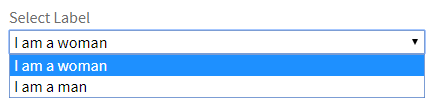
此外掛的免費版本提供哪些欄位類型?
-
借助免費結帳欄位編輯器中的新自訂欄位,您可以更輕鬆地設計自訂 WooCommerce 結帳頁面 🚀!
-
在 PRO 中可以使用哪些額外的欄位類型?
-
額外的自訂欄位將協助您為 WooCommerce 自訂更進階的結帳頁面 😊。
取得所有 PRO 功能與優先電子郵件支援。立即升級
-
我使用此外掛在其他表單中插入欄位,但無法正常運作
-
我們之外掛支援結帳頁面上的欄位 (顧名思義)。因此,只有當表單位於 WooCommerce 設定為結帳頁面的頁面上時,此外掛才能運作。
WooCommerce > 設定 > 進階 > 結帳頁面
我們之外掛使用結帳子頁面環境與 WooCommerce 購買機制。這兩個條件必須同時滿足。如果例如有跳過此購買流程的報價外掛,此外掛將無法運作。
-
能提供一些使用 WooCommerce 結帳欄位編輯器的範例嗎?
-
1️⃣ 首先,您可以透過隱藏某些欄位來自訂 WooCommerce 結帳頁面 ⭐。
2️⃣ 您也可以新增更多自訂欄位,根據自身需求調整 WooCommerce 結帳 🪟。
3️⃣ 或是無需任何程式碼知識即可重新排列 WooCommerce 結帳欄位 🎨。
4️⃣ 您可以設計 WooCommerce 結帳頁面以加快顧客購買流程 🚀。
5️⃣ 最後,外掛選項讓您可以透過快速的欄位管理找出最佳的 WooCommerce 結帳頁面配置 😊!
當您想要達成以下目的時,WooCommerce 結帳欄位管理工具將能提供協助:
- 新增自訂欄位,從顧客處取得更多關於 WooCommerce 訂單的詳細資訊 🪟
- 從顧客取得回饋與特定資訊 🗃️
- 透過隱藏結帳欄位來提升銷量,例如針對數位商品 💻
- 加快 WooCommerce 結帳速度,進而降低購物車放棄率 🚀
- 將某些欄位設為必填、重新排列欄位,或自訂 WooCommerce 結帳頁面的版面配置與設計 🎨
-
此外掛的免費版與 PRO 版有什麼差異?
-
在此外掛的 PRO 版本中:
- 您擁有更多類型的自訂結帳欄位可用於編輯 WooCommerce 結帳頁面 🪟
- 可以使用自訂區段來自訂 WooCommerce 結帳頁面 ⭐
- 您可以使用條件邏輯讓 WooCommerce 結帳頁面更具動態彈性 🚀
- 欄位定價可以幫助您獲得額外收入 💰
- 此外,您還能獲得專業的優先電子郵件支援與最新功能 😊
取得所有 PRO 功能與優先電子郵件支援。立即升級
-
Flexible Checkout Fields for WooCommerce PRO 能為我的商店帶來什麼幫助?
-
您可以使用新欄位、條件邏輯、定價與自訂區段,進一步自訂您的 WooCommerce 結帳頁面 ⭐!
此外掛的 PRO 版本讓您能更輕鬆地在 WooCommerce 中建立自訂結帳頁面。
1️⃣ 首先,您可以根據顧客的選擇在 WooCommerce 結帳頁面上設定額外費用 💰。
2️⃣ 還有更多自訂欄位可供選擇 ⭐。
3️⃣ 此外,條件邏輯與自訂區段將協助您更好地設計 WooCommerce 結帳頁面 🚀。
4️⃣ 您的結帳頁面將具備動態彈性且契合您的需求 🪟。
5️⃣ 最後,您將獲得電子郵件支援,不再需要猜測該如何編輯 WooCommerce 結帳欄位 😊。
-
條件邏輯是如何運作的?
-
對於任何欄位,都可以設定何時顯示或隱藏 WooCommerce 結帳欄位的規則 ✔️。
也可以根據所選條件將欄位設為必填。
這類邏輯共有三種類型:
- 欄位的條件邏輯
- 購物車中商品與商品分類的條件邏輯
- 運送方式的條件邏輯
此外掛讓您可以透過 OR 與 AND 條件群組,為每個欄位設定多個條件。
因此,您可以根據顧客的選擇,使用動態欄位自訂 WooCommerce 結帳頁面。
Flexible Checkout Fields for WooCommerce 的條件邏輯選項僅在 PRO 中提供。
-
欄位定價選項是如何運作的?
-
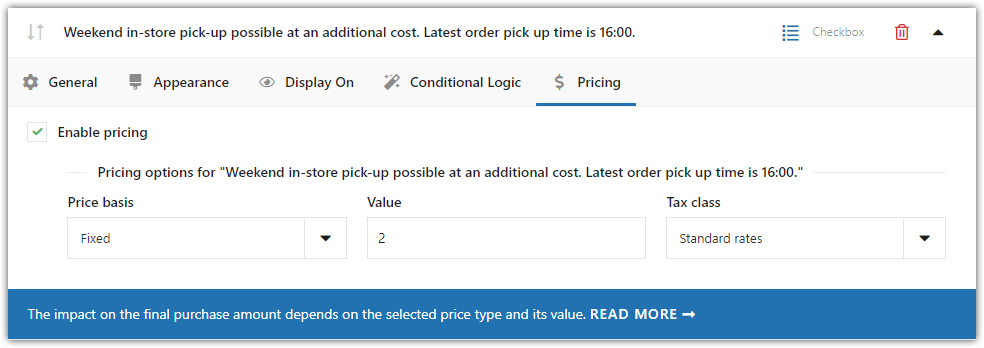
此外掛的 PRO 版本讓您可以為每個 WooCommerce 結帳欄位設定額外價格 💰。
您可以選擇以下選項:
- 固定金額
- 小計百分比 (未稅)
- 小計百分比 (含稅)
- 總計百分比
新增價格選項適用於以下自訂結帳欄位:
- 文字
- 文字區域
- 數字
- 電子郵件
- 電話
- 網址
- 核取方塊
- 多選核取方塊
- 下拉式選單
- 多選
- 單選按鈕
- 圖片單選按鈕
- 顏色單選按鈕
- 顏色
- 日期
- 時間
- 檔案上傳
Flexible Checkout Fields for WooCommerce 的定價選項僅在 PRO 中提供。
-
自訂區段功能如何?
-
Flexible Checkout Fields for WooCommerce 免費版讓您可以自訂 [帳單]、[運送] 與 [訂單] 區段 🪟。
此外掛的 PRO 版本允許您新增並自訂更多 WooCommerce 結帳頁面的區段。
免費版中的快取區段:
- 帳單
- 運送
免費版中的非快取區段:
- 訂單
PRO 版中的快取區段:
- 顧客詳細資訊前
- 帳單標題前
- 帳單表單前
- 帳單表單後
- 運送標題前
- 運送表單前
- 運送表單後
- 顧客詳細資訊後
PRO 版中的非快取區段:
- 註冊表單前
- 註冊表單後
- 訂單備註前
- 訂單備註後
- 付款前
- 送出按鈕前
- 送出按鈕後
- 付款後
- 訂單檢視後
Read more about the Custom Sections in the plugin documentation
Flexible Checkout Fields for WooCommerce 的自訂區段選項僅在 PRO 中提供。
-
我可以測試 PRO 選項嗎?
-
可以 😊。
前往 FCF 管理後台展示 <<<](https://www.wpdesk.link/flexible-checkout-fields-demo/) – 您可以在此測試包含 Flexible Checkout Fields 在內的所有 WP Desk 外掛的管理面板
-
在哪裡可以找到或閱讀更多關於此外掛的資訊?
-
說明文件位於此處:Flexible Checkout Fields 文件
此外,也請閱讀關於自訂 WooCommerce 結帳頁面的文章 😊:
- 如何在 WooCommerce 結帳頁面新增自訂欄位?
- 如何從 WooCommerce 結帳頁面移除必填欄位,以及如何將任何欄位設為必填或選填?
- 如何在 WooCommerce 中個人化運送與帳單地址區段?
- WooCommerce 結帳頁面 Hook – 附範例的視覺化指南
- WooCommerce [我的帳號] – 設定、短代碼與自訂欄位
- 如何使用免費外掛自訂 WooCommerce 結帳頁面?
- 在 WooCommerce 結帳頁面設定自訂欄位的簡易指南
- WooCommerce 結帳備註:隨心所欲設定此區段
- 在 WooCommerce 結帳頁面停用運送地址並移除帳單欄位
- 為 WooCommerce 結帳新增歐盟增值稅號欄位
- 如何為 WooCommerce 結帳欄位新增條件邏輯?
- WooCommerce 結帳 – 設定、短代碼與組態指南
- 如何在 WooCommerce 結帳頁面新增單選按鈕?
- 在 WooCommerce 結帳頁面新增日期時間選擇器欄位的簡單方法
- 如何使用 CSS 自訂 WooCommerce 結帳頁面與欄位?
- 如何為 WooCommerce 結帳欄位驗證 (例如電子郵件) 設定驗證規則?
- 如何為特定國家/地區顯示或隱藏 WooCommerce 結帳欄位?
- 如何在 WooCommerce 結帳頁面新增確認電子郵件地址欄位並進行驗證?
- 如何為 WooCommerce 商品新增禮品包裝選項?
- 如何在您的 WooCommerce 商店中新增自訂上傳欄位?
- WooCommerce 結帳額外費用 – 帶有價格的自訂欄位
-
你們有更多免費的 WooCommerce 外掛嗎?
-
可以 😊。
- Flexible Product Fields – 使用自訂欄位自訂 WooCommerce 商品頁面!
- Flexible PDF Coupons – 在 WooCommerce 中銷售 PDF 禮品卡、優惠券與票券。
- ShopMagic – 適用於 WordPress 與 WooCommerce 的免費電子郵件行銷外掛 (隨附 5 個免費附加元件)!為您的 WordPress 使用者與 WooCommerce 顧客建立、自訂並傳送個人化電子郵件。
- Flexible Wishlist – 讓顧客在 WooCommerce 中建立商品願望清單、分享喜愛的商品,並儲存購物車以便日後購買!
- Dropshipping XML – Import Products – 從任何 CSV 或 XML 檔案匯入並更新 WooCommerce 商品。
- Flexible Quantity – 為您的 WooCommerce 商品選擇新的度量單位。
- Flexible Invoices – 在 WordPress 與 WooCommerce 中開立免費的 PDF 發票。
- Custom Price – 讓顧客自訂 WooCommerce 商品價格。接收捐款並以自訂價格銷售商品。
- Flexible Refund – 在 WooCommerce 中管理退款、退貨與保固申請。
-
我在哪裡可以回報在此外掛中發現的安全性漏洞?
-
請透過 Patchstack 漏洞揭露計畫回報在 Flexible Checkout Fields for WooCommerce 外掛原始碼中發現的安全性漏洞。Patchstack 團隊將協助您進行驗證、指定 CVE,並通知此外掛的開發人員。
使用者評論


參與者及開發者
以下人員參與了開源軟體〈Flexible Checkout Fields for WooCommerce – WooCommerce 結帳欄位管理工具〉的開發相關工作。
參與者


變更記錄
4.1.45 – 2026-11-07
- Added support for WooCommerce 11.3
4.1.44 – 2026-10-22
- Fixed scrolling through select field options when the list exceeds the visible area
4.1.43 – 2026-10-21
- Added support for WooCommerce 11.2
4.1.42 – 2026-09-21
- Fixed PHP notice about the deprecated usage tracking integration
4.1.41 – 2026-08-19
- Added support for WordPress 7.1
- Added support for WooCommerce 11.1
4.1.40 – 2026-08-05
- Added support for WooCommerce 11.0
4.1.39 – 2026-07-13
- Fixed country field not hiding on WooCommerce 10.8+
4.1.38 – 2026-06-21
- Added support for WooCommerce 10.9
4.1.37 – 2026-05-20
- Added support for WordPress 7.0
- Added support for WooCommerce 10.8
4.1.36 – 2026-03-07
- Added support for WooCommerce 10.6
4.1.35 – 2026-02-17
- Readme update
4.1.34 – 2026-01-27
- Fixed security vulnerabilities – axios library update
4.1.33 – 2026-01-21
- Added support for WooCommerce 10.5
4.1.32 – 2026-01-15
- Fixed warnings about outdated code for PHP 8.4
4.1.31 – 2025-12-16
- Added new messages about block checkout support
4.1.30 – 2025-12-03
- Added support for WordPress 6.9
- Added support for WooCommerce 10.4
4.1.29 – 2025-10-14
- Changed plugin links
4.1.28 – 2025-10-13
- Added support for WooCommerce 10.3
- Added Patchstack Vulnerability Disclosure Program
4.1.27 – 2025-09-07
- Added support for WooCommerce 10.2
4.1.26 – 2025-08-19
- Fixed optional label for non-required fields
4.1.25 – 2025-08-07
- Added support for WooCommerce 10.1
4.1.24 – 2025-07-01
- Added support for WooCommerce 10.0
4.1.23 – 2025-06-23
- Fixed fatal error on new woocommerce email preview feature in some checkout configurations
4.1.22 – 2025-06-12
- Added support for WooCommerce 9.9
- Clean up unused js scripts
4.1.21 – 2025-05-23
- Fixed faq url
4.1.20 – 2025-05-12
- Added support for WordPress 6.8
4.1.19 – 2025-03-21
- Added support for WooCommerce 9.8
4.1.18 – 2025-02-18
- Fixed checkbox field is checked on the first visit when its value in the settings is empty
4.1.17 – 2025-02-07
- Added support for WooCommerce 9.7
4.1.16 – 2025-01-29
- Added support for WooCommerce 9.6
- Update readme and screenshots
4.1.15 – 2024-11-21
- Added support for WordPress 6.7
- Added support for WooCommerce 9.5
4.1.14 – 2024-09-07
- Added support for WooCommerce 9.3
4.1.13 – 2024-08-28
- Fixed undefined array key warning
4.1.12 – 2024-08-07
- Added support for WooCommerce 9.2
4.1.11 – 2024-07-24
- Added support for WordPress 6.6
- Fixed hook names (both flexible_chekout_fields_fields, and flexible_checkout_fields_fields are deprecated)
4.1.10 – 2024-07-18
- Removed unnecessary title
4.1.9 – 2024-07-09
- Updated readme
4.1.8 – 2024-06-26
- Added support for WooCommerce 9.1
- Update repo banner
4.1.7 – 2024-06-07
- Added support for WooCommerce 9.0
4.1.6 – 2024-05-21
- Added support for WooCommerce 8.9
4.1.5 – 2024-04-08
- Added support for WooCommerce 8.8
- Fixed some minor issues
4.1.4 – 2024-03-25
- Added support for WordPress 6.5
- Added start here link on plugins page
4.1.3 – 2024-03-12
- Fixed uncaught TypeError
- Fixed wp-notice library
4.1.2 – 2024-03-12
- Added support for WooCommerce 8.7
- Fixed tracker
- Fixed settings crash when some plugins are active (UNISEND for WooCommerce)
4.1.1 – 2024-02-21
- Added support for WooCommerce 8.6
- Fixed settings crash when field pricing saved with empty values
4.1.0 – 2024-02-14
- Added Support Page
4.0.0 – 2024-02-05
- Major Update!
- Added integration with a PRO plugin version 4
- Added new conditional logic tab in admin settings
3.6.0 – 2024-01-16
- Added support for WooCommerce 8.5
- Added support for HPOS
- Fixed save issue (class index not defined) on newly added field
- Fixed TypeError for SelectMultiField
3.5.19 – 2023-12-20
- Added support for WooCommerce 8.4
- Fixed saving issue, when multiple fields
- Fixed JS uncaught type error on checkout page
- Fixed user role shop manager can not save settings
3.5.18 – 2023-11-09
- Fixed deprecated in php8.2 dynamic property creation
3.5.17 – 2023-11-07
- Added support for WordPress 6.4
3.5.16 – 2023-11-02
- Added support for WooCommerce 8.3
- Fixed undefined array key 0 in links_filter
3.5.15 – 2023-10-05
- Added support for WooCommerce 8.2
- Added minor UI/links changes
- Fixed jQuery dependecy in inline js scripts
3.5.14 – 2023-09-21
- Changed required PHP version to 7.2
- Disable composer php version check
3.5.13 – 2023-08-23
- Fixed special characters in MulitCheckbox and MultiSelect fields value
3.5.12 – 2023-08-23
- Readme update
3.5.11 – 2023-08-10
- Added support for WordPress 6.3
- Added support for WooCommerce 8.0
3.5.10 – 2023-06-27
- Fixed new lines in textarea fields
- Added support for WooCommerce 7.9
- Added PHP 8.2 support
3.5.9 – 2023-05-18
- Added stricter logic for displaying fields on specific pages
- Fixed file upload field displays on myaccount address page
3.5.8 – 2023-05-15
- Fixed rare fatal checkout error with guest checkout
- Bumped support for WooCommerce
3.5.7 – 2023-03-13
- Added support for WooCommerce 7.5
3.5.6 – 2023-02-27
- Fixed missing stylesheets in frontend
3.5.5 – 2023-02-21
- Added support for WooCommerce 7.4.
- Minor changes in readme description.
3.5.4 – 2022-11-24
- Removed notifications about promotions
3.5.3 – 2022-11-15
- Changed readme
3.5.2 – 2022-11-14
- Changed readme
3.5.1 – 2022-11-09
- Added promotion notices
3.5.0 – 2022-11-04
- Added support for WooCommerce 7.1
- Added support for High-Performance Order Storage
3.4.3 – 2022-10-13
- Fixed settings for Number field
- Added support for WordPress 6.1
- Added support for WooCommerce 7.0
3.4.2 – 2022-09-08
- Added support for WooCommerce 6.9
3.4.1 – 2022-08-01
- Fixed data loading into widget in Admin Dashboard
- Added support for WooCommerce 6.8
3.4.0 – 2022-07-28
- Fixed escaping of field label
- Fixed translation for Select field
- Fixed image refreshing for Image field
- Added support for upload_mimes filter
- Added support for WooCommerce 6.7
3.3.0 – 2022-06-20
- Added compatibility with FCF PRO 3.3.0
3.2.4 – 2022-06-14
- Fixed hiding fields in form
- Added shipping_phone as reserved name for new field
- Added support for WooCommerce 6.6
3.2.3 – 2022-05-12
- Fixed default value for Multi-checkbox field type
- Added support for WordPress 6.0
- Added support for WooCommerce 6.5
3.2.2 – 2022-03-09
- Fixed ability to edit fields from custom sections in user profile
- Fixed loading of Select field in Order section
- Added validation rules for Number field
- Added support for WooCommerce 6.3
3.2.1 – 2022-02-15
- Fixed saving values for fields from custom sections
- Fixed field translations
- Fixed validation classes for field templates
- Fixed template of HTML field
- Added support for WooCommerce 6.2
3.2.0 – 2022-02-08
- Added new field type: Number
- Added new field type: E-mail
- Added new field type: Phone
- Added new field type: URL
- Added new field type: Checkbox
- Added new field type: Heading
- Added new field type: Paragraph
- Added new field type: Image
- Added new field type: HTML
- Added ability to edit all field types in address edit form in My Account page
- Added ability to edit all field types in user edit form in WordPress Dashboard
3.1.3 – 2022-02-03
- Added settings migration tool
- Added support for WordPress 5.9
- Added support for WooCommerce 6.1
3.1.2 – 2021-11-29
- Fixed saving line breaks for textarea field
- Added support for WooCommerce 6.0
3.1.1 – 2021-11-04
- Changed plugin deactivation modal
3.1.0 – 2021-09-09
- Removed duplicate contact details in order edit in administration panel
- Fixed validation of field value in plugin settings
- Changed plugin deactivation modal
- Added limit length of field name
3.0.11 – 2021-07-15
- Added support for WordPress 5.8
- Added support for WooCommerce 5.5
3.0.10 – 2021-05-20
- Fixed support for checkbox, radio and select fields added by other plugins
- Added support for WooCommerce 5.3
3.0.9 – 2021-04-28
lexible Checkout Fields PRO version
* Fixed compatibility with WPML
* Added support for WooCommerce 5.2
3.0.8 – 2021-03-31
- Removed validation for Postcode for fields other than Postcode/ZIP
- Fixed formatting values of State/County fields
3.0.7 – 2021-03-18
- Fixed support for fields generated by other plugins
- Fixed Days before / Days after options for Date field type
- Added notice for fields generated by other plugins
3.0.6 – 2021-03-12
- Fixed displaying Country/Region field
3.0.5 – 2021-03-11
- Fixed displaying fields without specific field type
- Added support for WordPress 5.7
- Added support for WooCommerce 5.1
3.0.4 – 2021-03-03
- Fixed support for default checkbox field type
3.0.3 – 2021-03-02
- Fixed displaying address fields on Order editing screen
- Fixed issue about footer in administration panel
- Fixed retrieval of options for Select fields
3.0.2 – 2021-03-01
- Fixed editing of order in administration panel
3.0.1 – 2021-03-01
- Fixed adding of new field
3.0.0 – 2021-03-01
- Major Update!
- Dropped support for Flexible Checkout Fields PRO version lower than 3.0
- Added new admin page to manage plugin settings
- Added validation for fields on settings page
2.9.2 – 2021-02-11
- Added support for WooCommerce 5.0
2.9.1 – 2021-01-14
- Updated hook for integration with FCF plugin
2.9.0 – 2020-12-16
- Changed hook for integration with FCF plugin
- Changed URLs for docs
- Added notice asking for plugin review
2.8.0 – 2020-12-09
- Added hook for integration with FCF plugin
2.7.1 – 2020-12-01
- Added support for WooCommerce 4.8
- Added support for WordPress 5.6
2.7.0 – 2020-11-02
- Added support for pricing in FCF PRO
2.6.0 – 2020-10-15
- Changed required PHP version to 7.0
- Fixed integration with Flexible Invoices (VAT Number field)
- Fixed display of HTML code in Additional Information section on Thank You Page
- Added support for WooCommerce 4.6
2.5.7 – 2020-10-01
- Fixed saving field values to User Metadata from Order section
- Added escaping output for field label
2.5.6 – 2020-09-23
- Added notice of planned change of required PHP version to 7.0
2.5.5 – 2020-09-17
- Fixed placeholder option for Radio and Multi-select field
2.5.4 – 2020-09-16
- Added placeholder option for Select field (with empty value)
2.5.3 – 2020-09-01
- Fixed copying shipping details from billing details for same fields
- Added support for WooCommerce 4.5
2.5.2 – 2020-08-25
- Fixed overwriting of field classes by WooCommerce locale
2.5.1 – 2020-08-10
- Added support for WordPress 5.5
2.5.0 – 2020-08-06
- Added action
flexible_checkout_fields_validate_{$field_type}for custom validation - Added new argument to callback function for filter
flexible_checkout_fields_custom_validation
2.4.14 – 2020-07-22
- Fixed displaying empty address in user profile
2.4.13 – 2020-07-08
- Fixed SyntaxError in JavaScript
2.4.12 – 2020-06-23
- Added additional request sanitization
2.4.11 – 2020-05-12
- Fixed field name validation – validation works only on currently added fields
2.4.10 – 2020-05-04
- Fixed additional fields not saved in user profile
2.4.9 – 2020-04-21
- Fixed missing Copy from billing address button
2.4.8 – 2020-04-09
- Fixed warnings on settings saving
2.4.7 – 2020-04-03
- Fixed warnings on settings page
2.4.6 – 2020-03-30
- Fixed missing jQuery UI images
- Fixed checkboxes in user profile
- Fixed 0 in default value
2.4.5 – 2020-03-23
- Fixed HTML in field label
- Fixed file upload error
2.4.4 – 2020-03-20
- Fixed fatal error in user profile
2.4.3 – 2020-03-12
- Fixed user profile form
- Fixed field name validation
- Fixed multiselect value warning
- Added ability to display state code
2.4.2 – 2020-03-12
- Fixed error in settings on unknown field type
2.4.1 – 2020-03-10
- Added formatting for billing and shipping fields on pages and emails
2.4.0 – 2020-03-06
- Added additional request sanitization
- Tweaked remote calling css files
2.3.4 – 2020-02-25
- Fixed attibute/value escaping in admin panel and on checkout page
- Added additional security hardenings
2.3.3 – 2020-02-25
- Added security nonce to settings form
2.3.2 – 2020-02-25
- Fixed security issue on settings update
2.3.1 – 2020-02-20
- Added support for the latest Flexible Checkout Fields PRO release
- Fixed customer address’ details on thank you page
2.2.4 – 2020-01-27
- Fixed typo in the settings’ field tooltip
2.2.3 – 2020-01-03
- Added support for WooCommerce 3.9
2.2.2 – 2019-12-17
- Fixed WPML compatibility
2.2.1 – 2019-11-05
- Fixed fakepath in the file’s name
2.2.0 – 2019-09-23
- Prefixed libraries
2.1.4 – 2019-09-19
- Fixed invoice fields integration for wFirma/iFirma/inFakt/Fakturownia
2.1.3 – 2019-09-09
- Fixed display of fields that contains name ‘billing’
2.1.2 – 2019-09-04
- Fixed reordering fields in account address page
- Fixed set require for WC predefined fields
2.1.1 – 2019-08-29
- Fixed warning “Illegal string offset” when shipment is disabled
2.1.0 – 2019-08-21
- Fixed integration with Flexible Invoices invoice_ask field
- Added filter flexible_checkout_fields_invoices_integration_enabled
2.0.10 – 2019-08-19
- Fixed required field validation for html field
- Fixed “display on” section in custom sections
2.0.8 – 2019-08-13
- Fixed fatal error when WPDesk_Tracker_Factory is not loaded by autoloader
2.0.7 – 2019-08-12
- Fixed warning in admin are on CSS class
2.0.5 – 2019-08-06
- Postcode validation is available only in billing and shipping sections
2.0.4 – 2019-07-11
- Fixed error while activating in multisite environment
2.0.3 – 2019-07-11
- Fixed rare change for fatal error when activating plugin
2.0.2 – 2019-07-03
- Fixed integration with a PRO plugin
2.0.1 – 2019-07-02
- Fixed jQuery conflict with WOOBE Bulk editor plugin
2.0.0 – 2019-06-25
- Fixed state field: requirement is controlled by WooCommerce
- Added support for WPDesk libraries
1.9.3 – 2019-05-06
- Fixed field name verification – used toLowerCase method.
1.9.2 – 2019-04-04
- Fixed fatal error in restore_default_city_validation
1.9.1 – 2019-03-14
- Fixed account error notice on checkout page
- Fixed single quote in placeholder
- Fixed licence checking
- Remove slashes from additional information
1.9.0 – 2019-02-26
- Fixed section settings fields saving
1.8.3 – 2019-02-25
- Tweaked FCF PRO activation checking
- Fixed error of sorting fields
1.8.2 – 2019-01-31
- Fixed fields order in configuration
- Fixed unwanted validation on additional sections when PRO plugin disabled
- Fixed box display for incorrect validation
- Fixed errors after save fields
- Fixed Polylang translations on select options
- Fixed non city countries validation
1.8.1 – 2019-01-15
- Fixed CSS WP Menu
1.8 – 2018-12-19
- Added ability to edit placeholder on City and Postcode
- Added file field in thank you page and emails
- Added functionality for removed ability to edit file field for customer
- Fixed: PHP warning invalid argument supplied for foreach
- Removed display checkbox on My Account – address for file field
1.7.2 – 2018-12-19
- Fixed missing additional fields in emails
1.7.1 – 2018-12-13
- Added DIVI compatibility
1.7.0 – 2018-12-06
- Added required changes for PRO version and multi-select field
- Added required changes for PRO version and select2 styling
1.6.10 – 2018-10-16
- Added support for WooCommerce 3.5
- Dropped support for WooCommerce 3.0 and older (the plugin may still work with older versions but we do not declare official support)
1.6.9 – 2018-09-18
- Fixed edit address pages for WPML Strings
1.6.8 – 2018-07-10
- Removed fields name validation on existing fields
1.6.7 – 2018-06-26
- Fixed error with conflict in tracker
1.6.6 – 2018-06-25
- Tweaked tracker data anonymization
- Fixed tracker notice
1.6.5 – 2018-05-25
- Fixed missing address in emails
1.6.4 – 2018-05-23
- Added support for WooCommerce 3.4
1.6.3 – 2018-04-19
- Fixed hooks priority for Display On settings tab
- Fixed required field message – removed HTML tags from field label
- Fixed add field function with HTML in label
- Fixed display NIP field added by the iFirma plugin
1.6.2 – 2018-03-29
- Fixed problems with display email and phone fields on order edit page in admin area
- Fixed display the checkbox ‘I would like to receive a VAT invoice in checkout’ after turn on the Flexible Checkout Fields plugin when Flexible Invoices is available
- Removed hiding fields on order edit (the field will always be display on)
- Removed ‘fakepath’ from upload field
1.6.1 – 2018-03-01
- Fixed problems with deactivation plugin on multisite
- Fixed some minor issues
1.6 – 2018-01-21
- Added the option of disabling the display of fields in the Thank You Page and Emails, My Account
- Added protection removing the field and resetting the section settings
- Added the option to set custom meta name for the field
- Added standard WooCommerce validation for fields
- Added a filter to add custom validation
- Added a field type name to the field bar
- Fixed bug if WooCommerce is turn off
1.5.8 – 2018-01-28
- Added support for WooCommerce 3.3
1.5.7 – 2017-12-14
- Fixed issue with changing name and placeholder for core WooCommerce fields
- Fixed displaying field name when it’s removed
1.5.6 – 2017-11-22
- Added unintrusive review request for WordPress.org – please support the free version and add a 5-star review!
- Fixed a minor display glitch in the admin
1.5.5 – 2017-11-08
- Fixed a bug with character encoding in emails
- Fixed a bug with required fields if option is unchecked
- Fixed fields position in My Account in Addresses tab
1.5.4 – 2017-10-25
- Fixed docs links
- Fixed some warnings in WooCommerce dashboard
1.5.3 – 2017-10-10
- Added support for WooCommerce 3.2
- Dropped support for WooCommerce 2.5.x (the plugin may still work but we do not declare official support)
1.5.2 – 2017-07-27
- Fixed issue with the fields order in the checkout
- Tweaked message in WP Desk Tracker class
1.5.1 – 2017-05-30
- Fixed fields sorting bug
- Integrated WP Desk Tracker class to help us understand how you use the plugin (you need to opt in to enable it)
- Added upgrade link to quick links
1.5 – 2017-04-03
- Added support for upcoming WooCommerce 3.0
- Dropped support for WooCommerce below 2.5 (the plugin may still work with older versions but we do not declare official support)
1.4 – 2017-02-15
- Added support for conditional logic in FCF PRO 1.4 (this update is necessary for FCF PRO 1.4)
- Disabled editing field name for: Town, State, Postcode (unsupported in WooCommerce)
- CSS tweaks for WordPress 4.7.x
1.3.3 – 2016-11-28
- Fixed radio buttons saving
- Strip tags from labels when viewing fields settings
1.3.2 – 2016-11-23
- Limit field names to 20 characters in order to prevent DB problems (this is only behind the scenes, labels and all user visible elements remain intact)
1.3.1 – 2016-10-24
- Fixed resetting section’s settings which blocked ability to edit fields in the order
- Fixed potential warning on the thank you page
1.3 – 2016-10-07
- Added support for fields conditional logic based on products and categories (available in the PRO version)
- Added option to reset section settings
- Added better support for third party plugins that add checkout fields
- Added WPML and Polylang support
1.2.3 – 2016-09-22
- Fixed a warning on line 530
1.2.2 – 2016-09-16
- Fixed removing the last field from the section
- Fixed checkboxes default settings
- Fixed select not showing up
- Fixed removing order notes field
1.2.1 – 2016-09-08
- Fixed saving select field
1.2 – 2016-09-07
- Major Update!
- Released in WordPress Plugin Directory
- Changed name from WooCommerce Checkout Fields to Flexible Checkout Fields for WooCommerce
- Released a PRO version
1.1 – 2016-06-21
- Added new field: file upload
- Completely new look and feel that plays well with WordPress dashboard
- Converted to English
- Added Polish (pl_PL) translation
- Prepared the code for plugin new versions
1.0.2 – 2016-03-08
- Fixed (again) required asterisk for not required fields
1.0.1 – 2016-03-07
- Fixed required asterisk for not required fields
1.0 – 2016-01-26
- Automatic updates and license system
0.9.12 – 2015-04-14
- Added possibility to add HTML to labels
0.9.11 – 2015-02-27
- Tweaked editing custom fields in order details
- Added possibility to add HTML to additional checkboxes
0.9.10 – 2015-02-27
- Tweaked errors display for WooCommerce 2.3 compatibility
0.9.9 – 2015-01-20
- Fixed (again) additional checkboxes warnings
0.9.8 – 2015-01-20
- Fixed additional checkboxes warnings
0.9.7 – 2015-01-20
- Added additional checkboxes settings to display under payment details
0.9.6 – 2014-12-19
- Added new fields: select, radio, checkbox
0.9.5 – 2014-12-04
- Added e-mail and phone fields in order details
- Tweaked label, placeholder and class fields not to be required
0.9.4 – 2014-12-01
- Fixed Shipping Address override when the checkbox is checked
0.9.3 – 2014-11-26
- Tweaked CSS files to load only on required pages
- Added Settings tab and option to disable jQuery UI CSS
0.9.2 – 2014-11-24
- Fixed a bug preventing checkout registration
0.9.1 – 2014-11-04
- Fixed checkout fields CSS styles
0.9 – 2014-11-04
- Release!