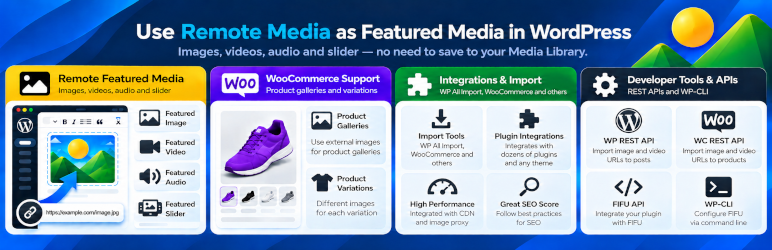

外掛說明
適用於 WordPress 與 WooCommerce 的遠端精選圖片
Featured Image from URL (FIFU) lets you use externally hosted images as featured images for WordPress posts, pages, custom post types, and WooCommerce products and categories — without downloading the original files to your Media Library.
FIFU integrates with WordPress featured image functionality, allowing compatible themes and plugins to display external images.
FIFU 自 2015 年起支援 WordPress 遠端精選圖片。
10 Reasons to Use FIFU Free
- No uploads, no wasted storage: Set featured images using external URLs without storing the original files on your server.
- WooCommerce support: Use remote images for products and product categories.
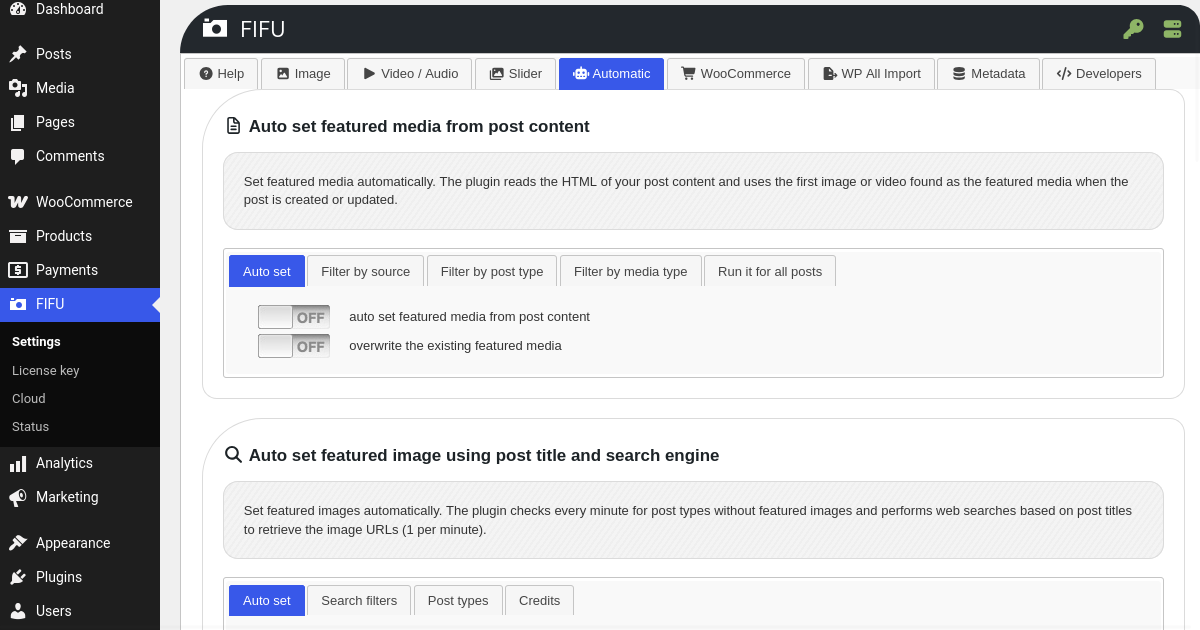
- Automatic featured images: Automatically assign featured images from your post content.
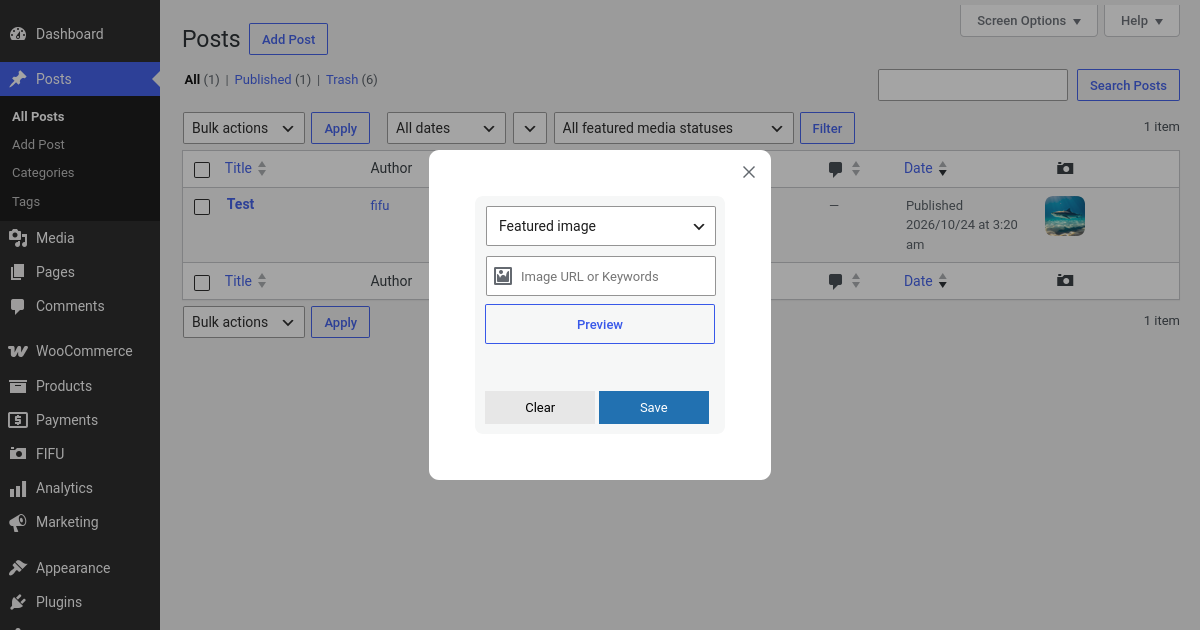
- Quick Editor: Preview, replace, or remove featured images directly from WordPress content lists.
- Flexible image display: Set default featured images, control their visibility, and avoid showing the same featured image twice.
- SEO and social sharing: Support remote image metadata, structured data, and social sharing with compatible SEO plugins.
- Developer automation: Manage featured images programmatically with WP-CLI and PHP functions.
- Unsplash image search: Find and select images directly from WordPress.
- Replace broken images: Automatically display a fallback image when an external image fails to load, without changing its saved URL.
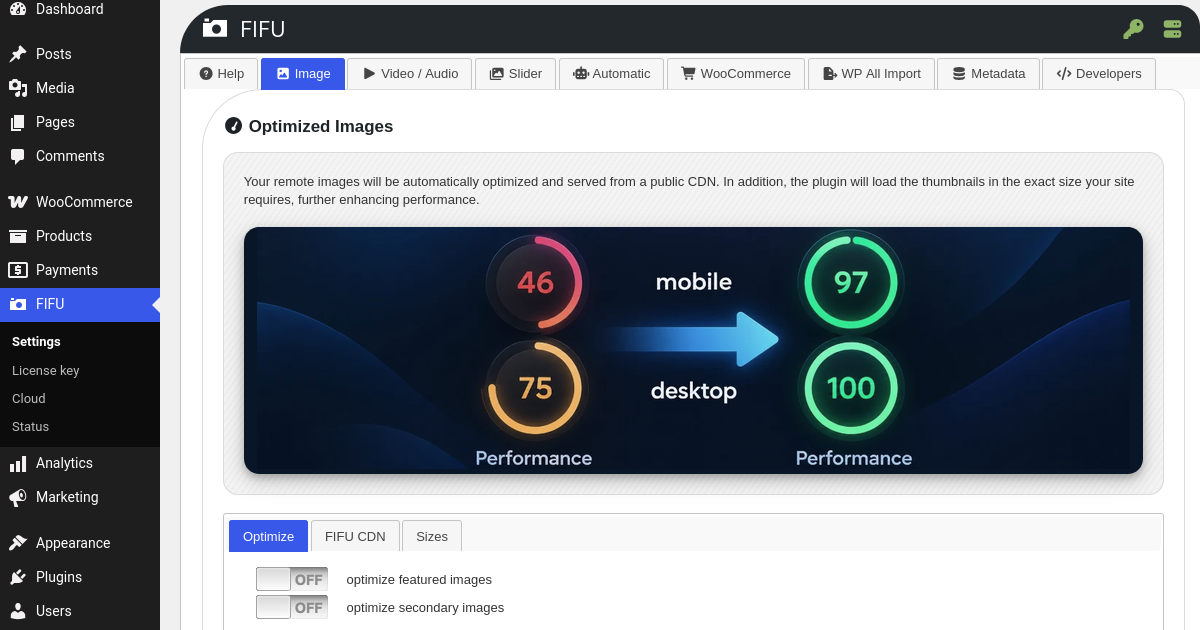
- Optional image optimization: Use compatible CDN delivery, responsive images, and lazy loading.
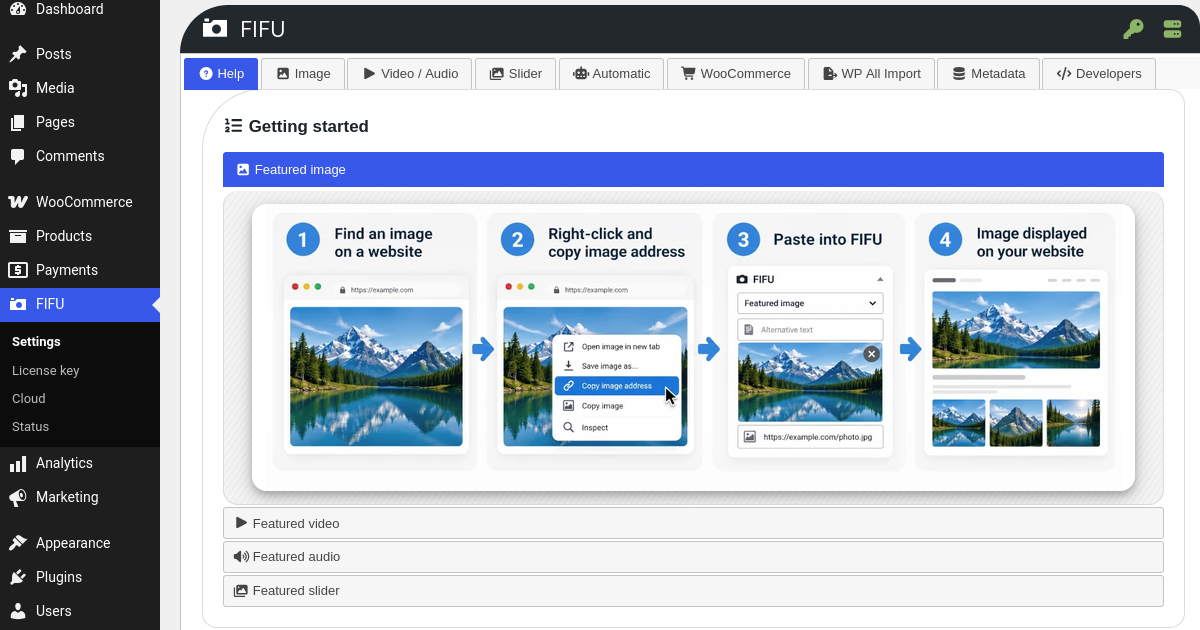
透過三個步驟開始使用
- 編輯文章、頁面或 WooCommerce 商品。
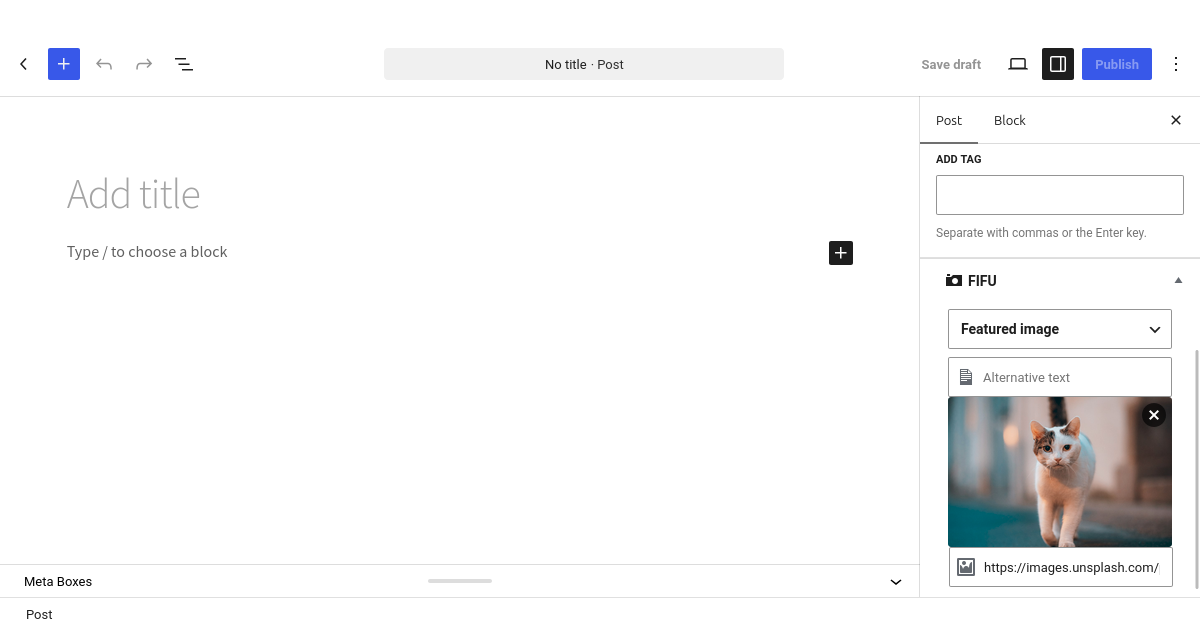
- 將公開圖片網址貼到 FIFU 精選圖片欄位。
- 預覽圖片並儲存變更。
For best results, use a direct image URL that is publicly accessible and allows external display. If an image does not load, check the URL and the source site’s hotlink settings.
試用看看:在 TasteWP 啟動 FIFU Free,設定你的第一張遠端精選圖片。
Third-party integrations require the corresponding plugins and may depend on supported workflows.
FIFU Free — 內含功能
All features in this section are available in FIFU Free.
精選圖片與設定
- 透過網址設定精選圖片:為文章、頁面及自訂文章類型設定遠端精選圖片。
- Quick Editor: Manage remote featured images directly from WordPress content lists. Preview, replace, or remove images without opening individual posts.
- 替換找不到的圖片:外部圖片無法載入時顯示備用圖片,且不變更已儲存的網址。
- Broken Link Checker: Check featured image URLs in the background and list links that repeatedly fail in the Link Checker settings.
- 圖片替代文字:無須上傳原始檔案即可設定描述性替代文字。
- Unsplash 圖片搜尋:搜尋 Unsplash,並從結果中選取圖片網址。
- 預設精選圖片:未設定精選圖片時顯示選取的圖片。
- Featured image admin column: See images in WordPress post, page, supported custom post type, and WooCommerce product category lists.
- Featured image list filter: Find content with no featured image, or filter by featured, remote, or local image.
- Image metadata tools: Generate, synchronize, or clean up image metadata in batches with progress updates.
- Square image options: Choose square cropping or added space separately for desktop and mobile. These options apply to images served by FIFU CDN or FIFU Cloud.
- Hide Featured Media: Hide FIFU featured images on selected post types or post formats where FIFU controls their display.
- Post content options: Add the featured image to post content or remove it to prevent duplicates, and choose which post types are affected.
- Disable right-click: Discourage saving images from the context menu on the frontend. This setting cannot prevent every way of accessing an image.
WooCommerce 商品圖片
- 透過網址設定商品圖片:使用外部圖片網址設定 WooCommerce 商品的主要圖片。
- Product category images: Set remote images and alternative text for WooCommerce product categories.
- 商品圖片燈箱:在 WooCommerce 燈箱中開啟相容的商品圖片。
- 商品圖片縮放:在相容的遠端商品圖片上使用 WooCommerce 縮放功能。
使用外部網址建立多張圖片的商品圖片庫、商品影片庫或商品變化圖片庫,需要 FIFU PRO。
自動化與整合
- Featured image from post content: Automatically assign featured images from post content, eliminating the need to set them manually for each post. Choose supported post types, exclude image-host domains, and control whether existing featured images can be replaced.
- WP-CLI:從命令列設定 FIFU 並管理精選圖片。
- FIFU 圖片區塊:在 WordPress 區塊編輯器中使用 FIFU 圖片區塊新增遠端圖片。
- FIFU Featured Media widget: Display the current post’s remote featured image in a WordPress widget area.
SEO、社群圖片與結構化資料
FIFU supports SEO and social metadata for remote images, helping supported search and social platforms use them.
- Open Graph 與 Twitter 圖片標籤:在支援的社群分享中繼資料中使用精選圖片網址。
- Rank Math SEO:在相容的社群標籤中保留完整精選圖片網址及查詢參數,並提供圖片替代文字。
- Yoast SEO:向支援的社群標籤及結構化資料項目提供遠端精選圖片。
- 結構化資料 (JSON-LD):在支援的頁面、文章及商品資料中提供圖片網址。
- Media RSS:以
media:content的形式將精選圖片加入 RSS。
效能與圖片傳遞
Remote images can reduce local storage use and simplify imports. Page loading speed varies with the image host, file size, caching, and CDN settings.
- 選用圖片 CDN 整合:使用相容的 WordPress.com/Jetpack 圖片 CDN 傳遞圖片。
- 選用文章內容圖片最佳化:選擇為符合條件的圖片使用 CDN 網址、回應式圖片來源及延遲載入。
CDN delivery and resizing are available for supported images and depend on the image host and selected settings.
與其他 WordPress 外掛的相容性
- Yoast Duplicate Post:複製文章時保留精選圖片網址,且不共用 FIFU 附件 ID。
- Content Egg:從商品資料指定圖片,且不覆蓋明確進行的變更。
- MultiVendorX (MVX):在支援的供應商商品表單中輸入外部商品圖片網址。
- WoodMart theme: Compatibility support for remote featured images.
FIFU PRO — 進階媒體與整合功能
FIFU Free 提供外部精選圖片及 WooCommerce 商品主要圖片功能。FIFU PRO 另提供精選影片、音訊、輪播、多張圖片的圖片庫、商品變化圖片庫,以及更多匯入與匯出整合功能。
試用 FIFU PRO 線上展示,或查看 PRO 功能與價格。
10 Reasons to Upgrade to FIFU PRO
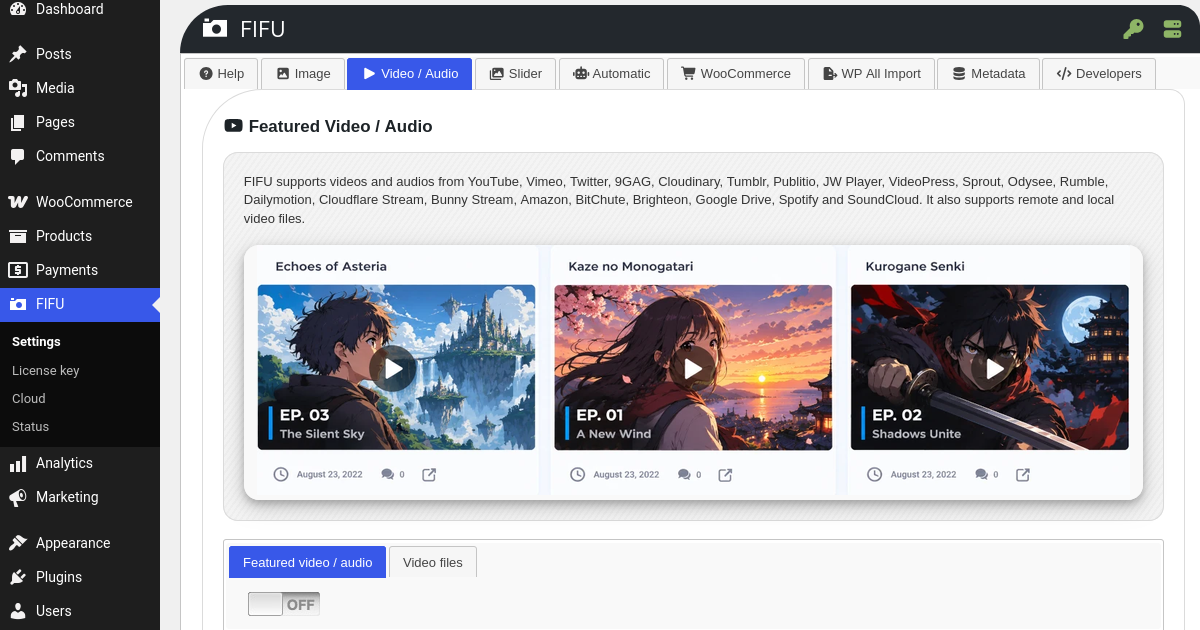
- Featured videos and audio: Use YouTube, Vimeo, and other supported video and audio sources as featured media instead of static images.
- WooCommerce product galleries: Create product galleries with multiple external images and videos.
- Variation image galleries: Assign different images and galleries to individual WooCommerce product variations.
- Automatic featured media: Find images using post-title searches, web page URLs, or ASINs, and automatically assign featured media from custom fields.
- Featured sliders: Replace a single featured image with an interactive image slider.
- Automatic social sharing: Share featured media automatically through supported Facebook, Instagram, and X workflows.
- Quick Buy: Let shoppers preview products and access buying controls directly from compatible WooCommerce shop pages.
- Advanced import and export: Manage remote images, videos, and galleries through WP All Import, WP All Export, WooCommerce CSV, and other supported integrations.
- REST API integration: Connect FIFU with external applications and automate supported media operations using REST API endpoints.
- FIFU CDN: Deliver remote images through FIFU’s CDN with responsive image sizes where supported.
精選影片
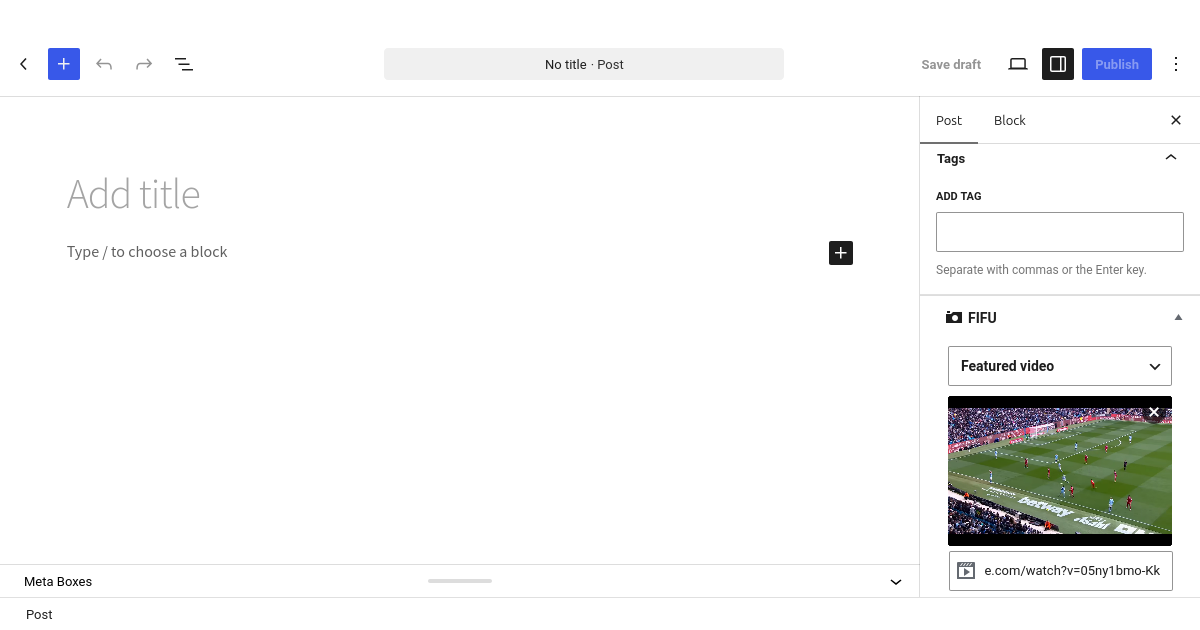
使用相容的影片網址作為精選媒體,取代靜態圖片。仍須遵守瀏覽器與影片提供者的播放限制。
- Supported video and audio sources: YouTube, Vimeo, Twitter, 9GAG, Cloudinary, Tumblr, Publitio, JW Player, VideoPress, Sprout, Odysee, Rumble, Dailymotion, Cloudflare Stream, Bunny Stream, Amazon, BitChute, Brighteon, Google Drive, Spotify, and SoundCloud. FIFU also supports local videos from the Media Library and remote video files.
- Video thumbnails: Remote videos need a remote featured image as their thumbnail. For a video in the Media Library, choose a frame and save it as the thumbnail.
- 影片預覽:顯示影片縮圖,並可選擇顯示播放按鈕。
- Player display: Configure controls and minimum width, and show a thumbnail when a video container is too narrow.
- Playback: Set autoplay for YouTube, Vimeo, Odysee, Rumble, and local or remote video files. Hover playback and looping work with YouTube, Vimeo, and local or remote video files; muting is available for videos.
- Provider options: Use background playback with Vimeo and privacy-enhanced mode with YouTube.
- Watch Later and Queue: Add buttons for compatible featured videos.
FIFU CDN image delivery
- FIFU CDN (PRO): Deliver remote images through FIFU’s CDN, with responsive image sizes where available.
WooCommerce 圖片庫與商品變化
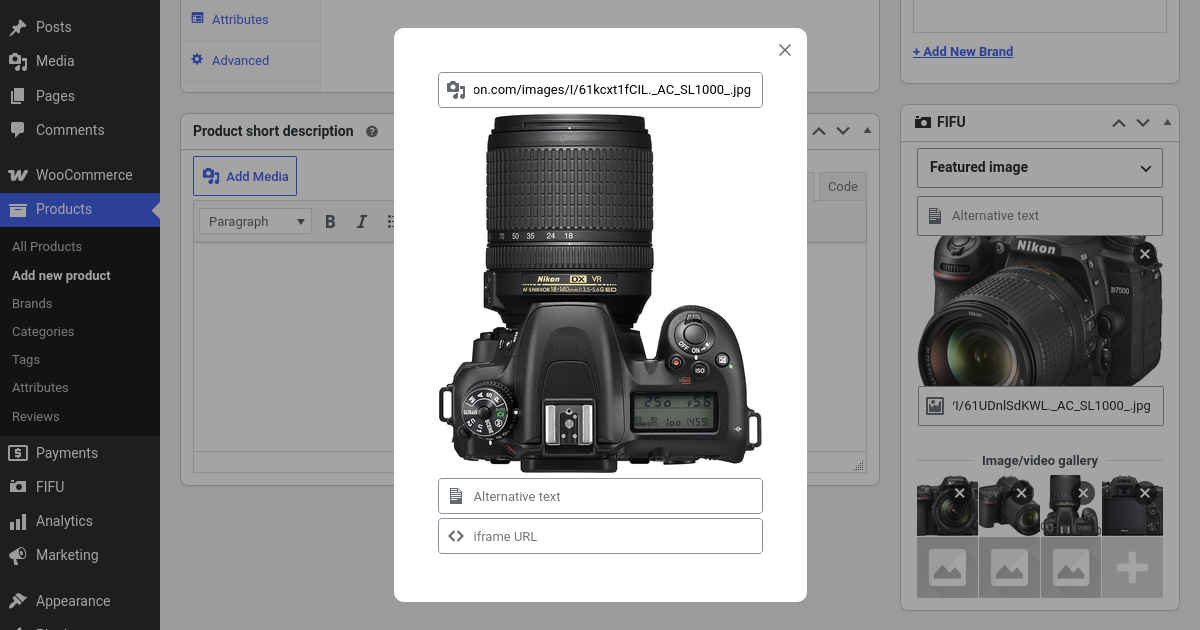
- 遠端商品圖片庫:使用多個託管於外部的圖片網址建立 WooCommerce 商品圖片庫。
- 商品影片庫:在 WooCommerce 商品圖片庫中加入外部影片及圖片。
- FIFU 商品圖片庫:為相容商品使用 FIFU PRO 自有的商品圖片庫顯示方式與控制項。
- 可變商品圖片:為 WooCommerce 商品變化設定遠端圖片,包括各商品變化的主要圖片。
- 商品變化圖片庫:為個別商品變化新增多張外部圖片。
- 自動設定商品分類圖片:自動指定 WooCommerce 商品分類圖片。
- 快速購買:在相容的商店頁面開啟包含購買控制項的商品預覽。
- Add image to order email: Include product images in WooCommerce order emails.
- 下載至媒體庫:可選擇將外部圖片下載至本機媒體庫。
匯入、匯出與 REST API 整合
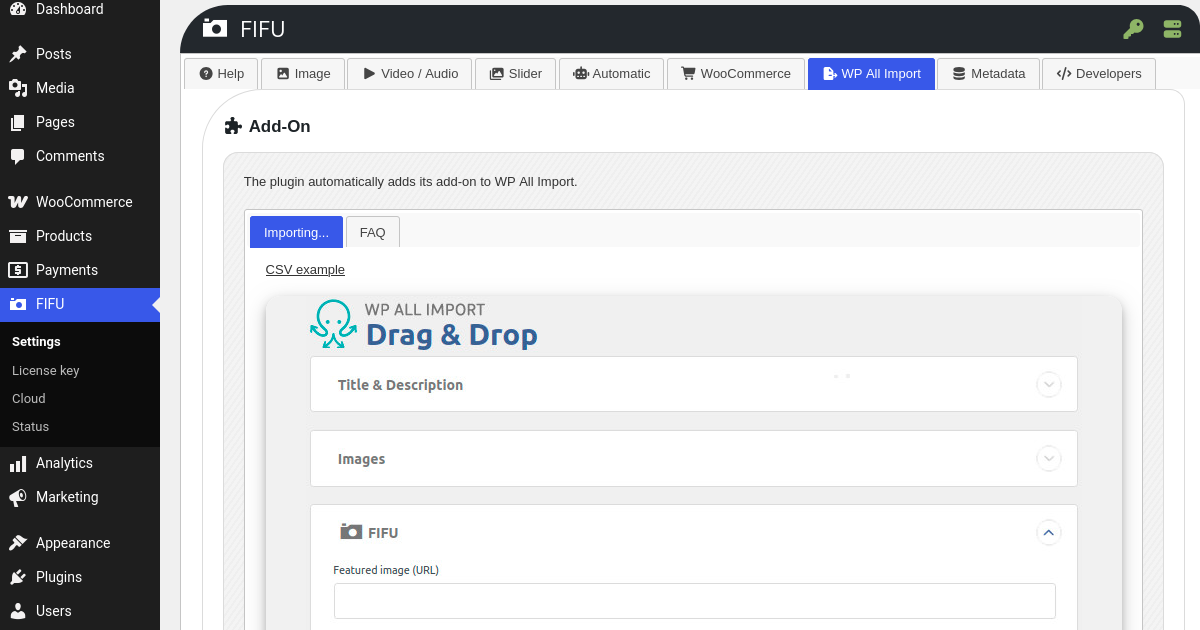
- WP All Import:匯入 FIFU 媒體網址,包括相容的商品及商品變化資料。
- WP All Export:匯出 FIFU 圖片、影片、圖片庫及輪播網址欄位,包含已儲存的匯出設定。
- WooCommerce 商品 CSV 匯入:在相容的商品匯入流程中處理遠端圖片及圖片庫。
- WebToffee 商品匯入 / 匯出:對應或匯出 FIFU 圖片、替代文字及影片清單欄位。
- REST API 端點:存取 FIFU 網址資訊及支援的媒體操作。
Supported fields and media types depend on each plugin’s import or export configuration.
更多第三方整合
FIFU PRO 擴充了多項匯入、聯盟行銷及圖片庫流程。
- WP Automatic: Convert imported FIFU image lists into remote galleries.
- AAWP (Amazon Affiliate WordPress Plugin):透過相容的 AAWP 暢銷商品短代碼設定精選圖片。
自動設定精選媒體
- 搜尋引擎圖片搜尋:使用 FIFU PRO 的圖片搜尋服務尋找精選圖片候選項目。
- 依標題搜尋圖片:使用文章標題搜尋精選圖片。
- 網頁網址:使用網頁網址尋找圖片。
- ASIN:使用 Amazon 標準識別號碼 (ASIN) 尋找商品圖片。
- 自訂欄位:根據儲存在自訂欄位中的網址自動指定精選媒體。
- 網站畫面截圖:使用網站畫面截圖作為精選媒體。
- 自動社群分享:支援已設定的 Facebook、Instagram 和 X 流程。
圖片庫、輪播與音訊
- 遠端圖片庫:使用多個外部圖片網址建立圖片庫。
- 遠端影片庫:使用多個影片網址建立影片庫。
- 精選輪播:使用輪播作為精選媒體,取代單張圖片。
- 輪播控制項:設定相容的輪播自動播放、導覽縮圖、計數器及切換選項。
- 精選音訊:為支援的內容將音訊設為精選媒體。
其他整合與控制選項
- bbPress:為支援的 bbPress 論壇、主題及回覆新增並顯示圖片。
- BuddyBoss Platform:在支援的 BuddyBoss 動態內容中顯示遠端圖片。
- 媒體彈出視窗:設定相容媒體的彈出視窗顯示方式。
- 點擊圖片時重新導向:訪客點擊精選圖片時,連結至設定的目標網址。
- 短代碼:使用 PRO 短代碼顯示支援的 FIFU 圖片、圖片庫、輪播及分類法圖片。
Integrations across Free and PRO
- Elementor: Free adds a featured image widget; PRO adds a featured video widget.
- Gravity Forms: Free adds a featured image field; PRO adds featured video and slider fields.
- Dokan: Free adds a product featured image URL field; PRO adds product gallery URL fields.
- WPML, Polylang, and WooCommerce Multilingual: Free helps preserve featured image URLs in translated or duplicated content; PRO synchronizes product image lists and compatible variation media.
- WP Sheet Editor: Free edits featured image URLs; PRO adds WooCommerce remote image gallery editing.
- WooCommerce Bulk Editor (WOOBE): Free edits featured image URLs; PRO adds remote video URL and image-list editing.
- Datafeedr: Free uses imported feed images as remote featured images; PRO adds remote product galleries from supported feed image fields.
- WPAuto Pro: Free supports remote featured images in automated content workflows; PRO adds remote galleries and featured videos from YouTube URLs.
- Houzez (DataTransport): Compatibility support for property image transfers; PRO also converts property image URL lists into featured sliders.
Additional compatibility
FIFU is compatible with these plugins and themes:
- AIOSEO
- AMP
- Force Login
- Google Web Stories
- OL Scrapes
- Search & Filter Pro
- WordPress Importer
- Variation Swatches for WooCommerce
- Flatsome and WPResidence themes
Found a conflict with another plugin or theme? Let us know in the FIFU support forum. We’ll investigate and work on a fix as soon as possible.
開發人員函式
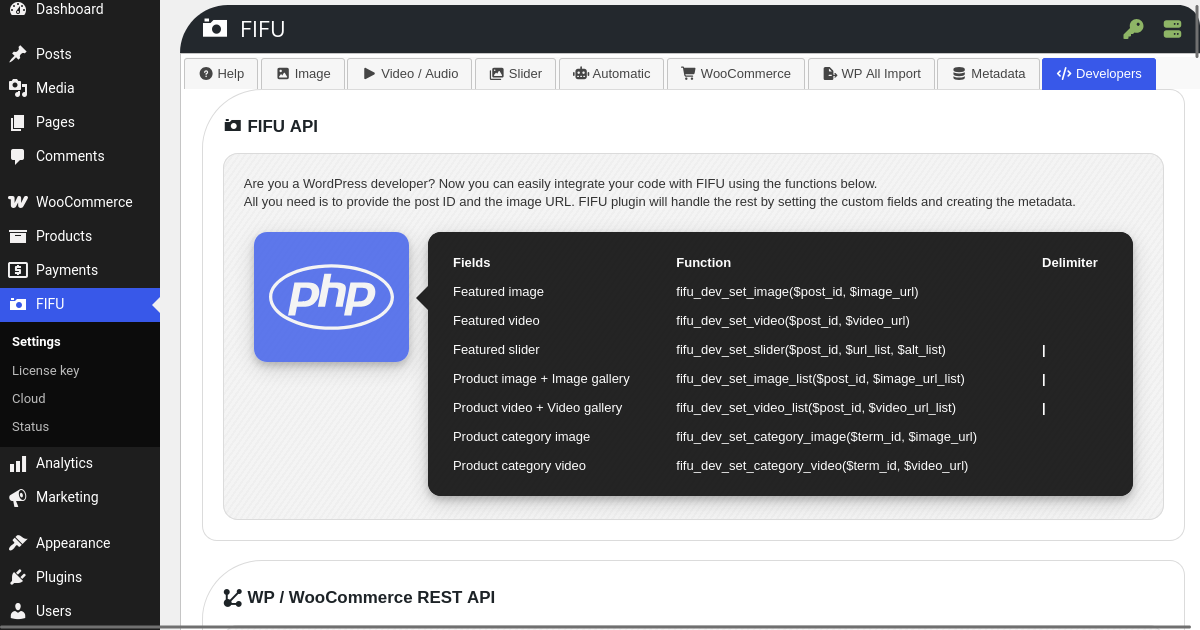
Use FIFU’s PHP functions to automate featured media. Free includes functions for featured and category images; PRO adds functions for videos, sliders, and galleries.
選用服務:FIFU Cloud 圖片服務
FIFU Cloud 是為需要代管圖片傳遞服務的網站提供的獨立服務。使用 FIFU Free 或遠端精選圖片不需要此服務。
- Keep images available: Save remote images in Google Cloud and use stable FIFU Cloud URLs if the original source changes its image URL.
- Smart cropping: Face and object detection helps keep the important subject in view when themes and social networks crop images.
- Optimized delivery: Serve automatically generated WebP thumbnails through Google’s global Edge Network, with image sizes suited to different placements.
- Automatic image management: Upload remote images and remove cloud images that are no longer used on your site.
- Hotlink protection: Restrict other websites from displaying your cloud images, while allowing social media platforms.
- Cloud processing: Process and store images on Google Cloud instead of using your website’s resources for image processing.
FIFU Cloud 有獨立的服務條款。
螢幕擷圖





適用於區塊編輯器
這個外掛提供 1 個可供區塊編輯器使用的區塊。
- Fifu Image
安裝方式
從 WordPress 控制台安裝
- 在 WordPress 中前往外掛 > 安裝外掛。
- 搜尋 Featured Image from URL 或 FIFU。
- 安裝並啟用外掛。
手動安裝
- 將
featured-image-from-url資料夾上傳至/wp-content/plugins/。 - 從 WordPress 的外掛畫面啟用 FIFU。
需要協助嗎?請到官方 FIFU 支援論壇提問。
常見問題集
-
What should I check if an image doesn’t appear?
-
Make sure the URL points directly to a publicly accessible image and that the source site allows external display. Also check FIFU’s Hide Featured Media setting and clear page or CDN caches if needed.
-
If the source temporarily stops serving an image, it can display again when the source is available. The URL remains saved, and FIFU Free’s Replace Not Found Image option can show a fallback. If the source removes the image, you can update the URL.
-
為什麼精選圖片會顯示兩次?
-
這可能是因為佈景主題已經顯示精選圖片,而 FIFU 也設定為將圖片加入文章內容。請檢查佈景主題及 FIFU 的文章內容選項。
-
為什麼變更設定後沒有立即生效?
-
網站或 CDN 顯示的可能是快取頁面。請清除相關快取並重新載入頁面,確認更新後的設定。
-
FIFU 會將圖片下載到媒體庫嗎?
-
FIFU Free displays remote originals from their source URLs without downloading them. Optional CDN services can deliver resized images; FIFU PRO can download originals when local files are needed.
-
Can remote images appear in Google Images?
-
Yes. FIFU supports image metadata for search and social sharing, and publicly accessible remote images can appear in Google Images when eligible. Search engines decide what they index and how results rank.
-
Is FIFU Cloud required to use CDN or lazy loading?
-
No. FIFU’s optional image-delivery settings do not require FIFU Cloud; Cloud is a separate service.
-
Where can I manage image metadata?
-
Go to FIFU > Settings > Metadata to generate, synchronize, or clean up metadata in batches.
-
解除安裝 FIFU 後會發生什麼事?
-
Themes and plugins that rely on FIFU to display remote featured images may no longer show them after FIFU is removed. Review FIFU’s metadata cleanup options if you want to remove its stored data.
-
FIFU Free 可以使用精選影片嗎?
-
不可以。精選影片、精選音訊、精選輪播及遠端媒體圖庫是 FIFU PRO 的功能。FIFU Free 支援透過網址設定精選圖片。
使用者評論


參與者及開發者

變更記錄
6.1.6
- Fix: FIFU now recovers automatically from incomplete upgrades, including on multisite networks.
- Compatibility: Featured and category images keep working while older sites complete their URL-checking update.
- Compatibility: Improved compatibility with WordPress 7.2.
- Enhancement: Improved Broken Link Checker reliability for image URL checks.
- Performance: Completed upgrades no longer repeat repair work.
6.1.5
- New free feature: Broken Link Checker for featured image URLs.
- Fix: Resolved a security issue reported by Patchstack.
- Fix: Fixed the optimized images feature so it serves Flickr-hosted images.
- Compatibility: Added support for WooCommerce 11.2.2.
6.1.4
- New free feature: Add image to order email to display product images in WooCommerce order emails.
- Fix: Improved remote image attachment cleanup to protect shared images and attachments still in use.
- Fix: Improved featured image synchronization and recovery when media is updated or removed.
- Fix: Fixed Unsplash image search access for Editors and Authors with the appropriate permissions.
- Enhancement: Improved plugin documentation and clarified Free and PRO features.
- Compatibility: Added support for WordPress 7.2.
6.1.3
- New free feature: Replace Not Found Image to display a fallback image when a remote image fails to load.
- Enhancement: Improved Quick Editor image preview sizing for a more compact and responsive dialog.
- Fix: Improved remote image attachment cleanup to protect local media and images still in use.
- Fix: Improved remote image synchronization and recovery.
- Enhancement: Refreshed the FIFU administration interface.
6.1.2
- New: Disable right-click on frontend images from FIFU settings.
- Fix: Resolved PHP 8.5 and newer deprecation warnings during remote image URL validation.
- Compatibility: Improved compatibility with PHP 8.5 and PHP 8.6.
6.1.1
- Fix: Explicit FIFU featured image removals and replacements are no longer overwritten by later Content Egg synchronization.
- Fix: The Status page now shows DB2-backed featured image URLs correctly even when the site is using legacy mode.
- Enhancement: Combined the PRO Featured Video and Featured Audio settings preview into a single Video / Audio section.
- Compatibility: Added support for WordPress 7.1.3.
6.1.0
- Fix: Preserved query-dependent featured image URLs in Rank Math Facebook and Twitter social metadata.
- Enhancement: Removed the outdated Troubleshooting page from the FIFU menu.
6.0.9
- Enhancement: Unified the Featured Media editor with the new Premium-style layout and improved the Quick Editor experience.
- Enhancement: Improved featured image preview, alternative text editing, and locked PRO media controls in the editor.
- Enhancement: Unified the product category featured media editor.
- Enhancement: Added WP Automatic Pro integration for FIFU remote featured images.
- Fix: Rank Math now preserves query parameters in social image URLs.
- Fix: Rank Math now detects FIFU alternative text correctly for featured images.
- Fix: Eliminated repeated FIFU attachment-author database queries to improve performance.
- Compatibility: Added support for WordPress 7.1.2 and WooCommerce 11.1.2.
6.0.8
- Fix: Security issue reported by the Patchstack team.
6.0.7
- Fix: Database updates can now retry after a failed update.
6.0.6
- Enhancement: Manual metadata generation and cleanup now use a faster browser-driven workflow.
- Fix: Improved the Clear Metadata tool with more reliable processing and progress reporting.
- Performance: Improved compatibility with FacetWP to avoid unnecessary image processing.
- Fix: Remote product images are now handled correctly when duplicating WooCommerce products.
- Fix: Improved compatibility with themes and plugins that provide WordPress object IDs as numeric strings.
- Fix: Signed CDN image URLs now work correctly with Unicode characters.
- Fix: Improved compatibility with block-based editors by preventing conflicting WordPress editor scripts from being loaded.
- Fix: Improved WoodMart compatibility by preventing remote FIFU images from being processed as local thumbnails.
6.0.5
- Fix: Featured images are now synchronized correctly with third-party plugins that process posts immediately after they are saved.
- Fix: WooCommerce product featured images no longer disappear after changing a product permalink.