
外掛說明
This plugin lets you set a custom logo for Twenty Twenty WordPress theme’s cover template, change the footer credits lines (copyright and powered by WordPress) & use a transparent header with a hero block. More options to come.
Current features:
Logo to be used when the Cover Template is selected
You can use this option to select a custom logo, with a transparent background (.png), that will be used only when the cover page template is detected. This helps because your custom logo might not be perceivable if the cover overlay is of the same color.
This option can be found in: Customizer > Site Identity > Cover Template Logo.
Transparent header
Use the transparent header used by the Cover Page template whitout actually selecting that template. This is great if you want to use a custom Hero section (cover block for example). It will also disable the title h1 tag (for SEO reasons), so make sure you add a h1 tag on the page (maybe via cover block). The logo can be set using the previous option.
This option can be enabled on a per post/page basis. When you edit/create a new page, open the plugin sidebar (Twenty Twenty Extras) and toggle Transparent header.
Change or remove the “copyright” and “powered by WordPress” lines
These options will allow you to easily change/remove the “copyright” and “powered by WordPress” lines located in the footer. You can use text, plain html, emojis or some of the custom placeholders. The Customizer will offer live preview for these options.
These options can be found in: Customizer > Footer.
More options to come
Stay tuned!
螢幕擷圖
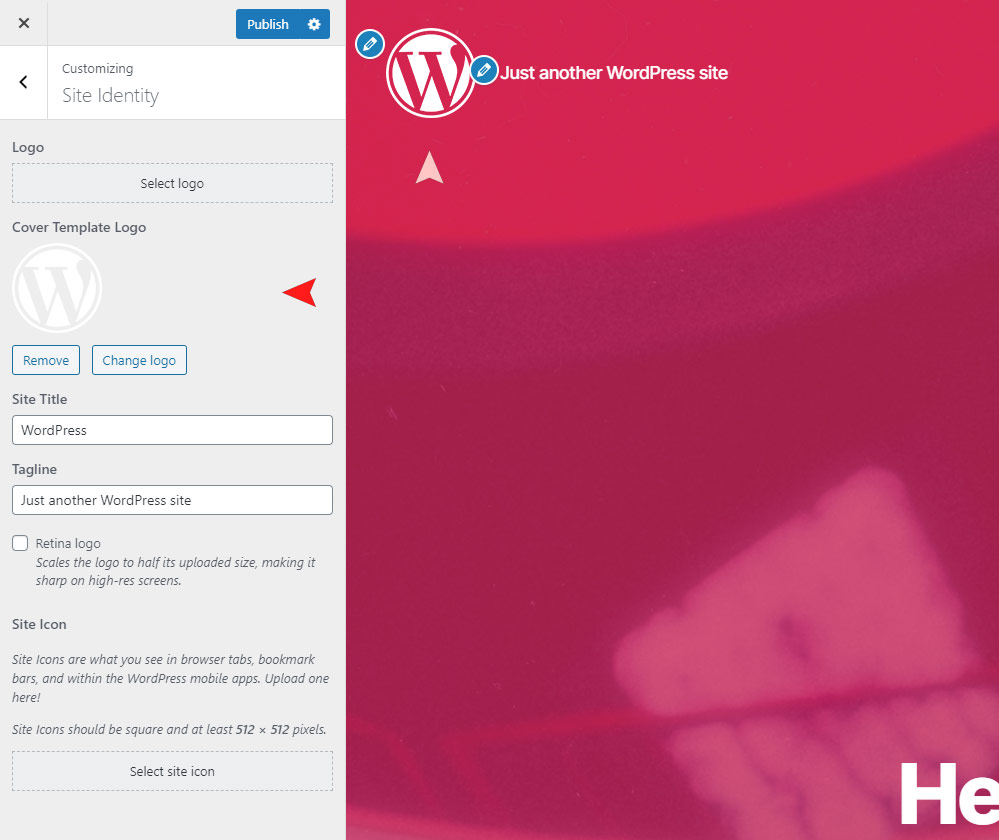
Custom logo displayed when the Cover Template is used. 
Enabled transparent header with a Cover block as the first block on page. 
Ability to change the "copyright" and "powered by" lines.
安裝方式
From within WordPress
- Visit ‘Plugins > Add New’.
- Search for
Twenty Twenty Extra Options. - Activate
Twenty Twenty Extra Optionsfrom your Plugins page. - Go to “after activation” below.
Manually
- Upload the
twenty-twenty-extra-optionsfolder to the/wp-content/plugins/directory - Activate the
Twenty Twenty Extra Optionsplugin through the ‘Plugins’ menu in WordPress - Go to “after activation” below.
After activation
- Check
Appearance > 2020 Extras
使用者評論


