
外掛說明
Catch Social Share is a simple yet handy WordPress plugin that allows you to add social sharing buttons to your website. It is available for absolutely free. With a well-designed interface, attractive social icons, and fully customizable buttons Catch Social Share sure is the ideal solution to share your content on different social media platforms. The plugin helps you display social share buttons from seven different popular networks either above or below your content. You can also add text before the Sharing buttons and select its position—right, left, top, or bottom of your share buttons. Not only that, the share button text for each social media platform is customizable. You can also choose where you want your social sharing buttons to be displayed. With the plugin activated, you will be provided with the shortcode option as well. Simply copy and paste the shortcode [catch-social-share] directly into any post or page and enjoy displaying the social share buttons. Its focus isn’t just on social sharing buttons, but it also focuses on making your content more user-friendly and keeping visitors engaged. Download Catch Social Share plugin right away and provide your visitors an easier gateway to share your content in various social media platforms.
螢幕擷圖
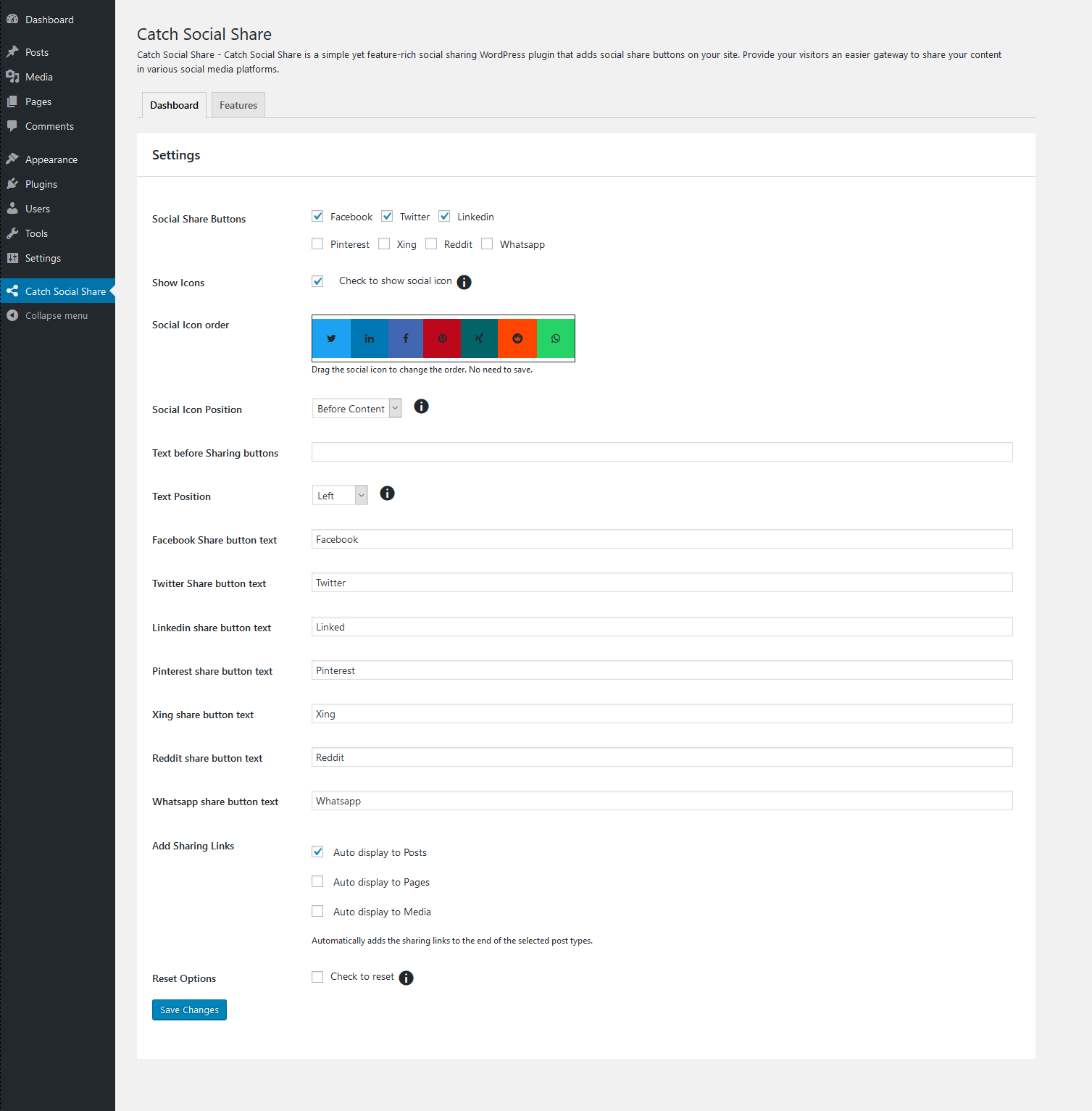
Main Page 
Social Share Icon displaying on frontend
安裝方式
via FTP
The easy way (via Dashboard) :
- Go to Plugins > Add New
- Type in the Catch Social Share in Search Plugins box
- Click Install Now to install the plugin
- After Installation click activate to start using the Catch Social Share
- Go to Catch Social Share from Dashboard menu
Not so easy way (via FTP) :
- Download the Catch Social Share
- Unarchive Catch Social Share plugin
- Copy folder with catch-social-share.zip
- Open the ftp \wp-content\plugins\
- Paste the plug-ins folder in the folder
- Go to admin panel => open item “Plugins” => activate Catch Social Share
- Go to Catch Social Share from Dashboard menu
使用者評論
這個外掛目前沒有任何使用者評論。
參與者及開發者
以下人員參與了開源軟體〈Catch Social Share〉的開發相關工作。
參與者


變更記錄
1.2.4 (Released: April 16, 2024)
- Compatibility check up to version 6.5
1.2.3 (Released: November 15, 2023)
- Compatibility check up to version 6.4
1.2.2 (Released: November 16, 2022)
- Compatibility check up to version 6.1
1.2.1 (Released: February 24, 2022)
- Compatibility check up to version 5.9
1.2 (Released: August 05, 2021)
- Compatibility check up to version 5.8
1.1 (Released: March 13, 2020)
- Compatibility check up to version 5.4
1.0.1 (October 30, 2019)
- Bug Fixed: Issue with pot file
- Compatibility check up to version 5.3
1.0.0 (Released: July 18, 2019)
- Initial Release